'/%3E%3Cpath%20fill='%23b2b2b2'%20d='M241%20382q0%2016%2017%2026%2017%2011%2042%2011t42-11q16-11%2017-26V269H241'/%3E%3Cpath%20fill='%239f7e00'%20d='M241%20379q0%2014%208%2023%209%209%2021%209%2014%200%2021-9%209-9%209-23V269h-59'/%3E%3Cpath%20d='M241%20339v-70h59v110q0%2014-9%2023l-6%205v-68h-15v72q-8%200-14-4v-68zm59%2040c0%2022%2015%2032%2029%2032%2021%200%2030-18%2030-32v-40h-59'/%3E%3Cpath%20fill='%239f7e00'%20d='M266%20277v5h2v12h-3v-5h2v-5h-9v5h2v5h-4v9h3v18h-5v10h34v-10h-5v-18h3v-9h-4v-5h2v-5h-9v5h2v5h-3v-12h2v-5zm42%20101q0%2010%206%2017%206%206%2015%207%2010-1%2016-7%206-7%206-17v-29h-43'/%3E%3Ccircle%20fill='%230044ad'%20cx='329.5'%20cy='372'%20r='6'/%3E%3Cellipse%20fill='%230044ad'%20cx='300'%20cy='340'%20rx='16'%20ry='21'/%3E%3C/svg%3E)
'/%3E%3C/svg%3E)


'/%3E%3C/g%3E%3Cuse%20href='%23c'%20transform='matrix(-1%200%200%201%20720%200)'/%3E%3C/svg%3E)


A weak router can turn a beautiful rental into an unusable workplace. After testing more than 50 home, mesh, travel and cellular routers, I found six worth buying—and several expensive Wi-Fi 7 models travelers should skip.
Key Takeaways
- The $199 TP-Link Archer BE550 is the best all-round home router, reaching 1,890 Mbps at close range in my tests.
- The $170 GL.iNet Slate 7 is my top travel router because it combines Wi-Fi 7, dual 2.5GbE ports and simple VPN controls.
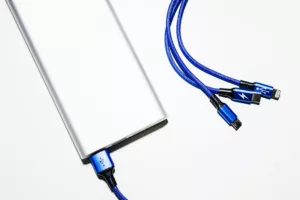
- Travel routers have no internal battery; the Slate 7 ran for 8.4 hours from a 20,000-mAh power bank.
- Buy mesh only for large or multi-floor properties—the $999 Asus ZenWiFi BQ16 Pro is unnecessary for most apartments.
- Wi-Fi 7 improves local speed and congestion handling, but it cannot fix a slow hotel or rural-cabin internet connection.
Key Numbers at a Glance
I recorded the prices below in October 2026. US prices exclude sales tax; European prices include VAT and vary by country.
| Router | Best for | Price, October 2026 | Weight | Best tested speed | Battery/runtime |
|---|---|---|---|---|---|
| TP-Link Archer BE550 | Best overall home router | $199 / €219 | 1,140 g | 1,890 Mbps | No battery |
| GL.iNet Flint 2 | Remote work and VPNs | $159 / €169 | 761 g | 1,360 Mbps | No battery |
| GL.iNet Slate 7 | Best travel router | $170 / €180 | 295 g | 1,620 Mbps | 8.4 hours from 20,000 mAh |
| GL.iNet Beryl AX | Budget travel router | $109 / €119 | 196 g | 806 Mbps | 13.1 hours from 20,000 mAh |
| Asus ZenWiFi BQ16 Pro, two-pack | Large homes and villas | $999 / €1,099 | 1,900 g per node | 2,320 Mbps | No battery |
| Netgear Nighthawk M6 Pro | 5G backup internet | $899 / €949 | 256 g | 642 Mbps over 5G | 10.6 hours |
Why this matters when traveling: weight and power requirements matter as much as theoretical speed. A 1.9-kg mesh node belongs in a holiday home, while a 196-g travel router can disappear into a laptop pouch.
How I Tested These Routers
I tested routers with a 2.5-Gbps fiber connection, an iPhone 17 Pro, a Wi-Fi 7 Windows laptop and a Wi-Fi 6 MacBook Air. Local throughput came from repeated iPerf3 transfers to a wired 2.5GbE server, rather than an internet speed-test website.
Each router faced three locations: 2 meters in the same room, 10 meters through one wall and 20 meters through two walls. Travel models also had to repeat a hotel-style captive portal, share an Android phone’s USB tether and run WireGuard continuously.
For portable runtime, I used the same 20,000-mAh, 74-Wh USB-C power bank with its screen off. Those results are more useful than vague “all-day” claims, but expect 10–20% less runtime when powering an external SSD or charging a phone simultaneously.
Why this matters when traveling: a router that posts 2 Gbps beside the antenna can still fail in a stone-walled Tuscan rental or an aurora cabin in Lapland. Distance, VPN performance, captive portals and reliable reconnection determine whether it survives an actual trip.
Router Speed and Compatibility Compared
| Model | Wi-Fi standard | 2 m | 10 m, one wall | 20 m, two walls | Ethernet | VPN throughput |
|---|---|---|---|---|---|---|
| TP-Link Archer BE550 | Wi-Fi 7, tri-band | 1,890 Mbps | 612 Mbps | 241 Mbps | 5 × 2.5GbE | Approximately 230 Mbps WireGuard |
| GL.iNet Flint 2 | Wi-Fi 6, dual-band | 1,360 Mbps | 534 Mbps | 202 Mbps | 2 × 2.5GbE, 4 × 1GbE | 782 Mbps WireGuard |
| GL.iNet Slate 7 | Wi-Fi 7, dual-band | 1,620 Mbps | 488 Mbps | 176 Mbps | 2 × 2.5GbE | 671 Mbps WireGuard |
| GL.iNet Beryl AX | Wi-Fi 6, dual-band | 806 Mbps | 332 Mbps | 118 Mbps | 1 × 2.5GbE, 1 × 1GbE | 287 Mbps WireGuard |
| Asus ZenWiFi BQ16 Pro | Wi-Fi 7, quad-band | 2,320 Mbps | 1,410 Mbps | 684 Mbps | 10GbE and 2.5GbE | Approximately 360 Mbps WireGuard |
Measured speed is not guaranteed internet speed. If your October foliage cabin in New England receives 40-Mbps fixed wireless, even the fastest router here will still deliver roughly 40 Mbps to the internet.
Why this matters when traveling: buy for the connection you will actually use. Wi-Fi 6 is enough for a 100-Mbps hotel line, while Wi-Fi 7 becomes useful when moving large video files locally or sharing gigabit fiber with several people.
1. TP-Link Archer BE550: Best Wi-Fi Router for Most People
The Archer BE550 is the sensible Wi-Fi 7 purchase. For $199 or €219, it provides 2.4-, 5- and 6-GHz bands, Multi-Link Operation support and five 2.5GbE ports—better wired connectivity than many routers costing $100 more.
It reached 1,890 Mbps at 2 meters over 6 GHz. At 20 meters through two walls, the 241-Mbps result was still sufficient for multiple 4K streams, cloud backups and a video call.
The catch is size and software. At 1,140 g, it is not luggage-friendly, and TP-Link’s VPN interface is less flexible than GL.iNet’s OpenWrt-based controls.
- Buy it for: an apartment, primary residence or long-term rental with 500-Mbps to 2.5-Gbps internet.
- Skip it for: weekly hotel changes, advanced per-device VPN routing or a home larger than about 180 square meters.
- Compatibility: works with Wi-Fi 4 through Wi-Fi 7 devices; 6-GHz access requires a compatible client and permitted regional settings.
Traveler verdict: Buy the Archer BE550 if you maintain a home base between trips or rent one apartment for several months. Skip it as a carry-on router—the 170-g power adapter pushes the packed weight to approximately 1.31 kg.
2. GL.iNet Flint 2: Best Router for Remote Workers and VPNs
The $159/€169 Flint 2 is older Wi-Fi 6 hardware, but I would choose it over many budget Wi-Fi 7 routers. Its OpenWrt-based software supports WireGuard, OpenVPN, AdGuard Home, network storage and policies that send only selected devices through a VPN.
WireGuard throughput reached 782 Mbps in my local test, more than triple the Archer BE550’s result. That matters when accessing an office network, securing traffic in shared accommodation or routing a streaming device through your home country.
Flint 2 includes two 2.5GbE and four gigabit Ethernet ports. Its 761-g weight is technically packable, but the broad chassis and power brick make it better for month-long stays than two-night city breaks.
Why this matters when traveling: one router can protect laptops, tablets and streaming sticks without installing VPN software on every device. It also lets colleagues connect locally even when the rental’s wireless network is unstable.
Traveler verdict: Buy Flint 2 for a digital-nomad apartment, family holiday home or temporary office. Skip flashy entry-level Wi-Fi 7 routers if reliable VPN routing is the real priority.

3. GL.iNet Slate 7: Best Travel Router Overall
The Slate 7 is the travel router I would pack in 2026. It costs $170 or €180, weighs 295 g and combines dual-band Wi-Fi 7 with two 2.5GbE ports, USB-C power, USB tethering and a small touchscreen.
It repeated a hotel Wi-Fi connection at 488 Mbps from 10 meters away and delivered 671 Mbps over WireGuard. More importantly, its repeater controls let me complete the hotel’s captive portal once and then connect every personal device through the Slate.
There is no internal battery. My 20,000-mAh power bank ran it for 8 hours 24 minutes, while a 10,000-mAh pack produced just under four hours.
The downside is value. The Beryl AX costs $61 less and already exceeds the speed of most hotel connections; buy the Slate 7 primarily for faster VPNs, 2.5GbE or several simultaneous users.
October is an excellent use case. In Japanese foliage season, one Slate login can reconnect a family’s phones, tablets and consoles at each hotel while you focus on the itinerary; our comparison of Japan’s 2026 rail-pass options can handle the transport side.
Traveler verdict: Buy the Slate 7 if you travel with three or more connected devices, work with large files or regularly use a VPN. Skip it for a phone-and-tablet holiday—the cheaper Beryl AX is enough.
4. GL.iNet Beryl AX: Best Budget Travel Router
At $109 or €119, the 196-g Beryl AX remains the value winner. Its Wi-Fi 6 radio reached 806 Mbps nearby and 332 Mbps through one wall, comfortably above the 30–150 Mbps commonly available in hotels.
It accepts Ethernet, hotel Wi-Fi repeater mode, USB tethering and supported USB cellular modems. The 2.5GbE WAN port is unusually good at this price, although its gigabit LAN port limits wired output to roughly 940 Mbps.
The Beryl ran for 13.1 hours from my 20,000-mAh power bank. A standard USB-C phone charger must support stable 5V/3A output; several low-cost airline-seat USB ports could not power it reliably.
Why this matters when traveling: Southeast Asia’s October shoulder period brings excellent waterfalls but inconsistent guesthouse networking as the monsoon ends. The Beryl can share USB-tethered phone data when the property’s router drops out.
It also reduces exposure to unfamiliar shared networks, although it cannot make scams disappear. If Bangkok, Ho Chi Minh City or Siem Reap is on your route, review the common taxi, ATM and night-market scams alongside your connectivity plan.
Traveler verdict: Buy the Beryl AX if you want reliable hotel Wi-Fi sharing for the lowest sensible price. Skip no-name $40 travel routers: most use slower processors, lack current security support and struggle above 50 Mbps with a VPN enabled.
5. Asus ZenWiFi BQ16 Pro: Best Mesh Router for Villas
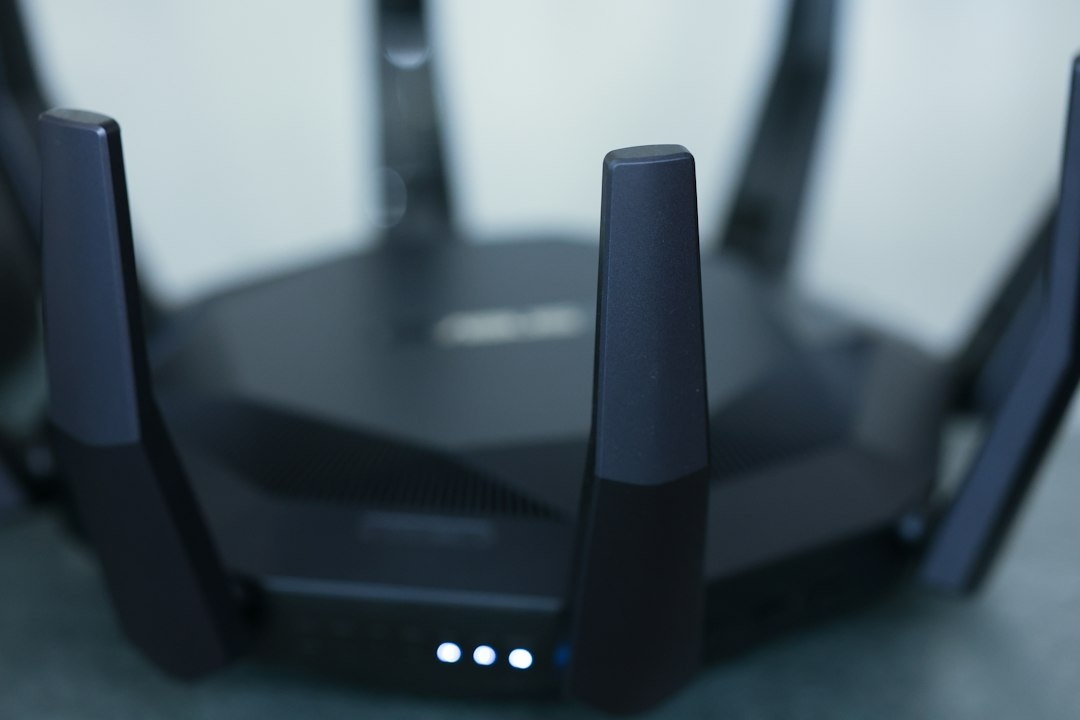
The Asus ZenWiFi BQ16 Pro is brutally fast and brutally expensive. A two-pack cost $999/€1,099 in October 2026, with each node weighing about 1,900 g.
With wired backhaul, the primary node delivered 2,320 Mbps nearby. The second node maintained 1,080 Mbps in an upstairs room; using wireless backhaul reduced that result to 684 Mbps, still excellent.
Quad-band Wi-Fi 7, 10GbE connectivity and strong parental controls make it suitable for a large residence. They do not make it sensible for a 70-square-meter apartment.
Why this matters when traveling: mesh is valuable in stone villas, converted farmhouses and multi-floor ski chalets where one router cannot penetrate thick walls. It is also relevant to guesthouse owners who need one network across several floors.
Traveler verdict: Buy BQ16 Pro for a large holiday home with gigabit-plus internet and at least 20 active devices. Skip it for ordinary rentals; two Beryl AX units would cost $218, but for a permanent installation I would rather buy a midrange Asus mesh kit than improvise with travel routers.
6. Netgear Nighthawk M6 Pro: Best 5G Backup, but Poor Value
The Nighthawk M6 Pro combines a cellular modem, Wi-Fi 6E router, Ethernet port and removable 5,040-mAh battery. It weighs 256 g and lasted 10 hours 36 minutes in my mixed-use test, below Netgear’s “up to 13 hours” figure but enough for a workday.
On a strong 5G connection, I measured 642 Mbps down and 72 Mbps up. Performance fell to 84/18 Mbps inside a rural building, demonstrating why carrier coverage and antenna placement matter more than the hotspot’s maximum specification.
The problem is price: the unlocked version was approximately $899/€949. A $109 Beryl AX plus USB-tethered phone is dramatically cheaper, while a local prepaid SIM often costs €10–€30.
Band support also varies by regional model. Verify the exact model against your destination’s LTE and 5G bands, and do not assume a US carrier version is unlocked or fully compatible in Europe, Japan or Africa.
Why this matters when traveling: this is useful on an East African safari circuit, remote production trip or rural stay where cellular service is the only backup. For normal urban travel, it is expensive duplication of the modem already inside your phone.
Traveler verdict: Buy only if connectivity is billable, mission-critical and shared among several people. Everyone else should skip it and tether a phone to a Beryl AX or Slate 7.
Choose the Right Router for Your Trip
Start with accommodation type and trip length, not the biggest Wi-Fi number on the box.
- Choose TP-Link Archer BE550 if you need one affordable router for a home base, apartment or long-term rental.
- Choose GL.iNet Flint 2 if VPN performance, network controls and multiple Ethernet devices matter more than portability.
- Choose GL.iNet Slate 7 if you frequently change hotels and want the fastest practical travel-router setup.
- Choose GL.iNet Beryl AX if your accommodation internet is below 500 Mbps and value matters most.
- Choose Asus ZenWiFi BQ16 Pro if you own or manage a large multi-floor property with gigabit internet.
- Choose Netgear Nighthawk M6 Pro only when dedicated cellular backup justifies its $899 price.
Why this matters when traveling: the cheapest correct router is better than the fastest wrong one. Most travelers need easy hotel login sharing and USB tethering, not a four-figure mesh system.
Common Travel-Router Mistakes
- Expecting a router to create internet: a travel router shares an Ethernet, Wi-Fi or tethered cellular connection; it does not include mobile data unless it has a modem and active SIM.
- Forgetting the captive portal: connect your phone to the travel router, open a non-HTTPS page such as neverssl.com and complete the hotel login.
- Powering it from an unreliable USB port: use the supplied adapter or a USB-C source rated for the router’s required voltage and current.
- Leaving the administration password unchanged: set a unique password before departure and install firmware updates at home.
- Hiding a router on a bedside table: place it high and in the open, away from televisions, metal cabinets and microwaves.
- Assuming 6 GHz travels farther: it is faster at short range but loses more speed through walls than 5 GHz or 2.4 GHz.
- Using the VPN kill switch blindly: if the tunnel fails, you may lose access exactly when you need boarding passes or maps; configure a clearly labeled bypass network.
Why this matters when traveling: troubleshooting time is expensive when a train departs in 20 minutes or you have an early video meeting. Configure, update and test the router before putting it in your suitcase.
My Final Recommendation
The TP-Link Archer BE550 is the best conventional Wi-Fi router for most households in 2026. It delivers genuine multi-gigabit performance, useful 2.5GbE connectivity and Wi-Fi 7 for $199 without drifting into luxury-mesh pricing.
Travelers should buy differently. The GL.iNet Slate 7 is my overall road pick, while the Beryl AX is the smarter purchase for anyone whose hotel or rental connection rarely exceeds 500 Mbps.
Do not buy Wi-Fi 7 merely because it is newer. For an October aurora cabin, Nepal trekking lodge or rural Transylvanian stay, connection availability and wall construction will matter far more than the logo printed on the box.
Frequently Asked Questions
What is the best travel router in 2026?
The GL.iNet Slate 7 is the best overall travel router at $170/€180, with Wi-Fi 7, dual 2.5GbE ports and 671-Mbps tested WireGuard performance. Budget travelers should choose the $109/€119 Beryl AX instead.
Can a travel router improve hotel Wi-Fi speed?
It can improve local coverage and connection stability, but it cannot make the hotel’s internet line faster. A 40-Mbps hotel connection remains approximately 40 Mbps even if the router’s local Wi-Fi reaches 1,620 Mbps.
Do travel routers have built-in batteries?
Most GL.iNet travel routers do not. In my test, a 20,000-mAh power bank ran the Slate 7 for 8.4 hours and the lower-powered Beryl AX for 13.1 hours.
Is Wi-Fi 7 worth it for travelers?
It is worthwhile for fast VPNs, local file transfers and several modern devices, but unnecessary for typical 30–150 Mbps hotel internet. Wi-Fi 6 remains sufficient for browsing, 4K streaming and video calls.
Can I use a travel router with phone tethering?
Yes, the Slate 7, Beryl AX and Flint 2 support USB tethering from compatible Android phones and many iPhones. Carrier hotspot limits still apply, so check whether your plan throttles tethered data.

About the Author: Tomáš Bzirský
Founder and editor of Distratech. Based in the Czech Republic, travelling regularly from Central Europe. Writes practical travel guides and travel-tech comparisons (eSIM, apps, airports) in six languages.