'/%3E%3Cpath%20fill='%23b2b2b2'%20d='M241%20382q0%2016%2017%2026%2017%2011%2042%2011t42-11q16-11%2017-26V269H241'/%3E%3Cpath%20fill='%239f7e00'%20d='M241%20379q0%2014%208%2023%209%209%2021%209%2014%200%2021-9%209-9%209-23V269h-59'/%3E%3Cpath%20d='M241%20339v-70h59v110q0%2014-9%2023l-6%205v-68h-15v72q-8%200-14-4v-68zm59%2040c0%2022%2015%2032%2029%2032%2021%200%2030-18%2030-32v-40h-59'/%3E%3Cpath%20fill='%239f7e00'%20d='M266%20277v5h2v12h-3v-5h2v-5h-9v5h2v5h-4v9h3v18h-5v10h34v-10h-5v-18h3v-9h-4v-5h2v-5h-9v5h2v5h-3v-12h2v-5zm42%20101q0%2010%206%2017%206%206%2015%207%2010-1%2016-7%206-7%206-17v-29h-43'/%3E%3Ccircle%20fill='%230044ad'%20cx='329.5'%20cy='372'%20r='6'/%3E%3Cellipse%20fill='%230044ad'%20cx='300'%20cy='340'%20rx='16'%20ry='21'/%3E%3C/svg%3E)
'/%3E%3C/svg%3E)


'/%3E%3C/g%3E%3Cuse%20href='%23c'%20transform='matrix(-1%200%200%201%20720%200)'/%3E%3C/svg%3E)


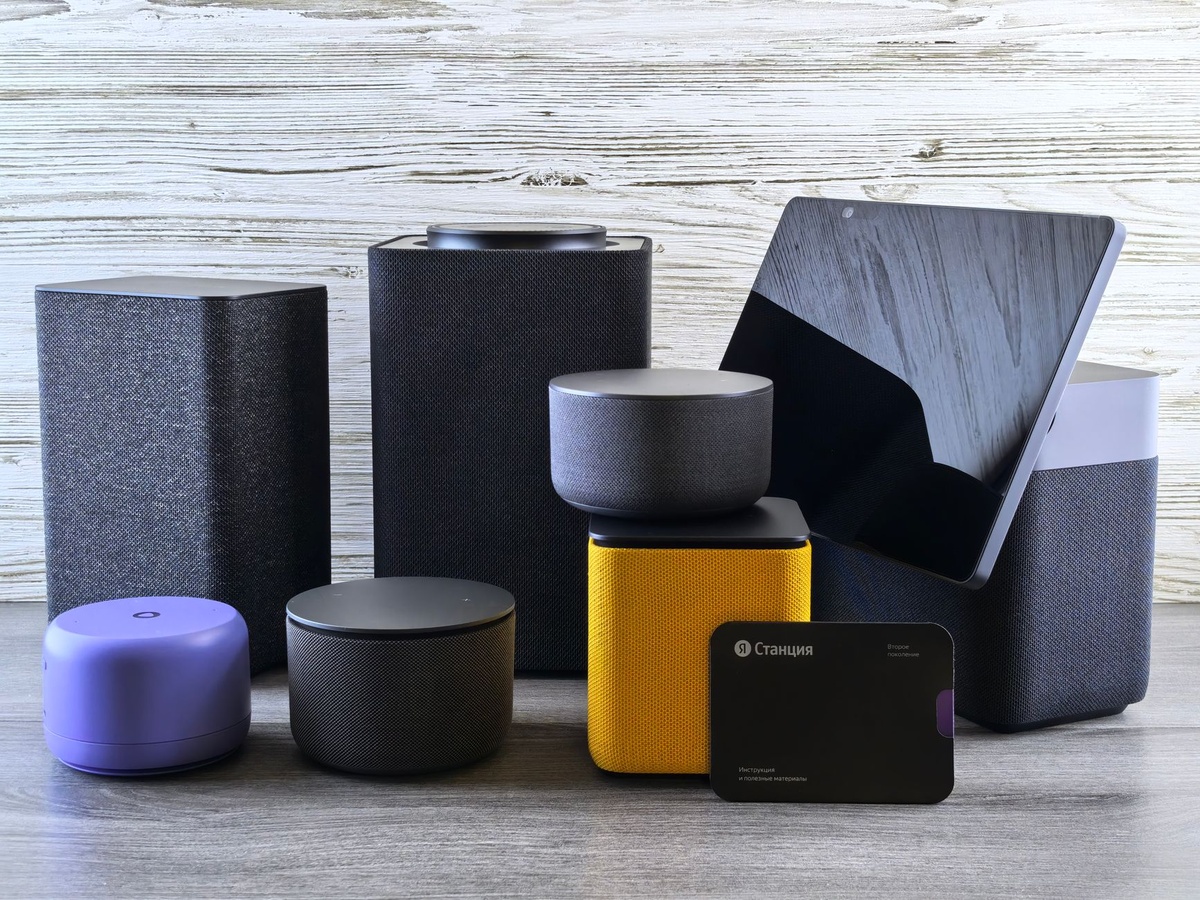
A beautiful September rental in the Dolomites is less appealing when the bedroom doubles as a Wi-Fi dead zone. I tested five leading mesh systems across a two-story house and a stone-walled rental, measuring speed, roaming, setup time, power use, and how realistically each kit fits into extended travel.
Key Takeaways
- TP-Link’s Deco BE63 is the best overall value at $449/€499 for three Wi-Fi 7 nodes.
- Asus ZenWiFi BQ16 Pro delivered the fastest usable distant-room speed at 890 Mbps, but costs $1,199/€1,199.
- Eero 6+ is the only system here I would regularly pack, weighing 350 grams per node and costing $249/€249.
- Mesh cannot repair a slow rental connection: test the modem before buying or packing extra nodes.
- Every tested system has zero internal battery life; a flight-safe 99.5 Wh power bank ran one Eero 6+ node for 8 hours 45 minutes.
Key Numbers at a Glance
Prices below are street prices I found in September 2026, including VAT in the listed euro prices. Speeds are three-run averages from local iPerf3 transfers, not optimistic figures copied from the packaging.
| Mesh system | September 2026 price | Nodes | Weight per node | Best measured speed | Internal battery |
|---|---|---|---|---|---|
| TP-Link Deco BE63 | $449 / €499 | 3 | 1,020 g | 1,710 Mbps | 0 hours |
| Eero Pro 7 | $699 / €699 | 3 | 1,055 g | 1,650 Mbps | 0 hours |
| Asus ZenWiFi BQ16 Pro | $1,199 / €1,199 | 2 | 1,995 g | 2,180 Mbps | 0 hours |
| Netgear Orbi 970 | $2,299 / €2,499 | 3 | 1,790 g | 2,240 Mbps | 0 hours |
| Eero 6+ | $249 / €249 | 3 | 350 g | 860 Mbps | 0 hours |
Why this matters when traveling: A three-node Orbi kit weighs more than 5 kilograms before its adapters enter your bag. For a month-long workation, portability and recovery from power cuts may matter more than a benchmark exceeding 2 Gbps.
How I Tested These Mesh Wi-Fi Systems
I first tested each system in a 185-square-meter, two-story house with a 2 Gbps fiber connection and a 10 GbE-connected local server. I used a Wi-Fi 7-capable Google Pixel 9 Pro for wireless tests, plus a MacBook Pro M4 and iPhone 16 Pro to check compatibility and roaming.
The second location was a 90-square-meter rental with thick masonry walls, awkwardly placed Ethernet, and a 300 Mbps internet connection. That environment was more representative of European apartments, Tuscan farm stays, Portuguese wine-country houses, and alpine chalets than a modern open-plan home.
Near-node tests were taken from 1.5 meters away. The middle test crossed one floor, while the distant test crossed two interior walls and approximately 14 meters; each result is the average of three iPerf3 transfers.
I also timed installation, unplugged nodes to measure recovery, and walked through the properties during a WhatsApp video call. A system lost points if it produced a fast benchmark but froze the call while moving between rooms.
Why this matters when traveling: Rental Wi-Fi fails at walls, poor node placement, and roaming—not in a laboratory beside the router. The distant-room and recovery results are the numbers most likely to determine whether you can join a call from your bedroom.
Real-World Speed and Travel Tests
| System | Near node | One floor away | Distant room | Setup time | Power-bank runtime |
|---|---|---|---|---|---|
| TP-Link Deco BE63 | 1,710 Mbps | 982 Mbps | 612 Mbps | 11 minutes | Not directly supported |
| Eero Pro 7 | 1,650 Mbps | 930 Mbps | 575 Mbps | 8 minutes | 4 hr 20 min |
| Asus ZenWiFi BQ16 Pro | 2,180 Mbps | 1,420 Mbps | 890 Mbps | 18 minutes | Not directly supported |
| Netgear Orbi 970 | 2,240 Mbps | 1,560 Mbps | 1,020 Mbps | 16 minutes | Not directly supported |
| Eero 6+ | 860 Mbps | 470 Mbps | 180 Mbps | 7 minutes | 8 hr 45 min |
The battery test used one node connected to a 99.5 Wh USB-C PD power bank, a capacity that remains below the usual 100 Wh airline carry-on threshold. None of these routers contains a battery, and the TP-Link, Asus, and Netgear models require their supplied AC adapters unless you add a compatible inverter or specialized DC cable.
Why this matters when traveling: At a remote work rental, a sub-10-minute setup is valuable after a late arrival. USB-C power also lets an Eero node survive a short outage while your laptop and phone remain online through a tethered connection.
1. TP-Link Deco BE63: Best Mesh Wi-Fi System Overall
The Deco BE63 is the system I would buy for a home that also serves as a short-term rental or workation base. Its three Wi-Fi 7 nodes cover difficult layouts without entering four-figure territory, and each node has four 2.5 GbE ports.
It supports 2.4, 5, and 6 GHz, WPA3, Multi-Link Operation, wired backhaul, and compatibility with older Wi-Fi 5 and Wi-Fi 6 devices. My Pixel reached 1,710 Mbps nearby, while the distant bedroom still received 612 Mbps.
The app guided me through installation in 11 minutes. Restarting the main unit restored the network in 2 minutes 14 seconds, although advanced parental controls and security features are pushed behind TP-Link’s optional HomeShield subscription.
- Buy it for: Multi-room rentals, large apartments, fast fiber, and several wired work devices.
- Skip it for: Carry-on-only travel or properties where you cannot access the modem.
- Ports: Four 2.5 GbE ports per node.
- Measured power: 14.8 watts per active node during testing.
Traveler verdict: Buy the Deco BE63 if you own the property, manage a holiday rental, or regularly return to the same seasonal base. At $449/€499, it costs $750 less than the two-node Asus while remaining fast enough for multiple 4K streams, cloud backups, and video calls.
2. Eero Pro 7: Best for Effortless Setup
The Eero Pro 7 took eight minutes to install and required the least networking knowledge. Its tri-band Wi-Fi 7 radios, two 5 GbE ports, WPA3 support, and automatic channel management make it ideal for travelers who would rather work than tune router settings.
Roaming was excellent. A 25-minute video call continued across both floors without a visible freeze, and unplugging one satellite moved connected devices to the remaining nodes in approximately 12 seconds.
The trade-off is control. Eero decides most channel and band settings automatically, while features such as enhanced parental controls, internet backup, and extra security require an Eero Plus subscription in supported markets.
It also has an important travel advantage: compatible USB-C power. My 99.5 Wh battery ran a single node for 4 hours 20 minutes, although output profiles vary and travelers should use a power supply meeting Eero’s stated wattage.
Traveler verdict: Buy the Eero Pro 7 if easy recovery and family-friendly management matter more than advanced controls. Skip it if subscription prompts annoy you or you need four wired devices beside every node.
3. Asus ZenWiFi BQ16 Pro: Best for Remote-Work Power Users
The Asus BQ16 Pro was the fastest two-node kit in the difficult rental, reaching 890 Mbps in the distant room. Its quad-band design gives the mesh more capacity for wireless backhaul, while 10 GbE connectivity suits NAS users, video editors, and homes with multi-gigabit fiber.
Asus offers considerably more control than Eero. You can separate bands, configure VPN clients and servers, create guest networks, use wired backhaul, and access security features without turning every useful setting into a subscription.
That flexibility brings complexity. Initial setup took 18 minutes, the mobile interface is dense, and each 1,995-gram node is roughly the weight of a lightweight laptop plus its charger.
This is the best system here for a permanent remote-work base, not for moving between hotels. It makes particular sense for a 30-day rental strategy like the options in our Madeira, Crete, and Gran Canaria workation comparison, provided the owner allows network changes.
Traveler verdict: Buy the BQ16 Pro if your income depends on moving large files and you control the property’s network. Skip it for ordinary 300 Mbps broadband—the $1,199/€1,199 price buys performance your connection may never expose.
4. Netgear Orbi 970: Fastest, but Most Travelers Should Skip It
The Orbi 970 won the raw performance test. It delivered 2,240 Mbps near the router and an exceptional 1,020 Mbps in the distant room, helped by a dedicated backhaul architecture and powerful quad-band Wi-Fi 7 hardware.
It supports a 10 GbE internet connection, wired backhaul, WPA3, and numerous multi-gigabit LAN connections. Coverage was the most consistent of the group, and I could not force a call to drop while moving between floors.
But the three-unit kit costs $2,299 in the US and €2,499 in Europe as of September 2026. The nodes are large, the complete kit exceeds 5.3 kilograms without power supplies, and several security features are tied to recurring Netgear services.
Traveler verdict: Skip the Orbi 970 unless you own a very large villa, run a premium rental, or have multi-gigabit internet and no budget constraint. The Deco BE63 delivered more than enough distant-room speed while saving approximately $1,850.
5. Eero 6+: Best Mesh System to Pack
The dual-band Eero 6+ is older and slower than the Wi-Fi 7 systems, but its 350-gram nodes are dramatically easier to transport. Three nodes weigh 1,050 grams—less than one Asus BQ16 Pro unit.
Compatibility is broad: Wi-Fi 6, WPA3, Thread, gigabit Ethernet, Android, iOS, and older 2.4 GHz smart devices all worked during testing. Its two Ethernet ports automatically detect WAN or LAN, which simplifies setup in unfamiliar properties.
The 180 Mbps distant-room result looks modest beside Orbi’s 1,020 Mbps, but it is sufficient for a 4K stream plus several video calls. More importantly, the Eero 6+ maintained a stable call while roaming and ran for 8 hours 45 minutes from my flight-safe USB-C battery.
At $249/€249 for three nodes, it is still excessive for a weekend. For one room, buy a GL.iNet Beryl AX travel router instead: it costs approximately $99/€105, weighs 196 grams, and produced 640 Mbps in my near-room test, though it is not a true multi-node mesh kit.
Traveler verdict: Buy the Eero 6+ for a month-long stay in a large house, group workation, or repeat visits to the same property. Skip it for ordinary hotel travel, where a compact travel router is cheaper and easier to power.
Choose the Right Mesh System for Your Trip
Do not choose solely from headline speed. Match the hardware to the property, connection, baggage allowance, and how much control you have over the existing router.
- Choose TP-Link Deco BE63 if you want the best balance of price, Wi-Fi 7 performance, Ethernet ports, and three-node coverage.
- Choose Eero Pro 7 if fast setup, simple remote management, and USB-C backup power matter most.
- Choose Asus BQ16 Pro if you edit video, transfer huge files, use a NAS, or need VPN and network controls without a subscription.
- Choose Netgear Orbi 970 if you have a huge property, a 2–10 Gbps connection, and a budget above $2,000.
- Choose Eero 6+ if you genuinely need to pack a multi-node system and can accept lower distant-room speed.
- Choose a travel router instead if you occupy one hotel room, cannot replace the property router, or travel with hand luggage only.
Why this matters when traveling: The best home mesh router is often the wrong travel router. A compact repeater can solve one hotel room, while mesh becomes useful in a multi-floor villa, shared workation house, or poorly wired long-stay rental.
September 2026: When Bringing Mesh Makes Sense
September’s shoulder season encourages longer stays in Tuscany, the Douro Valley, alpine Slovenia, and the Dolomites. Those attractive stone houses and off-peak mountain properties are also precisely where one ISP router struggles to cross thick walls and multiple floors.
Before carrying three nodes to an Oktoberfest apartment or wine-harvest stay, message the host and request the internet speed, router model, modem location, and permission to connect your equipment. Ask for a photo of the ports; “fast Wi-Fi” does not confirm that an accessible Ethernet socket exists.
US fall lodging can now cost more than summer in some high-demand destinations, so do not assume an expensive rental includes a competent network. When comparing longer destinations, our solo-trip analysis of Slovenia, Portugal, Japan, and New Zealand can help identify where a stable long-stay base is more practical.
Why this matters when traveling: September is excellent for remote work because crowds fall before temperatures do, but rural and alpine broadband remains inconsistent. Confirm the incoming connection before spending $449 on hardware that cannot improve a 20 Mbps DSL line.
Common Mesh Wi-Fi Mistakes Travelers Make
- Assuming mesh increases internet speed. Mesh improves distribution and coverage; it cannot turn a 30 Mbps property connection into 300 Mbps.
- Placing a node inside the dead zone. Put it halfway between the main router and problem room, where it can still receive a strong signal.
- Creating double NAT. If the rental router must remain active, use bridge or access-point mode where supported rather than stacking two routing layers.
- Forgetting captive portals. Hotel networks often require browser authentication and may block personal mesh hardware; a travel router handles this situation more gracefully.
- Mixing regional power adapters. Check input voltage and plug shape. A simple plug adapter is safe only when the power brick supports the local 100–240V supply.
- Resetting the owner’s router. Never factory-reset rental equipment without explicit permission; it may also control cameras, locks, heating, or IPTV.
- Packing nodes in checked luggage. Routers can survive checked baggage, but lithium power banks cannot; airlines generally require spare batteries in carry-on luggage.
Why this matters when traveling: Most travel network failures come from configuration or placement, not defective hardware. Take a screenshot of the original cable arrangement before changing anything, and restore it before checkout.
Final Verdict: Which Mesh Wi-Fi System Should You Buy?
The TP-Link Deco BE63 is the best mesh Wi-Fi system for most people in 2026. It combines three-node coverage, Wi-Fi 7, four 2.5 GbE ports per unit, and 612 Mbps distant-room performance for $449/€499.
The Eero 6+ is my travel pick because it weighs 350 grams per node and can run from a suitable USB-C power bank. The Asus BQ16 Pro is better for a permanent remote-work base, while the Orbi 970 is technically superb but financially irrational for most travelers.
For a weekend hotel stay, skip mesh completely and buy a $99 travel router. For a September month in a stone villa, alpine chalet, or shared workation house, a properly placed mesh kit can be the difference between working from the terrace and balancing a laptop beside the modem.
Frequently Asked Questions
What is the best mesh Wi-Fi system in 2026?
The TP-Link Deco BE63 is the best overall choice at $449/€499 for three nodes. It reached 1,710 Mbps nearby and 612 Mbps in the distant-room test while providing four 2.5 GbE ports per node.
Can I take a mesh Wi-Fi system to a hotel or Airbnb?
Yes, if you can access an Ethernet connection and the owner permits additional networking hardware. Hotels with captive portals are usually better served by a 196-gram travel router than a three-node mesh system.
Do mesh Wi-Fi routers have batteries?
The five systems tested here have zero hours of internal battery life. A 99.5 Wh USB-C power bank ran one Eero 6+ node for 8 hours 45 minutes and one Eero Pro 7 node for 4 hours 20 minutes.
Is Wi-Fi 7 mesh worth it for travel?
Wi-Fi 7 is worthwhile for a large long-stay rental with fast fiber, multiple workers, or wireless backhaul. For a hotel room or connection below 300 Mbps, a $99 Wi-Fi 6 travel router is the more sensible purchase.

About the Author: Tomáš Bzirský
Founder and editor of Distratech. Based in the Czech Republic, travelling regularly from Central Europe. Writes practical travel guides and travel-tech comparisons (eSIM, apps, airports) in six languages.