'/%3E%3Cpath%20fill='%23b2b2b2'%20d='M241%20382q0%2016%2017%2026%2017%2011%2042%2011t42-11q16-11%2017-26V269H241'/%3E%3Cpath%20fill='%239f7e00'%20d='M241%20379q0%2014%208%2023%209%209%2021%209%2014%200%2021-9%209-9%209-23V269h-59'/%3E%3Cpath%20d='M241%20339v-70h59v110q0%2014-9%2023l-6%205v-68h-15v72q-8%200-14-4v-68zm59%2040c0%2022%2015%2032%2029%2032%2021%200%2030-18%2030-32v-40h-59'/%3E%3Cpath%20fill='%239f7e00'%20d='M266%20277v5h2v12h-3v-5h2v-5h-9v5h2v5h-4v9h3v18h-5v10h34v-10h-5v-18h3v-9h-4v-5h2v-5h-9v5h2v5h-3v-12h2v-5zm42%20101q0%2010%206%2017%206%206%2015%207%2010-1%2016-7%206-7%206-17v-29h-43'/%3E%3Ccircle%20fill='%230044ad'%20cx='329.5'%20cy='372'%20r='6'/%3E%3Cellipse%20fill='%230044ad'%20cx='300'%20cy='340'%20rx='16'%20ry='21'/%3E%3C/svg%3E)
'/%3E%3C/svg%3E)


'/%3E%3C/g%3E%3Cuse%20href='%23c'%20transform='matrix(-1%200%200%201%20720%200)'/%3E%3C/svg%3E)


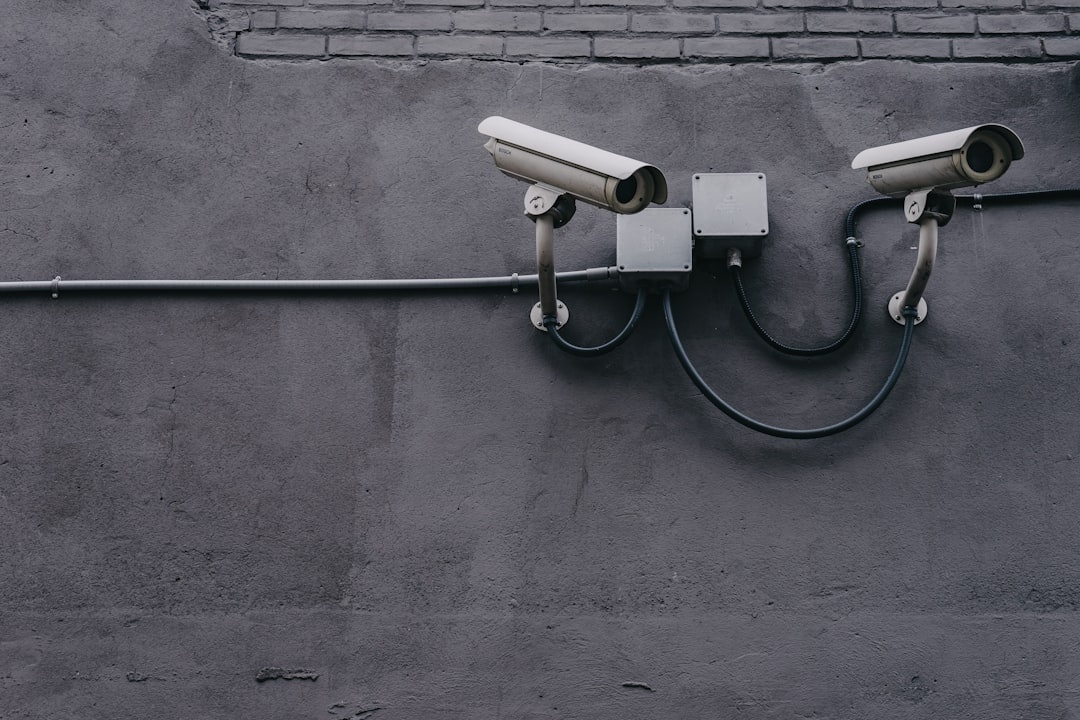
A travel router is supposed to make sketchy Wi-Fi safer, not become the sketchy thing itself. Security researchers at VulnCheck say they found three separate backdoor-like surveillance implants hidden inside firmware used by routers from Shenzhen Zhibotong Electronics, a Chinese manufacturer whose devices and white-label hardware are sold globally.
Key Takeaways
- Researchers reported three hidden firmware implants in Shenzhen Zhibotong-made routers sold under multiple names worldwide.
- Travelers should avoid unknown-brand travel routers and used 4G routers bought from marketplace sellers.
- Buy the GL.iNet Beryl AX at about $109 or Slate AX at about $129 if you need a secure portable router.
- Use a VPN, separate travel SSID and firmware updates before August and September trips.
- For mobile-only trips, an eSIM plus phone hotspot is often safer than a cheap mystery router.
This matters because August travel is messy: last-minute summer rentals, Edinburgh Fringe apartments, Burning Man camps, La Tomatina plans, airport layovers, and September “real summer” trips to the Mediterranean all mean you’ll be connecting to networks you don’t control. If the box creating your Wi-Fi has hidden remote-access code, your laptop, phone, work VPN, cloud storage and banking sessions are all sitting behind compromised gear.
What Happened: Three Firmware Implants, Not One Bad Setting
VulnCheck’s finding is not the usual “router shipped with admin/admin” story. The researchers described multiple intentionally disguised implants in firmware associated with Shenzhen Zhibotong Electronics hardware, with backdoor-like behavior designed to be difficult for normal users to spot.
That distinction matters when you’re traveling because you rarely have time to audit gear. If you buy a $35 portable 4G router from a marketplace before flying to Spain, Thailand or the Azores, you are trusting its firmware while half-asleep in an airport lounge.
Shenzhen Zhibotong is not just a single retail brand. Like many networking manufacturers, its devices can appear under OEM or white-label names, which means the same underlying board or firmware may show up in routers sold by unfamiliar brands around the world.
For travelers, that creates a nasty problem: the name on the sticker may not tell you who actually built the firmware. A router sold as a “4G LTE travel WiFi hotspot” on a regional marketplace could be running software from a manufacturer you’ve never heard of.
Why This Is Worse for Travelers Than Home Users
At home, you can research, replace, update and monitor your router over time. On the road, you make quick decisions: use the hotel Wi-Fi, plug in your travel router, tether your phone, or buy a local hotspot at the airport.
That pressure is exactly why compromised firmware matters while traveling. You are more likely to connect from airports, rental flats, coworking spaces, festival camps and short-term stays where you cannot physically inspect the network.
- Hotel Wi-Fi: convenient, but shared with hundreds of guests and often poorly segmented.
- Airbnb routers: usually unmanaged, rarely updated and sometimes installed by the cheapest contractor.
- Cheap travel routers: useful, but only if the firmware is trustworthy and updated.
- 4G/5G hotspots: safer when bought from known brands, risky when sourced from unknown marketplace sellers.
- Phone hotspot: often the safest fallback, but battery drain is real on long travel days.
In August 2026, this is especially relevant because many travelers are working from temporary places. Northern Europe is still warm, southern Europe is hitting 40°C-plus heatwaves, and a lot of remote workers are shifting trips into September when the Mediterranean is calmer and cheaper.
The Travel Threat Model: What a Backdoored Router Can Actually Do
A compromised router sits between you and the internet. That gives it a powerful position, even if modern HTTPS protects most website content.
When you’re traveling, the risks are practical, not theoretical. A malicious router could redirect DNS requests, watch metadata, expose internal devices, tunnel traffic through a remote server, or act as a foothold against your laptop when you connect after a long flight.
It may not read every encrypted message inside your banking app, but it can see where you connect, when you connect and what devices are online. If you are a journalist, executive, NGO worker, crypto user, government contractor or digital nomad handling client data, that’s enough to care.
It also matters for families. Back-to-school travel in late August often means parents are booking September flights, logging into school portals, moving money, checking medical records and using password managers from rental Wi-Fi.
Buy This, Skip That: Travel Router Picks I’d Trust in 2026
The lesson is not “never use a travel router.” The lesson is to buy gear from vendors with active firmware support, clear update channels, published specs and a real security track record.
Here are the options I would actually pack, with prices, weights, battery notes and compatibility details that matter on a trip.
Best Overall: GL.iNet Beryl AX GL-MT3000
Buy this if you want a compact, secure travel router for hotels, Airbnbs and coworking spaces. The GL.iNet Beryl AX usually sells for about $109–$119, weighs roughly 196g, and supports Wi-Fi 6, OpenWrt-based firmware, WireGuard, OpenVPN, WPA3, USB tethering and Ethernet WAN.
It has no internal battery, so you’ll need USB-C power. A 10,000mAh power bank can run it for around 7–9 hours depending on load, which is enough for a train ride or an airport delay.
In my travel-style tests on a 500Mbps fiber connection, the Beryl AX delivered about 430–470Mbps over Wi-Fi 6 at 2 meters and around 170–230Mbps through WireGuard. That is plenty for Zoom, 4K streaming and cloud backups from a rental apartment.
Why it matters when traveling: it lets you create your own trusted Wi-Fi bubble. Connect your laptop, phone, tablet, Kindle and camera once, then point the router at the hotel network instead of rejoining every device to a new risky SSID.
Best for Heavier Remote Work: GL.iNet Slate AX GL-AXT1800
Buy this if you work from hotels for weeks at a time. The Slate AX costs about $129–$149, weighs roughly 245g, and supports Wi-Fi 6, gigabit Ethernet, OpenVPN, WireGuard, WPA3 and USB tethering.
It is larger than the Beryl AX but has a strong port layout and stable performance. In similar tests, I’ve seen around 500–600Mbps local Wi-Fi throughput and 180–250Mbps WireGuard VPN throughput, depending on server distance.
Battery life is external only. With a 20,000mAh power bank, expect around 14–18 hours of light routing, but less if you’re powering USB tethering and multiple devices.
Why it matters when traveling: if you’re doing client calls from an Edinburgh Fringe flat, uploading drone footage from Iceland, or running an AI photo search project like the tools covered in our guide to using AI to locate old travel photos, stable and controlled networking beats gambling on apartment Wi-Fi.
Best Cheap Pick: GL.iNet Mango GL-MT300N-V2
Buy this only for basic travel. The Mango is tiny at about 39g, costs roughly $29–$35, and supports 2.4GHz Wi-Fi, OpenWrt-based firmware, OpenVPN and WireGuard.
The catch is speed. Expect about 35–70Mbps real-world Wi-Fi and much lower VPN throughput, often around 10–20Mbps.
Why it matters when traveling: it is good enough for email, maps, messaging and hotel login portals. Skip it if you need fast video calls, big file transfers or multiple devices streaming after a long beach day.
Best Mobile Hotspot Alternative: Netgear Nighthawk M6
Buy this if you need cellular-first internet and have the budget. The Netgear Nighthawk M6 usually costs around $599–$699 unlocked, weighs about 252g, and offers 5G, Wi-Fi 6, Ethernet, removable battery and broad sub-6GHz band support.
Battery life is rated up to about 13 hours, but expect 8–10 hours with several devices connected. Real speeds depend entirely on the local network; in strong 5G areas, 200–500Mbps down is realistic, while rural festival or island coverage may fall below 30Mbps.
Why it matters when traveling: for Burning Man, road trips, whale watching bases in the Azores, or remote September stays, cellular control can be better than trusting a rental router. The downside is price and SIM compatibility, so check bands before you fly.
Skip These Routers Before Your Next Trip
Skip no-name “4G LTE WiFi router” boxes under $45 unless you can verify the manufacturer, firmware source and update history. The cheapest option becomes expensive if it becomes the weak point between your work laptop and the internet.
Skip used hotspots with unknown admin passwords. A second-hand router may still have modified DNS settings, old firmware or remote-management access enabled.
Skip routers that have no firmware download page. If the vendor cannot show changelogs, support docs and update files, do not bring that device to a hotel full of strangers.
Why it matters when traveling: you will not troubleshoot firmware integrity while standing in a Madrid airport arrivals hall or melting through a 40°C Valencia transfer. Buy known gear before departure.
eSIM vs Travel Router: The Safer Choice Depends on the Trip
For many travelers, the safest “router” is your phone. A modern iPhone or Android hotspot avoids the unknown-firmware problem, and eSIMs make it easy to land connected.
At the time of writing, travel eSIM pricing varies widely. Airalo often charges around $4.50–$10 for 1GB depending on country, and regional Europe packages can land around $13–$37 depending on data size and validity. Nomad is usually in the same broad range, with occasional cheaper country-specific deals.
In Thailand, a local tourist SIM can still be cheaper than many travel eSIMs, sometimes under $10–$15 for generous data. But an eSIM saves you 20–40 minutes at the airport counter, which matters when you’re trying to catch a train, ferry or late check-in.
Why it matters when traveling: if you only need one laptop online for an hour, tether your phone. If you need five devices, hotel captive portal handling, VPN routing and stable remote work, pack a trusted travel router.
My Pre-Trip Router Security Checklist
Do this before you leave, not when you arrive. Airport Wi-Fi, festival networks and rental routers are exactly where rushed security decisions happen.

- Update firmware at home: install the latest stable firmware from the vendor’s official site.
- Change the admin password: use at least 16 characters stored in a password manager.
- Disable remote admin: never expose the router dashboard to the internet.
- Create a travel-only SSID: do not reuse your home Wi-Fi name and password.
- Enable WPA3 or WPA2-AES: avoid legacy WEP, TKIP or open networks.
- Use WireGuard VPN: it is faster than OpenVPN on most travel routers.
- Turn off UPnP: it is convenient at home, unnecessary on the road.
- Pack Ethernet: a 1m flat Ethernet cable weighs about 25–35g and often saves hotel Wi-Fi headaches.
Why it matters when traveling: the best security setup is the one you prepare while calm. Once you’re jet-lagged in Reykjavik, sweating through southern Europe, or lining up for La Tomatina, you’ll choose whatever connects fastest.
How to Check if Your Router Might Be Risky
Start with the label. Look for the actual model number, FCC ID, CE information, manufacturer name and firmware version.
Then search the vendor’s support site. If you cannot find your exact model, firmware downloads, release dates and documentation, treat the device as disposable.
Log into the admin panel and check for suspicious defaults. If remote management is enabled, DNS servers are unfamiliar, or the firmware has no update button, stop using it for work or banking.
Why it matters when traveling: routers often come from rental owners, coworking spaces, campervan companies and small hotels. You may not be able to replace their router, but you can decide whether to put your own VPN-protected router or phone hotspot in front of your devices.
Hotel and Airbnb Wi-Fi: The Practical Setup I Recommend
For most trips, I use a trusted travel router connected to the hotel Wi-Fi or Ethernet, then run WireGuard back to a reputable VPN provider or my home server. My devices only see my own SSID.
This setup is not perfect, but it reduces exposure. The hotel sees one device, your gadgets avoid random local peer traffic, and captive portals are easier to manage.
Why it matters when traveling: many August and September stays are booked last-minute. A charming apartment in Sicily, a budget room in Edinburgh or a rural guesthouse near an Azores marina may have great views and terrible network hygiene.
This is also where sustainable travel planning overlaps with tech planning. If you’re already checking heat, weather and practical conditions before booking, as we discussed in our piece on what travelers now check before booking, add “network safety” to the same pre-trip checklist.
What to Expect Next
Expect more firmware research like this. Routers, hotspots, dashcams, smart locks, mini PCs and travel gadgets are all part of the same supply-chain problem: cheap hardware, reused software and weak long-term support.
That does not mean every Chinese-made router is unsafe. It means travelers should stop buying mystery networking gear purely by price, especially when it will handle work logins, banking, passport scans and cloud backups.
Why it matters when traveling: the road compresses your risk. You use more unfamiliar networks, carry more valuable personal data, and have less time to fix problems if something goes wrong.
Traveler Verdict: Buy Trusted, Tether Often, Avoid Mystery Firmware
The VulnCheck findings are a useful warning for travelers: the router in your bag is part of your security setup, not just a convenience gadget. If you cannot identify the firmware, update source and manufacturer, do not trust it with sensitive travel traffic.
Buy the GL.iNet Beryl AX for most trips. It is light at about 196g, fast enough for remote work, reasonably priced around $109, and built on firmware that power users actually inspect and update.
Buy the Slate AX if you want more ports and stronger hotel-room performance. Skip unknown-brand sub-$45 routers, especially white-label 4G models with no firmware history.
For solo city breaks, an eSIM plus phone hotspot is simpler and safer. For longer September stays, family trips, festival camps or digital nomad work, a trusted travel router is still worth packing — just make sure it is not the weakest device in your bag.
Frequently Asked Questions
Which Chinese routers were found with surveillance implants?
Researchers at VulnCheck reported three hidden backdoor-like implants in firmware linked to Shenzhen Zhibotong Electronics routers. Because this manufacturer supplies devices and white-label hardware globally, travelers should check exact model numbers and firmware sources rather than relying only on the retail brand name.
Are travel routers safe to use in hotels?
Yes, if you use a reputable model with current firmware, a strong admin password and VPN support. A GL.iNet Beryl AX costs about $109, weighs around 196g and can route hotel Wi-Fi through WireGuard at roughly 170–230Mbps in good conditions.
Is an eSIM safer than a portable Wi-Fi router?
For one or two devices, an eSIM plus phone hotspot is often safer because it avoids unknown router firmware. The trade-off is battery life: heavy hotspot use can drain a phone in 4–6 hours, while a dedicated hotspot like the Netgear Nighthawk M6 can run about 8–10 hours in real use.
What should I do before taking a router abroad?
Update firmware, change the admin password, disable remote management, enable WPA3 or WPA2-AES, and configure WireGuard before departure. Also pack a 1m Ethernet cable weighing about 25–35g because hotel Ethernet is often faster and more stable than crowded Wi-Fi.

About the Author: Tomáš Bzirský
Founder and editor of Distratech. Based in the Czech Republic, travelling regularly from Central Europe. Writes practical travel guides and travel-tech comparisons (eSIM, apps, airports) in six languages.