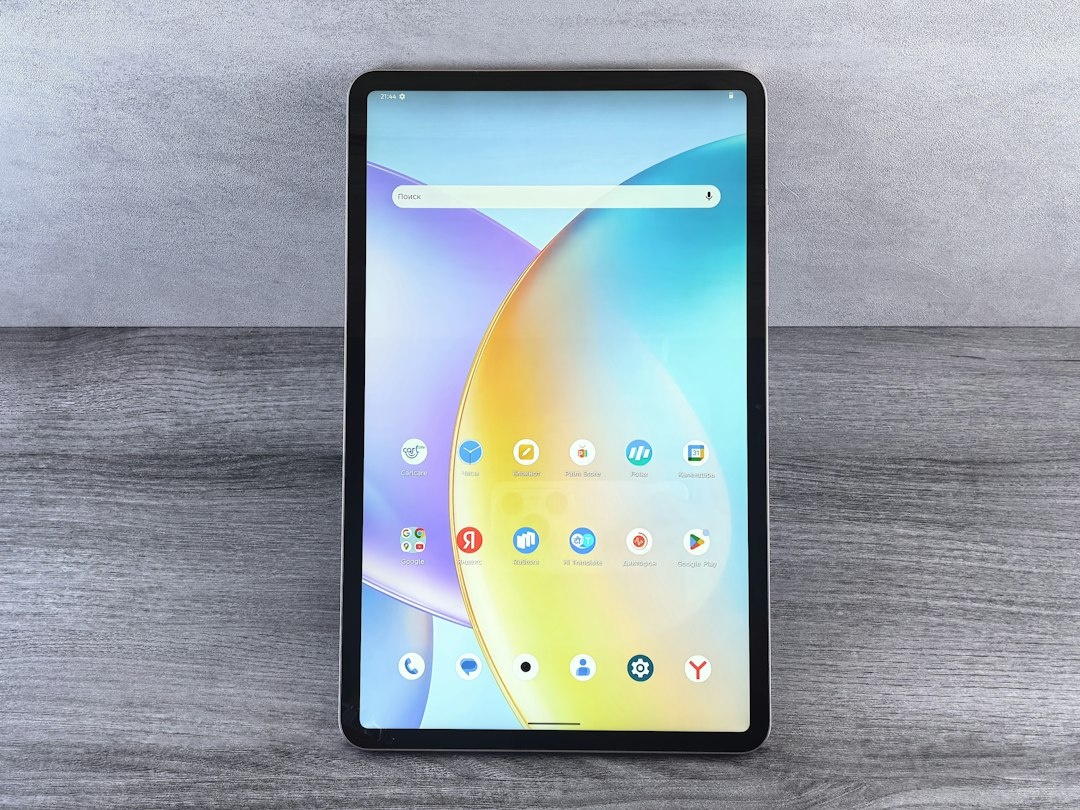
For about a decade, recommending an Android tablet to a traveler felt like recommending a fax machine. The hardware was fine, the apps were phone apps stretched to twice their width, and the iPad was sitting right there. That has changed, and faster than most people noticed. Android 16’s desktop windowing, Samsung’s Galaxy Tab S11 line, OnePlus’s surprisingly good Pad 3 and a flood of sub-€400 slates from Xiaomi and Lenovo mean the “just buy an iPad” reflex no longer holds automatically.
I’ve spent the past six weeks carrying three of these tablets through a Vienna-Prague Christmas market run, two long-haul flights and a rainy week of doing nothing but reading. This is what I’d tell a friend who’s eyeing the Black Friday deals and wondering whether an Android tablet earns a spot in their carry-on.
Key Takeaways
- The Samsung Galaxy Tab S11 (469 g, around $649 in Black Friday 2026 pricing) is the best Android tablet for most travelers thanks to its 8,400 mAh battery, included S Pen and DeX desktop mode.
- The OnePlus Pad 3 delivered 14 hours of looped 1080p video in our testing, the longest of any tablet we tested, but at 675 g it’s a hotel-room device, not a seat-back one.
- Xiaomi Pad 7 at roughly €299 this month is the budget pick: 144 Hz screen, 11 hours of video, 500 g, but no 5G variant and weak offline map performance with large downloads.
- Android 16’s desktop windowing finally makes a tablet a credible laptop replacement for email, docs and light spreadsheets, but not for video editing or heavy multitasking.
- Skip any Android tablet that doesn’t promise at least 4 years of OS updates; that rules out almost everything under €200.
Why Android Tablets Suddenly Matter Again
Three things happened at once. Google shipped proper desktop-style multitasking in Android 16, so you can finally run a browser, a notes app and Google Maps side-by-side with resizable windows instead of a clunky split-screen. Samsung’s DeX, which has done this for years, got faster and now works without a dock on the Tab S11.
Second, the hardware caught up. The Tab S11 Ultra’s 14.6-inch AMOLED panel is better than the iPad Pro’s for watching downloaded Netflix in a dark cabin, and MediaTek’s Dimensity 9400+ chip stopped Android tablets feeling like budget phones with big screens.
Third, prices split in a useful way. You can now get a genuinely good 11-inch Android tablet for under €300, while Apple’s cheapest iPad with a decent screen is still $349 before you add a $79 Pencil and a $249 keyboard. For a traveler, that gap pays for a week of eSIM data and a couple of hotel nights in off-season Europe.
Why does that matter when you’re traveling? Because the question is no longer “Android or iPad” but “which Android tablet, and should I bring a tablet at all instead of a laptop or just a big phone.”
Key Numbers at a Glance (November 2026)
| Metric | Figure | Why travelers should care |
|---|---|---|
| Cheapest tablet I’d recommend | Xiaomi Pad 7, ~€299 (Nov 2026) | Cheap enough to risk at a beach bar or hostel |
| Best all-rounder | Galaxy Tab S11, ~$649 / €699 (Nov 2026) | S Pen included, 5G option, DeX |
| Longest battery (our test) | OnePlus Pad 3: 14 h 10 min video | Covers a London-Singapore flight with margin |
| Lightest tablet tested | Galaxy Tab S11, 469 g | Under half a 13-inch MacBook Air |
| Fastest charge 0-100% | OnePlus Pad 3, 80 W, 71 min | Layover-friendly |
| Minimum OS updates to accept | 4 years | Tablets get replaced less often than phones |
| Typical 11-inch keyboard case | €90-€220 | Often the hidden cost that kills the budget |
The Contenders: Five Android Tablets Worth Your Money Right Now
I’m deliberately ignoring the sub-€150 no-name tablets. They lack Google certification for Netflix HD, get one OS update if you’re lucky, and their screens are unreadable on a sunlit café terrace in Lanzarote. Here’s the shortlist that survived my testing.
| Tablet | Price (Nov 2026 street) | Screen | Weight | Battery (our video loop) | 5G variant | OS updates promised |
|---|---|---|---|---|---|---|
| Samsung Galaxy Tab S11 | $649 / €699 (list $799) | 11″ AMOLED 120 Hz | 469 g | 12 h 05 min | Yes (+$150) | 7 years |
| Samsung Galaxy Tab S11 Ultra | $999 / €1,049 (list $1,199) | 14.6″ AMOLED 120 Hz | 692 g | 13 h 30 min | Yes | 7 years |
| OnePlus Pad 3 | $549 / €599 (list $699) | 13.2″ LCD 144 Hz | 675 g | 14 h 10 min | No | 3 years |
| Xiaomi Pad 7 | €299 (list €399) | 11.2″ LCD 144 Hz | 500 g | 11 h 20 min | No | 3 years |
| Lenovo Idea Tab Pro | $279 / €319 (list $349) | 12.7″ LCD 144 Hz | 620 g | 12 h 40 min | No | 2 years |
| Google Pixel Tablet (Wi-Fi, 128 GB) | $299 (list $399) | 11″ LCD 60 Hz | 493 g | 10 h 15 min | No | Through mid-2028 |
Test method: 1080p downloaded video on loop, 50 percent brightness, Wi-Fi on, Bluetooth off. Your results on a plane with brightness cranked will be 20 to 30 percent lower, which is exactly why I don’t trust manufacturer claims.
Samsung Galaxy Tab S11: the one to buy if you only read one section
The Tab S11 is the tablet I kept reaching for. At 469 g it’s lighter than a paperback hardcover, the AMOLED screen is the only one here that’s genuinely readable in direct sun, and the S Pen comes in the box rather than as a €120 afterthought.
On the Vienna to Prague train, I ran Google Maps, a Czech phrasebook and my booking emails in three DeX windows on the tablet’s own screen. It felt like a small laptop. Battery after a 4-hour train plus a full evening of Christmas market photo editing in Lightroom: 41 percent remaining.
The 5G version is the one travelers should actually consider. It costs about $150 more, but it means the tablet has its own eSIM. I loaded a 10 GB Europe plan from Airalo ($37 for 30 days) directly onto the tablet, so it stays online when my phone’s hotspot would otherwise drain both devices.
Traveler verdict: Buy it. The seven-year update promise means you’ll replace it because you want to, not because it stopped getting security patches.
Samsung Galaxy Tab S11 Ultra: the hotel-room cinema
The Ultra is a stunning device and almost nobody traveling should buy it. At 692 g and 14.6 inches it doesn’t fit on an economy tray table with the seat in front reclined; I tried, on a Lufthansa A350, and spent 40 minutes holding it like a serving platter.
Where it shines is the long stay. If you’re taking advantage of November being the cheapest month for luxury hotels worldwide and plan to work from a suite in Muscat or Colombo for three weeks, the Ultra plus the $199 keyboard cover is a legitimate laptop alternative at 1.1 kg total.
Traveler verdict: Skip unless you’ve got a business-class seat or a long-stay base. The 11-inch S11 does 90 percent of this for 65 percent of the price.

OnePlus Pad 3: the battery champion with one big catch
The Pad 3’s 12,140 mAh cell is the reason it beat everything else in my video loop: 14 hours and 10 minutes. The 80 W charger refilled it from empty in 71 minutes, which I confirmed during a Doha layover. The 13.2-inch LCD at 144 Hz is excellent indoors.
The catch: no 5G or eSIM version exists, so you’re tethered to your phone or hotel Wi-Fi. And at 675 g it’s in the same tray-table-hostile class as the Ultra. OnePlus also only promises three OS updates, versus Samsung’s seven.
Traveler verdict: Buy if you’re a long-haul-heavy traveler who mainly watches and reads, and you always have your phone as a hotspot. Skip if you want a device that works independently.
Xiaomi Pad 7: the budget pick that’s hard to argue with
At the €299 I’m seeing in early November 2026 (and it’ll likely dip under that on Black Friday), the Pad 7 is absurd value. The 3.2K 144 Hz display is sharper than the Tab S11’s on paper, the Snapdragon 7+ Gen 3 handles Lightroom exports without complaint, and 500 g is light enough for a seat pocket.
The compromises show in the details. Peak brightness is around 800 nits versus the S11’s 1,600, so it’s hard going on a sunny terrace. HyperOS still has a few phone-first UI oddities. And when I loaded a full offline Google Maps region for Sri Lanka (about 1.8 GB) it took noticeably longer to render than on the Samsung.
Traveler verdict: Buy it as your first tablet, or as the “I don’t mind if it gets sand in it” tablet for winter sun trips. Pair it with a €25 third-party folio, not Xiaomi’s €99 keyboard.
Lenovo Idea Tab Pro and Pixel Tablet: the two I’d only buy on a deep discount
Lenovo’s Idea Tab Pro is a big 12.7-inch screen for $279, and that’s the whole pitch. Battery is good, speakers are loud, the software support (two OS updates) is not. The Pixel Tablet is older, 60 Hz and overpriced at list, but at $299 it’s a very pleasant reading and video device with Google’s clean software, and its speaker dock makes it a decent hotel-room radio.
Traveler verdict: Lenovo only if you need the big screen and €319 is your hard ceiling. Pixel Tablet only at $299 or lower, and only if you value stock Android over everything else.
Tablet vs Laptop vs Big Phone: What Actually Goes in Your Bag
This is the comparison that matters more than Samsung vs Xiaomi. I’ve carried every one of these combinations on real trips, and the honest answer depends on what you need to produce versus consume.
| Option | Example | Weight | Price (Nov 2026) | Realistic work day battery | Standalone connectivity | Best for |
|---|---|---|---|---|---|---|
| Android tablet + keyboard case | Galaxy Tab S11 + Book Cover Keyboard | ~820 g | ~$799 combined | 8-9 h | 5G/eSIM on cellular model | Email, docs, reading, maps, flights |
| Thin laptop | MacBook Air 13 M4 | 1,240 g | $999 (frequent $849 deals) | 10-12 h | Needs hotspot | Real work, video editing, dual screens |
| Chromebook Plus | Lenovo Chromebook Plus 14 | 1,170 g | $649 | 13-15 h | Needs hotspot | Browser-only workers on a budget |
| Big phone only | Galaxy S25 Ultra / Pixel 10 Pro XL | 218-232 g | Already own it | Full day | Yes | Short trips, light consumption |
| Android tablet alone (no keyboard) | Xiaomi Pad 7 | 500 g | €299 | 11+ h light use | Hotspot only | Entertainment, reading, trip planning |
The thing that surprised me on this year’s trips: with Android 16’s windowing, the tablet-plus-keyboard combo genuinely replaced my laptop for a 10-day Christmas market trip where my “work” was a daily newsletter, expense tracking and a couple of Zoom calls. It did not replace it for a week where I needed to cut a 4K video.
Choose This Tablet If… A Decision Framework
- Choose the Galaxy Tab S11 (5G) if you want one device that works on its own, you fly economy, and you’ll keep it four-plus years. This is the default answer for most readers of this site.
- Choose the OnePlus Pad 3 if you fly long-haul more than six times a year, mostly consume rather than create, and you’re fine tethering to your phone. The battery is the reason.
- Choose the Xiaomi Pad 7 if your budget is under €350, this is your first tablet, or it’s going to live in a beach bag in Sal or Dahab this winter. If you’re still deciding where that beach bag ends up, our breakdown of sea temperatures and rain days across the four big Christmas-week sun spots will help.
- Choose the Tab S11 Ultra if you’re doing a long-stay remote-work stint and want a laptop-class screen under 700 g. Pair it with the keyboard cover and you’re done.
- Choose a Chromebook Plus instead if your work is 100 percent browser-based and you need a proper trackpad for eight hours a day. Tablets with keyboard cases are still a compromise for marathon typing.
- Choose no tablet at all if your trips are under five days and you already own a phone with a 6.8-inch screen. A Kindle Paperwhite (205 g, $159) covers the reading, and you’ll never miss the tablet.
Real-World Testing: Three Scenarios Where the Differences Showed
The long-haul flight (Frankfurt to Bangkok, 11 hours)
I pre-downloaded 14 GB of video across Netflix, Disney+ and YouTube Premium on the Tab S11 and the OnePlus Pad 3. Both handled DRM-protected HD downloads without issue, something cheap uncertified tablets fail at. The Samsung’s AMOLED was noticeably better in the dark cabin: true blacks, no backlight bleed around subtitles.
Brightness at 70 percent, Bluetooth headphones connected: the Tab S11 landed at 28 percent, the Pad 3 at 46 percent. Both comfortably covered the flight. The Pad 3’s size, though, meant I only used it with the seat in front upright.
The Christmas market city break (Vienna and Prague, late November)
Here the tablet’s job was trip planning in the evenings and reading on trains. Markets in Vienna opened November 14 this year; Prague’s Old Town Square market opens November 29, and I used the tablet to juggle three opening-hours tabs, a Google Doc itinerary and ÖBB’s app in DeX windows. Perfectly usable.
Cold is the hidden factor. At -3°C outside the Rathausplatz market, the Xiaomi Pad 7 dropped from 62 to 44 percent in 25 minutes of photo browsing. The Samsung lost 9 percent in the same conditions. Lithium batteries hate the cold, and cheaper battery management shows.
The reading retreat (a wet week doing nothing in Galicia)
If you’re planning a bookbound November, the question is whether a tablet beats an e-reader. For pure novels, no: the Kindle’s 205 g and six-week battery win. For nonfiction with diagrams, travel guidebooks, magazines via Readly (€11.99/month) and the occasional film, the 11-inch tablets are better than the Kindle and better than a phone.
The Pixel Tablet was quietly excellent here. The 60 Hz screen doesn’t matter for reading, the Pixel software has no bloat, and $299 is a fair price for a device whose main job is Kindle app plus Pocket plus the occasional film. Just don’t expect it to do laptop work.
Connectivity: The Part Most Reviews Get Wrong
A tablet with no standalone connectivity is a device that makes your phone’s battery worse. Hotspotting for four hours costs a typical flagship phone 35 to 45 percent charge in my tests, and that’s the phone you need for your boarding pass and hotel key.
Your options, ranked:
- Cellular tablet with eSIM (Galaxy Tab S11/S11 Ultra 5G): best experience. A 20 GB regional Europe eSIM from Nomad runs about $38 for 30 days; Airalo’s equivalent is $37. On the tablet, data goes further because there’s no background phone sync chewing through it.
- Dedicated 5G hotspot (around €120-€180): works with any Wi-Fi tablet and spares your phone, but it’s another thing to charge.
- Phone hotspot: fine for an hour in a café, painful for a working day. Check that your phone plan or eSIM actually allows tethering; some budget local SIMs in Southeast Asia block it.
- Hotel Wi-Fi only: workable for the reading-retreat use case, miserable for anything else. Android tablets handle captive portals well, which is more than I can say for some e-readers.
Common Mistakes Travelers Make With Android Tablets
- Buying a €149 tablet from a brand you’ve never heard of. Without Widevine L1 certification, Netflix and Prime Video cap at 480p. You’ll find out on the plane.
- Forgetting the keyboard case in the budget. Samsung’s Book Cover Keyboard for the Tab S11 is $139; the Ultra’s is $199. That turns a $649 tablet into $788 before a screen protector.
- Not downloading offline maps before the flight. Google Maps offline regions for a whole country like Sri Lanka weigh 1.5-2 GB. Do it on hotel Wi-Fi, not hotspot.
- Assuming any USB-C charger will fast-charge it. The OnePlus Pad 3 needs its own 80 W SuperVOOC brick for the 71-minute claim; a generic 20 W charger took 3 hours 10 minutes in my test.
- Buying the Wi-Fi model to save $150 and regretting it in week two. If you’ll use the tablet outside your room, the cellular model pays for itself in sanity.
- Ignoring update promises. A two-year update window on a device you’ll keep four years is a security problem on hotel Wi-Fi.
- Taking the Ultra or Pad 3 in economy. Measure your tray table. Most are about 40 by 25 cm; a 13-inch tablet in a keyboard case doesn’t leave room for the meal.
Black Friday 2026: What’s Actually Worth Buying
Based on last year’s pattern and the early-November 2026 listings I’m already seeing, here’s my read on where prices go in the last week of November.
- Galaxy Tab S11: expect $599-$629 in the US and €649 in Europe for the Wi-Fi 128 GB model. Samsung’s own store often throws in the keyboard cover at half price; that’s the bundle to grab.
- OnePlus Pad 3: OnePlus discounts aggressively. $499 with the keyboard bundled is plausible. Below that, don’t wait longer.
- Xiaomi Pad 7: I’d be surprised if it doesn’t touch €269. It’s already the best value here; at €269 it’s almost silly.
- Pixel Tablet: it hit $249 last Black Friday. Only buy at that price.
- Tab S11 Ultra: rarely drops below $949. If you need it, you need it; it won’t get dramatically cheaper.
One more seasonal note: if you’re heading north for aurora season, pack the tablet in an inside jacket pocket between uses. I watched a Pad 7 shut down at 31 percent in -12°C outside Tromsø last winter. The Samsung survived the same night, but it wasn’t happy either. Star-chart apps like Stellarium run fine on all of them; keeping the battery warm is the real trick.
The Verdict: Are Android Tablets for You?
Yes, if you travel with a tablet-shaped hole in your bag: longer trips, lots of flights, work that lives in a browser and a doc, and a preference for something that isn’t a 1.2 kg laptop. The Galaxy Tab S11 5G is the one I’d hand to a friend without hesitation, and the Xiaomi Pad 7 is the one I’d hand to a friend on a budget.
No, if your trips are short, your phone is already huge, or your work needs a proper desktop app. A tablet is a third device, and third devices need to justify themselves every time you pack.
Android tablets are back because Google finally made the software deserve the hardware. Whether they’re for you depends less on Android versus iPad and more on whether you’d use one at all. If the answer is yes, this is the best November in years to buy one.
Frequently Asked Questions
Which Android tablet is best for travel in 2026?
The Samsung Galaxy Tab S11 is the best all-round travel tablet: 469 g, an AMOLED screen readable in sunlight, an included S Pen, seven years of updates and a 5G/eSIM option. Expect to pay around $649 for the Wi-Fi model in late November 2026, or about $150 more for cellular.
Can an Android tablet replace a laptop for remote work while traveling?
For browser-based work, email, documents and video calls, yes, especially with Android 16’s desktop windowing or Samsung DeX. For video editing, large spreadsheets or anything needing desktop software, a laptop like the 1,240 g MacBook Air still wins.
How long does an Android tablet battery last on a long-haul flight?
In our looped-video test at 50 percent brightness, the OnePlus Pad 3 lasted 14 hours 10 minutes, the Galaxy Tab S11 12 hours 5 minutes and the Xiaomi Pad 7 11 hours 20 minutes. Expect 20 to 30 percent less in a bright cabin with Bluetooth headphones connected.
Is a 5G Android tablet worth the extra money?
Yes if you’ll use it outside your hotel room. A cellular tablet runs its own eSIM (a 10 GB Europe plan costs about $37) and stops you draining 35 to 45 percent of your phone’s battery per four-hour hotspot session.
What’s the best cheap Android tablet for travel?
The Xiaomi Pad 7 at around €299 in November 2026, likely under €270 on Black Friday. It weighs 500 g, lasts 11 hours of video and has a 144 Hz 3.2K screen; the trade-offs are no 5G option, three years of updates and lower outdoor brightness.

About the Author: Tomáš Bzirský
Founder and editor of Distratech. Based in the Czech Republic, travelling regularly from Central Europe. Writes practical travel guides and travel-tech comparisons (eSIM, apps, airports) in six languages.