'/%3E%3Cpath%20fill='%23b2b2b2'%20d='M241%20382q0%2016%2017%2026%2017%2011%2042%2011t42-11q16-11%2017-26V269H241'/%3E%3Cpath%20fill='%239f7e00'%20d='M241%20379q0%2014%208%2023%209%209%2021%209%2014%200%2021-9%209-9%209-23V269h-59'/%3E%3Cpath%20d='M241%20339v-70h59v110q0%2014-9%2023l-6%205v-68h-15v72q-8%200-14-4v-68zm59%2040c0%2022%2015%2032%2029%2032%2021%200%2030-18%2030-32v-40h-59'/%3E%3Cpath%20fill='%239f7e00'%20d='M266%20277v5h2v12h-3v-5h2v-5h-9v5h2v5h-4v9h3v18h-5v10h34v-10h-5v-18h3v-9h-4v-5h2v-5h-9v5h2v5h-3v-12h2v-5zm42%20101q0%2010%206%2017%206%206%2015%207%2010-1%2016-7%206-7%206-17v-29h-43'/%3E%3Ccircle%20fill='%230044ad'%20cx='329.5'%20cy='372'%20r='6'/%3E%3Cellipse%20fill='%230044ad'%20cx='300'%20cy='340'%20rx='16'%20ry='21'/%3E%3C/svg%3E)
'/%3E%3C/svg%3E)


'/%3E%3C/g%3E%3Cuse%20href='%23c'%20transform='matrix(-1%200%200%201%20720%200)'/%3E%3C/svg%3E)


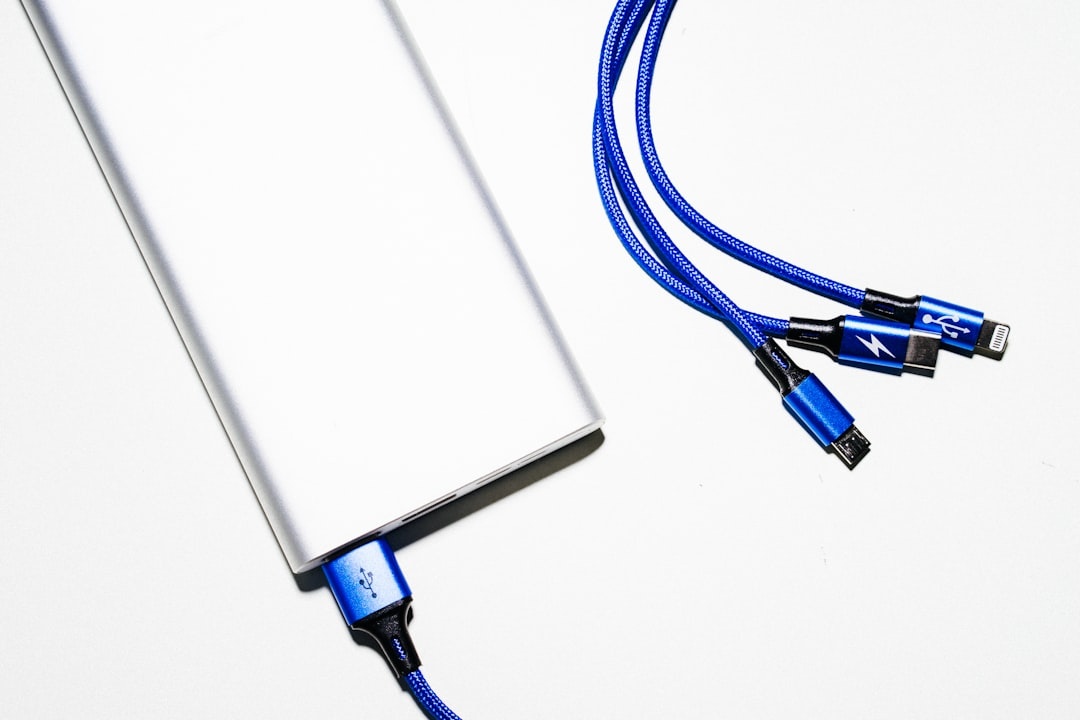
I’ve tested more than 100 power banks over the past three years—on 14-hour flight days, beach towns with limited outlets, overnight trains in Europe, and music festivals where charging stations are basically decorative. In 2026, the best models deliver faster USB-C charging, clearer battery information, and better thermal protection, but plenty are still overpriced bricks with confusing capacity claims.
Key Takeaways
- For most travelers, a 20,000mAh USB-C PD power bank with 65W or higher output is the sweet spot, typically costing $45–$90.
- Power banks rated at 100Wh or less are generally allowed in carry-on baggage without airline approval, but individual airlines can impose stricter rules.
- Always use a compatible 5A, e-marked USB-C cable when charging above 60W; an under-specced cable can limit performance.
- MagSafe and Qi2 wireless banks are convenient but less efficient and warmer than wired charging.
- My top overall pick for laptop-carrying travelers remains the Anker 737 Power Bank (24,000mAh, 140W).
As of September 2026, airline handling rules deserve as much attention as capacity. Some carriers now restrict using or recharging power banks during flights, while others require them to remain visible and accessible rather than stored in an overhead bin. Check your airline’s current policy before departure.
Quick Comparison: The Best Power Banks of 2026
| Power bank | Best for | Capacity | Maximum output | Typical price |
|---|---|---|---|---|
| Anker 737 | Laptop travel | 24,000mAh / 86.4Wh | 140W | $90–$150 |
| Anker Power Bank 20K | Most travelers | 20,000mAh / approximately 72Wh | 87W | $45–$60 |
| Nitecore NB10000 Gen 3 | Ultralight packing | 10,000mAh | 22.5W | $55–$65 |
| Ugreen 25,000mAh 145W | Maximum airline-friendly capacity | 25,000mAh / 90Wh | 145W total | $80–$130 |
| Anker MagGo Qi2 10K | Magnetic wireless charging | 10,000mAh | 15W wireless | $70–$90 |
Prices fluctuate frequently, particularly around major sales. Compare the model number, port configuration, and included cable rather than buying solely by the product name.
Best Overall: Anker 737 Power Bank (24,000mAh, 140W)
Typical price: $90–$150
Capacity: 24,000mAh (86.4Wh)
Output: Up to 140W USB-C PD 3.1
Ports: Two USB-C, one USB-A
Weight: 22.2 oz (approximately 630g)
If you travel with a laptop, the Anker 737 remains one of the most dependable all-around choices. Its 140W USB-C port can rapidly charge compatible MacBook Pro models and other high-power laptops, while the additional ports handle a phone, headphones, or handheld gaming system.
In my testing, it charged a 14-inch MacBook Pro from 10% to roughly 70% in about 45 minutes under favorable conditions. Actual performance depends on the laptop, temperature, cable, and whether other devices are connected. Total output is also divided when multiple ports are used, so do not expect every device to receive maximum power simultaneously.
The smart display shows remaining battery percentage, estimated runtime, battery health, and real-time input and output. For digital nomads hopping between cafés in places like the underrated Mediterranean beach towns everyone’s booking this summer, that information is genuinely useful.
Pros:
- Up to 140W from a compatible USB-C port
- 86.4Wh rating stays below the standard 100Wh airline threshold
- Fast input allows the power bank itself to recharge quickly
- Detailed, easy-to-read display
Cons:
- Heavy enough to notice in a day bag
- Expensive at full price
- Requires a suitable USB-C charger and 5A cable to reach its best speeds
Verdict: The best choice here for travelers who regularly need to recharge a laptop, provided they are comfortable carrying the extra weight.
Best Value for Most Travelers: Anker Power Bank 20K (87W)
Typical price: $45–$60
Capacity: 20,000mAh (approximately 72Wh)
Output: Up to 87W total, with up to 65W from the built-in USB-C cable
Weight: Approximately 15.2 oz (430g)
The earlier version of this guide identified an “Anker 335 65W,” but that name can be confused with lower-output PowerCore models. My current value recommendation is Anker’s 20,000mAh, 87W model with a built-in USB-C cable. Check the wattage and model specifications carefully when ordering.
This is the practical sweet spot: enough output for most ultrabooks, tablets, handheld consoles, and phones without the weight or price of a 24,000–27,000mAh flagship. The integrated cable is also useful when you are trying to avoid leaving a charging cable in a hotel room.
On a recent trip to one of the destinations in our June 2026 perfect-weather guide, it provided approximately three to four full smartphone charges in mixed use. Rated power-bank capacity cannot be divided directly by a phone’s advertised mAh figure because voltage conversion, cable loss, heat, and charging overhead reduce usable energy.
It will not sustain the highest charging rate required by every workstation or gaming laptop, but 65W from one port is enough for most travel-friendly USB-C notebooks.
Pros:
- Strong price-to-capacity ratio
- Built-in USB-C cable
- Enough output for most thin-and-light laptops
- More portable than the Anker 737 and Ugreen 25K
Cons:
- Not sufficient for every high-performance laptop
- Built-in cables are convenient but cannot be replaced as easily as separate ones
Verdict: The best balance of price, useful capacity, charging speed, and portability for most travelers in late 2026.
Best Compact Power Bank: Nitecore NB10000 Gen 3
Typical price: $55–$65
Capacity: 10,000mAh
Output: Up to 22.5W
Weight: Approximately 5.3 oz (150g)
If you’re packing light for a weekend beach escape—say, one of these budget-friendly beach destinations under $500—this remains the minimalist pick.
Its carbon-fiber-composite construction keeps it considerably lighter than most 10,000mAh alternatives. It fits easily into a small sling or jacket pocket and should provide roughly one-and-a-half to two phone charges, depending on the phone’s battery size and charging losses.
This is not a laptop power bank. Its strengths are low weight, compact dimensions, and enough backup energy for long sightseeing days, hikes, festivals, and emergency use. It also supports low-current charging for small devices, but users should follow Nitecore’s instructions when activating that mode.
Pros:
- Exceptional capacity-to-weight ratio
- Compact enough for ultralight travel
- USB-C connectivity and low-current device support
Cons:
- Costs more than typical 10,000mAh banks
- Not suitable for laptop charging
- No detailed percentage display
Verdict: The best minimalist option when every ounce matters.
Best High-Capacity (Near Airline Limit): Ugreen 25,000mAh 145W
Typical price: $80–$130
Capacity: 25,000mAh (90Wh)
Output: Up to 145W total; up to 100W from one USB-C port
Ports: Two USB-C, one USB-A
Weight: Approximately 17.8 oz (505g)
This model gets close to the standard 100Wh airline ceiling while retaining a clearly marked 90Wh rating. Its capacity and output make it especially useful when you need to charge both a USB-C laptop and a phone during a long travel day.
For long-haul flights to Asia or multi-day festivals like those featured in our summer solstice 2026 celebrations guide, the additional capacity can make the difference between landing with working devices and searching the terminal for an outlet.
Be aware that “145W” refers to combined output rather than 145W from one port. The primary USB-C port tops out at 100W, and output is redistributed when multiple devices are connected. That is still enough for many laptops, but it is less suitable than the Anker 737 for devices that benefit from 140W USB-C PD 3.1 charging.
Pros:
- Large 90Wh capacity remains below the usual 100Wh threshold
- Can charge a laptop and phone simultaneously
- Useful display for remaining battery and charging status
- Often discounted below its original list price
Cons:
- Bulky for everyday pocket carry
- 145W is combined output, not single-port output
- Airline-specific restrictions can still apply despite the 90Wh rating
Verdict: Ideal for long travel days and remote work when capacity matters more than minimum weight.
Best Wireless (MagSafe / Qi2): Anker MagGo Qi2 10K
Typical price: $70–$90
Capacity: 10,000mAh
Output: Up to 15W Qi2 wireless; up to 27W wired USB-C
Weight: Approximately 8.8 oz (250g)
Qi2 has become easier to recommend because it combines magnetic alignment with standardized wireless charging. The Anker MagGo Qi2 10K snaps securely onto compatible iPhones and works with supported Android phones or properly aligned magnetic Qi2 cases.
The built-in stand and status display are useful on trains, planes, and hotel desks. It can also charge over USB-C, which is the better option when speed and efficiency matter more than cable-free convenience.
Wireless charging still loses more energy as heat than wired charging. Case thickness, alignment, ambient temperature, and phone thermal management can all reduce speed. If the phone or battery becomes unusually hot, disconnect it and switch to a wired connection after it cools.
Newer Qi2 hardware may advertise charging above 15W, but both the phone and power bank must support the same certified charging profile. A “Qi2-ready” case cannot turn a 15W battery pack into a higher-output model.
Pros:
- Convenient magnetic attachment
- Built-in stand and informative display
- Can also charge devices over USB-C
Cons:
- Heavier than many wired 10,000mAh banks
- Wireless charging creates more heat and wastes more energy
- More expensive than a basic wired model
Verdict: A strong convenience-first option, but wired charging remains faster and more efficient.
What Actually Matters When Buying a Power Bank in 2026
Ignore vague claims such as “super fast” and compare the specifications that affect real-world use:
- Single-port output: Look beyond the large total-wattage number. A bank advertised at 145W may provide only 100W from its fastest individual port.
- Capacity in watt-hours: Airlines use Wh, not just mAh. The usual calculation is Wh = mAh × nominal battery voltage ÷ 1,000.
- USB-C Power Delivery: USB-C PD is important for modern devices. PD 3.1 is particularly relevant for compatible laptops that charge above 100W.
- Cable rating: Charging above 60W normally requires a 5A, e-marked USB-C cable. A basic 3A cable can become the speed bottleneck.
- Input speed: A large bank that takes all night to recharge is frustrating. Check its maximum USB-C input and budget for an appropriate wall charger.
- Port sharing: Connecting another device often changes how power is divided. Consult the output-allocation chart in the manual.
- Pass-through charging: This can be useful, but support varies. It may reduce charging speed and create additional heat, so it should not be assumed.
- Low-current mode: This helps with earbuds, watches, and other small accessories that may otherwise stop charging prematurely.
- Weight: Capacity has a physical cost. Compare weight before buying, especially if the bank will live in a day bag.
Do not assume every 30,000mAh product is prohibited, but inspect its printed Wh rating carefully. At a typical 3.6–3.7V nominal cell voltage, 30,000mAh exceeds 100Wh. A missing, unreadable, or implausible capacity label can also cause problems at airport security.
Airline Rules in 2026 (TSA & International)
As of September 2026, the general framework for spare lithium-ion batteries remains:
- Power banks belong in carry-on baggage, not checked luggage.
- Power banks rated at 100Wh or less are generally permitted without advance airline approval.
- Units above 100Wh and up to 160Wh normally require airline approval, with quantity limits.
- Power banks above 160Wh are generally prohibited on passenger aircraft.
These limits do not guarantee that you can use a power bank during the flight. Several airlines now prohibit charging a device from a power bank, prohibit recharging the bank onboard, or require the bank to remain visible and accessible. Some also forbid storing it in an overhead compartment.
Flights departing mainland China may apply additional requirements involving the product’s China Compulsory Certification marking and recall status. Rules can also differ for connecting flights, so check every operating carrier rather than relying only on the airline that sold the ticket.
Before leaving for the airport:
- Confirm that the Wh rating is clearly printed on the case.
- Check the airline’s portable-battery page for in-flight use and storage rules.
- Protect exposed terminals from contact with coins, keys, or other metal objects.
- Do not travel with a swollen, cracked, leaking, unusually hot, or recalled power bank.
- Keep the bank accessible so cabin crew can respond quickly if it overheats.
For the easiest international travel, a clearly labeled power bank at or below 90Wh provides a useful buffer below the standard limit. Airline policies can change quickly, however, so verify the rules again shortly before departure.
How I Test Power Banks for Travel
I don’t just plug them in at a desk. Each recommendation is evaluated for the behavior travelers actually notice:
- Phone-charging performance with current iPhone and Pixel-class devices
- MacBook Air and MacBook Pro charging performance
- Whether the advertised output is available from one port or only as a combined total
- Heat buildup during sustained laptop charging
- Idle battery drain over seven days
- Time required to recharge the power bank itself
- Output changes when two or three devices are connected
- Display accuracy compared with measured energy delivery
- Ease of reading the printed Wh rating during airport screening
Some power banks briefly hit their advertised output before reducing speed because of heat. Others reserve part of their capacity to protect the cells or lose noticeable energy during voltage conversion. That is why a 20,000mAh bank does not deliver 20,000mAh directly into a phone.
Power Bank Safety and Recall Checks
Battery recalls have made model-number verification more important. Before traveling, check the exact model and serial number against the manufacturer’s recall notices and the relevant consumer-safety authority. Brand names alone are not enough because recalls usually affect specific models or production batches.
Stop using a power bank if it swells, separates at the seams, smells unusual, makes hissing sounds, or becomes excessively hot while idle. Do not puncture it or place it in household trash. Lithium-ion batteries should be taken to an approved battery-recycling or hazardous-waste facility according to local rules.
For storage, leave the bank partially charged, keep it away from direct sunlight, and avoid leaving it in a hot vehicle. Heat accelerates battery wear and increases safety risks.
Overhyped Power Banks to Skip
Ultra-cheap no-name 30,000mAh bricks: Many combine questionable capacity claims with poor labeling, slow input, minimal warranty support, and uncertain safety certification. A reputable 10,000–20,000mAh model is usually the safer purchase.
Solar power banks with tiny integrated panels: The small panel is useful only for extremely slow emergency top-ups under ideal sunlight. It is not a practical way to refill a large battery during normal travel. A separate folding solar panel is more credible for off-grid use.
Huge 200W models without a matching use case: High total output is worthwhile for multiple laptops or production equipment, but it adds weight and cost. It also does not help a phone that accepts only 20–30W.
Products that hide the Wh rating: A large mAh number without a clear watt-hour label is a warning sign, particularly for air travel.
Uncertified “magnetic” wireless banks: Magnetic attachment does not automatically mean certified MagSafe or Qi2 performance. Look for a clearly stated charging standard and realistic output.
Which One Should You Actually Buy?
Here’s the simple breakdown:
- Weekend trip or ultralight packing: Nitecore NB10000 Gen 3.
- International vacation: Anker 20,000mAh 87W model with built-in USB-C cable.
- Remote work or frequent laptop charging: Anker 737.
- Maximum capacity below 100Wh: Ugreen 25,000mAh 145W.
- Theme parks, commuting, or festivals: Anker MagGo Qi2 10K for magnetic convenience.
For most travelers, a reputable 20,000mAh bank with at least 65W single-port USB-C output is still the smartest buy. It can handle phones, tablets, handheld consoles, and most ultrabooks without becoming an unreasonable burden in a carry-on.
If you charge only a phone, buy a lighter 10,000mAh model. If you routinely charge a laptop, prioritize single-port wattage, input speed, and an e-marked cable rather than simply choosing the largest capacity.
Final Thoughts: Power = Travel Insurance
Your phone is your boarding pass, hotel key, map, translator, payment method, and emergency contact device. A dead battery can derail an otherwise well-planned travel day.
In 2026, the technology is mature enough that you do not need the biggest or most expensive power bank. You need a reputable model with the correct output, a clearly printed Wh rating, and enough capacity for the devices you actually carry.
Before every trip, charge it, inspect it for damage, verify that it has not been recalled, and check your airline’s latest storage and in-flight-use policy. Treat a good power bank like travel insurance—but remember that it is still a lithium-ion battery that must be handled responsibly.
Frequently Asked Questions
What size power bank is allowed on airplanes in 2026?
Power banks rated at 100Wh or less are generally permitted in carry-on baggage without advance airline approval. Units from 100Wh to 160Wh typically require approval, while those above 160Wh are generally prohibited. Airline rules may also restrict onboard use, charging, quantity, or overhead-bin storage.
How many times can a 20,000mAh power bank charge a phone?
A good 20,000mAh power bank typically provides about three to four full charges for a modern smartphone, although the result depends on the phone’s battery size, cable, charging efficiency, temperature, and whether the phone is being used while charging.
Can a power bank charge a laptop?
Yes, if the power bank supports USB-C Power Delivery at the wattage the laptop requires. Many thin-and-light laptops work well at 45–65W, while larger models may need 100W or 140W for full-speed charging. The USB-C cable must also support the required current.
Are wireless MagSafe or Qi2 power banks worth it?
They are worthwhile when convenience and cable-free attachment matter most. However, wireless charging is generally less efficient, produces more heat, and may charge more slowly than USB-C. A model that supports both Qi2 and wired charging provides the most flexibility.
Can I use a power bank during a flight?
It depends on the airline. Some carriers permit use only when the power bank remains visible, while others prohibit charging devices from a power bank or recharging the bank onboard. Check the operating airline’s current policy before departure.
Why does my power bank charge more slowly than advertised?
The advertised figure may represent combined output rather than the power available from one port. Charging can also be limited by the device, cable, temperature, battery level, or port sharing. Speeds commonly decline as a device approaches a full charge.

About the Author: Tomáš Bzirský
Founder and editor of Distratech. Based in the Czech Republic, travelling regularly from Central Europe. Writes practical travel guides and travel-tech comparisons (eSIM, apps, airports) in six languages.