You land in Rome, Barcelona, or Copenhagen. The plane Wi-Fi cuts out. Suddenly you’re hunting for airport Wi-Fi just to order an Uber.
Skip that chaos. In 2026, setting up an eSIM before you fly is the easiest travel win you can give yourself — and it takes about 7 minutes.
Key Takeaways
- Europe eSIM plans start at $4.50 (€4) for 1GB and average $19–$29 for 10–20GB (7–30 days).
- Install and activate your eSIM 24–48 hours before departure for instant connectivity on landing.
- iPhone XS and newer + most Android models from 2019 onward support eSIM.
- Airport SIM cards often cost 30–50% more than pre-purchased eSIMs.
This guide walks you step-by-step through choosing, installing, and activating an eSIM for Europe — on both iPhone and Android — with real pricing, real apps, and what actually works in summer 2026.
Why Set Up Your eSIM Before You Leave?
Because airport SIM kiosks are overpriced and slow.
At Paris CDG in June 2026, an Orange Holiday 20GB SIM costs €39.99 ($43) at the airport kiosk. The same 20GB eSIM via Airalo is $26. That’s a 35–40% difference for the same data.
| Option | Data | Price | Setup Time |
|---|---|---|---|
| Airport SIM (CDG) | 20GB / 14 days | €39.99 ($43) | 20–40 min line |
| Airalo eSIM | 20GB / 30 days | $26 | 5–7 min at home |
| Nomad eSIM | 15GB / 30 days | $22 | 5–7 min at home |
In peak summer (June–August), lines at Rome Fiumicino or Barcelona El Prat can hit 25–40 minutes between 10am–3pm. Not how you want to start your trip.
Pre-installing means you switch off airplane mode and instantly have Google Maps, Bolt, Uber, or WhatsApp working.
Step 1: Make Sure Your Phone Is eSIM-Compatible
iPhone
Any iPhone XS, XR, or newer supports eSIM. That includes iPhone 11–15 models and the 2025 iPhone 16 lineup.
To check: Settings → Cellular → Add eSIM. If you see the option, you’re good.
Android
Most Google Pixel models (Pixel 3 and newer), Samsung Galaxy S20 and newer, Galaxy Z Fold/Flip, and many 2023–2026 Android flagships support eSIM.
To check: Settings → Network & Internet → SIMs → Add eSIM.
Important: Your phone must be carrier-unlocked. If you’re still paying off your device through Verizon, AT&T, or similar, confirm it’s unlocked before buying.
Step 2: Choose the Right Europe eSIM Plan (Not All Are Equal)
Europe is perfect for eSIM because EU roaming rules mean one plan works across 30+ countries.
Landing in Lisbon and train-hopping to Spain and France? One regional eSIM covers all three.
Best Europe eSIM Providers (Summer 2026)
Airalo (Eurolink)
• 10GB / 30 days: $19
• 20GB / 30 days: $26
• Coverage: 39 European countries
Nomad
• 15GB / 30 days: $22
• 20GB / 30 days: $28
• Often slightly faster speeds in Germany & Netherlands
Holafly (Unlimited)
• Unlimited data / 15 days: $47
• Unlimited / 30 days: $69
• No hotspot on most plans
If you’re posting beach content from the Amalfi Coast daily, go 20GB minimum. Google Maps + Instagram + WhatsApp video calls can eat 1–2GB per day.
For comparison: typical U.S. carrier international day passes cost $10–$12 per day. A 14-day trip = $140–$168. A 20GB eSIM at $26 is dramatically cheaper.
Step 3: Install Your eSIM (Before You Fly)
Do this 24–48 hours before departure, ideally on strong Wi-Fi.
On iPhone (iOS 17–18)
- Buy your eSIM plan through the provider’s app (Airalo, Nomad, etc.).
- Tap Install eSIM.
- Allow cellular plan download.
- Label it “Europe” for clarity.
- Set Default Line to your primary SIM (for now).
Total time: 3–5 minutes.
You don’t need to activate data yet. Most plans start when they connect to a European network.
On Android (Pixel / Samsung)
- Open the provider app and select install.
- Approve adding eSIM.
- Confirm download.
- Name it “Europe Travel.”
If using QR code instead: Settings → Network → Add SIM → Scan QR Code.
Total time: 4–7 minutes depending on device.
Step 4: Activate When You Land in Europe
The moment the plane touches down:
- Turn off Airplane Mode
- Go to Settings → Cellular / SIMs
- Select your Europe eSIM
- Turn on Data Roaming (yes, you need this ON)
- Set Cellular Data to your Europe line
Connection usually takes 30–90 seconds.
At Athens Airport (ATH) last summer, my Airalo eSIM connected in under 45 seconds. Faster than waiting for baggage.
How Much Data Do You Actually Need in Europe?
Here’s what travelers underestimate: summer Europe = heavy phone usage.
Beach days in Nice. Train routes through Switzerland. Booking ferries in Croatia. You’ll stream, map, and upload constantly.
| Usage Type | Avg Data Per Day | 14-Day Total |
|---|---|---|
| Light (Maps + WhatsApp) | 300–500MB | 4–7GB |
| Moderate (Social + Video) | 1GB | 14GB |
| Heavy (Reels + Hotspot) | 2GB+ | 28GB+ |
My rule: buy 20GB minimum for a 2-week Europe trip. It costs $26–$28 and eliminates stress.
Pro Tips Most Guides Don’t Tell You
1. Turn Off Your Primary Line’s Data Roaming
One accidental switch and you’re paying $10/day to your home carrier.
2. Keep Your Home SIM for SMS
Most eSIMs are data-only. Keep your primary SIM active for bank verification texts.
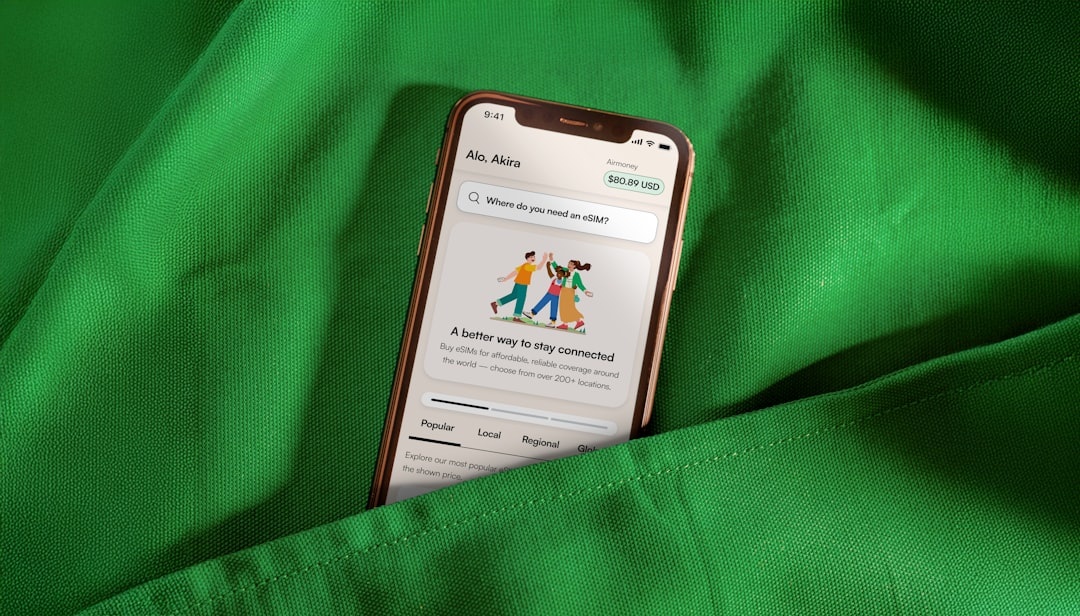
3. Download Offline Maps Anyway
Google Maps offline for Rome city center is about 150MB. It saves data in underground metro stations.
4. Use Messaging Apps Instead of SMS
WhatsApp, Telegram, and iMessage work seamlessly on eSIM data. Telegram’s 2026 Wear OS comeback even makes it easier to get travel messages on your smartwatch — especially useful during airport transfers (read why it matters here).
5. Road-Tripping Europe?
If you’re driving through France, Germany, or Norway this summer, strong data matters for EV charging apps and route planning. Distratech recently covered how AI is protecting EV chargers across Europe — useful context if you’re planning a long-distance drive (here’s the breakdown).
When Should You Buy Your Europe eSIM?
Buy it 3–7 days before departure.
Install it 24–48 hours before flying.
Most plans activate only when they first connect to a supported network. But double-check — some start immediately upon installation.
Summer 2026 tip: if you’re traveling in July or August, buy at least a week early. Some providers temporarily raise prices by $2–$4 during peak demand.
Common Mistakes to Avoid
- Buying country-specific eSIMs when traveling to multiple EU countries (get regional instead).
- Waiting until airport Wi-Fi to install — networks can be overloaded.
- Choosing “unlimited” plans without hotspot access (Holafly restricts this).
- Forgetting to check if your phone is carrier locked.
Skip airport kiosks. Skip physical SIM swaps. Europe in summer is chaotic enough — your connectivity shouldn’t be.
Final Verdict: Is Setting Up an eSIM Before Europe Worth It?
Absolutely.
For $19–$29, you get seamless coverage across 30+ countries, avoid airport lines, and start your trip stress-free.
It’s one of the easiest upgrades you can make to your 2026 Europe trip — right up there with booking early train tickets and reserving beach clubs in advance.
Install it before you fly. Land connected. Spend your first hour finding gelato, not Wi-Fi.
Frequently Asked Questions
How much does an eSIM for Europe cost in 2026?
Expect $19–$29 for 10–20GB valid for 30 days. Unlimited plans run $47–$69 depending on duration.
Can I use one eSIM for multiple European countries?
Yes. Regional Europe plans typically cover 30–39 countries, including France, Spain, Italy, Germany, and Greece under one package.
When should I activate my Europe eSIM?
Install it before departure, but activate (turn on data roaming and select the line) after landing. Most plans begin once connected to a European network.
Is an eSIM cheaper than my carrier’s international plan?
Almost always. U.S. carrier day passes cost $10–$12 per day ($140+ for two weeks), while a 20GB eSIM costs about $26 total.

About the Author: Tomáš Bzirský
Founder and editor of Distratech. Based in the Czech Republic, travelling regularly from Central Europe. Writes practical travel guides and travel-tech comparisons (eSIM, apps, airports) in six languages.