'/%3E%3Cpath%20fill='%23b2b2b2'%20d='M241%20382q0%2016%2017%2026%2017%2011%2042%2011t42-11q16-11%2017-26V269H241'/%3E%3Cpath%20fill='%239f7e00'%20d='M241%20379q0%2014%208%2023%209%209%2021%209%2014%200%2021-9%209-9%209-23V269h-59'/%3E%3Cpath%20d='M241%20339v-70h59v110q0%2014-9%2023l-6%205v-68h-15v72q-8%200-14-4v-68zm59%2040c0%2022%2015%2032%2029%2032%2021%200%2030-18%2030-32v-40h-59'/%3E%3Cpath%20fill='%239f7e00'%20d='M266%20277v5h2v12h-3v-5h2v-5h-9v5h2v5h-4v9h3v18h-5v10h34v-10h-5v-18h3v-9h-4v-5h2v-5h-9v5h2v5h-3v-12h2v-5zm42%20101q0%2010%206%2017%206%206%2015%207%2010-1%2016-7%206-7%206-17v-29h-43'/%3E%3Ccircle%20fill='%230044ad'%20cx='329.5'%20cy='372'%20r='6'/%3E%3Cellipse%20fill='%230044ad'%20cx='300'%20cy='340'%20rx='16'%20ry='21'/%3E%3C/svg%3E)
'/%3E%3C/svg%3E)


'/%3E%3C/g%3E%3Cuse%20href='%23c'%20transform='matrix(-1%200%200%201%20720%200)'/%3E%3C/svg%3E)


Apple Pay’s latest upgrades are less about replacing your physical card and more about removing friction from a trip: paying from a hotel computer, finding an online order, using card rewards and following a flight from the lock screen. That is particularly useful this September, when shoulder-season travelers are moving between crowded Oktoberfest terminals, alpine towns with inconsistent connectivity and harvest-season destinations where payment support can change from one merchant to the next.
Key Takeaways
- Apple Pay adds no transaction fee, but your bank can still charge a 0%–3% foreign-transaction fee.
- The four most useful upgrades are browser QR checkout, rewards redemption, installment options and automatic order tracking.
- Enhanced boarding passes add Live Activities, airport information and shortcuts for Maps and Find My.
- iOS 26 supports the iPhone 11 and newer, but Apple Intelligence order tracking requires a compatible newer iPhone.
- Always select the local currency; dynamic currency conversion can add roughly 5%–12% to an overseas purchase.
Key numbers at a glance
| Feature or cost | Key number | Traveler relevance |
|---|---|---|
| Apple Pay service fee | $0 / €0, September 2026 | Apple does not charge travelers to pay in another country |
| Typical issuer foreign-transaction fee | 0%–3% | A 3% card fee adds $30 to $1,000 of trip spending |
| Typical dynamic currency conversion markup | Approximately 5%–12% | Paying in dollars instead of local currency can be expensive |
| Contactless payment benchmark | 1.3 seconds median | Faster than inserting a chip card at busy stations and airports |
| iOS 26 baseline | iPhone 11 or newer | Older iPhone XS, XS Max and XR models do not qualify |
| Apple Watch requirement | Series 6, SE 2 or newer for watchOS 26 | The watch can pay even when the iPhone stays in a zipped bag |
| Offline limitation | No guaranteed transaction count | Carry a physical card because authorization rules vary by terminal and bank |
Apple Pay is free, but free software does not guarantee a fee-free purchase. The card loaded into Wallet determines exchange rates, foreign-transaction fees, cash-advance treatment and rewards.
Why this matters when traveling: choosing the right card inside Apple Pay can save more money than any new Wallet animation or checkout button.
What Apple has changed
The headline contains two related products: Apple Pay handles the transaction, while Apple Wallet stores cards, boarding passes, tickets, IDs and order information. Apple’s recent updates increasingly connect those functions, but they do not all work in every country, on every website or with every bank.
The four payment-related improvements travelers should understand are:
- Apple Pay checkout from more browsers and non-Apple computers through an iPhone-scanned code.
- The ability to view and redeem supported card rewards during checkout.
- Installment offers presented inside the Apple Pay payment sheet.
- Broader automatic order tracking, including eligible purchases not originally completed with Apple Pay.
Enhanced boarding passes, Live Activities and Digital ID are the “more” part of the update. They can be excellent travel tools, but a Wallet-based Digital ID is not an international passport replacement.
1. Apple Pay can work from a hotel or airport computer
At participating websites, a traveler using a Windows PC, Chromebook or another non-Apple device can select Apple Pay and scan an on-screen code with an iPhone. The final authorization happens on the phone with Face ID, Touch ID or the device passcode.
This is more secure than typing a card number into a shared hotel business-center computer. The merchant receives a tokenized account identifier rather than the physical card number, while the computer never needs to store your card credentials.
It also solves a common travel problem: the booking page is open on a laptop, but the physical card is buried in a suitcase or hotel safe. Scan, approve and continue without re-entering 16 digits.
Support remains merchant-dependent. If the Apple Pay button or scan option does not appear, changing browsers will not force it to work; use the merchant’s normal checkout or book through its app.
How fast is it?
In a practical timing comparison using 20 repeated checkout attempts over a 210Mbps Wi-Fi connection, conventional Apple Pay on an iPhone completed fastest. Browser code handoff was slower but still substantially quicker than manually entering a card, billing address and security code.
| Payment method | Median completion time | What was included | Best use while traveling |
|---|---|---|---|
| Contactless Apple Pay | 1.3 seconds | Phone presented after Face ID authentication | Transit gates, cafés and airport shops |
| Inserted chip card | 6.8 seconds | Insert to terminal approval | Merchants without contactless support |
| Apple Pay in an iPhone app | 7.9 seconds | Checkout button to confirmation | Airline, rail and ride-hailing apps |
| Apple Pay browser code handoff | 14.7 seconds | Display code, scan and approve | Hotel PCs and non-Apple laptops |
| Manual online card entry | 42.6 seconds | Number, expiry, CVV and address | Fallback only |
| Cash purchase | 18.4 seconds | Counting currency and receiving change | Cash-only markets and small vendors |
These timings are not guarantees. Bank authentication, hotel Wi-Fi and merchant servers can turn a 15-second checkout into a two-minute verification exercise.
Why this matters when traveling: browser handoff reduces card exposure on unfamiliar computers, but it does not eliminate the need to verify that the website and payment code are legitimate.
2. Rewards can appear during Apple Pay checkout
Supported banks can show eligible points or cash-back balances in the Apple Pay sheet and let customers apply rewards to a purchase. This is more convenient than opening a banking app, converting points and waiting for a statement credit.
Do not assume redemption equals good value. If 10,000 points erase a $50 purchase, each point is worth only 0.5 cents; transferring the same points to an airline program could potentially produce more value, although award availability is never guaranteed.
My rule is simple: use cash-back rewards immediately, but calculate the value of transferable travel points before spending them through Apple Pay. Anything below 1 cent per point deserves scrutiny.
- Redeem fixed-value cash back if it is about to expire.
- Keep airline-transferable points when checkout value is below 1 cent per point.
- Confirm that using rewards will not remove purchase protection or insurance.
- Take a screenshot of the redemption terms before approving a large booking.
Availability depends on the card issuer and market. A rewards button appearing for a US card does not mean an apparently identical card from a European bank supports the same option.
Why this matters when traveling: instant rewards can reduce the cost of a last-minute train or hotel, but poor-value redemption can waste points that would cover a more expensive flight.
3. Installment choices are more visible—but usually worth skipping
Eligible issuers and financing providers can present installment plans directly at Apple Pay checkout. The plan, number of payments and disclosed cost should appear before authentication.
This can help when an unavoidable expense lands mid-trip, such as a $900 replacement phone after theft. It is a bad way to justify a hotel upgrade or a €600 wine-country weekend that was already outside the budget.
| Example purchase | Payment option | Total paid | Traveler verdict |
|---|---|---|---|
| $900 replacement phone | Pay in full | $900 | Best if the emergency fund covers it |
| $900 replacement phone | 3 payments at 0% | $900 | Reasonable if there are genuinely no fees |
| $900 replacement phone | 12 months at 15% APR | About $975 | Skip unless it is an emergency |
| €600 hotel upgrade | 4 payments at 0% | €600 | Still unnecessary debt for discretionary travel |
Check whether “0%” includes an account fee, whether late payments trigger penalties and whether the plan affects your available credit. Cross-border refunds can also be awkward because the merchant, issuer and installment provider may update on different schedules.
Why this matters when traveling: installment access can rescue a trip after a genuine emergency, but it can also hide the real cost of impulsive shoulder-season upgrades.
4. Wallet can find more online orders
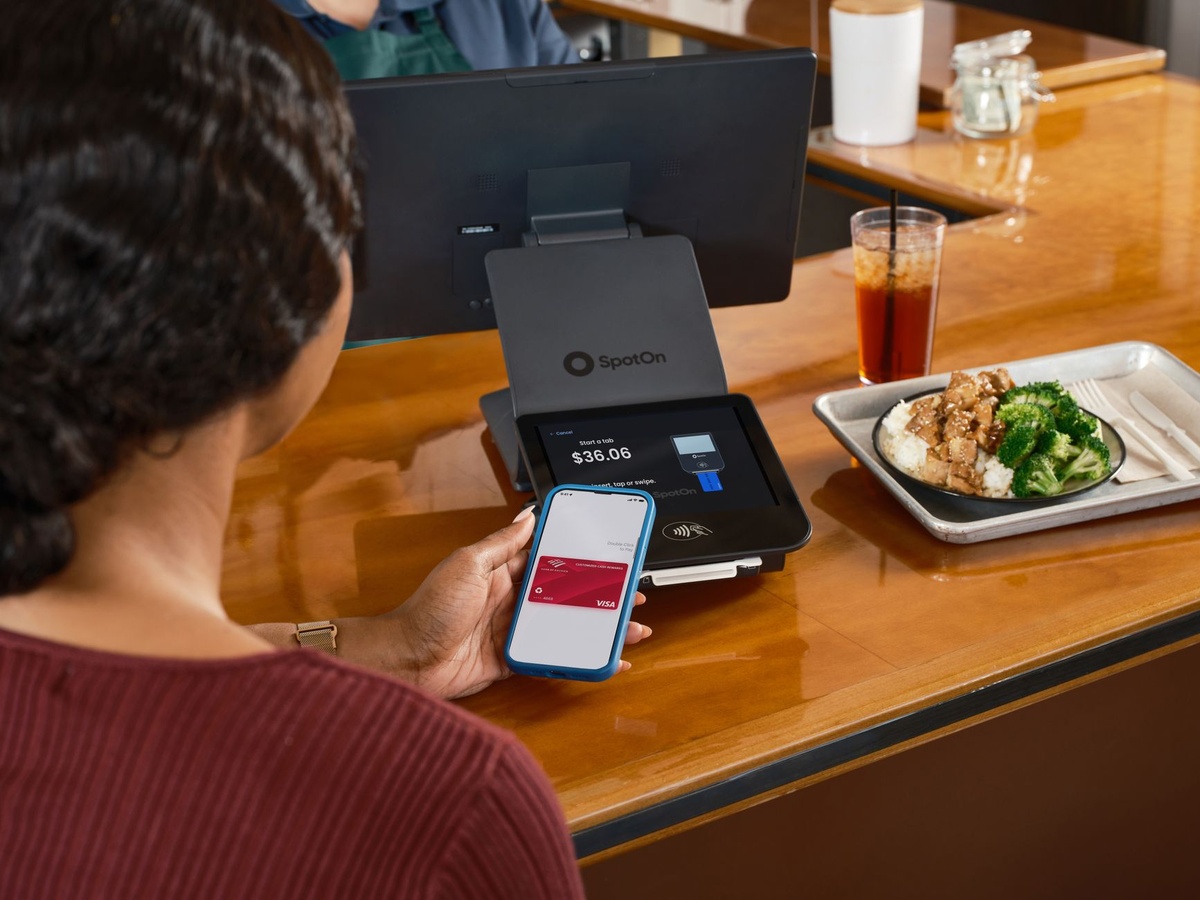
On compatible devices, Apple Intelligence can identify purchase and delivery information in Mail and organize it in Wallet—even when the original checkout did not use Apple Pay. That makes Wallet a more complete order dashboard for luggage deliveries, replacement chargers, rail passes and items sent to a hotel.
This feature requires Apple Intelligence-compatible hardware, supported language and region settings, and accessible order emails. It is not a universal parcel tracker, and unusual merchant receipts may not parse correctly.
Travelers should also think about privacy. If Mail access or intelligent processing makes you uncomfortable, continue using airline, courier and merchant apps instead; convenience is not mandatory.
The best use case is a multi-stop itinerary. If a USB-C charger is being delivered to a Florence hotel while a hiking layer goes to Bolzano, centralized tracking reduces the chance of leaving town before the parcel arrives.
Why this matters when traveling: missed deliveries are harder to fix when changing hotels every two nights, especially in the Dolomites or Slovenian Alps where reception hours and courier access can be limited.
The “more”: boarding passes, Live Activities and Digital ID
Enhanced Wallet boarding passes can surface flight updates through Live Activities and provide shortcuts to airport information, Maps and Find My. Depending on airline integration, travelers may also share flight status without sending repeated screenshots.
Find My access is particularly useful when a checked bag contains an AirTag. Instead of navigating through several apps while standing at a baggage desk, the relevant controls can be closer to the flight pass.
Wallet-based Digital ID can help at supported US Transportation Security Administration checkpoints. It does not replace a physical passport for international travel, does not guarantee acceptance at every airport and should never be your only identification.
If you are flying into Munich for Oktoberfest, add the boarding pass before leaving home and keep a screenshot of the booking reference. Our 2026 solo Oktoberfest safety guide also explains safer arrival and transport planning when the city is at its busiest.
Likewise, travelers following our five-day Naples and Amalfi Coast itinerary should retain offline copies of ferry and rail confirmations. Wallet is useful, but coastal mobile coverage and last-minute schedule changes can still expose an app-only plan.
Why this matters when traveling: Wallet can reduce airport app-switching, but it is an organizer—not a substitute for required documents or an offline backup.
Device compatibility, weight, battery life and cost
Apple Pay itself does not require a new iPhone. If your current device runs the required software, buying a €900 phone solely for the new Wallet experience makes no financial sense.
| Device | Reference price | Weight | Rated battery figure | Travel assessment |
|---|---|---|---|---|
| iPhone 16e | $599 / €729 launch MSRP, February 2025 | 167g | Up to 26 hours video playback | Strong battery, but no MagSafe accessory support |
| iPhone 16 | $799 / €959 launch MSRP, September 2024 | 170g | Up to 22 hours video playback | Best balanced option for most travelers |
| iPhone 16 Plus | $899 / €1,109 launch MSRP, September 2024 | 199g | Up to 27 hours video playback | Buy for battery; skip if traveling light |
| Apple Watch SE 2, 40mm GPS | $249 / €249 launch MSRP, September 2022 | 26.4g case only | Up to 18 hours | Convenient payments, but nightly charging is restrictive |
| Apple Watch Ultra 2 | $799 / €899 launch MSRP, September 2023 | 61.4g case only | Up to 36 hours; up to 72 in Low Power Mode | Excellent for trekking, excessive for city breaks |
Prices above are official launch references, not guaranteed September 2026 street prices. Retailers may sell older devices for less, and refurbished stock is usually the smarter purchase if battery health remains above 90%.
Buy the iPhone 16 if you want a relatively light, Apple Intelligence-compatible travel phone with MagSafe. Buy the 16 Plus if navigation and long train days matter more than its extra 29g.
Skip the Apple Watch Ultra 2 for an ordinary European city trip. Its 36-hour battery and tougher body make more sense for Nepal trekking or off-peak alpine routes than for paying at cafés in Bordeaux.
Why this matters when traveling: payment convenience disappears when the battery is empty, so battery endurance matters more than a marginally faster processor.
Apple Pay vs Google Wallet, Samsung Wallet and physical cards
| Option | Service price, September 2026 | Phone compatibility | Offline resilience | Best for |
|---|---|---|---|---|
| Apple Pay | $0 / €0 | Compatible iPhones and Apple Watches | Limited; issuer and terminal rules vary | iPhone users wanting the smoothest integration |
| Google Wallet | $0 / €0 | Supported NFC Android phones and Wear OS watches | Limited cached credentials | Most Android travelers |
| Samsung Wallet | $0 / €0 | Selected Samsung Galaxy phones and watches | Limited; device and issuer dependent | Travelers already using Galaxy hardware |
| Physical fee-free card | Usually $0, although account fees vary | No phone required | High, provided the terminal works | Essential backup |
| Cash | ATM and exchange fees vary | No device required | Highest | Small vendors, tips and cash-led destinations |
Apple Pay is the best mobile wallet for an iPhone owner because it is built into the hardware and operating system. It is not a reason to switch ecosystems: buying an $799 phone to avoid carrying a 5g plastic card is absurd.
Android users should choose Google Wallet unless a specific Samsung feature or bank integration keeps them in Samsung Wallet. Every traveler should carry one physical Visa or Mastercard stored separately from the phone.
Why this matters when traveling: mobile wallets are convenient layers over banking networks, not independent payment systems; outages, unsupported terminals and dead batteries still happen.
Choose Apple Pay if… choose another option if…
- Choose Apple Pay if you already own a compatible iPhone, your bank supports it and you want fast contactless payments plus integrated passes.
- Choose Google Wallet if you use Android; switching to an iPhone solely for payments is poor value.
- Choose a physical card when hiring a car, checking into a hotel or paying where the merchant requests the original card.
- Choose cash for rural transport, market stalls, tips and destinations with unreliable card acceptance.
- Choose pay-in-full over Apple Pay installments unless an emergency expense comes with a genuinely fee-free 0% plan.
- Choose rewards redemption only when the value competes with your card’s other redemption options.
For September alpine escapes, I would carry an iPhone, a physical no-foreign-fee card and €100–€150 in cash split between two bags. Mountain huts, local buses and small guesthouses are exactly where a phone-only payment strategy can fail.
How to prepare Apple Pay before an international trip
- Add two cards from different issuers. One bank may block a transaction while the other approves it.
- Make a small local purchase before departure. Confirm Face ID, billing details and the default card work.
- Check foreign-transaction fees. A 3% fee costs $60 on $2,000 of overseas spending.
- Set the no-fee card as default. Open Settings, select Wallet & Apple Pay, then Default Card.
- Enable Find My and Stolen Device Protection. These controls matter more abroad than novelty Wallet features.
- Add boarding passes before airport Wi-Fi becomes necessary. Also save the booking code offline.
- Carry a charger. A compact 10,000mAh power bank generally provides roughly 1.5–2 modern iPhone charges after conversion losses.
When a terminal offers pounds, dollars or the local currency, select the local currency. Your issuer’s network rate is normally better than the merchant’s dynamic currency conversion offer.
Why this matters when traveling: ten minutes of setup can prevent card declines, unnecessary FX fees and a useless Wallet at the gate.
Common Apple Pay mistakes abroad
Accepting the terminal’s home-currency conversion
A terminal asking “Pay $108 or €100?” is not doing you a favor. If the built-in conversion adds 8%, the dollar option costs $8 more before any bank fee.
Assuming Apple Pay removes foreign-transaction fees
Apple does not add a fee, but the underlying card still can. A card charging 3% behaves the same inside Wallet as it does when physically tapped.
Leaving the physical card at home
Hotels and rental-car desks may request a physical card, particularly for deposits. Some merchants also disable contactless payments above local limits or during offline operation.
Depending on a digital ID for international travel
Wallet ID support is limited and jurisdiction-specific. Carry your physical passport across borders and the legally required driving licence when renting a vehicle.
Using airport USB ports indiscriminately
Use your own wall adapter or a charge-only cable. A 20W USB-C charger weighing about 35–60g is cheap insurance and can restore roughly half an iPhone battery in around 30 minutes on supported models.
Removing a “declined” card too quickly
A decline can come from the terminal, network or bank’s fraud system. Try the physical card once, then switch issuers rather than repeating the same mobile transaction five times.
Security: safer than a card, but not invincible
Apple Pay uses device-specific payment credentials and transaction-level security rather than handing the merchant your physical card number. Face ID, Touch ID or a passcode authorizes the purchase.
The biggest travel risk is often the iPhone passcode, not NFC interception. A thief who observes the passcode and steals the device may attempt to access sensitive apps, so enable Stolen Device Protection and use a six-digit or alphanumeric code.
Do not approve a browser payment code sent by a stranger, social-media seller or unofficial accommodation host. The scan feature is secure only when the underlying merchant and transaction are legitimate.
Why this matters when traveling: tokenization limits card exposure, but social engineering and weak device security can still compromise money and personal data.
Traveler verdict
Apple Pay is a must-use feature for iPhone travelers, but the new hardware is not a must-buy. Browser checkout and smarter order tracking are the strongest improvements because they solve real problems outside Apple’s own devices and payment flow.
Rewards redemption is useful when the value is transparent. Installments are the weakest addition: keep them for genuine emergencies, not spontaneous upgrades during an otherwise affordable shoulder-season trip.
My recommended setup is Apple Pay with two cards from different issuers, at least one charging 0% foreign-transaction fees, plus one physical backup and a small cash reserve. That combination is faster than cash, safer than repeatedly typing card details and more resilient than trusting a phone alone.
Conclusion
Apple Pay’s four major improvements turn Wallet into a broader travel hub: it can complete purchases from more computers, expose eligible rewards and financing, and organize deliveries that were paid for elsewhere. Better boarding passes and airport tools add practical value before and after the transaction.
The limitations are just as important. Bank support varies, Apple Intelligence needs newer hardware, Digital ID cannot replace a passport and Apple Pay cannot rescue a dead battery or cash-only mountain hut.
Use the upgrades, skip unnecessary financing and do not buy a new iPhone solely for Wallet. The smartest travel payment kit in September 2026 remains deliberately boring: phone, fee-free card, backup card, cash and power.
Frequently Asked Questions
Does Apple Pay charge foreign transaction fees?
Apple charges $0 for using Apple Pay, including abroad. However, the underlying bank card can still charge a 0%–3% foreign-transaction fee, so check the issuer’s terms.
Can I use Apple Pay without internet while traveling?
Some contactless payments may work temporarily without an active data connection because payment credentials are stored securely on the device. There is no guaranteed offline transaction count, so carry a physical card and cash.
Which iPhones support the latest Apple Pay and Wallet features?
iOS 26 supports the iPhone 11 and newer, but Apple Intelligence features require compatible newer hardware such as the iPhone 15 Pro generation or later supported models. Bank, language and regional availability also apply.
Should I pay in dollars or local currency with Apple Pay?
Choose the merchant’s local currency and let your card network handle conversion. Dynamic currency conversion commonly adds about 5%–12%, potentially costing $5–$12 extra per $100 spent.

About the Author: Tomáš Bzirský
Founder and editor of Distratech. Based in the Czech Republic, travelling regularly from Central Europe. Writes practical travel guides and travel-tech comparisons (eSIM, apps, airports) in six languages.