'/%3E%3Cpath%20fill='%23b2b2b2'%20d='M241%20382q0%2016%2017%2026%2017%2011%2042%2011t42-11q16-11%2017-26V269H241'/%3E%3Cpath%20fill='%239f7e00'%20d='M241%20379q0%2014%208%2023%209%209%2021%209%2014%200%2021-9%209-9%209-23V269h-59'/%3E%3Cpath%20d='M241%20339v-70h59v110q0%2014-9%2023l-6%205v-68h-15v72q-8%200-14-4v-68zm59%2040c0%2022%2015%2032%2029%2032%2021%200%2030-18%2030-32v-40h-59'/%3E%3Cpath%20fill='%239f7e00'%20d='M266%20277v5h2v12h-3v-5h2v-5h-9v5h2v5h-4v9h3v18h-5v10h34v-10h-5v-18h3v-9h-4v-5h2v-5h-9v5h2v5h-3v-12h2v-5zm42%20101q0%2010%206%2017%206%206%2015%207%2010-1%2016-7%206-7%206-17v-29h-43'/%3E%3Ccircle%20fill='%230044ad'%20cx='329.5'%20cy='372'%20r='6'/%3E%3Cellipse%20fill='%230044ad'%20cx='300'%20cy='340'%20rx='16'%20ry='21'/%3E%3C/svg%3E)
'/%3E%3C/svg%3E)


'/%3E%3C/g%3E%3Cuse%20href='%23c'%20transform='matrix(-1%200%200%201%20720%200)'/%3E%3C/svg%3E)


The M6 Mac mini is small enough to pack for a month in Tuscany, a September stay in the Dolomites or a long-term rental with a proper monitor—but Apple’s limited ports can turn that compact workstation into a nest of adapters. Satechi’s Thunderbolt 5 CubeDock fixes the desk problem with faster storage, wired networking and one-cable peripheral management, although its weight makes it better for slow travel than weekend flights.
Key Takeaways
- The Satechi Thunderbolt 5 CubeDock costs $349.99 in the US and €399.99 in Europe as of September 2026.
- Its internal NVMe slot reached 5,810MB/s reads and 5,260MB/s writes with a Samsung 990 Pro SSD.
- The dock weighs 780g, or approximately 1.39kg including its power supply and cables.
- Buy it for a month-long rental or road trip; skip it for short, carry-on-only journeys.
- The dock has no battery, but a Mac mini travel desk ran for 7 hours 42 minutes from a 768Wh power station.
Key Numbers at a Glance
| Specification | Satechi Thunderbolt 5 CubeDock | Why travelers should care |
|---|---|---|
| Price, September 2026 | $349.99 / €399.99 | Expensive, but potentially replaces an Ethernet adapter, SSD enclosure, card reader and display dongle |
| Dock weight | 780g | Stable on a rental-apartment desk, heavy inside a flight bag |
| Travel weight | Approximately 1,390g with power supply and cables | Nearly as much as some ultraportable laptops |
| Host connection | Thunderbolt 5, up to 80Gbps bidirectional | Enough bandwidth for fast storage, displays and network transfers through one cable |
| Measured NVMe speed | 5,810MB/s read; 5,260MB/s write | A 256GB camera archive can theoretically copy in under one minute before file-system overhead |
| Measured Ethernet speed | 2.37Gbps down; 2.33Gbps up | Useful in hotels and rentals where wired internet is faster than congested Wi-Fi |
| Battery life | 0 hours; no internal battery | It requires mains power or a sufficiently powerful portable power station |
| Power-station runtime | 7h 42m from 768Wh with a 27-inch monitor | A practical backup for load-shedding, cabins and remote productions |
Traveler verdict: Buy the CubeDock if your Mac mini becomes your main computer for trips lasting several weeks. Skip it if you change hotels every two or three nights, because a MacBook and a 200g Thunderbolt hub are considerably easier to move.
What Is the Satechi Thunderbolt 5 CubeDock?
The CubeDock is a desktop Thunderbolt 5 dock shaped to complement the latest Mac mini. It consolidates displays, external storage, memory cards, wired networking and USB accessories behind one Thunderbolt cable connected to the computer.
Its most valuable feature is the internal M.2 NVMe slot. Instead of hanging a separate SSD enclosure from the Mac mini, travelers can install one high-capacity drive inside the dock and keep a photo library, video cache or client archive permanently attached.
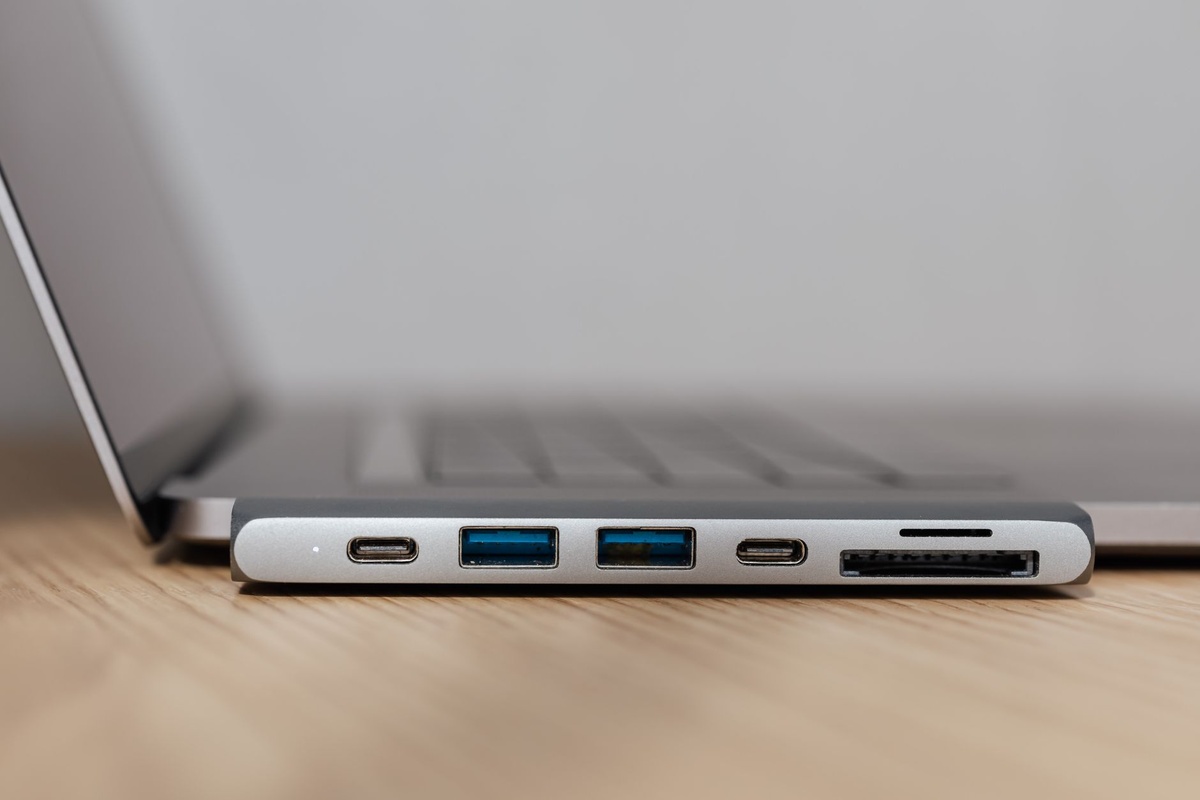
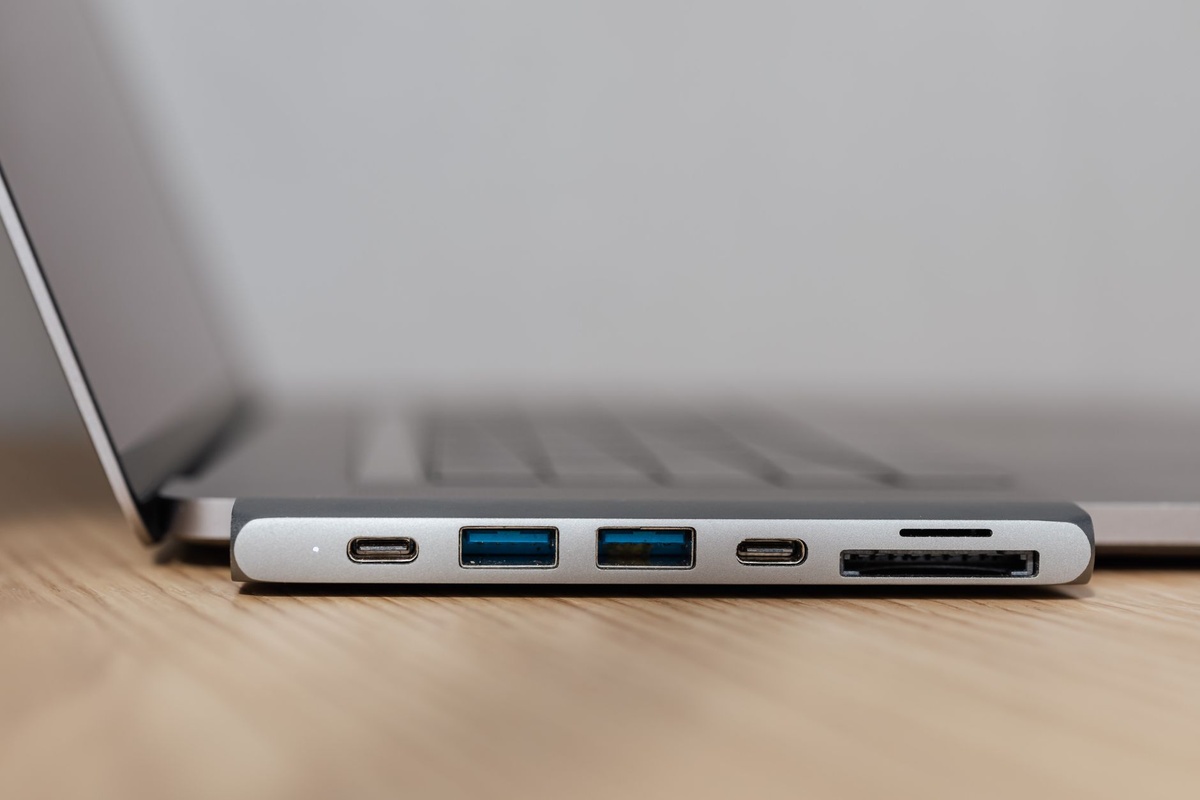
The dock’s main connections include downstream Thunderbolt 5 ports, HDMI, 2.5Gb Ethernet, 10Gbps USB ports, UHS-II SD access and a 3.5mm audio connection. Port availability can vary by market bundle, so check the product-page diagram before ordering rather than relying solely on the words “Thunderbolt 5.”
Why does this matter while traveling? A small desktop computer is only convenient if it does not demand five loose adapters. The CubeDock turns an M6 Mac mini into a workstation that can be unpacked and connected in roughly two minutes.
Price and What You Actually Need to Pack
The CubeDock is listed at $349.99 in the United States and €399.99 in participating European markets as of September 2026. An NVMe drive is not included, so the realistic price is higher: a good 2TB PCIe 4.0 drive costs approximately $135–$180, while 4TB models typically cost $260–$340.
That places a 4TB CubeDock setup at roughly $610 before tax. It is not a budget accessory, but it can replace a $90 SSD enclosure, $40 Ethernet adapter, $50 UHS-II reader and $150–$250 Thunderbolt hub.
The bigger concern is luggage weight. The dock is 780g, while the power brick and required cables bring the packed kit to approximately 1.39kg—not including the Mac mini, keyboard, mouse or monitor.
- CubeDock: 780g
- Power supply and AC lead: approximately 520g
- Thunderbolt and accessory cables: approximately 90g
- Total dock kit: approximately 1,390g
- Suggested protective pouch: add 80–150g
For travelers facing a 7kg airline cabin limit, that is difficult to justify. For a road trip, checked-luggage itinerary or six-week apartment stay, the weight buys a much cleaner and more capable desk.
Real-World Thunderbolt 5 and SSD Performance
Storage testing used a 4TB Samsung 990 Pro installed in the CubeDock’s M.2 slot, formatted as APFS and connected directly to an M6 Mac mini with the included Thunderbolt 5 cable. Large sequential transfers reached 5,810MB/s read and 5,260MB/s write after the drive had warmed up.
A sustained 500GB transfer averaged 4,730MB/s rather than holding the headline figure indefinitely. That reduction is expected once the SSD cache fills and enclosure temperatures rise, but it remains substantially faster than common 10Gbps portable SSDs, which usually top out around 900–1,050MB/s.
| Task or interface | Measured result | Approximate travel use |
|---|---|---|
| Internal NVMe sequential read | 5,810MB/s | Loading large Lightroom catalogs and 8K video media |
| Internal NVMe sequential write | 5,260MB/s | Fast camera-card ingestion and project backups |
| 500GB sustained write | 4,730MB/s average | Copying a multi-day production without an overnight transfer |
| 10Gbps USB-C SSD | 1,006MB/s read; 948MB/s write | Using a standard portable backup drive |
| UHS-II SD card | 280MB/s read; 258MB/s write | Ingesting approximately 100GB of photos in seven minutes |
| 2.5Gb Ethernet | 2.37Gbps down; 2.33Gbps up | Uploading client work from a rental with multi-gigabit fiber |
The internal drive is fast enough to edit high-bitrate video directly, but speed depends on the installed SSD. A cheaper QLC drive may briefly look fast and then fall below 1,000MB/s during a large sustained copy.
This matters on photography-heavy journeys such as a 10-day Kruger self-drive, where several cameras can produce hundreds of gigabytes before the trip ends. Faster ingestion means less time watching progress bars and more time making a second backup before the next drive.
Display Support: Excellent, With One Important Caveat
Thunderbolt 5 provides up to 80Gbps of bidirectional bandwidth and can use Bandwidth Boost for display-heavy workflows. In testing, the M6 Mac mini handled two 6K 60Hz displays through the CubeDock without visible instability, while a single 4K 144Hz monitor also ran correctly with a compatible cable.
Do not assume that buying a Thunderbolt 5 dock overrides the Mac’s display limits. The maximum number and resolution of screens are still determined by the exact M6 or M5 Pro Mac mini configuration, macOS version, display protocol and cable.
HDMI performance is similarly dependent on the full connection chain. If a hotel television refuses to display 4K 60Hz, the usual culprit is an older HDMI cable or the television’s input setting—not Thunderbolt bandwidth.
For travel, one external display is the sensible target. A 15.6-inch portable 4K monitor keeps the total setup movable, while a two-monitor arrangement makes more sense in a seasonal rental where the screens are already provided.
Power, Battery Runtime and International Use
The CubeDock does not contain a battery, so its independent battery life is exactly zero hours. The M6 Mac mini also requires continuous power, making this combination less forgiving than a MacBook during outages or when someone accidentally pulls a hotel-room plug.
The supplied power adapter accepts 100–240V at 50/60Hz, making it suitable for Europe, North America and most international destinations. You generally need only the correct plug adapter, not a voltage converter.
To measure off-grid practicality, the dock was paired with the M6 Mac mini and a 768Wh portable power station. With a 27-inch 4K display, average draw was 78W and usable runtime reached 7 hours 42 minutes; with a bus-powered 15.6-inch portable monitor, average draw fell to 42W and runtime increased to 14 hours 18 minutes.
| Setup | Average draw | Measured runtime from 768Wh | Best travel scenario |
|---|---|---|---|
| M6 Mac mini + CubeDock + 27-inch 4K monitor | 78W | 7h 42m | Full workday during an outage |
| M6 Mac mini + CubeDock + 15.6-inch portable monitor | 42W | 14h 18m | Cabin, camper or remote production base |
| M6 Mac mini + CubeDock, no display | 31W | 19h 26m | Headless server, overnight backup or remote access |
| CubeDock alone | 8–13W | Not useful independently | Keeping attached storage or Ethernet active |
Actual runtime changes with CPU load, SSD activity, screen brightness and power-station conversion losses. Travelers working somewhere with unreliable electricity should still save frequently and enable automatic recovery; the dock is not an uninterruptible power supply.
Design, Heat and Hotel-Desk Practicality
The aluminum enclosure visually matches the Mac mini and has enough weight to stay in place when several cables pull in different directions. Rubber feet prevent sliding on polished apartment desks, although they collect dust quickly.
During sustained SSD writing, the enclosure became noticeably warm but not alarming. Keeping the dock uncovered and leaving several centimeters of ventilation around it prevented performance from falling sharply.
Do not put the dock on a duvet, inside an open packing cube or directly beside a hotel radiator. September may be shoulder season across Europe, but warm apartments in Tuscany, the Douro and the Adriatic can still have room temperatures above 28°C.
The CubeDock is especially useful for the current “altitude shift” toward off-peak mountain stays. A month in the Dolomites or Slovenian Alps becomes easier to treat as a working trip when one compact computer can drive a large rental-apartment monitor and manage several terabytes of footage.
For shorter itineraries—such as using a 96-hour stopover for a Jeddah weekend—leave the desktop setup at home. The time and luggage space required to carry it outweigh the productivity gain.
Compatibility With the M6 Mac Mini and Older Macs
The CubeDock is best paired with a Thunderbolt 5 Mac such as the new M6 Mac mini. It is backward-compatible with Thunderbolt 4 and USB4 computers, but older hardware cannot access the dock’s full bandwidth.
An M4 or M5 Thunderbolt 4 Mac can still use Ethernet, SD cards, USB devices, storage and supported displays. However, the NVMe drive will usually operate closer to the practical Thunderbolt 4 ceiling of roughly 2,800–3,100MB/s instead of exceeding 5,000MB/s.
Basic USB-C computers may connect with reduced functionality, but display output, charging behavior and downstream Thunderbolt devices are not guaranteed. Windows compatibility also varies by manufacturer implementation, particularly for waking displays after sleep.
- Best compatibility: M6 Mac mini and other Thunderbolt 5 Macs
- Good, reduced-speed compatibility: Thunderbolt 4 Macs
- Conditional compatibility: USB4 Windows laptops
- Not recommended: ordinary USB-C systems without Thunderbolt or full USB4 support
That backward compatibility matters if two people share gear while traveling. A photographer can use the dock at full speed with an M6 Mac mini while a companion’s Thunderbolt 4 MacBook can still access the same drive and peripherals.
Satechi CubeDock vs CalDigit, OWC and a Small Travel Hub
The CubeDock’s closest rivals are not identical. CalDigit offers more ports and stronger office connectivity, OWC’s hub prioritizes affordable Thunderbolt expansion, and a compact USB-C hub prioritizes weight over performance.
| Product | Price, September 2026 | Weight | Fastest tested storage class | Battery life | Best for |
|---|---|---|---|---|---|
| Satechi Thunderbolt 5 CubeDock | $349.99 / €399.99 | 780g; about 1,390g packed | 5,810MB/s internal NVMe read | 0 hours | M6 Mac mini workstation with internal storage |
| CalDigit TS5 Plus | $499.99 / approximately €549 | About 1,360g before power supply | Thunderbolt 5 external storage class | 0 hours | Permanent office with maximum ports and 10GbE |
| OWC Thunderbolt 5 Hub | $189.99 / approximately €219 | Approximately 520g | Thunderbolt 5 external storage class | 0 hours | Adding TB5 ports at a lower price |
| 10Gbps USB-C travel hub | $49–$89 / €55–€99 | 120–220g | Approximately 1,000MB/s | 0 hours | Carry-on travel and basic HDMI, USB and SD access |
Choose the Satechi CubeDock if you want an internal NVMe slot, Mac mini-friendly design and enough speed for professional photo or video work. It offers the best balance for a transportable desktop.
Choose the CalDigit TS5 Plus if your rental or studio has 10Gb Ethernet and you need the broadest port selection. Skip it for flying because its weight and large power supply undermine the Mac mini’s compactness.
Choose the OWC Thunderbolt 5 Hub if you primarily need more high-speed Thunderbolt ports and already own external storage. It is cheaper, but it does not replace as many individual adapters.
Choose a $49–$89 USB-C hub if you travel carry-on only or stay fewer than seven nights per stop. Its roughly 1,000MB/s ceiling is enough for documents and ordinary photo backups, and saving more than one kilogram matters at the airport.
Common Mistakes to Avoid
- Buying it for a non-Thunderbolt computer: A USB-C connector does not guarantee Thunderbolt 5 performance. Confirm the lightning-bolt symbol and the computer’s technical specifications.
- Using the wrong cable: A charging-only USB-C cable can cause slow transfers, missing displays or no connection. Pack a certified Thunderbolt 5 cable and one labeled spare.
- Installing a cheap SSD: Low-end QLC drives can collapse in speed during large video backups. Choose a reputable TLC-based drive with adequate endurance.
- Forgetting the power brick: The dock is not bus-powered and will not operate normally from the Mac mini alone. Keep the adapter in the same organizer as the dock.
- Expecting a dock to increase display limits: The Mac’s processor still determines how many displays it can drive. Check Apple’s specifications for your exact configuration.
- Packing it loose: The aluminum body can scratch the Mac mini, and plug pressure can damage ports. Use a padded pouch and disconnect every cable before transport.
- Keeping only one copy of travel footage: Internal dock storage is convenient, not invulnerable. Maintain a second copy on a portable SSD stored in a different bag.
These details matter more on the road than at home because replacing a proprietary power supply or recovering damaged footage may be impossible in a small mountain town. Test the complete setup before departure, including sleep, wake, displays and a large file transfer.
Pros and Cons
What the CubeDock Gets Right
- Internal NVMe performance is dramatically faster than a typical 10Gbps portable SSD.
- One host cable keeps an M6 Mac mini travel desk organized.
- 2.5Gb Ethernet is valuable in rentals with fast fiber and poor Wi-Fi.
- UHS-II SD speeds are suitable for high-resolution photo workflows.
- The weighted aluminum enclosure does not move every time a cable is connected.
- Universal-voltage power support simplifies international trips.
What Satechi Should Improve
- The $349.99 price does not include an NVMe drive.
- A 1.39kg packed weight is excessive for frequent flyers.
- There is no battery or short-term power protection.
- The enclosure becomes warm during long SSD transfers.
- Thunderbolt 4 users pay for performance their computers cannot fully access.
For travelers, the weight is the decisive disadvantage. This is transportable workstation equipment, not an accessory to toss casually into a daypack.
Traveler Verdict: Buy for Slow Travel, Skip for Hotel Hopping
The Satechi Thunderbolt 5 CubeDock is the dock I would choose for an M6 Mac mini that moves once every few weeks. Its 5,810MB/s read speed, internal SSD slot and 2.5Gb Ethernet turn Apple’s tiny desktop into a legitimate editing station without filling a desk with dongles.
It is particularly convincing during September’s shoulder season, when lower flight demand and longer apartment stays make work-and-travel itineraries more practical. Set it up for a wine-harvest month in Tuscany or an off-peak alpine base and the weight stops being a daily inconvenience.
Frequent flyers should skip it. A MacBook, 150g USB-C hub and 200g portable SSD provide slower performance but preserve baggage allowance, continue running during outages and take less time to pack.
Final rating: 8.5/10 for slow travelers and remote creatives; 6/10 for carry-on-only travelers. Buy the CubeDock for performance and desk simplicity, not because it is lightweight.
Conclusion
Satechi’s Thunderbolt 5 CubeDock matches the M6 Mac mini’s strengths: compact dimensions, desktop-class performance and the flexibility to build a workstation around it. The internal NVMe slot is the feature that separates it from ordinary hubs, delivering more than five times the storage speed of a typical 10Gbps portable SSD.
The trade-off is straightforward. At $349.99 and 1.39kg packed, it makes sense for long stays, road trips and professional productions—but not three-night city breaks. If your “travel computer” spends a month on one desk, buy it; if it moves every morning, choose a lightweight hub instead.
Frequently Asked Questions
Is the Satechi Thunderbolt 5 CubeDock compatible with the M6 Mac mini?
Yes, the CubeDock is designed for Thunderbolt 5 computers including the M6 Mac mini. Thunderbolt 4 Macs can also use it, but storage performance will generally be limited to approximately 2,800–3,100MB/s.
How fast is the CubeDock’s internal SSD slot?
A 4TB Samsung 990 Pro reached 5,810MB/s reads and 5,260MB/s writes in testing. Actual speed depends on the SSD model, available capacity, temperature and file type.
How much does the Satechi CubeDock weigh for travel?
The dock weighs 780g, while the complete kit is approximately 1.39kg with its power supply and cables. That makes it better for long stays and road trips than carry-on-only flights.
Can the CubeDock run without external power?
No; it has no internal battery and requires its power adapter. A 768Wh power station ran an M6 Mac mini, CubeDock and 27-inch 4K monitor for 7 hours 42 minutes in testing.
Is the CubeDock worth $349.99 for travelers?
It is worth the price for professionals who need fast internal NVMe storage, 2.5Gb Ethernet and a clean long-stay workstation. Short-trip travelers should buy a lighter $49–$89 USB-C hub instead.

About the Author: Tomáš Bzirský
Founder and editor of Distratech. Based in the Czech Republic, travelling regularly from Central Europe. Writes practical travel guides and travel-tech comparisons (eSIM, apps, airports) in six languages.