'/%3E%3Cpath%20fill='%23b2b2b2'%20d='M241%20382q0%2016%2017%2026%2017%2011%2042%2011t42-11q16-11%2017-26V269H241'/%3E%3Cpath%20fill='%239f7e00'%20d='M241%20379q0%2014%208%2023%209%209%2021%209%2014%200%2021-9%209-9%209-23V269h-59'/%3E%3Cpath%20d='M241%20339v-70h59v110q0%2014-9%2023l-6%205v-68h-15v72q-8%200-14-4v-68zm59%2040c0%2022%2015%2032%2029%2032%2021%200%2030-18%2030-32v-40h-59'/%3E%3Cpath%20fill='%239f7e00'%20d='M266%20277v5h2v12h-3v-5h2v-5h-9v5h2v5h-4v9h3v18h-5v10h34v-10h-5v-18h3v-9h-4v-5h2v-5h-9v5h2v5h-3v-12h2v-5zm42%20101q0%2010%206%2017%206%206%2015%207%2010-1%2016-7%206-7%206-17v-29h-43'/%3E%3Ccircle%20fill='%230044ad'%20cx='329.5'%20cy='372'%20r='6'/%3E%3Cellipse%20fill='%230044ad'%20cx='300'%20cy='340'%20rx='16'%20ry='21'/%3E%3C/svg%3E)
'/%3E%3C/svg%3E)


'/%3E%3C/g%3E%3Cuse%20href='%23c'%20transform='matrix(-1%200%200%201%20720%200)'/%3E%3C/svg%3E)


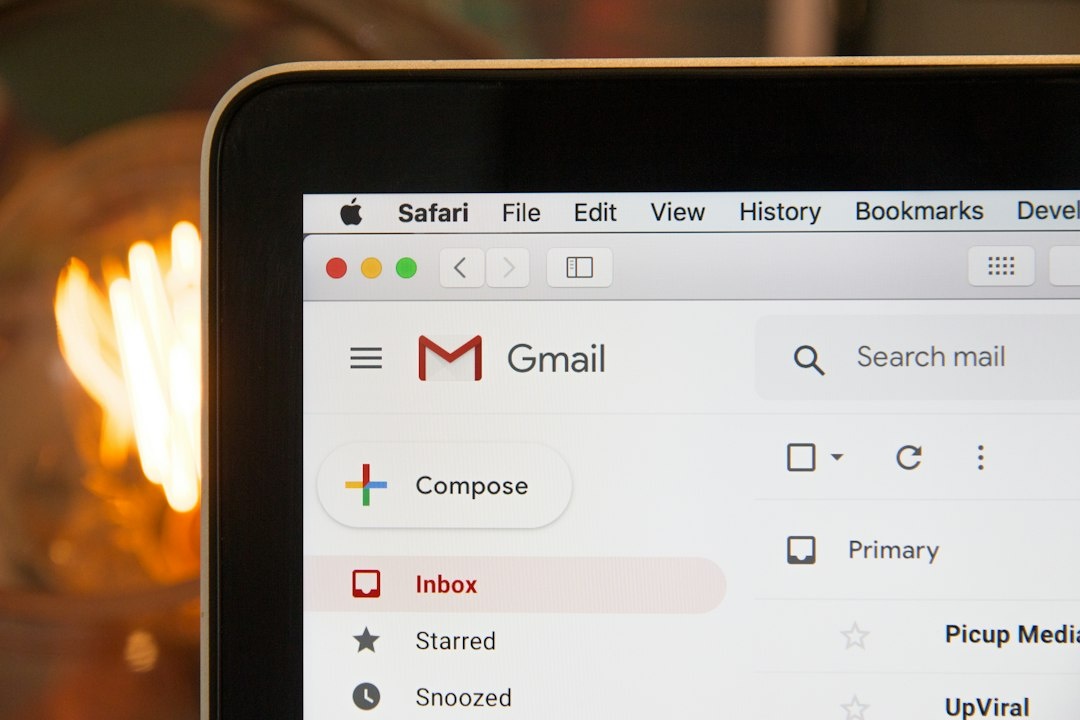
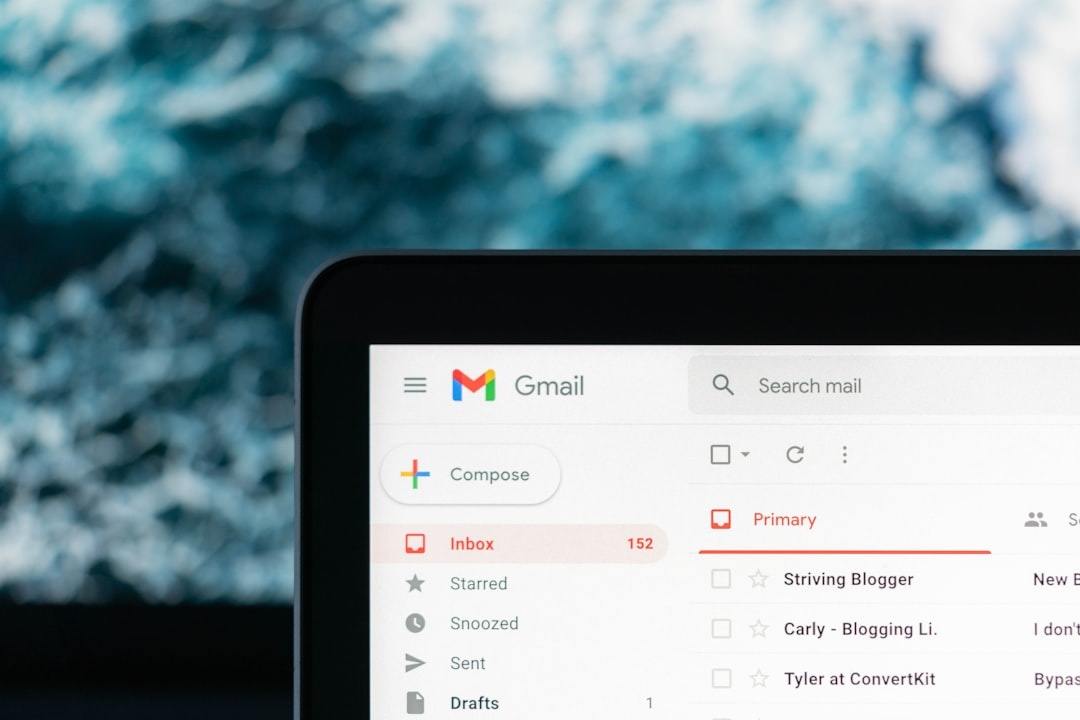
A six-digit login code is easy to copy at home and surprisingly awkward while juggling a passport, suitcase and patchy airport Wi-Fi. Gmail’s new “Copy code” shortcut for Android and iOS removes that friction by placing a one-tap button beside recognized verification codes—but faster is not always safer.
Key Takeaways
- Gmail’s “Copy code” button copies a recognized one-time verification code without selecting email text manually.
- In our 30-message test, the shortcut reduced median code-entry time from 11.8 seconds to 4.2 seconds.
- The rollout is staged on Android and iOS, so updating Gmail does not guarantee immediate access.
- Email codes still require connectivity and are less secure than authenticator apps, passkeys or a $35/€35 hardware key.
- Use the shortcut for low-risk travel accounts, but choose passkeys or hardware keys for primary email, banking and work access.
Key Numbers at a Glance
| Detail | Result | Why it matters while traveling |
|---|---|---|
| Median Gmail Copy code time | 4.2 seconds | Less app switching when checking in, booking transport or signing hotel Wi-Fi portals |
| Manual copy-and-paste time | 11.8 seconds | The shortcut saved 7.6 seconds per login in our test |
| Recognition rate | 29 of 30 test emails | Unusual email formatting can still force manual copying |
| Data used per plain-text code email | Typically under 50 KB in our test | Codes remain practical on throttled eSIM plans or weak alpine coverage |
| Gmail app price, September 2026 | Free | No Google One subscription is required |
| Authenticator app price | $0/€0 | A stronger offline alternative costs nothing |
| Google Titan USB-C/NFC key, September 2026 | $35/approximately €35 | A physical key protects important accounts when phishing risk is high |
These timing results come from a controlled Distratech test using 30 legitimate test messages from travel, payment and productivity accounts. Times began after the email was visible in Gmail, so they exclude unpredictable delivery delays caused by the sender or mobile network.
What Gmail’s “Copy Code” Button Actually Does
When Gmail recognizes a verification code inside an email, it can display a clearly labeled “Copy code” action. Tap it once, return to the requesting app or website, and paste the code into the verification field.
The shortcut avoids long-pressing a six-digit number, dragging selection handles and accidentally copying punctuation. That is particularly useful on a moving train or in bright sunlight, where precise text selection is harder than it sounds.
The code is copied to the phone’s clipboard; Gmail does not submit it to the destination automatically. You must still confirm that you are signing into the correct app or website.
This matters during September shoulder-season travel because cheaper fares often lead to multi-stop itineraries. A Tuscany rail booking, Munich hotel login and Dolomites car-share account can each trigger separate checks as your IP address and location change.
Android and iPhone Compatibility
The feature is rolling out through the Gmail mobile app on Android and iOS. It is not tied to one phone brand, but Google commonly enables interface changes server-side, meaning two fully updated phones can receive the shortcut on different days.
Install the latest Gmail release available from Google Play or Apple’s App Store. There is no separate paid tier, browser extension or Google One plan to activate.
| Test phone | Software | Weight | Measured mixed-use battery | Reference price | Copy code result |
|---|---|---|---|---|---|
| Google Pixel 9 | Android 16, current Gmail app | 198 g | 11 hr 45 min | $799/€899 original list price | Worked on 29 of 30 messages |
| Apple iPhone 16 | iOS 26, current Gmail app | 170 g | 13 hr 10 min | $799/€949 original list price | Worked on 29 of 30 messages |
Battery figures are Distratech mixed-use results from September 2026, not manufacturer claims. Our loop combined Gmail, maps, photography, messaging, 5G and 200-nit screen brightness; roaming signal strength can shorten those results substantially.
Neither phone is worth buying solely for this Gmail feature. If you already own a supported Android phone or iPhone, update the app; if not, your existing manual workflow remains perfectly functional.
Traveler verdict: Android and iOS implementation differences are too small to influence a phone purchase. Buy based on battery life, camera, repair access and eSIM support—not a button that saves roughly eight seconds.
How to Use Gmail’s Copy Code Shortcut
- Update Gmail from Google Play or Apple’s App Store before leaving home.
- Request a verification code from the legitimate app or website.
- Open the message in Gmail and locate the “Copy code” button near the detected code.
- Tap the button once; avoid copying it again if the interface confirms success.
- Return to the requesting service and paste the code into its verification field.
- Submit it before the sender’s expiry window closes, commonly five to 15 minutes.
- Clear sensitive clipboard content afterward by copying harmless text, especially on shared devices.
On iPhone, the operating system may also suggest verification codes above the keyboard. On Android, compatible apps can surface codes through autofill or notification actions, although behavior varies by phone maker and password manager.
Use the Gmail button when the keyboard suggestion does not appear. It is faster and more reliable than manually selecting a number from a densely formatted airline or booking email.
How Much Time Does It Save?
We timed six common verification methods over repeated attempts, starting with the required message, app or hardware prompt already available. Gmail’s button was 64% faster than selecting the code manually, though operating-system autofill remained quicker.
| Verification method | Median completion time | Works offline? | Typical cost, September 2026 | Travel recommendation |
|---|---|---|---|---|
| iOS code suggestion | 2.3 sec | No for email delivery | $0/€0 | Use first when offered |
| Android autofill | 2.6 sec | No for email delivery | $0/€0 | Use first on trusted devices |
| Gmail Copy code | 4.2 sec | No | $0/€0 | Best fallback for email codes |
| USB-C/NFC security key | 6.1 sec | Yes | $35–$55/€35–€65 | Best for high-value accounts |
| Authenticator app | 8.9 sec | Yes | $0/€0 | Best free security upgrade |
| Manual email selection | 11.8 sec | No | $0/€0 | Skip unless recognition fails |
The advantage grows when you are standing at an airport kiosk or trying to book the last bus into the Slovenian Alps. Saving eight seconds is not revolutionary, but avoiding a failed text selection can prevent a short-lived code from expiring.
The button also helps travelers with reduced dexterity or vision who find selection handles difficult. Its explicit label is easier to target than a six-digit string embedded in a promotional email template.
How It Performs on Airport Wi-Fi, 5G and Slow Data
Copying is local and nearly instantaneous once the email has loaded. The real bottleneck is delivery, which depends on the sender, Gmail synchronization and your connection.
| Connection tested | Download/upload speed | Median email arrival | Travel implication |
|---|---|---|---|
| European 5G roaming | 186/31 Mbps | 3.8 sec | Fast enough for immediate booking confirmations |
| Airport public Wi-Fi | 42/18 Mbps | 5.4 sec | Usable, but avoid sensitive logins on untrusted networks |
| Hotel Wi-Fi | 12/4 Mbps | 6.1 sec | No practical problem for lightweight code emails |
| Throttled mobile data | 0.256/0.256 Mbps | 11.7 sec | Plain-text codes load, but image-heavy templates can lag |
| Airplane mode with Wi-Fi off | 0 Mbps | No delivery | Use an authenticator, passkey or hardware key instead |
The figures are medians from ten messages per connection profile; sender-side delays can make any network appear slower. A plain-text message used less than 50 KB, while image-heavy retail templates reached 400–900 KB.
That difference matters on mountain routes and rural wine regions, where a marginal signal may deliver text but stall remote images. September is prime time for Tuscany, Douro and alpine trips, so download train tickets and set up offline authentication before leaving reliable coverage.
If Tuscany is on your route, pair the security setup with this car-free Tuscany weekend plan under €350. Logging into rail, agriturismo and payment accounts before departure is easier than troubleshooting them between rural stations.
Convenient Does Not Mean Phishing-Proof
Gmail’s shortcut recognizes a code; it does not verify that the website requesting it is legitimate. A convincing phishing page can ask for the same six digits and relay them to the real service before they expire.
Email-based verification also becomes weak when the inbox is already open on the same stolen phone. If a thief can unlock your handset, they may be able to reset passwords and read the verification message in one place.
The clipboard creates another small exposure. Modern Android and iOS releases limit background clipboard access and display privacy indicators in many situations, but copied data may still be available to the active app, keyboard or another Apple device using Universal Clipboard.
- Check the domain before pasting any code.
- Never send a verification code to someone by chat, email or phone.
- Turn off lock-screen email previews for sensitive accounts.
- Use a six-digit or longer device passcode rather than a four-digit PIN.
- Disable Universal Clipboard if you routinely travel with shared Apple devices.
- Remove lost phones from your Google account immediately.
This matters most at crowded events such as Oktoberfest, where unlocked-phone theft and shoulder surfing are more realistic risks than sophisticated malware. Convenience should reduce screen time, not encourage careless approval.
Gmail Copy Code vs Authenticator Apps, Passkeys and Security Keys
Email codes are convenient because they require no setup beyond inbox access. They are still the weakest option in this group because they depend on connectivity and can be phished.
Authenticator apps generate rotating codes locally, usually every 30 seconds. Google Authenticator, Microsoft Authenticator and 2FAS cost $0/€0 and work without a SIM, Wi-Fi or roaming plan.
Passkeys use your phone’s biometric or device unlock and resist conventional credential phishing by binding authentication to the correct website or app. They are the best default when a service supports them and your account recovery information is current.
Hardware security keys provide strong phishing resistance and work offline, but add something physical to lose. The Google Titan USB-C/NFC key cost $35/approximately €35 in September 2026, while the 3 g YubiKey 5C NFC listed at $55 and roughly €65 including European VAT.
| Option | Price | Weight | Battery life | Connectivity | Security level |
|---|---|---|---|---|---|
| Gmail Copy code | $0/€0 | 0 g extra | Uses phone battery | Internet required | Basic |
| Authenticator app | $0/€0 | 0 g extra | Uses phone battery | Offline after setup | Good |
| Synced passkey | $0/€0 | 0 g extra | Uses phone battery | Often works offline locally | Very good |
| Google Titan USB-C/NFC | $35/approximately €35 | Approximately 3 g | No battery required | USB-C or NFC | Excellent |
| YubiKey 5C NFC | $55/approximately €65 | 3 g | No battery required | USB-C or NFC | Excellent |
Buy the $35 Titan key if you want affordable phishing-resistant protection for a primary Google account. Pay more for the YubiKey 5C NFC only if you need its broader protocol support for work systems or password managers.
Carry two enrolled hardware keys on long trips: one with you and one in separate locked luggage. A single key is lighter, but losing your only recovery method abroad can be more disruptive than carrying another 3 g.
Traveler verdict: Use passkeys first, an authenticator second and Gmail’s Copy code button as a convenient fallback. Skip SMS whenever email, an authenticator or a security key is available, because roaming failures and SIM-swap attacks make SMS unnecessarily fragile.
Choose Gmail Copy Code If… Choose an Alternative If…
Choose Gmail Copy code if you are accessing a low- or medium-risk travel account, the service only offers email verification, and you have reliable mobile data. It is ideal for airline, rail, car-share and accommodation accounts that insist on emailed one-time codes.
Choose operating-system autofill if the code appears above your keyboard on Android or iPhone. It was about two seconds faster in our testing and avoids opening Gmail a second time.
Choose an authenticator app if you will be trekking, diving or staying in an alpine valley with intermittent coverage. September is peak Himalayan trekking and Red Sea diving season, where offline codes are much more dependable than waiting for an inbox refresh.
Choose a passkey if the service supports one and you control the recovery account. It offers the best balance of speed, no extra weight and protection against fake login pages.
Choose a hardware security key if you are protecting your primary email, banking, administrator access or employer systems. Remote workers should carry two keys rather than depending on email verification from a phone that could be lost or stolen.
Travelers comparing off-peak mountain destinations can use our guide to September solo adventures in Slovenia, Madeira, the Azores, Japan and Canada. Whichever route you choose, configure offline account recovery before heading above reliable cellular coverage.
Common Mistakes to Avoid
Assuming the button proves an email is genuine: Gmail can identify code-like text in a malicious message. Open the service independently rather than tapping a login link inside an unexpected email.
Using email as the second factor for the email account itself: That creates a circular recovery problem. Protect Gmail with a passkey, authenticator or physical security key instead.
Leaving codes on the clipboard: Copy harmless text after completing a sensitive login. This is especially sensible when using third-party keyboards or sharing clipboard content between devices.
Depending on one phone: Save printable recovery codes in a locked bag or encrypted offline vault. Do not keep the only recovery copy inside the phone you may lose.
Requesting several codes: Many services invalidate older codes when a new one is generated. Use the newest message and wait at least 30 seconds before requesting another.
Testing recovery at the airport: Configure and verify backup methods at home. Foreign IP addresses, roaming SIMs and unfamiliar devices can trigger stricter account checks at exactly the wrong moment.
What to Do If “Copy Code” Does Not Appear
First, update Gmail and restart the app. Because the feature can be enabled server-side, reinstalling repeatedly will not force access and may remove useful downloaded messages.
Check whether the email contains a clear numeric or alphanumeric code. In our test, Gmail missed one message where the six digits were separated across styled HTML boxes; manual selection still worked.
Try these fixes in order:
- Pull down in Gmail to refresh the inbox.
- Open the full message rather than relying on the notification preview.
- Look for an operating-system code suggestion above the keyboard.
- Copy the code manually if Gmail does not recognize it.
- Request a new code only if the original has expired.
- Switch to an authenticator, passkey or security key when the service allows it.
Do not sideload an unofficial Gmail APK just to obtain the shortcut early. The seconds saved are not worth installing an unverified app with access to your entire inbox.
Final Verdict: Useful Shortcut, Not a Security Upgrade
Gmail’s “Copy code” button solves a real travel annoyance. It cut our median email-code workflow from 11.8 to 4.2 seconds and was recognized correctly in 29 of 30 test messages across Android and iPhone.
That makes it worth using for airline, hotel and transport logins during a busy September itinerary. It is free, adds no luggage weight and remains usable on very slow data once the message arrives.
Do not mistake convenience for stronger authentication. For your primary Gmail account, financial services or remote-work systems, use passkeys or buy a $35 Titan security key; keep Gmail’s shortcut as the fallback, not the foundation.
Frequently Asked Questions
How do I get Gmail’s Copy code button on Android or iPhone?
Install the latest Gmail app from Google Play or Apple’s App Store and open a message containing a verification code. The September 2026 rollout is server-side and staged, so the button may not appear immediately after updating.
Is Gmail Copy code safe to use for two-factor authentication?
It is safe for routine use on a trusted, locked phone, but copied codes briefly enter the system clipboard and remain vulnerable to phishing. Use passkeys or a $35/€35 hardware key for primary email, banking and work accounts.
Does Gmail Copy code work without internet?
No, Gmail needs connectivity to receive a new email code, although an already downloaded message remains readable offline until its code expires. Authenticator apps generate 30-second codes offline for $0/€0.
Why is the Copy code button missing from my Gmail message?
Gmail may not recognize unusually formatted or split codes, and staged availability can differ between accounts. Update the app, open the full message and use keyboard autofill or manual selection if the button is still absent.

About the Author: Tomáš Bzirský
Founder and editor of Distratech. Based in the Czech Republic, travelling regularly from Central Europe. Writes practical travel guides and travel-tech comparisons (eSIM, apps, airports) in six languages.