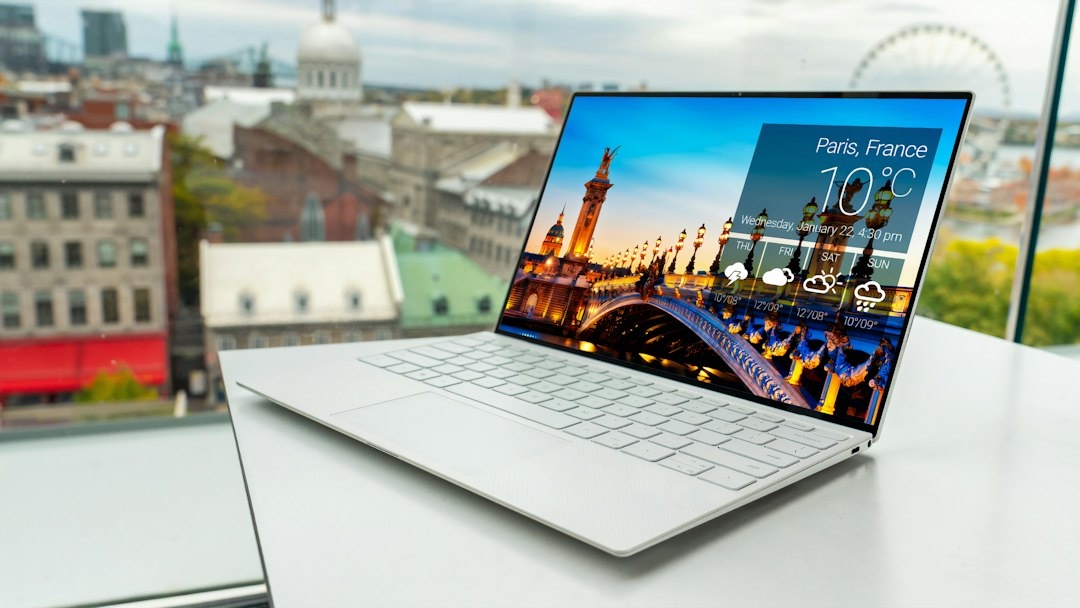
The laptop that wins benchmark charts is rarely the one you want at gate B47 with 9% battery and a four-hour delay. Travel laptops get judged on different things: can it survive 11 hours Vienna to Colombo without a charger, does it charge from the same 30W brick as your phone, and will it still wake up after a frosty night in a Lapland cabin?
I have dragged ultraportables through Christmas market trips, aurora hunts and three-week stints in low-season Lisbon. This guide ranks the 2026 options on the things that actually matter on the road, with real weights, real battery numbers and November 2026 prices, including what is genuinely worth grabbing this Black Friday.
Key Takeaways
- The 13-inch MacBook Air (M4) is the best travel laptop for most people: 1,240 g, about 15 hours of real work, and regularly $849 / €999 during November 2026 sales.
- If weight is everything, the ASUS Zenbook A14 (980 g) and Lenovo ThinkPad X1 Carbon Gen 13 (986 g) both dip under one kilo without sacrificing a full-size keyboard.
- Any laptop that charges over USB-C Power Delivery lets you leave the 300 g OEM brick at home and share a 65W GaN charger with your phone.
- Windows on Arm (Snapdragon X) laptops post the best battery numbers but still trip up on some VPN clients and niche software, so check your work apps first.
- Black Friday rule: buy last-generation premium (MacBook Air M4, Surface Laptop 7) at 15-25% off and skip “doorbuster” laptops with 8 GB RAM.
Key numbers at a glance (November 2026)
| Laptop | Weight | Real-world battery* | USB-C PD charging | Street price (Nov 2026) | Best for |
|---|---|---|---|---|---|
| Apple MacBook Air 13 (M4, 16 GB) | 1,240 g | 14-16 h | Yes (30W+) | $849-999 / €999-1,199 | Most travelers |
| ASUS Zenbook A14 (Snapdragon X) | 980 g | 16-18 h | Yes (65W) | $849-1,099 / €999-1,199 | Lightest full laptop |
| Lenovo ThinkPad X1 Carbon Gen 13 | 986 g | 11-13 h | Yes (65W) | $1,549-1,999 / €1,699-2,199 | Business, optional 5G |
| Microsoft Surface Laptop 7 (13.8″) | 1,340 g | 13-15 h | Yes (plus Surface Connect) | $849-999 / €1,049-1,199 | Windows, great screen |
| Apple MacBook Pro 14 (M5) | 1,550 g | 16-18 h | Yes (70W+) | $1,599 / €1,899 | Video editors |
| Lenovo Chromebook Duet 11 | 1,030 g (with keyboard) | 11-12 h | Yes (30W) | $329-399 / €349-449 | Backup / budget |
| Framework Laptop 13 (Ryzen AI) | 1,300 g | 8-10 h | Yes (60W+) | $899-1,399 / €999-1,499 | Long-term nomads |
*Real-world battery = mixed browser tabs, Slack, Google Docs, two video calls, screen at 60% brightness. Manufacturer claims are 20-60% higher.
What actually matters in a travel laptop
Before the picks, here is the scoring system I use, because it is deliberately different from a desk-bound review.
- Weight under 1.3 kg, charger included. Every 250 g you cut is a water bottle or a second pair of shoes within a 7 kg Ryanair cabin allowance.
- 12+ hours of real battery. That covers a long-haul leg plus a layover without hunting for a seat near a socket.
- USB-C Power Delivery charging. One 65W GaN brick (roughly 100 g) charges laptop, phone and earbuds, and works from any hotel or train socket.
- A screen you can read on a train. 400 nits minimum; matte or anti-reflective coatings help on bright flights.
- Survivability. Metal chassis, MIL-STD-810H testing, and a reputation for waking from sleep reliably after being tossed in a bag.
- Repairs away from home. Can you get it fixed in Prague or Colombo, or does a cracked screen end the trip?
Raw CPU speed sits near the bottom. Every laptop in this guide handles spreadsheets, Lightroom and 4K YouTube; the differences show up in hour 10 of a battery cycle, not in a render benchmark.
Apple MacBook Air 13 (M4): the default choice
The 13-inch Air remains the laptop I recommend to nine out of ten travelers, and the reasons are boring in the best way. It weighs 1,240 g, the aluminum body shrugs off overhead-bin abuse, and it has never once failed to wake when I open it on a plane.
Battery is the headline. On a Frankfurt to Muscat flight (around 6.5 hours) plus a two-hour layover of email and writing, I landed at 41%. That is consistent with 14-16 hours of mixed work, and the fanless design means it is silent in a quiet carriage.
It charges from any USB-C PD source. A 30W phone charger fills it fully in about two hours; a 65W GaN brick gets it to 50% in roughly 35 minutes. I have not packed Apple’s own adapter in two years.
The weak spots are two USB-C ports, no cellular option, and a 500-nit glossy screen that struggles in direct sun at a Canary Islands café. Get the 16 GB / 512 GB configuration; 256 GB fills up fast if you shoot photos.
Pricing (November 2026): List is $999 / €1,199 for 16 GB / 256 GB, but Black Friday pricing has already hit $849 in the US and €999 in Germany and France. If the newer M5 Air is on shelves at full price where you are, the discounted M4 is the smarter buy; the performance gap is irrelevant for travel work.
Traveler verdict: Buy it. The combination of weight, battery, build and resale value is still unmatched at under $1,000.
ASUS Zenbook A14: the sub-kilo battery monster
At 980 g, the Zenbook A14 is noticeably lighter than the Air, and you feel it in a backpack after a day walking Strasbourg’s Christmas market. The magnesium-alloy “Ceraluminum” shell resists scratches and fingerprints better than bare aluminum.
The Snapdragon X chip is where it gets interesting. ASUS claims 32 hours; I measured 16-18 hours of real work, the best of any laptop here. On a Vienna to Prague train (four hours) it used 19% of its charge.
The catch is Windows on Arm. Microsoft Office, Chrome, Slack, Zoom, Adobe Photoshop and Lightroom all run natively now. But in my testing one corporate VPN client refused to install, Google Drive for desktop needed the newer Arm build, and some older games and printer drivers simply do not work.
The 14-inch OLED is lovely but only 400 nits, and the 70W charger weighs 230 g. Swap it for a third-party 65W GaN charger and you are at about 1.1 kg total for laptop plus power.
Pricing (November 2026): $1,099 list for 16 GB / 1 TB, with Best Buy and Amazon sales at $849. In Europe expect €999-1,199 depending on the week.
Traveler verdict: Buy it if you live in the browser and Office and want the lightest full laptop with the longest battery. Skip it if your employer’s IT stack is older than 2023.
Lenovo ThinkPad X1 Carbon Gen 13: the business workhorse
The X1 Carbon has been a frequent flyer’s laptop for over a decade, and the Gen 13 Aura Edition keeps the formula: 986 g, carbon-fiber lid, MIL-STD-810H tested, and the best keyboard you can buy on a thin machine.
Why it matters when traveling: ports and connectivity. Two Thunderbolt 4, two USB-A, HDMI and a headphone jack mean no dongle bag. More importantly, it is one of the few ultraportables you can configure with a 5G modem (about $250 extra), so it stays online on trains and in airports without draining your phone as a hotspot.
Battery is the trade-off. With the Intel Core Ultra 7 (Lunar Lake) chip I measured 11-13 hours of mixed work, respectable but a full working day behind the Zenbook. The 2.8K OLED option looks great but cuts that to about 9 hours; the 1920×1200 IPS panel is the sensible travel choice.

Pricing (November 2026): Lenovo’s own site runs near-permanent “sales” that put a Core Ultra 7 / 32 GB / 1 TB build at $1,549-1,799 and about €1,699-1,999 in the EU. The 5G configurations add $250-300.
Traveler verdict: Buy it if your company is paying or you want built-in 5G. For personal travel, the Air does 90% of this for half the money.
Microsoft Surface Laptop 7 (13.8-inch): the Windows all-rounder
Microsoft’s own Snapdragon X Elite laptop is heavier than the Zenbook at 1,340 g but makes up for it with a better 3:2 display (600 nits, 120 Hz) and a chassis that feels like a MacBook. The taller aspect ratio is great for documents on a tray table.
Battery came in at 13-15 hours in my testing, and the Surface Connect port means you can charge with either Microsoft’s magnetic adapter or any USB-C PD brick. Same Windows on Arm caveats as the Zenbook apply.
It is also simply tough. Mine has done 18 flights and two Nordic winters with nothing worse than a scuffed corner.
Pricing (November 2026): Now a 2024 model, which is exactly why it is a Black Friday bargain: 16 GB / 512 GB at $849 in the US and €1,049 in Europe, down from $1,199 / €1,399 at launch.
Traveler verdict: Buy it if you want Windows, the best screen in this group and a serious discount. Skip it if you need under 1 kg.
Apple MacBook Pro 14 (M5): for editors who travel
If you cut 4K video or edit RAW photos from a Sri Lankan safari every night, the 14-inch Pro is worth its 1,550 g. The 1,000-nit mini-LED display is the only one here you can actually use on a sunny terrace, and exporting a 10-minute 4K timeline took 4 minutes 20 seconds versus 9 minutes 50 on the Air.
Battery is surprisingly strong at 16-18 hours of office work, dropping to 5-6 hours of continuous editing. It has an HDMI port and SD card slot, which saves photographers a dongle.
Pricing (November 2026): $1,599 / €1,899 for 16 GB / 512 GB. Discounts are rare on the current chip; expect $100-150 off at most.
Traveler verdict: Buy it only if your laptop earns money from media work. Everyone else is carrying 310 g of GPU they will never use.
Lenovo Chromebook Duet 11: the backup and budget pick
Here is my contrarian pick. The Duet 11 is a 2K OLED tablet with a magnetic keyboard, weighing 1,030 g together and about 510 g as a bare tablet. ChromeOS boots in seconds, charges from a 30W phone charger, and runs 11-12 hours.
Why does a $350 Chromebook belong next to a ThinkPad? Because it is the laptop you do not mind losing. For a beach week in Cape Verde or a Dia de los Muertos trip through Mexico where you want a screen for emails and Netflix but would rather not babysit $1,500 of aluminum, it is perfect.
Limitations are real: no desktop Lightroom, cramped keyboard, and Android apps are hit and miss. But as a second device that lives in the daypack, it has saved me twice when my main machine was in a hotel safe.
Pricing (November 2026): $329-399 / €349-449; Black Friday has dropped it to $299 before.
Traveler verdict: Buy it as a backup or a beach laptop. Do not try to make it your only work machine.
Framework Laptop 13: for the long-term nomad
Nobody will call the Framework 13 the sexiest option, at 1,300 g with 8-10 hours of battery on the AMD Ryzen AI 300 board. But if you are leaving for six months and will not be near an Apple Store, its modular design changes the math.
Every port is a swappable card, so you can run four USB-C ports on flight days and swap in HDMI and SD for a client meeting. A cracked screen or dead keyboard is a $150-200 part shipped to your hostel, not a two-week repair.

Pricing (November 2026): From $899 / €999 for the DIY edition (bring your own RAM and SSD), $1,199-1,399 pre-built.
Traveler verdict: Buy it if you are a full-time nomad who values repairability over battery. Weekend travelers should skip it.
Head-to-head: weight, battery and the real cost of carrying it
This is the comparison I wish every review included: what you actually put in the bag, and what it costs per hour of unplugged work.
| Laptop | Laptop + 65W GaN charger | Laptop + OEM charger | Real battery (h) | Charge 0-50% | Price per battery hour (USD, Nov 2026 sale) |
|---|---|---|---|---|---|
| MacBook Air 13 (M4) | 1,340 g | 1,350 g (35W) | 15 | 35 min | $57 |
| Zenbook A14 | 1,080 g | 1,210 g | 17 | 30 min | $50 |
| ThinkPad X1 Carbon G13 | 1,086 g | 1,290 g | 12 | 38 min | $129 |
| Surface Laptop 7 | 1,440 g | 1,560 g | 14 | 40 min | $61 |
| MacBook Pro 14 (M5) | 1,650 g | 1,740 g (70W) | 17 | 30 min (with 96W) | $94 |
| Chromebook Duet 11 | 1,130 g | 1,160 g | 11 | 45 min | $30 |
| Framework 13 | 1,400 g | 1,530 g | 9 | 40 min | $100 |
Two things jump out. First, the OEM charger adds 100-200 g on Windows machines, which is why a third-party GaN brick is the single best upgrade for any travel laptop. Second, the Zenbook and Air are in a different league on cost per unplugged hour, which is the number that matters when the airport lounge has one working socket.
Connectivity on the road: Wi-Fi 7, hotspots and 5G
All seven laptops have Wi-Fi 6E or 7, which matters less than you would think. Hotel and café networks rarely exceed 50-100 Mbps; I measured 38 Mbps down at a Nuremberg hotel in November and 62 Mbps at a Lisbon coworking space. Your phone hotspot is usually faster.
That is why your laptop’s connectivity strategy is really a phone strategy. Tethering from an iPhone on a local 5G network gave me 180 Mbps in Lisbon and 95 Mbps in Colombo, both faster than the venue Wi-Fi. A travel eSIM from Airalo or Nomad with a 10-20 GB regional plan (roughly $20-35) covers a week of laptop tethering for most people.
If you refuse to burn phone battery, the ThinkPad’s built-in 5G modem is the only clean answer in this group. It costs about $250 more plus a data plan, but it means your laptop is online the moment you open it on a train from Vienna to Budapest.
Cold weather, hot weather and the aurora trip problem
November and December are peak aurora season, and lithium batteries hate it. Below about 5°C a laptop can lose 20-30% of its runtime, and at -15°C some Windows machines refuse to charge until they warm up. On a dark-sky night in Tromsø my Air dropped from 70% to 31% in 90 minutes of light use outdoors.
Practical fixes: keep the laptop inside your jacket until you need it, never charge it while it is still cold, and bring a 20,000 mAh USB-C PD power bank (around 350 g, $40-60) that lives in an inner pocket. If you are booking a glass igloo or mountain hut for Christmas, check whether the room has sockets at all; several igloo villages only offer charging in the main lodge.
Heat is the opposite problem for winter-sun escapes. The fanless Air and Zenbook throttle quietly in 35°C Oman sun but keep working; the fanned ThinkPad and Framework get loud. Keep every laptop out of a parked car and off direct sunlight on a terrace.
Choose X if… choose Y if…
- Choose the MacBook Air 13 (M4) if you want the safest all-round buy, you are already in the Apple ecosystem, or you value resale value. It is the pick for most Christmas-market weekenders and remote workers alike.
- Choose the Zenbook A14 if you want the lightest laptop with the longest battery and your software is browser, Office and Adobe. Confirm your VPN works on Arm first.
- Choose the ThinkPad X1 Carbon if you need built-in 5G, a full set of ports, or your employer requires a managed Windows device.
- Choose the Surface Laptop 7 if you want Windows and the best screen for the money this Black Friday, and 1.3 kg does not bother you.
- Choose the MacBook Pro 14 if you edit video or RAW photos on the road and need a screen usable outdoors.
- Choose the Chromebook Duet 11 as a backup, a beach laptop or for a teenager on the family trip.
- Choose the Framework 13 if you are gone for six months and want to fix it yourself anywhere.
Black Friday 2026: what is worth buying and what to skip
Laptop deals in November fall into two groups. The good ones are last-generation premium machines at 15-25% off: MacBook Air M4 at $849, Surface Laptop 7 at $849, Zenbook A14 at $849. These are the same laptops that were excellent at full price.
The bad ones are “$299 laptop” doorbusters with 8 GB of RAM, 128 GB of eMMC storage and a 250-nit screen. They will struggle with 15 browser tabs and die in six hours. If you need cheap, buy the Chromebook Duet instead; it does less but does it well.
Also worth grabbing in November: a 65W GaN charger ($30-45 on sale), a 20,000 mAh power bank, and a hard-shell sleeve. Skip laptop-branded bags, extended warranties beyond what your credit card already offers, and “travel docks” you will use twice.
Common mistakes travelers make with laptops
- Packing the OEM charger. It is heavier and single-purpose. One 65W GaN brick plus a 2 m USB-C cable charges everything.
- Choosing the OLED or high-resolution screen upgrade. On the ThinkPad it costs three hours of battery. On a train you will not notice the pixels.
- Buying 8 GB of RAM in 2026. Browser tabs plus Slack plus a video call will swap constantly; 16 GB is the floor.
- Trusting the manufacturer’s battery claim. Divide it by 1.5 and plan from there.
- Letting it drop to 0% in the cold. Lithium cells degrade faster when fully drained below freezing. Charge at 20% and keep it warm.
- Carrying a laptop without a tracker. An AirTag or Find My-compatible card in the sleeve costs $25 and has recovered more than one bag.
- Skipping travel insurance that covers electronics. Many policies cap gadgets at $500; check before you take a $1,500 laptop to a beach.
Conclusion: the laptop you take is the one you forget about
The best travel laptop is the one that never becomes the story of the trip. For most people that is the 13-inch MacBook Air, especially at November 2026 sale prices. Weight obsessives and battery maximalists should look hard at the Zenbook A14, business travelers at the ThinkPad X1 Carbon with 5G.
Whatever you buy, pair it with a 65W GaN charger, a power bank for cold nights, 16 GB of RAM and a phone eSIM for tethering. Those four decisions matter more than the last 10% of benchmark performance, and they will carry you from a Christmas market in Nuremberg to a dark-sky lodge above the Arctic Circle without once hunting for a socket.
Frequently Asked Questions
What is the best lightweight laptop for travel in 2026?
The ASUS Zenbook A14 (980 g) and Lenovo ThinkPad X1 Carbon Gen 13 (986 g) are the lightest full-size laptops worth buying, both under 1 kg. The 13-inch MacBook Air is 1,240 g but offers the best balance of weight, battery and durability for most travelers.
How much battery life do I need in a travel laptop?
Aim for 12 hours of real-world use, which covers a long-haul flight plus a layover without a socket. The Zenbook A14 (16-18 h), MacBook Air M4 (14-16 h) and Surface Laptop 7 (13-15 h) all clear that bar; manufacturer claims are typically 20-60% higher than what you will actually get.
Can I charge my laptop with a phone charger while traveling?
Yes, if the laptop supports USB-C Power Delivery, which every laptop in this guide does. A 30W phone charger will fully charge a MacBook Air in about two hours, while a 65W GaN charger (around 100 g, $30-45) reaches 50% in roughly 35 minutes and replaces the heavier OEM brick.
Is a Snapdragon X Windows laptop good for travel?
Battery life is the best in class, with the Zenbook A14 and Surface Laptop 7 delivering 13-18 hours of real work. The risk is software: some corporate VPN clients, older printer drivers and niche apps still do not run on Windows on Arm, so test your work tools before committing.
Should I buy a laptop on Black Friday 2026?
Yes, if it is a last-generation premium model: the MacBook Air M4 at $849, Surface Laptop 7 at $849 and Zenbook A14 at $849 are all 15-25% below list in November 2026. Skip $299 doorbusters with 8 GB of RAM and 128 GB of storage; they will not survive a week of real travel work.

About the Author: Tomáš Bzirský
Founder and editor of Distratech. Based in the Czech Republic, travelling regularly from Central Europe. Writes practical travel guides and travel-tech comparisons (eSIM, apps, airports) in six languages.