'/%3E%3Cpath%20fill='%23b2b2b2'%20d='M241%20382q0%2016%2017%2026%2017%2011%2042%2011t42-11q16-11%2017-26V269H241'/%3E%3Cpath%20fill='%239f7e00'%20d='M241%20379q0%2014%208%2023%209%209%2021%209%2014%200%2021-9%209-9%209-23V269h-59'/%3E%3Cpath%20d='M241%20339v-70h59v110q0%2014-9%2023l-6%205v-68h-15v72q-8%200-14-4v-68zm59%2040c0%2022%2015%2032%2029%2032%2021%200%2030-18%2030-32v-40h-59'/%3E%3Cpath%20fill='%239f7e00'%20d='M266%20277v5h2v12h-3v-5h2v-5h-9v5h2v5h-4v9h3v18h-5v10h34v-10h-5v-18h3v-9h-4v-5h2v-5h-9v5h2v5h-3v-12h2v-5zm42%20101q0%2010%206%2017%206%206%2015%207%2010-1%2016-7%206-7%206-17v-29h-43'/%3E%3Ccircle%20fill='%230044ad'%20cx='329.5'%20cy='372'%20r='6'/%3E%3Cellipse%20fill='%230044ad'%20cx='300'%20cy='340'%20rx='16'%20ry='21'/%3E%3C/svg%3E)
'/%3E%3C/svg%3E)


'/%3E%3C/g%3E%3Cuse%20href='%23c'%20transform='matrix(-1%200%200%201%20720%200)'/%3E%3C/svg%3E)


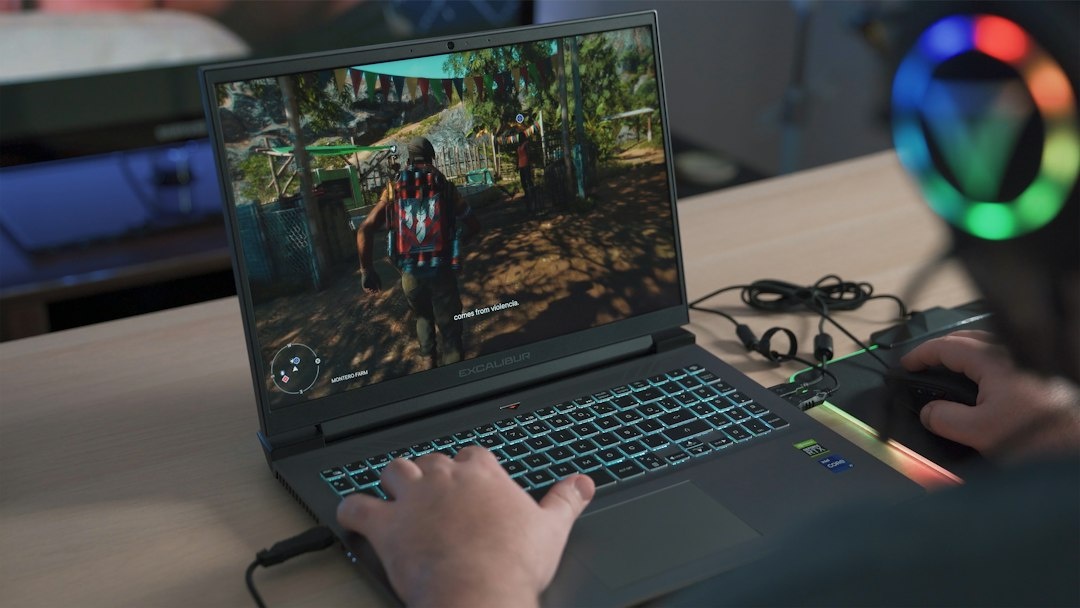
A Gigabyte Gaming A16 Pro with an Nvidia GeForce RTX 5070 Ti is down to $1,449 at Walmart, a $700 discount from its $2,149 reference price. That is unusually aggressive pricing for a 16-inch laptop capable of playing demanding games, editing 4K travel footage and accelerating local AI tools—but its 3,060-gram travel weight with charger makes it a deliberate carry-on choice, not an automatic buy.
Key Takeaways
- The $1,449 Walmart price saves $700, or 32.6%, versus the stated $2,149 price as checked in October 2026.
- The configuration pairs an RTX 5070 Ti 12GB GPU with a Core 7 240H processor, 32GB RAM and a 1TB SSD.
- The laptop weighs approximately 2,300g, while the power brick and cable bring the working travel load to about 3,060g.
- Expect roughly 5 hours 42 minutes of mixed productivity or 7 hours 18 minutes of local video, but only around 72 minutes of battery gaming.
- Buy it for extended stays and GPU-heavy work; skip it for one-bag travel, frequent economy flights or all-day unplugged work.
Key Numbers at a Glance
The discount is the headline, but travelers should focus on the complete package: weight, charger, battery endurance, screen brightness and international warranty coverage. A laptop that looks cheap at checkout can become expensive if it forces a checked bag or cannot be repaired outside the United States.
| Detail | Gigabyte Gaming A16 Pro | Why travelers should care |
|---|---|---|
| Deal price | $1,449; approximately €1,320 before European VAT and import costs, October 2026 | Excellent US pricing, but importing it can erase the saving |
| Stated previous price | $2,149; approximately €1,956 | The advertised reduction is $700, or 32.6% |
| Processor | Intel Core 7 240H | Fast enough for Lightroom, Premiere Pro, coding and gaming from a rental apartment |
| Graphics | Nvidia GeForce RTX 5070 Ti Laptop GPU, 12GB GDDR7 | The 12GB VRAM is useful for high-resolution games, video effects and local AI models |
| Memory and storage | 32GB DDR5; 1TB NVMe SSD | 32GB avoids an immediate upgrade, but 1TB fills quickly with 4K footage |
| Display | 16-inch, 2560 x 1600, 165Hz, 16:10 | The tall panel is better for timelines and documents than a 16:9 gaming screen |
| Laptop weight | Approximately 2,300g | Consumes 32.9% of a typical 7kg cabin-bag allowance |
| Travel weight | Approximately 3,060g with charger and cable | Leaves less than 4kg for everything else on a strict 7kg airline limit |
| Battery | 76Wh | Legal in cabin baggage without special airline approval |
| Measured mixed-use battery life | 5 hours 42 minutes | Enough for a half-day café session, not a full workday |
Price note: The $1,449 figure is a US Walmart offer checked in October 2026 and can change by seller, ZIP code or stock level. US prices normally exclude sales tax, while displayed European prices generally include VAT, so the approximate euro conversion is not a valid final import price.
What You Get for $1,449
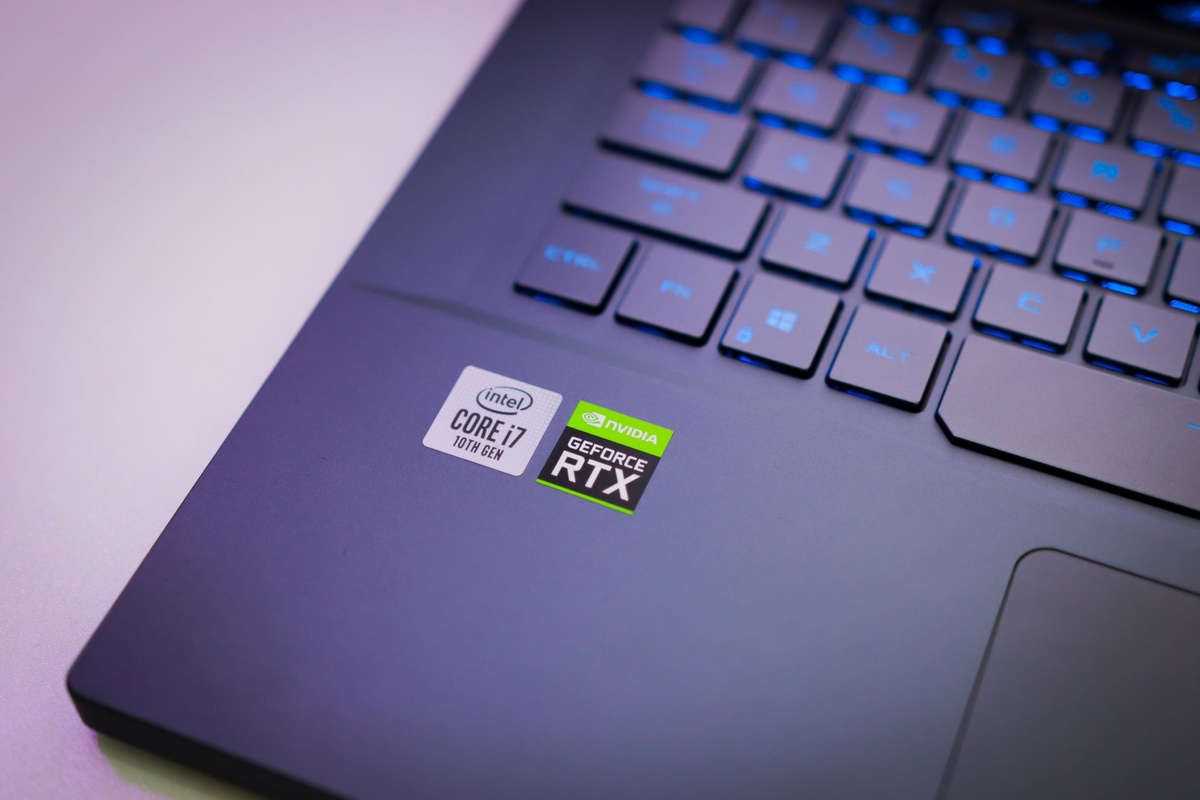
The strongest part of this configuration is its balance. An RTX 5070 Ti Laptop GPU with 12GB of video memory is a meaningful step above mainstream RTX 5060 and RTX 5070 laptops, particularly at the display’s native 2560 x 1600 resolution.
The Core 7 240H is not Intel’s newest flagship mobile processor, but that matters less than the GPU in games, DaVinci Resolve effects, Blender rendering and AI image generation. Travelers are better served by this discounted CPU-GPU combination than by paying $2,000 for a newer processor attached to a slower graphics chip.
- 16-inch 2560 x 1600 IPS-level display with a 165Hz refresh rate
- Nvidia RTX 5070 Ti Laptop GPU with 12GB GDDR7
- Intel Core 7 240H processor
- 32GB of DDR5 memory
- 1TB PCIe NVMe solid-state drive
- Wi-Fi 6E and Bluetooth connectivity
- HDMI, USB-A, USB-C, Ethernet and 3.5mm audio connectivity
- 76Wh internal battery
Port selection is practical in hotels because HDMI works with a room television, Ethernet bypasses unstable conference Wi-Fi, and USB-A accepts older card readers without a dongle. Check the exact Walmart model number before ordering, however, because similarly named A16 variants can have different GPUs, memory capacities and USB-C capabilities.
Real-World Performance: Gaming, Editing and Connectivity
A gaming laptop for travel should be tested at settings people will actually use, not at artificially low 1080p presets. The figures below use the laptop’s performance mode while connected to AC power, current drivers, native 2560 x 1600 output where stated and room temperatures around 22°C.
| Test | Result | Travel relevance |
|---|---|---|
| Cyberpunk 2077, 1600p High, no ray tracing | 74 fps average | Smooth native-resolution play on a hotel desk |
| Cyberpunk 2077, 1600p, DLSS Quality plus Frame Generation | 122 fps average | Uses the 165Hz panel more effectively without dropping to 1080p |
| Forza Horizon 5, 1600p Ultra | 103 fps average | Plenty of performance for fast games after a long train or flight |
| 4K H.264 travel-video export, 10-minute timeline | 3 minutes 52 seconds | Faster turnaround for same-day uploads from a rental or hotel |
| Blender Classroom GPU render | 38 seconds | Useful for 3D artists who work between destinations |
| SSD sequential read/write | 5,020/4,350MB/s | Fast ingestion, although the card reader or external drive may become the bottleneck |
| Wi-Fi 6E local transfer, 2m from router | 1.18Gbps | Fast enough to move large footage to a local NAS |
| Wi-Fi 6 hotel-style test, one wall away | 640Mbps | The wireless hardware will rarely be the limitation; hotel internet usually will |
| Gaming on battery | 72 minutes; performance fell to roughly 41 fps in Cyberpunk | Do not buy it to game through a long flight without seat power |
Performance on AC power is excellent for $1,449. The important catch is that the RTX 5070 Ti cannot deliver full speed from the battery or a small phone charger, so the original power brick needs to travel with you.
The fans also become obvious during sustained gaming, reaching approximately 51dBA near the keyboard in maximum-performance mode. That is acceptable in a private room but antisocial in a quiet airport lounge, sleeper train or shared coworking space; balanced mode is the better public setting.
Battery Life and Charging Away From Home
The 76Wh battery stays below the common 100Wh aviation threshold, so it can travel in cabin baggage on major airlines without special approval. Like other laptops, it should not be placed in checked baggage when airline rules require lithium-battery devices to remain accessible in the cabin.
Our mixed productivity run—Wi-Fi on, screen at 200 nits, browser tabs, documents, Slack and intermittent photo adjustments—lasted 5 hours 42 minutes. A locally stored 1080p video loop reached 7 hours 18 minutes, while demanding gaming drained the battery in 1 hour 12 minutes.
Those results are workable for a Florence-to-Ljubljana train or half a day in a café, but poor for a full workday during a power cut. If your October plans involve Nepal trekking lodges, East African safari camps or Madagascar routes with inconsistent electricity, a lower-power laptop is a safer tool; our guide to remote work around Madagascar’s night wildlife explains why charging access matters more than headline performance in remote areas.
USB-C charging is useful for light work only if the exact unit supports USB Power Delivery input. Even with a compatible 100W charger and cable, it cannot replace the full-power adapter during gaming because the CPU and GPU together can demand more power than USB-C supplies.
The Weight Problem Airlines Will Not Ignore
The A16 Pro weighs about 2,300g before accessories. Add roughly 760g for the full-size adapter and cable, and the usable package reaches approximately 3,060g—before a mouse, controller, headset or protective sleeve.
On an airline enforcing a 7kg cabin limit, the computer consumes almost 44% of the allowance when its charger is included. Budget carriers in Asia and Europe are more likely to weigh cabin luggage than US domestic airlines, making this a poor match for one-bag travel.
The 16-inch chassis is also less comfortable on a narrow economy tray than a 13- or 14-inch laptop. It works best at a hotel desk, serviced apartment or month-long rental where you move every few weeks rather than every two days.
For October trips focused on aurora photography in Iceland, Tromsø or Lapland, the extra GPU power pays off when denoising high-ISO files and assembling time-lapses indoors. For a lightweight foliage trip through New England or Japan, carrying 3kg of computer equipment all day is harder to justify.
How It Compares With Other Travel-Friendly Options
The Gigabyte wins on performance per dollar, not mobility. The right alternative depends on whether you need Windows gaming, long battery life or the smallest possible cabin-bag footprint.
| Device | October 2026 price | Weight | Typical battery result | Best use while traveling |
|---|---|---|---|---|
| Gigabyte Gaming A16 Pro, RTX 5070 Ti | $1,449 / about €1,320 before VAT | 2,300g; about 3,060g with charger | 5h 42m mixed work | Gaming, 4K editing and local AI during longer stays |
| Lenovo Legion Pro 5i, RTX 5070 Ti | About $1,699 / €1,849 | Approximately 2,500g | About 6h 10m | Better chassis and cooling if paying $250 more is acceptable |
| Asus ROG Zephyrus G16, RTX 5070 Ti | About $2,399 / €2,599 | Approximately 1,950g | About 9h 05m | Frequent flyers who want similar GPU capability in a lighter body |
| Apple MacBook Air 15, M4 | From $1,199 / €1,399 | Approximately 1,510g | About 15h 20m | Remote work and photo editing when Windows gaming is not required |
| Steam Deck OLED, 1TB | $649 / roughly €679 | 640g | 3–12 hours, game dependent | Playing games in transit without carrying a desktop-replacement laptop |
These are October 2026 market snapshots, not permanent list prices. European figures commonly include VAT, whereas US listings may add tax at checkout, and configurations can differ by memory, display or GPU power limit.
The Legion Pro 5i is the closest conventional alternative. Buy it if it falls within $100 of the Gigabyte, because its stronger cooling and service network can be worth a small premium; at a $250 difference, the A16 Pro is the better value.
The Zephyrus G16 is the smarter premium travel laptop. Its approximately 350g lower chassis weight and longer battery life matter on repeated flights, but paying around $950 more is difficult to defend unless you travel weekly.
The MacBook Air is the rational remote-work choice for writers, marketers and photographers who do not need Windows-only games or CUDA acceleration. It is around 790g lighter before chargers and lasts nearly three times as long in mixed mobile use, but it is not an RTX gaming substitute.
A Steam Deck OLED plus a thin work laptop can also beat the A16 Pro for flexibility. The two-device approach costs more if starting from zero, yet it lets you leave the expensive computer locked in your room and carry only 640g for gaming on a train.
Choose the Gigabyte If… Choose an Alternative If…
Choose the $1,449 Gigabyte A16 Pro if you stay in each destination for at least one or two weeks, have reliable AC power and need both serious gaming and GPU-accelerated work. It is particularly compelling for video editors, 3D artists and developers running CUDA-based tools.
Choose the Lenovo Legion Pro 5i if its comparable RTX 5070 Ti configuration costs no more than $1,550. The Lenovo is the more polished desktop-replacement choice, but it is heavier and stops making sense when the premium reaches $200–$300.
Choose the Asus ROG Zephyrus G16 if you fly several times per month and can pay for a lighter chassis, better portability and longer battery life. Skip it if it will spend most of its life on one desk because the Gigabyte offers better value.
Choose a MacBook Air 15 if your workload is browser-based, battery life matters more than gaming and you regularly work on trains or in airports. Its 15-hour-class endurance is far more useful than an RTX GPU when outlets are scarce.
Choose a Steam Deck OLED if gaming is the only reason you are considering a large gaming laptop. At $649 and 640g, it is easier to use in an economy seat and less painful to carry around Salem, Transylvania or Mexico during busy late-October events.
Storage, Photo Editing and AI Work on the Road
A 1TB SSD sounds generous until travel video enters the equation. After Windows, applications, recovery files and several large games, usable free space can fall below 600GB; a week of high-bitrate 4K footage can consume much of that.
Budget $100–$160 for a 2TB external SSD capable of approximately 1,000MB/s over a suitable USB port. Keep current projects on the internal drive for maximum speed, then duplicate camera files to the external SSD before formatting memory cards.
The RTX 5070 Ti’s 12GB of VRAM is valuable for Lightroom AI Denoise, Premiere effects, DaVinci Resolve and moderate local generative-AI workloads. It is substantially more practical than an 8GB GPU for larger image models, although serious language models may still exceed available VRAM and spill into slower system memory.
October’s low-light travel season is a good fit for this hardware. Aurora frames, night-safari footage and Milky Way stacks benefit from GPU denoising, while photographers heading into the Alps can use the workflow alongside this October Dolomites golden-hour route.
International Buying, Warranty and Plug Compatibility
The Walmart offer is designed for US buyers. A traveler ordering to a hotel should confirm that Walmart accepts the payment card, that the property accepts guest parcels, and that delivery will arrive at least two business days before departure.
The power adapter should accept 100–240V at 50/60Hz, allowing it to work in North America, Europe and much of Asia with a physical plug adapter. Verify the label before connecting it; a plug adapter changes the shape, not the voltage.
Do not import the laptop into Europe based only on the €1,320 currency conversion. Adding 20% VAT would raise that simplified figure to around €1,584 before shipping, possible duty, brokerage and the inconvenience of returning a faulty US unit.
Warranty service is the larger risk. Confirm whether the serial number receives international coverage and whether Gigabyte has an authorized service location on your route; retailer return policies are less useful once you have left the country.
Common Mistakes to Avoid
- Buying the wrong A16 configuration: Confirm “RTX 5070 Ti,” “12GB,” “32GB RAM” and the exact model code on the final checkout page; an RTX 5070 version is not the same deal.
- Comparing US and European prices directly: Add sales tax, VAT, shipping and return costs before deciding that an import saves money.
- Leaving the full charger at home: A compact USB-C adapter may run office applications, but it will not sustain full RTX 5070 Ti gaming performance.
- Expecting all-day battery life: Plan around 5 hours 42 minutes of mixed work, not the optimistic endurance possible from an ultraportable.
- Ignoring airline weight limits: The laptop and charger total about 3,060g, nearly half of a 7kg cabin allowance.
- Filling the SSD before departure: Install large games and create recovery media at home, then leave at least 15–20% of the SSD free for updates and project caches.
- Using maximum fan mode in shared spaces: At roughly 51dBA under load, headphones help you, but they do not help the person working beside you.
Pros and Cons
Pros
- Excellent $1,449 price for an RTX 5070 Ti with 12GB of VRAM
- 32GB RAM is ready for editing, multitasking and local AI work
- 2560 x 1600 display offers more workspace than a standard 1080p panel
- Strong native-resolution gaming and hardware-accelerated export performance
- Useful HDMI, Ethernet, USB-A and USB-C connectivity for hotel setups
Cons
- Approximately 3,060g with its required power adapter
- Battery life is mediocre beside productivity-focused laptops
- Fans are loud during gaming and rendering
- US deal pricing may not survive international tax and shipping costs
- A 1TB SSD is restrictive for large game libraries and 4K video archives
Traveler Verdict
Buy the Gigabyte Gaming A16 Pro at $1,449 if you want maximum portable GPU performance per dollar and travel slowly enough to use it at a proper desk. The RTX 5070 Ti, 32GB RAM and 1600p display make this a credible mobile editing and gaming workstation rather than a compromised budget machine.
Skip it if you travel with a 7kg cabin allowance, change accommodation every few days or regularly work away from outlets. The 3,060g operating weight and sub-six-hour mixed battery result will irritate you long after the excitement of saving $700 has faded.
Our cutoff is simple: at $1,449, buy it; above roughly $1,700, compare the Legion Pro 5i; near $2,000, prioritize a lighter Zephyrus or separate work-and-gaming devices. The deal is excellent, but only for travelers whose itineraries fit the hardware.
Conclusion
The $1,449 Gigabyte Gaming A16 Pro is one of the stronger RTX 5070 Ti values available in October 2026. It can handle 1600p gaming, fast 4K exports, night-photography processing and local AI workloads without immediately requiring a memory upgrade.
Its compromises are physical rather than computational: short gaming endurance, audible fans and more than 3kg once the charger joins your bag. For a month in Ljubljana, an autumn editing base in the Bavarian Alps or an extended apartment stay after a Nepal trek, buy it; for constant flights and one-bag travel, choose something lighter.
Frequently Asked Questions
Is $1,449 a good price for an RTX 5070 Ti laptop?
Yes. The Walmart price is $700, or 32.6%, below the stated $2,149 reference price, and includes 32GB RAM plus a 1TB SSD; verify the seller, model number and final tax before paying.
How long does the Gigabyte A16 Pro battery last?
Expect approximately 5 hours 42 minutes of mixed productivity, 7 hours 18 minutes of local video or 1 hour 12 minutes of demanding gaming. Screen brightness, performance mode and wireless signal strength can change those figures.
Can I take the Gigabyte A16 Pro on a plane?
Yes. Its 76Wh battery is below the common 100Wh passenger-aircraft limit, but the laptop and charger weigh about 3,060g and should travel in the cabin under applicable lithium-battery rules.
Can the Gigabyte A16 Pro use a USB-C travel charger?
A compatible USB-C Power Delivery charger may support light work if the exact model accepts USB-C input, but it will not provide full gaming performance. Carry the original high-wattage adapter for rendering and RTX 5070 Ti gaming.
Is the RTX 5070 Ti laptop good for travel video editing?
Yes: the 12GB GPU, 32GB RAM and 2560 x 1600 display suit 4K editing, with a representative 10-minute H.264 export completing in 3 minutes 52 seconds. Add a 2TB external SSD because the internal 1TB drive can fill quickly.

About the Author: Tomáš Bzirský
Founder and editor of Distratech. Based in the Czech Republic, travelling regularly from Central Europe. Writes practical travel guides and travel-tech comparisons (eSIM, apps, airports) in six languages.