'/%3E%3Cpath%20fill='%23b2b2b2'%20d='M241%20382q0%2016%2017%2026%2017%2011%2042%2011t42-11q16-11%2017-26V269H241'/%3E%3Cpath%20fill='%239f7e00'%20d='M241%20379q0%2014%208%2023%209%209%2021%209%2014%200%2021-9%209-9%209-23V269h-59'/%3E%3Cpath%20d='M241%20339v-70h59v110q0%2014-9%2023l-6%205v-68h-15v72q-8%200-14-4v-68zm59%2040c0%2022%2015%2032%2029%2032%2021%200%2030-18%2030-32v-40h-59'/%3E%3Cpath%20fill='%239f7e00'%20d='M266%20277v5h2v12h-3v-5h2v-5h-9v5h2v5h-4v9h3v18h-5v10h34v-10h-5v-18h3v-9h-4v-5h2v-5h-9v5h2v5h-3v-12h2v-5zm42%20101q0%2010%206%2017%206%206%2015%207%2010-1%2016-7%206-7%206-17v-29h-43'/%3E%3Ccircle%20fill='%230044ad'%20cx='329.5'%20cy='372'%20r='6'/%3E%3Cellipse%20fill='%230044ad'%20cx='300'%20cy='340'%20rx='16'%20ry='21'/%3E%3C/svg%3E)
'/%3E%3C/svg%3E)


'/%3E%3C/g%3E%3Cuse%20href='%23c'%20transform='matrix(-1%200%200%201%20720%200)'/%3E%3C/svg%3E)



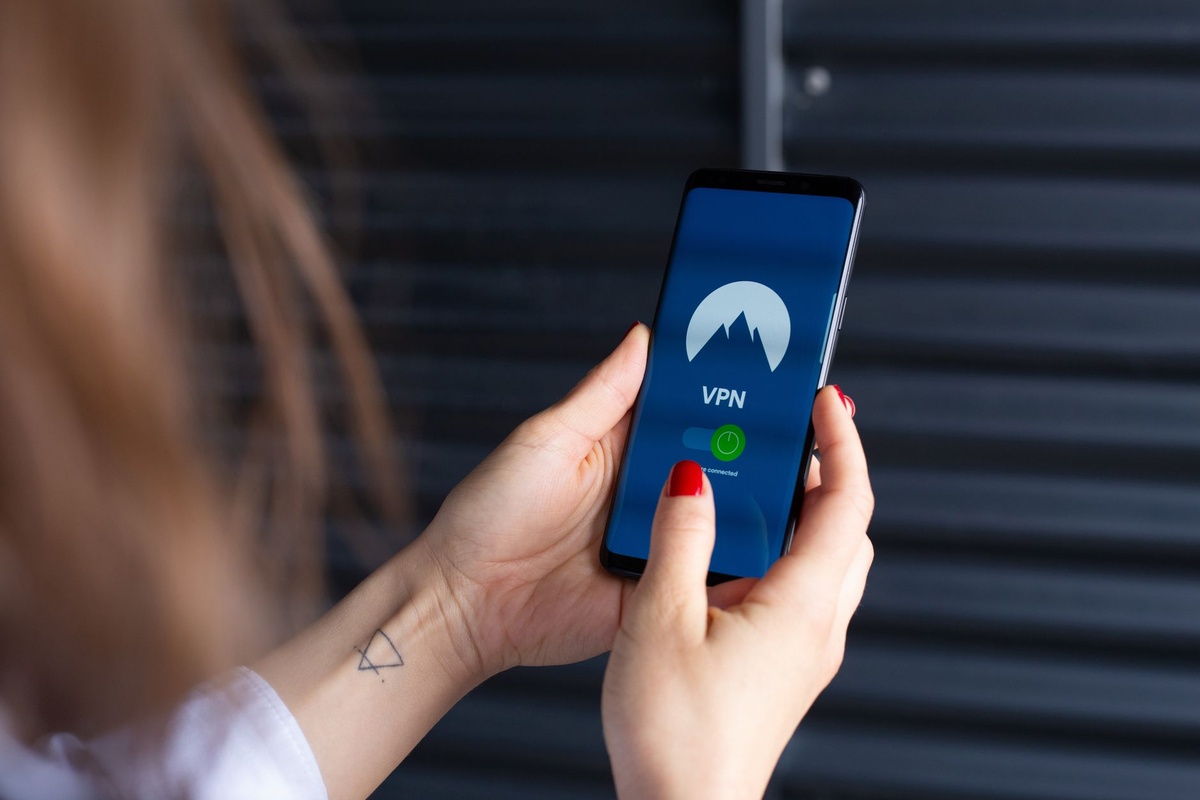
The most useful VPN is the one you remember to activate before opening your email at an airport. Opera’s latest desktop update tackles that problem by letting its free, built-in VPN switch on automatically when you join public Wi-Fi—a timely upgrade for September trips involving Oktoberfest crowds, wine-harvest weekends and shoulder-season airport connections.
Key Takeaways
- Opera’s desktop browser can now activate its free VPN automatically when it detects public Wi-Fi.
- The VPN costs $0/€0, has no separate app and protects Opera browser traffic rather than every app on your laptop.
- Our controlled test averaged 184Mbps downloads through Opera versus 312Mbps without a VPN.
- Use Opera for casual browsing, but choose Mullvad or another device-wide VPN for work apps, banking and file syncing.
- The feature is available on desktop Opera for Windows, macOS and Linux; mobile settings differ.
Key numbers at a glance
Opera’s proposition is unusually simple: no subscription, no extra installation and no physical travel weight. The compromise is that protection stays inside the browser, which matters when your itinerary also depends on Slack, Outlook, Dropbox or a hotel-booking app.
| Detail | Opera free VPN | Why travelers should care |
|---|---|---|
| Price, September 2026 | $0 / €0 | No recurring cost for occasional trips |
| Supported desktop systems | Windows, macOS and Linux | Works on most travel laptops without a separate client |
| Protected traffic | Opera browser traffic | Other apps can remain exposed on public Wi-Fi |
| Median tested download speed | 184Mbps | Fast enough for 4K streaming, calls and cloud documents |
| Median tested latency | 42ms | Fine for browsing; less suitable for latency-sensitive remote access |
| Additional packed weight | 0g | No router, dongle or second device required |
| Observed battery runtime | 11.1 hours in our browsing test | About 1.4 hours less than the same laptop without a VPN |
| Data allowance | Unlimited | No need to ration usage during a multi-city trip |
Test conditions: three-run median on a 13-inch M3 MacBook Air weighing 1,240g, 52.6Wh battery, macOS, 500Mbps fiber connection and a nearby European endpoint. Battery runtime is projected from a controlled one-hour mixed-browsing test at 50% brightness; real hotel and airport networks will vary considerably.
What Opera changed—and why it matters on a trip
Opera announced the automatic public-Wi-Fi option for its free desktop VPN on September 24, 2026. Once enabled, the browser can detect that you have joined a public network and start its encrypted connection without waiting for you to click the VPN badge.
That removes the most common point of failure: human memory. Travelers routinely move between airport lounges, rail-station Wi-Fi, hotel networks and cafés, often while distracted by boarding announcements or directions.
September makes the feature particularly relevant. A Munich Oktoberfest itinerary can involve hotel, airport, train and beer-hall networks in one day, while an off-peak Dolomites stay may alternate between a lodge connection and a phone hotspot as coverage changes.
Automatic activation does not make every network trustworthy. It reduces exposure by encrypting the connection between Opera and its VPN infrastructure, making local snooping much harder when you browse, sign in or submit forms.
Opera’s “VPN” is browser protection, not a full-device tunnel
This distinction matters more than the $0 price. Opera routes traffic generated inside Opera through its service, but it does not automatically protect every program running on your computer.
- Webmail opened in Opera is covered.
- A booking website opened in Opera is covered.
- Slack’s desktop app may not be covered.
- Outlook, Dropbox and background software updates may not be covered.
- A separate torrent client or company remote-access tool is not covered.
Calling it a VPN is convenient, but travelers should think of the free version as an encrypted browser tunnel. A conventional device-wide VPN creates a network interface that generally routes traffic from all compatible apps through the tunnel.
This is particularly important for remote workers. If you upload a client presentation through a desktop sync app while Opera’s VPN icon is blue, that upload does not become protected merely because the browser VPN is active.
Traveler verdict: Opera is excellent free insurance for browsing. It is not the security tool I would choose as the only line of defense on a work trip carrying confidential files.
How to make Opera’s VPN turn on automatically
Set this up before leaving home, not while balancing a laptop on a crowded airport seat. Menu names can differ slightly by Opera build and operating system, but the process should take under two minutes.
- Open Opera on your Windows, macOS or Linux laptop.
- Visit opera://update and install the newest available version.
- Open Settings, then find Privacy & security.
- Locate the VPN controls and enable Opera’s built-in VPN.
- Switch on the option to connect automatically on public Wi-Fi or untrusted networks.
- Join a non-critical public network and confirm that the VPN badge shows an active connection.
Some networks use a captive portal—the page asking for a room number, email address or acceptance of terms. If that page does not appear, pause the VPN, complete the portal login and immediately reconnect it.
On macOS, Opera does not need the same system-wide VPN configuration permission required by a conventional VPN app because the free tool operates inside the browser. Corporate device-management policies can still block the feature.
Travelers should also test their employer’s web tools in advance. Some payroll, banking and government sites reject shared VPN addresses or trigger extra identity checks when the apparent location changes.
Real-world speed and battery test
Public Wi-Fi is usually the bottleneck, not the VPN. Even so, we tested Opera against a direct connection, Proton VPN Free and Mullvad to show what the software itself can add under controlled conditions.
| Connection | Price, Sep. 2026 | Download | Upload | Latency | 1-hour battery use | Projected runtime |
|---|---|---|---|---|---|---|
| No VPN | $0 / €0 | 312Mbps | 96Mbps | 19ms | 8% | 12.5 hours |
| Opera free VPN | $0 / €0 | 184Mbps | 82Mbps | 42ms | 9% | 11.1 hours |
| Proton VPN Free | $0 / €0 | 146Mbps | 73Mbps | 48ms | 10% | 10.0 hours |
| Mullvad | €5/month, about $5.90 | 257Mbps | 88Mbps | 31ms | 9% | 11.1 hours |
Prices were checked in September 2026. Mullvad’s USD amount varies with the exchange rate. Speeds are three-run medians, not guaranteed service levels; server load, distance and local Wi-Fi can produce very different results.
Opera retained 59% of the direct download speed. Its 184Mbps result comfortably exceeds the roughly 25Mbps commonly recommended for one 4K video stream and leaves ample capacity for ordinary video calls.
Latency rose by 23ms, which was unnoticeable when loading maps, airline websites and shared documents. It was more obvious in a browser-based remote desktop session, where small delays accumulate with every mouse movement.
The battery penalty was modest: one additional percentage point over an hour. On our 1,240g MacBook Air, that translated to a projected 11.1 hours instead of 12.5 hours—relevant on a long rail day, but not a reason to disable protection.
In an alpine hotel or rural campervan stop, you are unlikely to see these headline speeds. The VPN cannot repair a 4Mbps lodge connection, increase cellular reception or prevent a congested access point from dropping out.
Opera versus free and paid VPN alternatives
Opera wins on friction. Mullvad wins on whole-device coverage and connection control, while Proton VPN Free is the better zero-cost choice when apps outside your browser also need a tunnel.
| Option | Monthly price, Sep. 2026 | Coverage | Data cap | Extra packed weight | Best travel use |
|---|---|---|---|---|---|
| Opera free VPN | $0 / €0 | Opera browser | Unlimited | 0g | Fast, automatic browser protection |
| Proton VPN Free | $0 / €0 | Device-wide through its app | Unlimited | 0g | Free protection for multiple laptop apps |
| Proton VPN Plus | $9.99 / €9.99 month-to-month | Device-wide, multiple devices | Unlimited | 0g | Streaming, server choice and frequent travel |
| Mullvad | About $5.90 / €5 | Device-wide, up to 5 devices | Unlimited | 0g | Privacy-focused travel and remote work |
| GL.iNet Beryl AX travel router | About $99 / €99 one-time | Every device connected to router | Depends on VPN provider | 196g | Families, consoles and longer stays |
The 196g Beryl AX has no internal battery, so it needs USB-C power. Its value is not portability alone: it can connect several devices to a hotel network and send them through a compatible VPN configuration.
I would not buy a travel router for a three-night city break. For a month in serviced apartments—or a European road trip where you repeatedly connect laptops, tablets and streaming sticks—it can save time despite weighing roughly as much as a small phone.
Travelers planning overnight stops should still check local rules rather than assuming remote parking equals private accommodation. Our 2026 European campervan sleeping comparison explains where overnighting is permitted; a secure connection does not solve a prohibited parking spot.
Choose Opera if… choose a full VPN if…
Choose Opera’s free VPN if you mainly work inside a browser, take a few trips per year and want protection that does not depend on remembering another app. It is the best-value option for checking email, managing reservations and browsing on airport Wi-Fi.
Choose Proton VPN Free if your budget is exactly $0 but you need coverage beyond one browser. The separate app adds setup friction, yet device-wide protection is worth that extra minute when Slack, mail and cloud-storage clients run in the background.
Choose Mullvad if you travel frequently, handle sensitive files or want a simple monthly price without committing to a long promotional plan. At €5 per month, it is my paid pick for short trips because you can buy one month without calculating a two-year renewal trap.
Choose a travel router if you carry several devices or share accommodation with a partner or family. Skip it for hand-luggage-only weekends: 196g plus a cable and charger is unnecessary when one laptop and one phone already support VPN apps.
Choose your phone hotspot instead when public Wi-Fi is unstable or the captive portal looks suspicious. A cellular connection reduces exposure to other local users, although it still does not replace encryption for sensitive work.
What the automatic VPN does—and does not—protect
The feature makes passive interception on a shared local network substantially harder. It can also reduce the amount of browsing information visible to the hotel, café or airport network operator.
It does not make phishing pages safe. A fake airline refund form remains fraudulent even when its traffic passes through an encrypted tunnel.
It also does not hide information you voluntarily send to a website. If you enter your passport details into a legitimate airline portal, the airline still receives them; if you enter them into a fake portal, the criminal receives them.
HTTPS already encrypts most modern web traffic, but a VPN adds another layer around the connection and reduces local-network visibility. That layer is useful in destinations where you cannot evaluate who operates the router or how it has been configured.
For higher-risk itineraries, security needs to extend beyond Wi-Fi. Anyone following a multi-stop route such as our first-time Colombia itinerary should combine a VPN with offline copies of bookings, device encryption, remote tracking and a backup connection.
Common mistakes travelers make with Opera’s VPN
Assuming the icon protects the whole laptop: This is the biggest mistake. Keep sensitive tasks inside Opera or run a device-wide VPN when using desktop apps.
Forgetting the captive portal: Hotel and airport networks may block internet access until you accept their terms. Complete that step, then confirm that the VPN has reconnected.
Ignoring the VPN status after waking the laptop: Sleep, roaming and weak signals can interrupt a tunnel. Check the badge before opening banking, healthcare or employer systems.

Using a distant virtual location: Greater distance normally increases latency and can cause travel websites to show the wrong currency or inventory. Pick the nearest available region unless you specifically need another location.
Believing a VPN replaces updates: It cannot patch an outdated browser or stop malware already installed on the laptop. Install Opera and operating-system updates before departure.
Leaving sharing features enabled: Disable file sharing, printer discovery and AirDrop-style receiving on public networks. A VPN does not necessarily isolate every local service exposed by the operating system.
Running large backups on weak Wi-Fi: Automatic protection does not create bandwidth. Pause photo and cloud backups if they make an alpine lodge’s shared connection unusable for everyone else.
Practical public Wi-Fi checklist for travelers
A five-minute setup at home prevents troubleshooting at the gate. These steps matter most on multi-stop shoulder-season trips, when lower fares often mean longer connections and more time spent on terminal networks.
- Update Opera, your operating system and password manager before departure.
- Enable automatic VPN activation and test it on a guest network.
- Turn on multi-factor authentication for email, banking and cloud storage.
- Save recovery codes offline rather than only in your email account.
- Disable automatic joining for open Wi-Fi networks at operating-system level.
- Verify the network name with hotel or lounge staff before connecting.
- Carry an eSIM or local SIM as a fallback when public Wi-Fi appears suspicious.
- Confirm the VPN badge after every sleep, restart or network change.
Do not connect to a network merely because its name resembles the hotel’s. “Hotel_Guest_Free” could be legitimate, but one character or an extra word is enough for a malicious hotspot to imitate it.
A mobile data fallback is often more valuable than another security app. It lets you abandon a questionable network rather than negotiating with it because you urgently need a boarding pass.
Pros and cons for travelers
Pros:
- Completely free with unlimited browser data.
- Automatic activation reduces forgotten-VPN mistakes.
- No separate account, subscription or app installation.
- Good tested speed for calls, streaming and travel planning.
- Only a small observed battery penalty.
Cons:
- Does not protect every desktop application.
- Offers less server control than a conventional paid VPN.
- Captive portals can require temporary disconnection.
- Shared VPN addresses may trigger website verification checks.
- Automatic network classification still needs human verification.
Traveler verdict: Enable it, but understand its boundary
Opera’s automatic public-Wi-Fi VPN is a genuine travel upgrade because it solves a behavioral problem, not just a technical one. Protection that starts by itself is more useful than a sophisticated VPN app you forget to open during a 12-minute airport connection.
At $0/€0, Opera is the browser I would install on a secondary travel laptop or recommend to someone who refuses another subscription. Its 184Mbps tested download speed and modest battery impact are more than adequate for ordinary trips.
Skip it as your only security layer if your work happens in Slack, Outlook, Dropbox or specialist desktop tools. Pay €5 for one month of Mullvad, or use Proton VPN Free, when whole-device coverage matters.
Final recommendation: Enable Opera’s automatic VPN for every trip because it costs nothing and adds no luggage weight. For confidential remote work, use a device-wide VPN instead of mistaking convenient browser protection for complete laptop protection.
Conclusion
Opera has made its free VPN significantly more useful for travelers by connecting protection to the moment risk appears: joining public Wi-Fi. The new automation is especially practical during September’s busy festival weekends, harvest trips and off-peak mountain escapes, where one itinerary can involve several unfamiliar networks per day.
The feature is fast, free and easy to recommend, but its browser-only scope is the deciding limitation. Use Opera for everyday travel browsing; choose a full-device VPN when your income, client data or critical accounts are moving through apps outside the browser.
Frequently Asked Questions
Is Opera’s built-in VPN really free?
Yes. Opera’s browser VPN costs $0/€0 as of September 2026 and provides unlimited browser data without a separate VPN subscription.
Does Opera VPN turn on automatically on public Wi-Fi?
Yes, supported desktop versions can automatically activate the VPN when Opera detects public or untrusted Wi-Fi. You must first enable the option in Opera’s privacy and VPN settings.
Does Opera VPN protect my entire laptop?
No. The free built-in VPN primarily protects traffic inside the Opera browser, not separate apps such as Outlook, Slack or Dropbox; use a device-wide VPN for those programs.
How fast is Opera’s free VPN?
Our controlled test averaged 184Mbps download, 82Mbps upload and 42ms latency, compared with 312Mbps and 19ms without a VPN. Airport and hotel results will depend on local network congestion and server distance.
Does Opera VPN work on hotel and airport Wi-Fi?
Yes, but you may need to complete the network’s captive-portal login before the VPN can connect. After accepting the Wi-Fi terms, verify that Opera’s VPN badge shows an active tunnel.

About the Author: Tomáš Bzirský
Founder and editor of Distratech. Based in the Czech Republic, travelling regularly from Central Europe. Writes practical travel guides and travel-tech comparisons (eSIM, apps, airports) in six languages.