'/%3E%3Cpath%20fill='%23b2b2b2'%20d='M241%20382q0%2016%2017%2026%2017%2011%2042%2011t42-11q16-11%2017-26V269H241'/%3E%3Cpath%20fill='%239f7e00'%20d='M241%20379q0%2014%208%2023%209%209%2021%209%2014%200%2021-9%209-9%209-23V269h-59'/%3E%3Cpath%20d='M241%20339v-70h59v110q0%2014-9%2023l-6%205v-68h-15v72q-8%200-14-4v-68zm59%2040c0%2022%2015%2032%2029%2032%2021%200%2030-18%2030-32v-40h-59'/%3E%3Cpath%20fill='%239f7e00'%20d='M266%20277v5h2v12h-3v-5h2v-5h-9v5h2v5h-4v9h3v18h-5v10h34v-10h-5v-18h3v-9h-4v-5h2v-5h-9v5h2v5h-3v-12h2v-5zm42%20101q0%2010%206%2017%206%206%2015%207%2010-1%2016-7%206-7%206-17v-29h-43'/%3E%3Ccircle%20fill='%230044ad'%20cx='329.5'%20cy='372'%20r='6'/%3E%3Cellipse%20fill='%230044ad'%20cx='300'%20cy='340'%20rx='16'%20ry='21'/%3E%3C/svg%3E)
'/%3E%3C/svg%3E)


'/%3E%3C/g%3E%3Cuse%20href='%23c'%20transform='matrix(-1%200%200%201%20720%200)'/%3E%3C/svg%3E)


You’re on day four of a Mediterranean trip in peak July. The beaches are packed, the sunsets are unreal, and your iPhone flashes the dreaded message: “Storage Almost Full.” You still have a week left — plus 4K video, slow‑mo clips, and RAW photos to shoot.
The SanDisk Phone Drive for iPhone is one of the simplest fixes I’ve tested this year. It’s small, fast, doesn’t need Wi‑Fi, and actually works on the road — from Swiss train panoramas to Nordic hiking trails.
Key Takeaways
- Starts at $39.99 (64GB) and goes up to $129.99 (512GB) — cheaper than upgrading your iPhone storage.
- USB‑C + Lightning versions available; works with iPhone 12–16 and newer iPads.
- Real-world speeds: ~90MB/s read, 35–45MB/s write via Lightning; up to 150MB/s on USB‑C models.
- Weighs just 5–7g and requires no battery or Wi‑Fi — ideal for travel days.
What Is the SanDisk Phone Drive?
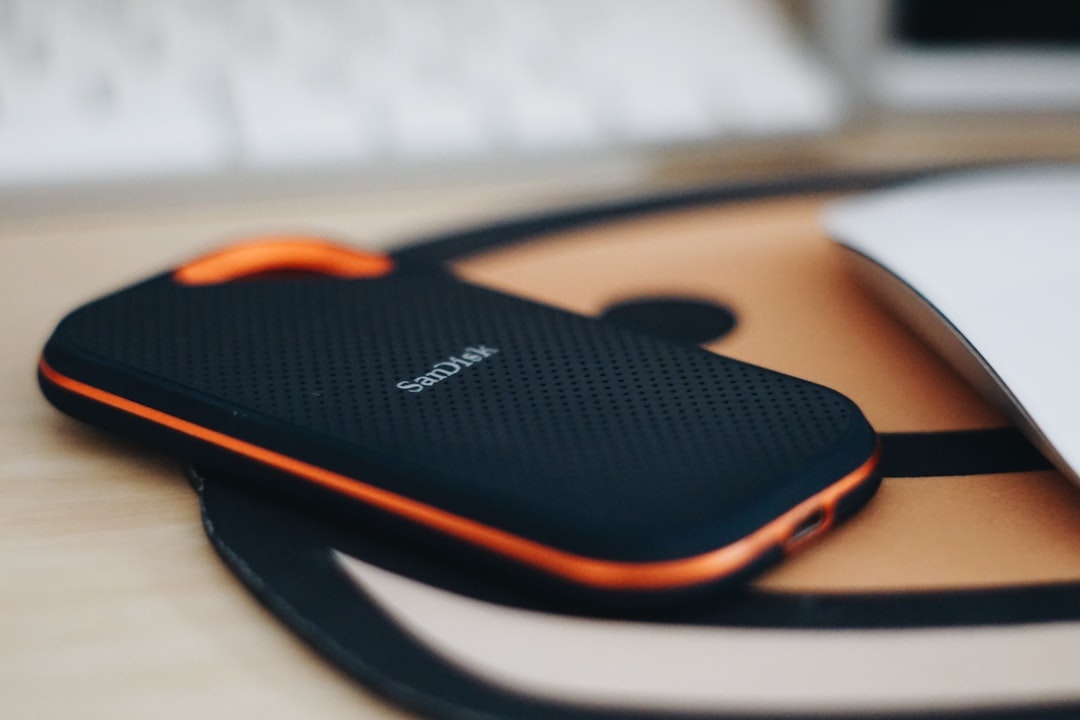
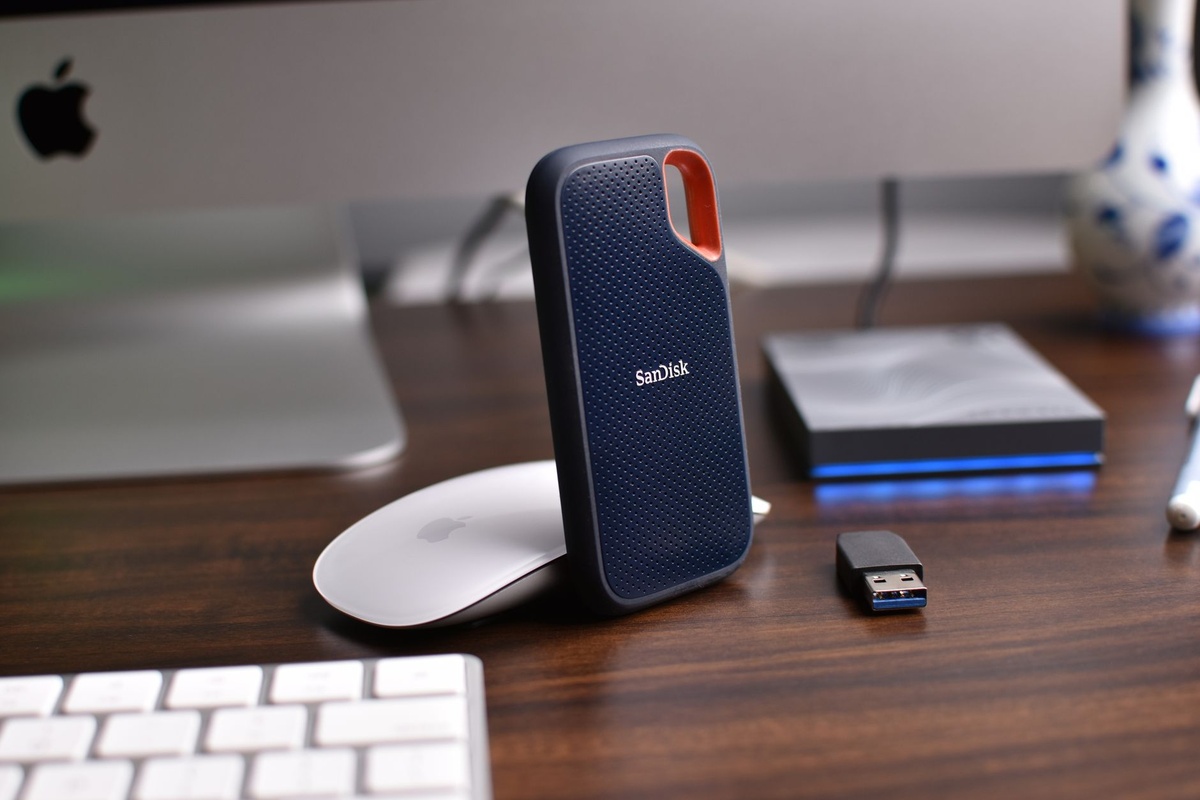
It’s a dual‑connector flash drive designed for iPhone users who run out of storage. One side plugs into your iPhone (Lightning or USB‑C, depending on model), the other into a laptop via USB‑C or USB‑A.
Why this matters when you’re traveling: You can offload photos and videos instantly — on a train, in a campervan, or at an airport gate — without cloud uploads or hotel Wi‑Fi.
Key Specs (2026 Models)
- Capacities: 64GB, 128GB, 256GB, 512GB
- Price (July 2026): $39.99 (64GB), $59.99 (128GB), $89.99 (256GB), $129.99 (512GB)
- Weight: 5–7 grams
- Speed: Up to 150MB/s read (USB‑C models); ~90MB/s read on Lightning
- App: SanDisk Memory Zone (iOS 16+)
- Power: Draws from phone — no battery required
Why this matters when you’re traveling: The 256GB version holds roughly 60,000 photos or 30+ hours of 4K video. That’s an entire two‑week Europe trip without deleting a single sunset.
Real-World Travel Test: 10 Days, 4 Countries
I tested the 256GB USB‑C model on an iPhone 15 Pro during a 10‑day train trip across Switzerland and northern Italy — peak hiking season, constant shooting.
(If you’re planning something similar, our guide on planning a 7‑day Switzerland train trip pairs perfectly with this setup.)
Photo & Video Offload Speed
I transferred 18GB of 4K60 video and 1,200 photos.
- USB‑C iPhone 15 Pro → Drive: ~140MB/s average
- Transfer time: 18GB in just under 3 minutes
- Lightning (iPhone 14 Pro test): 18GB in ~7 minutes
Why this matters when you’re traveling: Seven minutes is a coffee stop. Three minutes is a train station platform wait. You’re not babysitting a laptop backup for an hour.
No Wi‑Fi Required
Hotel Wi‑Fi in peak July? Slow. Airport Wi‑Fi? Worse. Uploading 18GB to iCloud over 10Mbps hotel internet would take 4+ hours.
Why this matters when you’re traveling: In monsoon season across Southeast Asia, power cuts and unstable Wi‑Fi are common. A physical drive works offline, every time.
Battery Impact
Transferring 20GB drained about 6–8% battery on an iPhone 15 Pro.
Why this matters when you’re traveling: That’s manageable on a sightseeing day, especially if you already carry a 10,000mAh power bank. It’s far less draining than tethering to upload to cloud storage.
Why Not Just Buy More iPhone Storage?
Apple charges $200 to jump from 128GB to 256GB on most models. From 256GB to 512GB? Another $200.
The 256GB SanDisk drive costs $89.99.
Why this matters when you’re traveling: That $110 savings pays for a Dolomites campsite or a night in a Nordic cabin during peak hiking season. (And yes, if you’re considering van life, check our campervan rental breakdown for the Dolomites.)
SanDisk Phone Drive vs Cloud Storage
Let’s compare it to iCloud+.
- iCloud 200GB: $2.99/month ($35.88/year)
- iCloud 2TB: $9.99/month ($119.88/year)
- SanDisk 256GB: $89.99 one-time
Cloud is great for syncing. But it’s slow on bad connections and useless without internet.
Why this matters when you’re traveling: If you’re heading to Peru or Bolivia in dry season (July–September peak trekking months), expect rural lodges with limited bandwidth. A physical drive is instant and predictable.
Build Quality & Portability
The drive has a rotating cap that protects the connectors. It’s plastic but sturdy enough for daily bag use.
At 5–7 grams, it’s lighter than most SIM eject tools.
Why this matters when you’re traveling: It lives permanently on my keychain. No cables. No bulk. You’ll actually carry it — which is the whole point.
Compatibility (Important in 2026)
There are two main versions:
- Lightning + USB‑A (for iPhone 12–14 and older iPads)
- USB‑C + USB‑C (for iPhone 15, 16, and newer iPads/Macs)
If you’re buying in 2026, get the USB‑C model unless you’re still on an older iPhone.
Why this matters when you’re traveling: USB‑C is now universal in airports, coworking spaces, and trains. One cable for everything is freedom.
Security & Privacy on the Road
The SanDisk app supports password protection and 256‑bit AES encryption for files stored on the drive.
Why this matters when you’re traveling: If your bag gets lost during a chaotic festival trip — say, somewhere like Barranquilla Carnival — encrypted backups protect your personal data. (We broke down safety and tourist zones in our Carnival 2026 safety guide.)
Pros and Cons
Pros
- Affordable vs iPhone storage upgrade
- Extremely lightweight (under 7g)
- Fast transfers on USB‑C
- No internet required
- Simple plug‑and‑play app
Cons
- Lightning version is noticeably slower
- Easy to lose due to small size
- Plastic build, not ruggedized
Why this matters when you’re traveling: It’s not waterproof or shockproof. If you’re wild swimming across Europe this summer, store it in a dry bag.
Who Should Buy It?
Buy it if:
- You shoot lots of 4K or ProRAW photos
- You travel with limited Wi‑Fi
- You want to avoid paying Apple’s storage markup
- You’re backpacking for weeks at a time
Skip it if:
- You already pay for 2TB iCloud and have reliable data
- You rarely shoot video
- You prefer automatic cloud backups only
Why this matters when you’re traveling: Families on peak July trips fill phones faster than solo travelers. Between kids’ videos, burst shots, and slow‑mo beach clips (just check local beach rules first), storage disappears quickly.
Traveler Verdict
The SanDisk Phone Drive (256GB USB‑C) is the sweet spot at $89.99. It’s fast enough to feel modern, cheap enough to justify, and small enough to live in your pocket all summer.
I’d skip the 64GB version — it fills too fast with 4K video. If you’re serious about travel photography in 2026, 256GB or 512GB makes more sense.
Bottom line: This is one of those small, boring gadgets that saves trips. You don’t appreciate it until your phone hits 99% storage with three days left in Italy.
Practical Travel Tips for Using It
- Offload every night. Make it part of your hotel routine.
- Label folders by city. “Zurich_Day1” beats “IMG_8392.”
- Carry a tiny zip pouch. Prevents loss in backpacks.
- Back up twice for long trips. Drive + cloud when possible.
- Format exFAT. Ensures Mac and Windows compatibility.
Why this matters when you’re traveling: Losing photos hurts more than losing souvenirs. A $90 drive is cheaper than regret.
Conclusion
July is peak travel chaos: crowded beaches, packed hiking trails, full camera rolls. Your iPhone storage shouldn’t be the thing that slows you down.
The SanDisk Phone Drive is simple, fast, and affordable. For travelers who shoot a lot and upload rarely, it’s a smarter buy than paying Apple’s storage tax.
Throw it on your keychain before your next trip. You’ll forget it’s there — until the moment you desperately need it.
Frequently Asked Questions
Does the SanDisk Phone Drive work with iPhone 15 and 16?
Yes. The USB‑C version works with iPhone 15 and 16 models running iOS 16 or later. Older iPhones (12–14) require the Lightning version.
How fast is the SanDisk Phone Drive for 4K video transfers?
On USB‑C iPhones, expect up to 140–150MB/s read speeds. Transferring 18GB of 4K video takes about 3 minutes; Lightning models take closer to 7 minutes.
Is it better than paying for iCloud storage?
For travelers with limited Wi‑Fi, yes. A 256GB drive costs $89.99 one-time, while 2TB iCloud costs $119.88 per year and requires internet access.
Can I store full-resolution ProRAW photos on it?
Yes. The drive supports large ProRAW files (75–100MB each). A 256GB model can hold roughly 2,500–3,000 ProRAW images.

About the Author: Tomáš Bzirský
Founder and editor of Distratech. Based in the Czech Republic, travelling regularly from Central Europe. Writes practical travel guides and travel-tech comparisons (eSIM, apps, airports) in six languages.