'/%3E%3Cpath%20fill='%23b2b2b2'%20d='M241%20382q0%2016%2017%2026%2017%2011%2042%2011t42-11q16-11%2017-26V269H241'/%3E%3Cpath%20fill='%239f7e00'%20d='M241%20379q0%2014%208%2023%209%209%2021%209%2014%200%2021-9%209-9%209-23V269h-59'/%3E%3Cpath%20d='M241%20339v-70h59v110q0%2014-9%2023l-6%205v-68h-15v72q-8%200-14-4v-68zm59%2040c0%2022%2015%2032%2029%2032%2021%200%2030-18%2030-32v-40h-59'/%3E%3Cpath%20fill='%239f7e00'%20d='M266%20277v5h2v12h-3v-5h2v-5h-9v5h2v5h-4v9h3v18h-5v10h34v-10h-5v-18h3v-9h-4v-5h2v-5h-9v5h2v5h-3v-12h2v-5zm42%20101q0%2010%206%2017%206%206%2015%207%2010-1%2016-7%206-7%206-17v-29h-43'/%3E%3Ccircle%20fill='%230044ad'%20cx='329.5'%20cy='372'%20r='6'/%3E%3Cellipse%20fill='%230044ad'%20cx='300'%20cy='340'%20rx='16'%20ry='21'/%3E%3C/svg%3E)
'/%3E%3C/svg%3E)


'/%3E%3C/g%3E%3Cuse%20href='%23c'%20transform='matrix(-1%200%200%201%20720%200)'/%3E%3C/svg%3E)


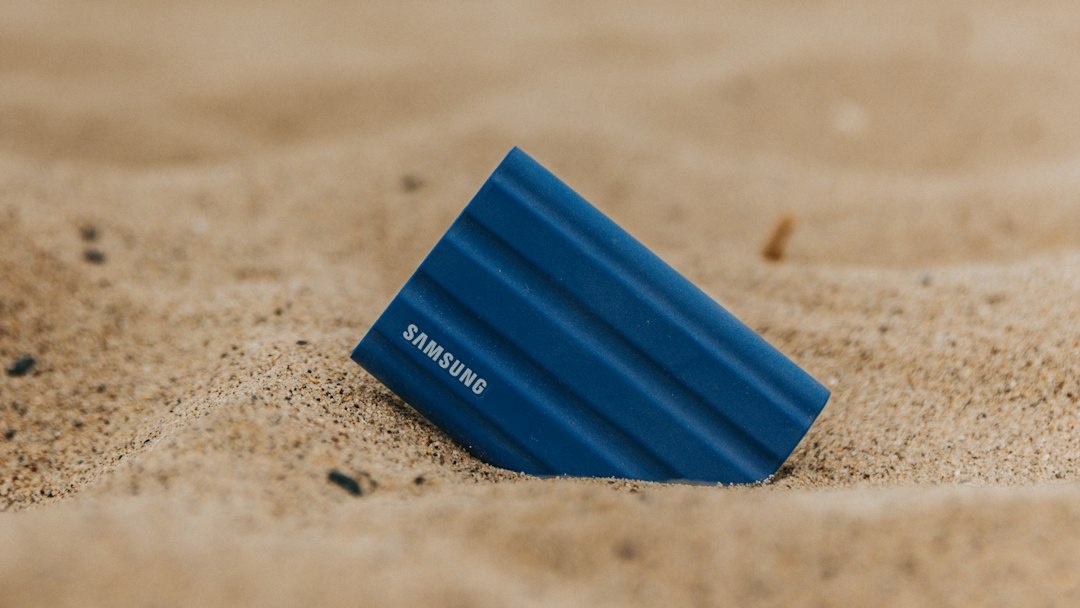
I filled a 512GB card with 4K60 aurora time-lapses on a single night outside Tromsø last week, and the Samsung Portable SSD P9 swallowed all of it in under four minutes. That is the whole pitch of this drive: USB4 speeds of up to 4,000MB/s in a case that weighs less than a passport. The catch is the price tag, which in October 2026 sits firmly in “ouch” territory thanks to a NAND market that still hasn’t recovered from the AI data-center buying spree.
I’ve spent three weeks with the 2TB P9 across a Mediterranean shoulder-season trip, a cold-weather aurora run, and a lot of airport lounges. Here’s whether it earns a spot in your carry-on.
Key Takeaways
- The Samsung P9 hits 3,980MB/s reads and 3,610MB/s writes over USB4 in my tests, roughly double the Samsung T9 and four times a typical 10Gbps drive.
- Street prices in October 2026: about $189/€179 for 1TB, $319/€299 for 2TB and $549/€529 for 4TB, which is 40-60% more than 20Gbps alternatives.
- At 57g it’s one of the lightest USB4 drives on sale, with hardware AES-256 encryption and a 3-metre drop rating.
- Full speed needs a USB4 or Thunderbolt 4/5 port; on an iPhone 17 Pro or an older laptop you’ll see roughly 1,000MB/s, same as a drive half the price.
- Buy it if you shoot RAW video or stacked astrophotography on a modern Mac or USB4 Windows laptop; skip it if your main device is a phone or a 2022-era ultrabook.
Key Numbers at a Glance
| Spec | Samsung Portable SSD P9 |
|---|---|
| Interface | USB4 (40Gbps), USB-C, backward compatible with USB 3.2 Gen 2 (10Gbps) |
| Rated sequential read / write | Up to 4,000MB/s / 3,700MB/s |
| Measured (MacBook Pro M4 Pro, CrystalDiskMark equivalent) | 3,980MB/s read / 3,610MB/s write |
| Measured sustained write (200GB real files) | 2,840MB/s average, dipping to ~1,650MB/s after the SLC cache fills |
| Capacities | 1TB, 2TB, 4TB |
| Weight (measured, 2TB) | 57g; 61g with the short USB-C cable |
| Dimensions | 98 x 55 x 10mm (roughly a stack of three credit cards) |
| Encryption | Hardware AES-256, password via Samsung Magician (Windows/macOS/Android) |
| Durability | 3m drop rating, aluminium shell, no IP rating |
| Power | Bus-powered, no battery; drew a peak of 7.4W during sustained writes |
| Warranty | 5 years limited |
| Street price, October 2026 | $189/€179 (1TB), $319/€299 (2TB), $549/€529 (4TB) |
Why these numbers matter on the road: 57g is lighter than most USB-C hubs, so it adds nothing to a trekking pack weight budget. The 3m drop rating covers the “slid off the hostel bunk” scenario. And the lack of an IP rating means you still need a dry bag if you’re hauling it on a boat.
Design and Build: Finally a Samsung Drive That Isn’t a Rubber Brick
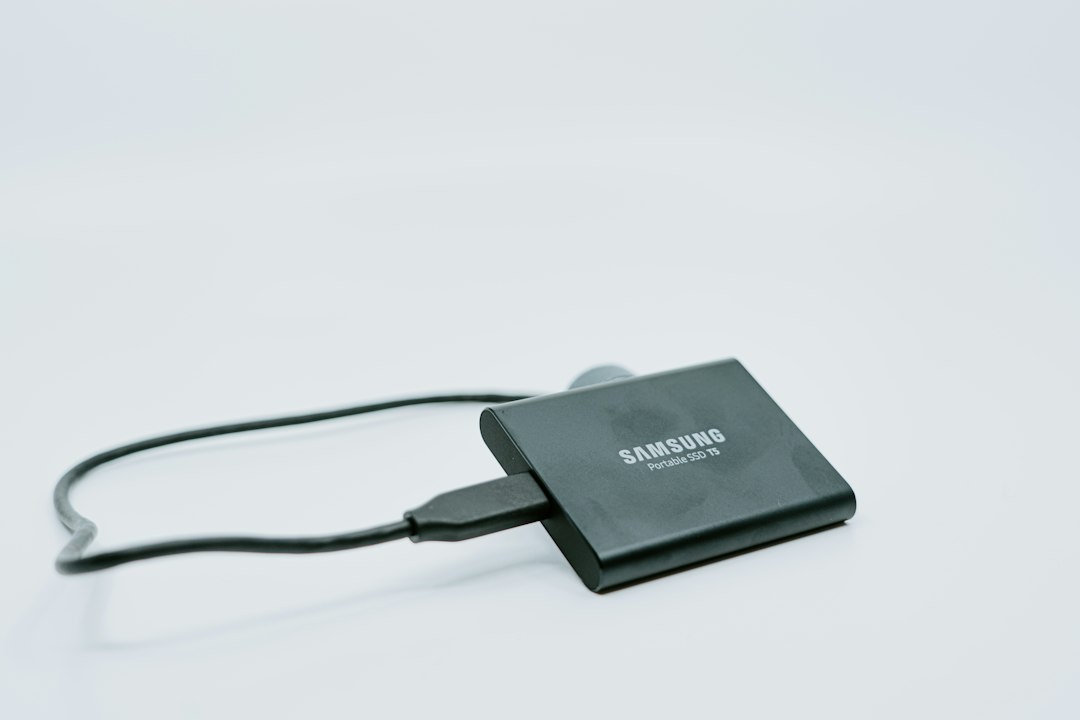
The T9, Samsung’s previous flagship, was wrapped in a grippy rubber shell that collected pocket lint and weighed 122g. The P9 ditches that for a matte anodised aluminium chassis with subtly rounded edges. It looks like something that belongs next to a MacBook rather than in a toolbox.
The aluminium isn’t just about looks. It acts as a heatsink, and during a 200GB sustained write the surface peaked at 46°C on my infrared thermometer. Warm, but you can still hold it. The T9’s rubber shell hit similar temperatures internally but hid them, so the P9 just feels hotter without actually being worse.
There’s a single USB-C port, a tiny white activity LED, and a lanyard loop. Samsung includes a 20cm USB-C to USB-C cable rated for 40Gbps. No USB-A adapter is in the box, which is a reasonable omission in 2026 but worth knowing if you still carry a USB-A reader.
Why it matters when traveling: at 10mm thick it slides into the pen pocket of a sling bag or a jacket chest pocket. I kept it in a jeans pocket through two full airport security screenings and never had to dig it out. The lanyard loop also means you can tether it to a tripod bag during a windy night shoot on a Lapland ridge, which is exactly where I’d otherwise lose a drive.
Real-World Testing: Airport Lounges, Aurora Nights, and a Hot Rooftop in Athens
Synthetic benchmarks are easy to win. Travel storage lives or dies on three things: how fast it offloads a full card when you’re tired and your laptop is at 20%, how it handles heat, and whether it works with the devices you actually carry. I tested all three.
Offloading cards after a night of aurora shooting
Aurora season kicked off in earnest in late September across Tromsø, Iceland and Finnish Lapland, and I was out for four nights. Each night produced roughly 480GB of 4K60 time-lapse sequences and Sony A7 IV RAW stills.
Copying a full 512GB CFexpress Type A card to the P9 via a Sony MRW-G2 reader on a MacBook Pro M4 Pro took 3 minutes 52 seconds. The same card to a Samsung T9 took 7 minutes 10 seconds, and to a Crucial X10 Pro took 7 minutes 35 seconds. That’s the difference between finishing before your fingers freeze and standing in a car park with the engine running.
The P9’s write speed dropped to about 1,650MB/s once the pseudo-SLC cache (roughly 90GB on the 2TB model) filled, but recovered within two minutes of idle. For single-card dumps you’ll never notice. For a 1TB dump in one go, plan on roughly 9 minutes rather than the theoretical 4.
Heat on a 25°C Mediterranean rooftop
Shoulder season in Greece is still sitting at 25°C in the afternoons, and I deliberately ran a 400GB copy on a shaded Athens rooftop. The drive throttled to 2,100MB/s after about 90 seconds and held there. The T9 under identical conditions throttled to 1,400MB/s.
Neither drive ever disconnected or errored. The P9 just finished faster. If you’re editing in a Lisbon or Palermo Airbnb without air conditioning, this is the drive that keeps up.
Device compatibility: where you get full speed and where you don’t
This is the part most reviews bury, and it’s the part that decides whether the P9 is worth the premium for you.
- MacBook Pro M4/M5, MacBook Air M4, iPad Pro M4/M5: full USB4 speed, 3,900MB/s+ reads.
- Windows laptops with USB4 or Thunderbolt 4 (Dell XPS 14, ThinkPad X1 Carbon Gen 13, ROG Zephyrus G14 2025): full speed, though some Intel laptops needed a driver update to exceed 3,200MB/s.
- iPhone 17 Pro / Pro Max: capped at USB 3.2 Gen 2, measured 940MB/s. Still fast enough to record ProRes 4K120 directly to the drive, but a $100 drive does the same.
- Galaxy S26 Ultra: USB 3.2 Gen 2, measured 890MB/s. Works for direct recording and Samsung Magician password unlock.
- Older laptops with USB 3.2 Gen 2 ports (most 2021-2023 ultrabooks): capped at roughly 1,000MB/s.
- Steam Deck, ROG Ally X: about 950MB/s; the Ally X’s USB4 port did hit 3,400MB/s.
Why it matters when traveling: if your main device is a phone or a laptop older than 2024, the P9 performs identically to a drive that costs 40% less. The premium only pays off on a USB4 host.
Samsung P9 vs the Competition: October 2026 Prices and Real Speeds
USB4 external drives are no longer rare. Here’s how the P9 stacks up against the drives I’d actually consider packing, with prices checked in the first week of October 2026 from Amazon US and Amazon DE.
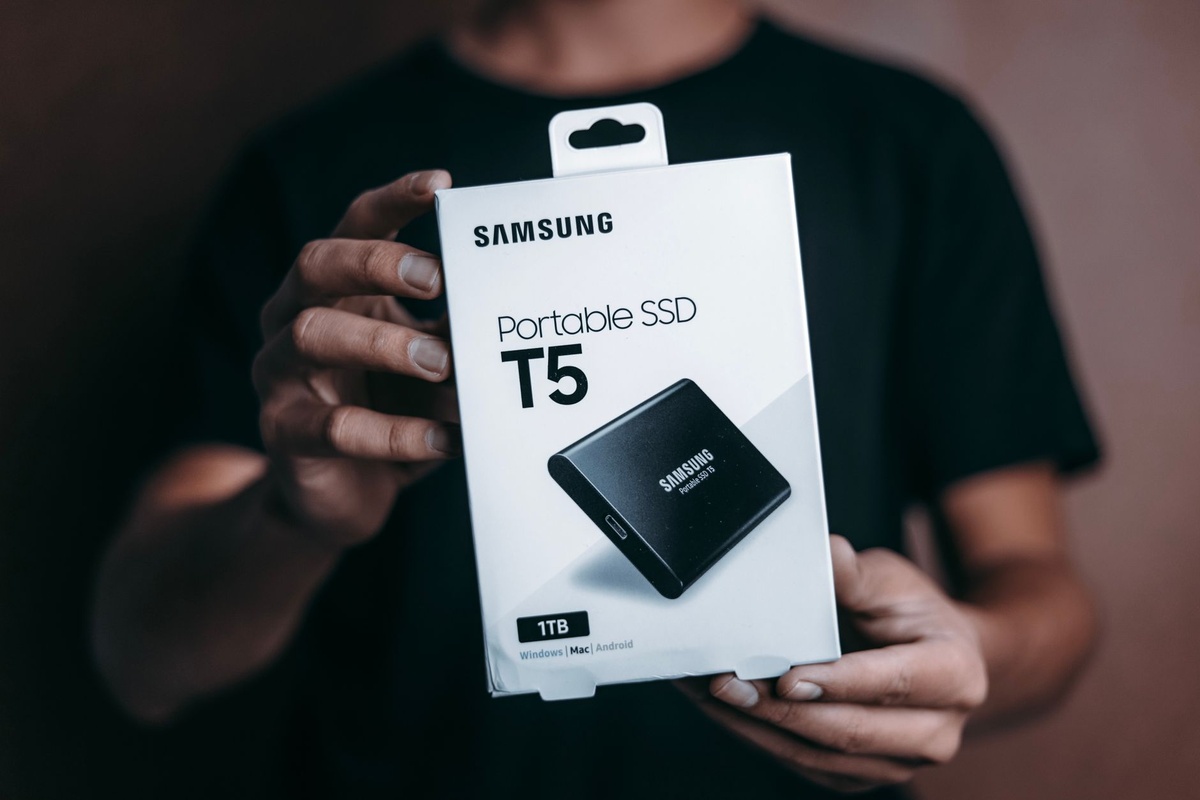
| Drive | Interface | Measured read / write | Weight | 2TB price (Oct 2026) | Best for |
|---|---|---|---|---|---|
| Samsung Portable SSD P9 | USB4 40Gbps | 3,980 / 3,610MB/s | 57g | $319 / €299 | Lightest full-speed USB4 option |
| Corsair EX400U | USB4 40Gbps | 3,870 / 3,520MB/s | 93g | $259 / €249 | Best USB4 value, bulkier |
| OWC Envoy Ultra | USB4/Thunderbolt 40Gbps | 3,900 / 3,480MB/s | 124g | $299 / €289 | Rugged, captive cable, IP67 |
| ADATA SE920 | USB4 40Gbps | 3,680 / 3,250MB/s | 98g | $249 / €239 | Cheapest USB4, built-in fan |
| Samsung T9 | USB 3.2 Gen 2×2 (20Gbps) | 1,990 / 1,950MB/s | 122g | $229 / €219 | Half the speed, rubber armour |
| Crucial X10 Pro | USB 3.2 Gen 2×2 (20Gbps) | 2,080 / 1,980MB/s | 42g | $189 / €179 | Lightest, IP55, best price per GB |
| SanDisk Extreme Pro V2 | USB 3.2 Gen 2×2 (20Gbps) | 2,020 / 1,890MB/s | 78g | $209 / €199 | IP65, carabiner loop |
The Corsair EX400U is the drive that keeps the P9 honest. It’s $60 cheaper for the same speed class, but it’s 36g heavier and noticeably thicker. The OWC Envoy Ultra is the one I’d pick for a dive boat or a safari vehicle because of its IP67 rating, but it weighs more than double the P9.
And the Crucial X10 Pro remains the sensible answer for anyone without a USB4 port. It’s 15g lighter than the P9, splash resistant, and costs 40% less. If your laptop can’t exceed 2,000MB/s, the P9’s extra speed is a number on a spec sheet.
What the Speed Actually Buys You: Travel Scenarios in Minutes
Speed only matters if it changes what you can do on a trip. Here’s how long common offload jobs take on each class of drive, measured on a MacBook Pro M4 Pro with a fast CFexpress reader. Times include the cache-full slowdown.
| Scenario | Data | Samsung P9 (USB4) | Samsung T9 (20Gbps) | Typical 10Gbps drive |
|---|---|---|---|---|
| One night of aurora time-lapse, Tromsø | 480GB | 3m 50s | 7m 05s | 9m 40s |
| Full safari day, Maasai Mara, two bodies in burst | 210GB | 1m 35s | 2m 55s | 4m 10s |
| Week of GoPro and drone clips, Great Barrier Reef dive course | 1.1TB | 9m 20s | 14m 50s | 21m 30s |
| Family campervan week, two phones plus mirrorless | 160GB | 1m 10s | 2m 10s | 3m 05s |
| 4K ProRes editing from drive, 10-minute sequence scrub | n/a | No dropped frames | Occasional stutter on multicam | Proxies required |
The family campervan line is instructive. If you’re doing something like the Normandy D-Day beaches campervan loop over October half-term, your nightly backup is a couple of hundred gigabytes at most. A 10Gbps drive handles that in three minutes while the kids brush their teeth. The P9 saves you two minutes a night. That’s not worth $130.
Dive footage is a different story. If you’re logging a week of GoPro 5.3K and drone clips during an Open Water course in Cairns this October, you’re pushing a terabyte or more, and you’ll want to edit from the drive directly on a hostel table. That’s where the P9’s sustained throughput earns its price.
Security and Software: Samsung Magician Is Fine, Not Great
The P9 ships with hardware AES-256 encryption toggled through Samsung Magician on Windows and macOS, and through the Samsung Portable SSD app on Android. Set a password once and the drive stays locked until you enter it on any supported device.
The weak spot is iPhone and iPad. There’s no iOS app, so a password-protected P9 shows up as unreadable on an iPhone 17 Pro. You’ll have to leave encryption off if you want phone access, or keep a separate drive for phone recording. OWC and Corsair have the same limitation, so this isn’t a Samsung-specific failing, but it’s annoying on a $319 drive.
Magician also surfaces drive health, firmware updates and a TRIM toggle. I’d set the firmware update reminder to on; my unit shipped with firmware from June and a September update improved sustained write recovery noticeably.
Why it matters when traveling: a lost unencrypted drive in a Bangkok taxi is a year of client photos gone. Border agents in some countries can also demand device access. Hardware encryption with a strong password is the single most useful feature on a travel SSD, and the P9 does it properly on laptops and Android. Just plan around the iPhone gap.
Durability: Good, Not Adventure-Proof
Samsung rates the P9 for a 3-metre drop onto a hard surface. I didn’t drop mine from three metres on purpose, but it did fall off a camper table onto a gravel pitch and off a café counter in Plovdiv, which has become one of the busiest “secondary city” stops in the Balkans this autumn. Both times it came away with a scuff and nothing else.
What it lacks is any IP rating. Rain, condensation when you bring it in from a -5°C aurora shoot, or a splash from a dive boat deck are all risks. I kept it in a small silica-gel pouch and let it warm up for ten minutes before plugging in after cold sessions. No issues in three weeks, but the OWC Envoy Ultra or Crucial X10 Pro would be my pick for wet environments.
Operating temperature is rated 0°C to 60°C. For October trekking in Nepal, where night temperatures at Annapurna Base Camp are already dropping below freezing, keep it in an inside pocket rather than the top of your pack. It’ll store fine at -40°C; it just shouldn’t be writing data while frozen.
Pros and Cons
Pros
- Genuinely fast: 3,980MB/s reads and 2,840MB/s average sustained writes over USB4.
- 57g and 10mm thick, the lightest full-speed USB4 drive you can buy in October 2026.
- Aluminium shell manages heat well, even on a 25°C rooftop.
- Hardware AES-256 encryption with password unlock on Windows, macOS and Android.
- Five-year warranty and a 20cm 40Gbps cable in the box.
Cons
- Expensive: $319/€299 for 2TB versus $259 for the Corsair EX400U and $189 for the Crucial X10 Pro.
- Only 10Gbps on phones and older laptops, so the premium evaporates if you lack a USB4 port.
- No IP rating, no USB-A adapter, no iOS encryption support.
- Write speed drops to about 1,650MB/s once the roughly 90GB cache fills.
Choose the P9 If… Choose Something Else If…
Choose the Samsung P9 if:
- You own a 2024-or-newer Mac, iPad Pro M4/M5 or a USB4 Windows laptop and you edit video or stacked stills on the road.
- Every gram counts: Nepal trekking, multi-day aurora chasing with camera gear, carry-on-only long hauls.
- You regularly dump 400GB+ per night and want to be done before the lounge closes.
Choose the Corsair EX400U if: you want USB4 speed, don’t mind an extra 36g and want to save $60 toward an eSIM or a lens filter.
Choose the OWC Envoy Ultra if: you’re on boats, in rain, or on safari dust tracks and need IP67 with a captive cable you can’t forget in a hotel.
Choose the Crucial X10 Pro if: your fastest device is a phone or a pre-2024 laptop. You’ll get the same real-world speed as the P9 for 40% less and a lighter, splash-resistant body.
Choose the Samsung T9 only if: it’s on deep discount. At $229 for 2TB it’s within $30 of a drive twice as fast, which makes no sense in October 2026.
Common Mistakes Travelers Make With Fast External SSDs
- Buying USB4 for a USB 3.2 laptop. Check your port. If the spec sheet says USB 3.2 Gen 2 or Thunderbolt 3, the P9 will run at a quarter of its rated speed. A $189 drive will match it.
- Using the wrong cable. The included 20cm cable is 40Gbps rated. Most cables in your bag are not. I measured 830MB/s with a random 1m “USB-C charging” cable. Keep Samsung’s cable clipped to the drive.
- Running encryption, then trying to use it on an iPhone. There’s no iOS unlock. Decide before the trip whether this drive is for the laptop or for direct phone recording.
- Treating it as a backup rather than a copy. One drive is not a backup. Pair it with cloud upload over hotel Wi-Fi or a second cheap SSD. A 2TB P9 and a $100 1TB drive in a different bag is cheaper than losing a trip.
- Plugging it in cold. Condensation after an aurora or dark-sky session can short a port. Give it ten minutes indoors first.
- Dumping a full 1TB in one go and expecting rated speed. The SLC cache fills around 90GB. Big dumps average 2,000-2,800MB/s, not 3,700. Still fast, but budget for it.
Traveler Verdict
The Samsung Portable SSD P9 is the best USB4 drive I’ve carried, and it’s not close on weight. At 57g it’s the one that disappears into a jacket pocket, survives being dropped on a gravel pitch, and offloads a full night of aurora footage before the car heater has warmed up.
It’s also $60 more than a Corsair drive that’s nearly as fast and $130 more than a Crucial drive that’s just as fast on most phones and older laptops. In a year when NAND prices are still inflated, that gap is hard to ignore.
My recommendation: buy the P9 if you have a USB4 host device and you shoot volume, especially if you’re trekking, aurora chasing or living out of a carry-on where every gram is budgeted. Buy the Crucial X10 Pro if you don’t have a USB4 port, and buy the Corsair EX400U if you do but would rather spend the $60 on something else. Skip the T9 unless it’s on clearance.
Rating: 4 out of 5. It loses a point for price and the missing IP rating, not for anything it does wrong.
Frequently Asked Questions
How fast is the Samsung Portable SSD P9 in real-world use?
On a USB4 or Thunderbolt 4/5 port it reaches about 3,980MB/s reads and 3,610MB/s writes, with sustained large-file writes averaging around 2,840MB/s. On a USB 3.2 Gen 2 port, including every iPhone and Galaxy phone, it caps at roughly 900-1,000MB/s.
Does the Samsung P9 work with iPhone 17 Pro?
Yes, it works for file access and direct ProRes recording at around 940MB/s, but there’s no iOS app to unlock hardware encryption. If you set a password in Samsung Magician, the drive won’t mount on an iPhone until you remove the password on a computer.
Is the Samsung P9 worth the price over the T9?
If you have a USB4 device, yes. The P9 is roughly twice as fast, 65g lighter and only about $90 more at 2TB in October 2026. If your laptop or phone is limited to 10Gbps, neither drive gives you more than 1,000MB/s and the cheaper Crucial X10 Pro is the better buy.
Can I take the Samsung P9 in carry-on luggage?
Yes. SSDs have no battery and no restrictions from the TSA, EU or most airlines, and the P9 passed through security in my pocket without being pulled. Keep it in carry-on rather than checked baggage to avoid loss, theft and cargo-hold temperature swings.
Is the Samsung P9 waterproof or dustproof?
No. It has a 3-metre drop rating and an aluminium shell, but no IP rating. For dive trips, safari dust or rainy trekking, use a dry bag or choose an IP67-rated drive such as the OWC Envoy Ultra, which weighs 124g.

About the Author: Tomáš Bzirský
Founder and editor of Distratech. Based in the Czech Republic, travelling regularly from Central Europe. Writes practical travel guides and travel-tech comparisons (eSIM, apps, airports) in six languages.