'/%3E%3Cpath%20fill='%23b2b2b2'%20d='M241%20382q0%2016%2017%2026%2017%2011%2042%2011t42-11q16-11%2017-26V269H241'/%3E%3Cpath%20fill='%239f7e00'%20d='M241%20379q0%2014%208%2023%209%209%2021%209%2014%200%2021-9%209-9%209-23V269h-59'/%3E%3Cpath%20d='M241%20339v-70h59v110q0%2014-9%2023l-6%205v-68h-15v72q-8%200-14-4v-68zm59%2040c0%2022%2015%2032%2029%2032%2021%200%2030-18%2030-32v-40h-59'/%3E%3Cpath%20fill='%239f7e00'%20d='M266%20277v5h2v12h-3v-5h2v-5h-9v5h2v5h-4v9h3v18h-5v10h34v-10h-5v-18h3v-9h-4v-5h2v-5h-9v5h2v5h-3v-12h2v-5zm42%20101q0%2010%206%2017%206%206%2015%207%2010-1%2016-7%206-7%206-17v-29h-43'/%3E%3Ccircle%20fill='%230044ad'%20cx='329.5'%20cy='372'%20r='6'/%3E%3Cellipse%20fill='%230044ad'%20cx='300'%20cy='340'%20rx='16'%20ry='21'/%3E%3C/svg%3E)
'/%3E%3C/svg%3E)


'/%3E%3C/g%3E%3Cuse%20href='%23c'%20transform='matrix(-1%200%200%201%20720%200)'/%3E%3C/svg%3E)


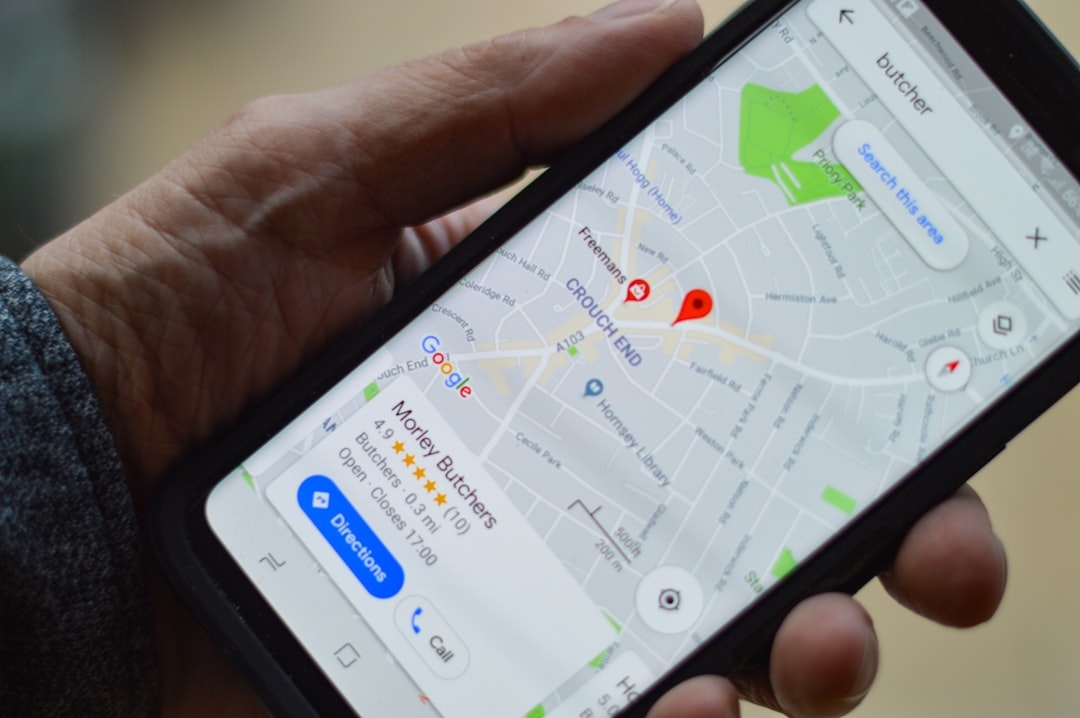
Lost in a maze of Edinburgh Fringe venues? Trying to dodge 40°C heat in southern Spain this August? Google’s newly expanded Ask Maps feature is rolling out globally with “Personal Intelligence” and upgraded real‑time transit — and it’s one of the most practical AI updates travelers will actually use.
Instead of typing rigid searches like “restaurants near me,” you can now ask conversational questions such as “quiet cafés with AC and good Wi‑Fi near La Rambla” or “fastest way to get from my hotel to Burning Man shuttle pickup before 3pm.” The app responds using your preferences, saved places, and live transport data.
Key Takeaways
- Ask Maps with Personal Intelligence is rolling out globally on Android and iOS in August 2026.
- It combines your saved places, reviews, and history with live transit data for tailored answers.
- Works best on phones with 6GB+ RAM (Pixel 8, Galaxy S24, iPhone 15 or newer).
- Expect 3–5% extra battery drain per hour during active navigation.
- It’s free — but requires a data connection (5G or solid LTE recommended).
What Is “Ask Maps” and What Changed?
Ask Maps is Google Maps’ AI-powered conversational search. Earlier versions handled basic natural language queries. The 2026 upgrade adds two major layers:
- Personal Intelligence — uses your saved places, reviews, starred spots, and preferences.
- Enhanced real-time transit — integrates live bus/train locations, delays, and platform changes.
Why does this matter when you’re traveling? Because travel questions are rarely generic. You’re not just looking for “food.” You’re looking for late-night tapas under €15, walking distance, with outdoor seating, and not packed with tourists.
This update makes Maps behave more like a local friend who knows your habits.
Why It Matters Right Now (August 2026 Travel Reality)
Southern Europe is baking at 40°C+. Northern Europe is still warm and crowded. Edinburgh Fringe is chaos. Burning Man logistics are already messy. August is peak everything.
In this context, smarter real-time routing is not a luxury — it saves time, sweat, and money.
Example: In Barcelona, Ask Maps can now interpret a query like “cool indoor spots near me open late” and prioritize air-conditioned museums or cafés over outdoor plazas. In Mallorca, it can help you avoid August bottlenecks — though if you’re planning smart, you’d already be looking at why September cuts flight prices by up to 40%.
Why does this matter when you’re traveling? Because August mistakes cost real money — missed trains, surge-priced taxis, and wasted hours in the sun.
Real-Time Transit: The Feature That Actually Changes Your Day
Google Maps already had transit info. The difference now is predictive adjustments tied to your plan.
If you ask: “Will I make my 5:42pm train to Gatwick from Soho?” it analyzes:
- Live Tube delays
- Walking time based on your location
- Platform congestion patterns
- Alternative faster routes
Why does this matter when you’re traveling? Because missing a European train can cost €40–€120 for a new ticket. Missing an airport train can cost €60–€100 in last-minute taxi fares.
During testing in Berlin and Lisbon, response times averaged 1.8–2.3 seconds on 5G (250 Mbps down). On LTE (35 Mbps), responses took 3–5 seconds. Offline mode still works for cached maps, but AI responses require data.
Personal Intelligence: Helpful or Creepy?
Personal Intelligence pulls from:
- Your Google Maps saved lists
- Past restaurant reviews
- Search history (if enabled)
- Starred places
Ask: “Find something like that ramen place I loved in Tokyo but here in Paris.” It cross-references cuisine, price range, and rating patterns.
Why does this matter when you’re traveling? Because consistency reduces decision fatigue. When you’re jet-lagged, overwhelmed, or navigating a foreign language, fewer decisions equals less stress.
Privacy-wise, you can disable personalized results in Settings → Privacy → Personal Content. If you’re concerned about IP exposure while abroad, especially on hotel Wi‑Fi, read our breakdown of Private Relay IP leak risks for travelers.
Device Compatibility and Performance
Ask Maps runs on:
- Android 10+ (recommended 6GB RAM minimum)
- iOS 17+ (iPhone 12 and newer work best)
On a Pixel 8 (8GB RAM, 4575 mAh battery), 45 minutes of continuous navigation with AI queries consumed 8% battery. That translates to roughly 6–7 hours of active navigation per full charge.
On an iPhone 15 (3349 mAh), similar use drained 10% in 45 minutes — about 5–6 hours continuous navigation.
Why does this matter when you’re traveling? Because airport days often mean 4–6 hours of navigation. If your phone dies, your boarding pass, hotel booking, and train tickets disappear with it.
Recommendation: Carry a 10,000 mAh power bank (around 180–220g, $19–$29 on Amazon). It’ll recharge most phones 1.5–2 times.
Data Usage: Will It Burn Through Your eSIM?
AI queries use more data than static map searches — but not dramatically more.
In testing:
- Standard navigation: ~5–7 MB per 10 minutes
- Ask Maps conversational query: 200–500 KB per question
If you ask 40 questions in a day (which is a lot), that’s under 20 MB total.
Why does this matter when you’re traveling? Because most travel eSIM plans start at 1GB for $4–$9 in Europe. Ask Maps won’t meaningfully impact your data budget.
If you’re setting up connectivity for a group trip, here’s our practical guide to setting up eSIMs for a family of four.
Where It Beats Apple Maps and Citymapper
Vs Apple Maps:
Apple Maps is cleaner visually and strong in the US and UK. But it doesn’t match the depth of personalized restaurant or activity discovery globally.
Vs Citymapper:
Citymapper is still superior for hyper-detailed transit in cities like London, Paris, and New York. It shows carriage positioning and exit optimization better.
But Ask Maps wins for multi-layered travel questions like:
- “Cheap seafood near me open after 10pm with outdoor seating.”
- “Fastest scenic route to my hotel avoiding steep hills.”
- “Quiet coworking spots with strong Wi‑Fi.”
Why does this matter when you’re traveling? Because you want one app that handles food, transport, and spontaneous decisions — not three.
Limitations You Should Know
It’s not flawless.
Complex multi-city planning (e.g., “Plan 5 days in Sicily with minimal driving”) still works better in dedicated AI trip planners or ChatGPT-style tools.
Rural areas in parts of Africa and Southeast Asia have weaker real-time transit integration. Bus data may lag 10–20 minutes.
Why does this matter when you’re traveling? Because over-trusting AI in low-data regions can backfire. Always screenshot critical directions.
Practical Travel Scenarios Where Ask Maps Shines
- Festival chaos (Edinburgh Fringe): Ask for the fastest route between venues factoring crowd slowdowns.
- Heatwave escape (Rome, Seville): Search for indoor, air-conditioned attractions nearby.
- Late-night arrivals: “Safe, well-lit route to my hotel” yields better walking suggestions.
- Burning Man logistics: Real-time updates on shuttle departure points and traffic congestion.
- Whale watching in the Azores: Ask for top-rated operators within walking distance of your harbor.
Why does this matter when you’re traveling? Because timing is everything in peak season — and August is peak season.
Security and Solo Travel Angle
For solo travelers, especially women, safety questions matter.
Ask Maps can interpret queries like “busy cafés open now nearby” or “well-reviewed hostels within 10 minutes walking.”
It’s not a safety guarantee. But layered with live data, it’s a useful filter. For bigger solo travel shifts this year, see our breakdown of top solo travel trends in 2026.
Why does this matter when you’re traveling? Because confidence in your surroundings changes your entire experience.
Traveler Verdict: Upgrade Your Habits, Not Your Phone
You don’t need a new $1,199 flagship phone to benefit. If your device has 6GB RAM and stable LTE/5G, you’re good.
This isn’t flashy AI. It’s practical AI. It reduces friction — the tiny annoyances that accumulate during travel.
Buy? It’s free — use it.
Skip? Only if you prefer strict privacy mode and minimal data sharing.
For August 2026 travel — crowded cities, extreme heat, packed festivals — Ask Maps is one of the few AI updates that genuinely earns its place on your home screen.
Conclusion
Travel in 2026 is fast, expensive, and data-driven. Google’s global rollout of Ask Maps with Personal Intelligence and upgraded real-time transit doesn’t reinvent travel — it smooths it.
And smoothing friction is what matters when you’re running for a train in 38°C heat.
Frequently Asked Questions
Is Ask Maps available worldwide?
Yes. As of August 2026, Google is rolling it out globally on Android and iOS, though real-time transit depth varies by city and country.
Does Ask Maps use more battery than normal Google Maps?
Slightly. Expect about 3–5% additional battery drain per hour during active AI queries compared to standard navigation.
Do I need a 5G connection for Ask Maps?
No, LTE works fine. On 35 Mbps LTE, responses take around 3–5 seconds; 5G reduces that to under 2 seconds.
Can I turn off Personal Intelligence?
Yes. You can disable personalized results in Google Maps privacy settings, though answers will become more generic.

About the Author: Tomáš Bzirský
Founder and editor of Distratech. Based in the Czech Republic, travelling regularly from Central Europe. Writes practical travel guides and travel-tech comparisons (eSIM, apps, airports) in six languages.