'/%3E%3Cpath%20fill='%23b2b2b2'%20d='M241%20382q0%2016%2017%2026%2017%2011%2042%2011t42-11q16-11%2017-26V269H241'/%3E%3Cpath%20fill='%239f7e00'%20d='M241%20379q0%2014%208%2023%209%209%2021%209%2014%200%2021-9%209-9%209-23V269h-59'/%3E%3Cpath%20d='M241%20339v-70h59v110q0%2014-9%2023l-6%205v-68h-15v72q-8%200-14-4v-68zm59%2040c0%2022%2015%2032%2029%2032%2021%200%2030-18%2030-32v-40h-59'/%3E%3Cpath%20fill='%239f7e00'%20d='M266%20277v5h2v12h-3v-5h2v-5h-9v5h2v5h-4v9h3v18h-5v10h34v-10h-5v-18h3v-9h-4v-5h2v-5h-9v5h2v5h-3v-12h2v-5zm42%20101q0%2010%206%2017%206%206%2015%207%2010-1%2016-7%206-7%206-17v-29h-43'/%3E%3Ccircle%20fill='%230044ad'%20cx='329.5'%20cy='372'%20r='6'/%3E%3Cellipse%20fill='%230044ad'%20cx='300'%20cy='340'%20rx='16'%20ry='21'/%3E%3C/svg%3E)
'/%3E%3C/svg%3E)


'/%3E%3C/g%3E%3Cuse%20href='%23c'%20transform='matrix(-1%200%200%201%20720%200)'/%3E%3C/svg%3E)


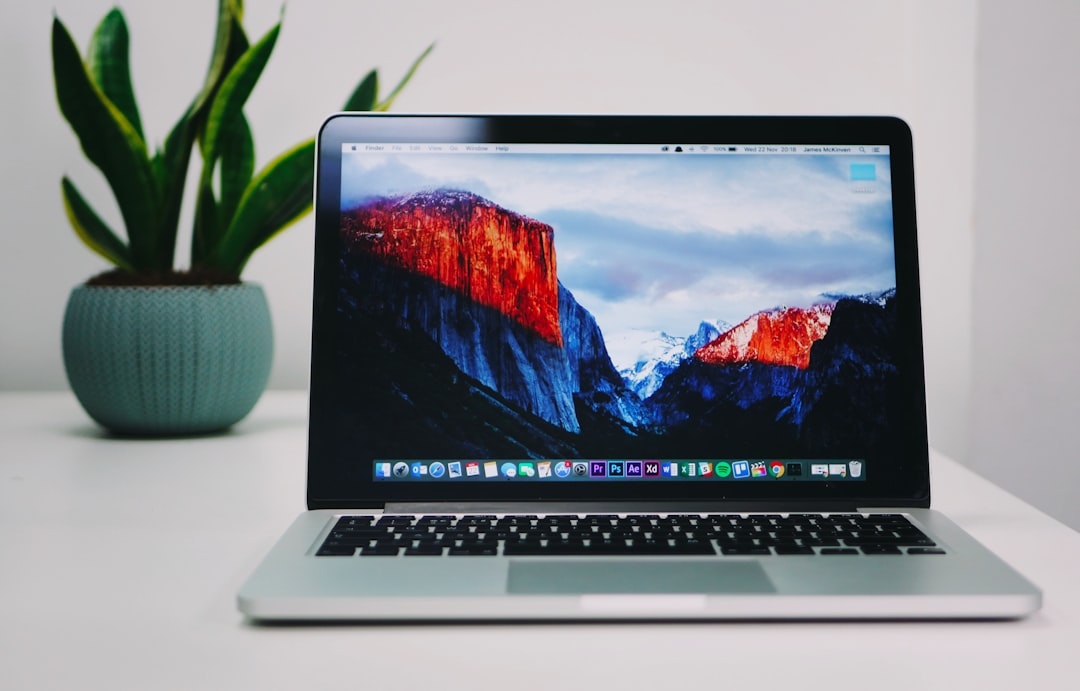
If you’re buying a laptop in 2026, you’re probably spending between $900 and $2,000 — and you’ll live with that decision for the next 4–6 years. For travelers, digital nomads, students abroad, and remote workers, the stakes are even higher. Weight, battery life, charging options, and durability matter just as much as raw performance.
I test laptops year-round while traveling — from airport lounges in Lisbon to beach cafés in Mexico — and these are the models I recommend to almost everyone. They’re reliable, powerful enough for real work, and practical for life on the road this summer.
Key Takeaways
- Best for most people: MacBook Air (M4, 2026) — from $1,099, ~18-hour battery life.
- Best Windows alternative: Dell XPS 13 (Intel Lunar Lake) — from $999, ultra-light and premium.
- Best value: ASUS Zenbook 14 OLED — under $900 with excellent display and battery.
- Best for power users: MacBook Pro 14 (M4 Pro) — serious performance in a travel-friendly size.
- Aim for 16GB RAM and 512GB storage in 2026 — 8GB models aren’t worth it anymore.
1. Apple MacBook Air (M4, 13-inch or 15-inch) — Best for Most Travelers
Starting price: $1,099 (13-inch) / $1,299 (15-inch)
Weight: 2.7 lbs (13”)
Battery life: Up to 18 hours real-world mixed use
Ports: MagSafe, 2x Thunderbolt/USB‑C, headphone jack
If you told me I could only recommend one laptop in 2026, it would be the M4 MacBook Air.
It’s silent (no fan), ridiculously efficient, and powerful enough for 90% of people: writing, photo editing, 4K video trimming, Zoom calls, AI tools, spreadsheets, and dozens of Chrome tabs open while planning a Dolomites road trip.
What makes it great for travelers:
- All-day battery — you can work a transatlantic flight without hunting for an outlet.
- Charges via USB‑C — same charger as your phone, tablet, or power bank.
- Thin and light but doesn’t feel fragile.
- Excellent speakers for hotel-room Netflix nights.
The 13-inch is more portable. The 15-inch gives you more screen real estate for spreadsheets, editing, or split-screen multitasking.
Skip the 8GB model. Get 16GB RAM minimum. With AI tools, browser tabs, and background apps, 8GB is already tight in 2026.
Who it’s for: Students, remote workers, writers, creators, frequent flyers, and basically anyone who doesn’t need serious gaming or 3D rendering.
2. Dell XPS 13 (2026, Intel Lunar Lake) — Best Windows Laptop for Travel
Starting price: Around $999
Weight: ~2.6 lbs
Battery life: 14–17 hours depending on configuration
Display: 13.4” FHD+ or OLED
If you prefer Windows — or your job requires it — the XPS 13 remains the safest premium choice.
The 2026 models with Intel’s Lunar Lake chips are far more efficient than older Intel generations. That means better battery life and less heat, which matters when you’re working outdoors in 85°F heat in Albania or Mexico this summer.
Why travelers love it:
- Extremely compact footprint — fits on tiny airplane tray tables.
- Gorgeous display for editing photos from your trip.
- Solid aluminum build that handles being shoved into backpacks.
The main downside? Fewer ports. You’ll likely need a small USB‑C hub if you regularly use HDMI or USB‑A devices.

Who it’s for: Corporate travelers, business users, Windows loyalists, and digital nomads tied to Microsoft ecosystems.
3. ASUS Zenbook 14 OLED — Best Value Laptop Under $1,000
Typical price: $799–$899
Weight: ~3 lbs
Battery life: 12–15 hours
Standout feature: 3K OLED display
If you’re planning a long summer abroad — maybe working remotely from one of these underrated coastal towns in Mexico — you may not want to spend $1,500 on a laptop you’re taking to the beach.
This is where the Zenbook 14 OLED shines.
You get:
- A stunning OLED screen (great for Netflix and Lightroom).
- AMD Ryzen or Intel Core Ultra chips that are genuinely fast.
- A surprisingly good port selection (USB‑A, HDMI, USB‑C).
It’s not as refined as a MacBook or XPS. The trackpad and speakers are “good,” not “wow.” But at under $900, it’s arguably the smartest budget buy in 2026.
Who it’s for: Students, budget-conscious travelers, backup laptop buyers, or anyone who wants strong performance without premium pricing.
4. MacBook Pro 14 (M4 Pro) — Best for Creators and Power Users
Starting price: $1,999
Weight: 3.5 lbs
Battery life: 16–20 hours depending on workload
Ports: HDMI, SD card, 3x Thunderbolt, MagSafe
If you edit 4K/8K video, run heavy AI workloads, or work with massive datasets while traveling, the MacBook Pro 14 is worth the upgrade.
This is the laptop I see most often among YouTubers and travel filmmakers shooting content in Mexico City food markets or European summer festivals.
Why it’s ideal on the road:
- SD card slot — no dongle needed for camera imports.
- Bright Mini-LED display — usable outdoors.
- Insane performance-per-watt efficiency.
Yes, it’s expensive. But it can replace a desktop for many creatives, which matters if you’re fully remote.

Who it’s for: Travel vloggers, photographers, developers, AI professionals, and anyone making money with their laptop.
What I Don’t Recommend in 2026
I’m opinionated here.
- 8GB RAM models — not future-proof, especially with AI features baked into operating systems.
- Cheap Chromebooks under $400 — fine for basic browsing, but frustrating for real work.
- Heavy gaming laptops (5+ lbs) — unless gaming is your priority, they’re miserable to carry through airports.
- No-name Amazon brands — unreliable keyboards and questionable battery safety aren’t worth saving $200.
When you’re moving between Airbnbs, trains, and airports, reliability matters more than flashy specs.
How to Choose the Right Laptop for Travel (Quick Checklist)
- Weight under 3.5 lbs — your shoulders will thank you.
- 16GB RAM minimum — especially if you multitask or use AI tools.
- 512GB storage — travel photos and videos add up fast.
- USB‑C charging — fewer chargers in your bag.
- 8+ hours real-world battery — not manufacturer claims.
Bonus tip for summer 2026: If you’ll be working from hot climates (Southern Europe, Southeast Asia, beach towns), avoid laptops that run notoriously hot. Apple Silicon and AMD Ryzen chips handle heat better than many older Intel systems.
Final Verdict: If I Had to Pick Just One
For “pretty much anyone,” I’d choose the MacBook Air M4 with 16GB RAM and 512GB storage.
It’s light, powerful, quiet, and has battery life that genuinely changes how you travel. You can work from a café all morning, explore all afternoon, and stream in your hotel at night without thinking about charging.
If you’re Windows-only, the Dell XPS 13 is the closest equivalent. If you’re on a tighter budget, the Zenbook 14 OLED is shockingly good for the price.
Summer travel season is ramping up — flights are full, remote work is still strong, and more people are blending work with trips. The right laptop won’t just help you work. It will shape how — and where — you travel.
Frequently Asked Questions
What is the best laptop for digital nomads in 2026?
The MacBook Air M4 with 16GB RAM is the best overall choice thanks to its ~18-hour battery life, 2.7 lb weight, and strong performance for remote work and content creation.
Is 8GB RAM enough for a laptop in 2026?
For very light use, maybe — but for most people, no. With AI tools, modern browsers, and multitasking, 16GB RAM is the realistic minimum for a laptop you’ll keep 4–5 years.
MacBook Air or MacBook Pro for travel?
Choose the MacBook Air for portability and value. Pick the 14-inch MacBook Pro if you edit 4K/8K video, need more ports (HDMI, SD card), or run heavy professional workloads.
What screen size is best for traveling?
13–14 inches is the sweet spot. It fits airplane tray tables easily and keeps weight under 3.5 lbs while still being large enough for comfortable multitasking.

About the Author: Tomáš Bzirský
Founder and editor of Distratech. Based in the Czech Republic, travelling regularly from Central Europe. Writes practical travel guides and travel-tech comparisons (eSIM, apps, airports) in six languages.