'/%3E%3Cpath%20fill='%23b2b2b2'%20d='M241%20382q0%2016%2017%2026%2017%2011%2042%2011t42-11q16-11%2017-26V269H241'/%3E%3Cpath%20fill='%239f7e00'%20d='M241%20379q0%2014%208%2023%209%209%2021%209%2014%200%2021-9%209-9%209-23V269h-59'/%3E%3Cpath%20d='M241%20339v-70h59v110q0%2014-9%2023l-6%205v-68h-15v72q-8%200-14-4v-68zm59%2040c0%2022%2015%2032%2029%2032%2021%200%2030-18%2030-32v-40h-59'/%3E%3Cpath%20fill='%239f7e00'%20d='M266%20277v5h2v12h-3v-5h2v-5h-9v5h2v5h-4v9h3v18h-5v10h34v-10h-5v-18h3v-9h-4v-5h2v-5h-9v5h2v5h-3v-12h2v-5zm42%20101q0%2010%206%2017%206%206%2015%207%2010-1%2016-7%206-7%206-17v-29h-43'/%3E%3Ccircle%20fill='%230044ad'%20cx='329.5'%20cy='372'%20r='6'/%3E%3Cellipse%20fill='%230044ad'%20cx='300'%20cy='340'%20rx='16'%20ry='21'/%3E%3C/svg%3E)
'/%3E%3C/svg%3E)


'/%3E%3C/g%3E%3Cuse%20href='%23c'%20transform='matrix(-1%200%200%201%20720%200)'/%3E%3C/svg%3E)


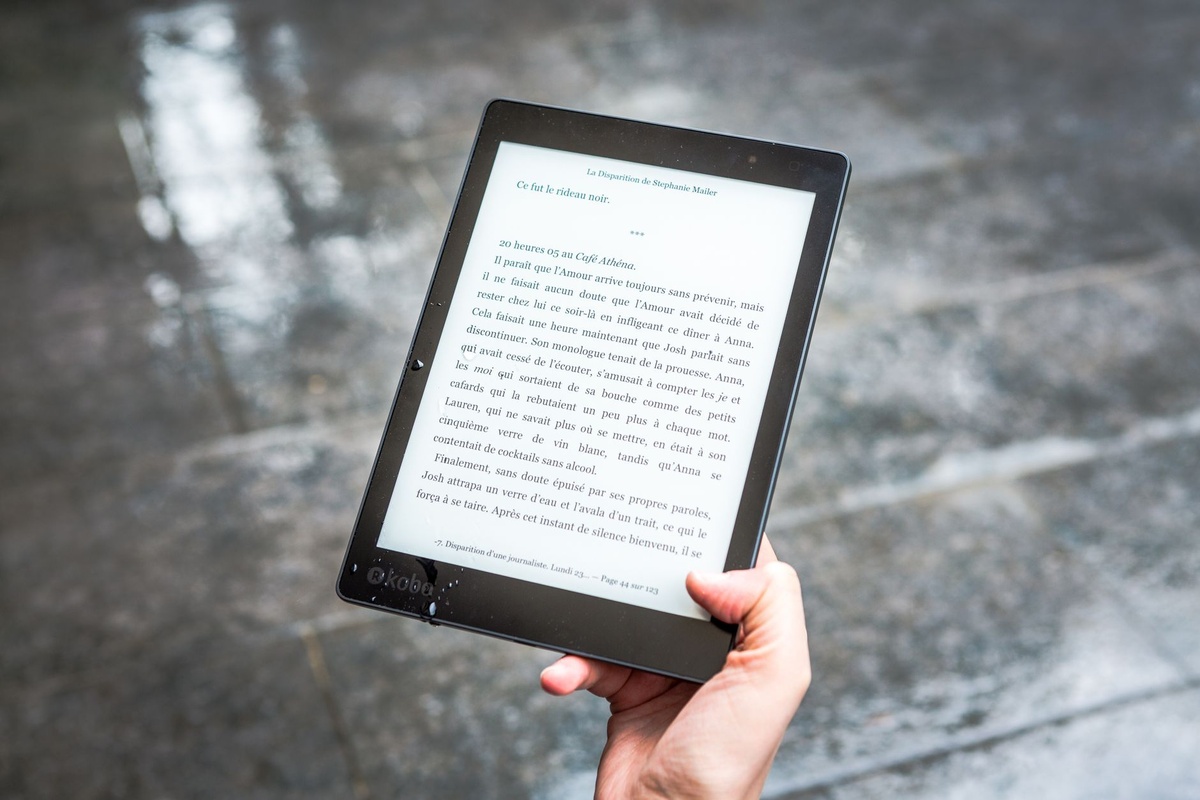
I tested the Xteink X4 Pro on trains across northern Italy, during 40°C afternoons in southern Spain, and on a red‑eye to Reykjavik. It’s tiny, distraction-free, and genuinely easy to carry. After revisiting it in October 2026, however, its central compromise remains unchanged: travelers who expect instant book purchases or seamless library borrowing will find it restrictive.
Key Takeaways
- The $189 US price and 142-gram body make this one of the most pocketable dedicated e-readers available.
- Expect approximately 22 hours of active reading in real-world use, or around three weeks at one hour per day.
- There is still no integrated ebook store, so books must be transferred as compatible, preferably DRM-free files.
- The crisp 4.7-inch screen works well for novels but is too cramped for most PDFs, comics, and illustrated guidebooks.
- It suits minimalist travelers who prepare before departure; most buyers will get more flexibility from a Kobo Clara BW or Kindle Paperwhite.
Why the X4 Pro Exists (And Why That Matters on the Road)
The Xteink X4 Pro is built around a straightforward idea: provide a distraction-free e-reader small enough to fit in a jeans or jacket pocket. There are no social feeds, third-party apps, persistent notifications, or storefront recommendations competing for attention.
That simplicity can be refreshing during crowded rail journeys, autumn city breaks, and the coming holiday travel season. It also means the X4 Pro is less self-sufficient than mainstream alternatives. Before buying one, decide whether pocketability matters more than convenient access to new books.
Specs That Matter to Travelers
These are the specifications and practical details worth considering as of October 11, 2026:
- Price: $189 in the US and €199 in the EU before temporary retailer discounts
- Display: 4.7-inch E Ink Carta 1300, 720 × 960 resolution (300 ppi)
- Frontlight: Adjustable warm and cool LEDs
- Storage: 16 GB with no microSD slot
- Battery: 1,800 mAh, rated for up to 25 hours of active reading
- Real-world battery tested: Approximately 22 hours with Wi-Fi off and the frontlight at 50%
- Charging: USB‑C, approximately 95 minutes from empty to full with a compatible charger
- Weight: 142 grams
- Connectivity: 2.4 GHz Wi-Fi and Bluetooth 5.0
- Water resistance: None; there is no official IP rating
- Listed formats: EPUB, PDF, MOBI, and TXT, but not Amazon AZW files natively
The 142-gram weight is the standout specification. The reader disappears inside a sling bag and is comfortable to hold one-handed on a crowded train. The lack of water resistance remains its biggest physical weakness, particularly for wet-weather trips, beach holidays, and reading beside a pool.
Prices can change during Black Friday and year-end promotions, so compare the final delivered price rather than MSRP alone. A small discount does not resolve the missing store or waterproofing, but it can make the specialized form factor easier to justify.
Pocket Size: A Real Advantage in 2026 Travel
Most mainstream e-readers use 6- or 7-inch displays. They are thin enough for a backpack but usually too wide for an ordinary trouser pocket. The X4 Pro’s smaller body is meaningfully different, not merely a specification-sheet distinction.
Walking 20,000 steps a day through Lisbon in summer heat, I appreciated not carrying another tablet-sized slab. It fits in shorts without excessive sagging and is easier to retrieve while standing on public transport.
It is also useful on low-cost flights where personal-item dimensions are tightly enforced. The device fits into a seatback pocket alongside a phone, passport, and charging cable, while its USB‑C port means most travelers will not need a separate cable.
For autumn 2026 city breaks and holiday travel, that compact body remains the best reason to choose the X4 Pro. Add a protective sleeve, though: an exposed E Ink panel can be damaged by bending pressure from keys, power banks, or an overpacked bag.
Reading Experience: Surprisingly Good
The 300 ppi display renders text cleanly, with sharp letter edges and excellent outdoor visibility. Direct sunlight improves the appearance of reflective E Ink rather than washing it out, so the X4 Pro remains easier to read outside than a typical phone.
I tested glare at 2 p.m. in Seville at 39°C and had no readability problems. A phone may dim as it heats up, whereas the X4 Pro’s screen remains visible without relying on a bright backlight.
Page turns averaged approximately 280 milliseconds during testing. Full refreshes are occasionally visible, but ordinary novel reading feels responsive. PDFs are much less comfortable: zoom operations can take around 1.5 seconds to refresh, and the 4.7-inch panel requires frequent panning.
Font size also matters more on this screen than on a 6- or 7-inch reader. Increasing the type size improves comfort but produces noticeably more page turns. Readers who use large accessibility fonts should try a similarly sized display before buying.
For conventional EPUB novels, short stories, and text-heavy nonfiction, the screen works well. Academic papers, fixed-layout travel guides, manga, comics, spreadsheets, and scanned documents are better suited to a larger device.
The Big Problem: No Ebook Store
There is no integrated Kindle store, Kobo marketplace, or equivalent catalog. That remains the X4 Pro’s most important limitation in October 2026.
The practical setup process is:
- Obtain a compatible ebook from a publisher, independent bookstore, public-domain archive, or another legitimate source.
- Confirm that the file is DRM-free and in a supported format, preferably EPUB for reflowable text.
- Transfer it by USB‑C or use the reader’s Wi-Fi upload option where available.
Calibre can organize a personal ebook library and convert compatible, DRM-free files on macOS, Windows, or Linux. It cannot automatically make every purchased ebook usable. Amazon Kindle files and many library or bookstore downloads include digital rights management, and removing that protection may violate the provider’s terms or local law.
This is manageable if you prepare at home, but frustrating if you reach an airport with boarding beginning in 20 minutes and discover that you have finished your last novel. Public-library users should also verify compatibility before buying: services built around Kindle delivery, proprietary apps, or Adobe DRM may not work directly.
Why this matters when traveling: airport paperbacks are expensive, and digital impulse buying is convenient when a flight is delayed. The X4 Pro removes most of that convenience.
If you’re the kind of traveler who researches every detail—like reading about common Iceland Ring Road mistakes before renting a camper—this won’t bother you. If you’re spontaneous, it will.
Battery Life on Long Trips
Xteink rates the battery for up to 25 hours of reading. I recorded just under 22 hours with Wi-Fi disabled and the frontlight set to 50%, which is a credible result for such a small device.
In practical terms, that is approximately:
- Three weeks at one hour of reading per day
- A complete transatlantic return trip without recharging
- Five or six long-haul flights, depending on reading time
Standby drain measured around 2% per day, although Wi-Fi activity, indexing newly added books, cold weather, and higher frontlight settings can reduce endurance. Enabling warm lighting does not eliminate battery life, but running the LEDs near maximum brightness will shorten the interval between charges.
Battery comparisons require care. Kindle and Kobo advertise endurance in weeks under controlled daily-reading assumptions, while the X4 Pro’s figure is expressed in active hours. Comparing active reading time is more useful than comparing the headline claims.
For a trip longer than two weeks, pack the USB‑C cable even if you expect the reader to last. It draws little power, so a standard phone charger or power bank is sufficient.
Heat and Travel Durability
I left the reader in a daypack during 37–40°C conditions in southern Spain. It did not shut down, and screen ghosting remained within the normal range for E Ink.
That does not mean it should be left on a car dashboard or exposed to prolonged direct heat. High temperatures can accelerate battery degradation, while pressure inside an overstuffed bag poses a greater threat to the thin display than ordinary cosmetic scratches.
There is still no IP rating. I would not use the X4 Pro unprotected beside a pool in Mykonos, in heavy autumn rain, or close to spray at an Icelandic waterfall. A zippered waterproof pouch is inexpensive insurance, although it is less convenient than owning an IPX8-rated reader.
If you’re planning photography during the Perseids, you already know August conditions can be harsh. (We explained why August isn’t ideal for Dolomites night shots here.) The same heat logic applies to electronics.
Storage: 16 GB Is Enough—Mostly
The 16 GB capacity is ample for an ordinary novel library, although the operating system means not all advertised storage will be available to the user. Actual capacity requirements also vary considerably by formatting, embedded fonts, illustrations, and cover-image quality.
As a rough guide, the device can store:
- Several thousand typical EPUB novels
- Hundreds of modestly sized text PDFs
- Far fewer image-heavy guidebooks, comics, or scanned documents
The previous estimate of 10,000–12,000 novels is possible only with consistently small files and should not be treated as a guarantee. A photo-rich EPUB can occupy dozens or even hundreds of times more space than a plain-text novel.
No microSD expansion is disappointing at this price. Still, screen size—not storage—is the stronger reason to avoid loading a large PDF or comic collection onto the X4 Pro.
Why this matters: if you carry guidebooks, offline travel PDFs, or language-study materials with audio and illustrations, storage fills faster than it does with fiction. Organize files into clear folders before departure because navigating an enormous unstructured library on a small screen is tedious.
How It Compares to Kindle and Kobo (For Travelers)
Kindle Paperwhite – $159.99
The current Paperwhite has a 7-inch display, IPX8 water resistance, 16 GB of storage, an integrated Kindle store, and a battery claim of up to 12 weeks under Amazon’s specified test conditions.
At approximately 211 grams, it is heavier and not realistically pocketable, but its larger screen is more comfortable for long sessions. Promotional pricing can also push it below its regular list price.
Better for: Beach vacations, Amazon customers, larger text, and spontaneous book buying.
Kobo Clara BW – $139.99
The Kobo Clara BW uses a 6-inch 300 ppi display, includes IPX8 water resistance, and supports EPUB more naturally than a Kindle. It also provides direct access to the Kobo store and can work with OverDrive library borrowing in supported countries.
At approximately 174 grams, it remains light but is wider than the X4 Pro. Regional bookstore and library availability varies, so check local support before relying on it abroad.
Better for: EPUB readers, public-library users in supported regions, and travelers wanting a compact waterproof option.
Xteink X4 Pro – $189
The X4 Pro is the smallest and lightest of the three, but it is also the most expensive at regular pricing. It has no integrated bookstore, no official waterproofing, and a screen that is less suitable for large fonts or complex documents.
Better for: Minimalist packers, commuters, and experienced users with an existing DRM-free ebook library.
For most travelers, the Kobo Clara BW remains the stronger value and saves roughly $49 at regular US pricing. It adds waterproofing, a bookstore, a larger display, and easier library access without becoming excessively heavy.
The Kindle Paperwhite is the more convenient choice for people already committed to Amazon. The X4 Pro makes sense only when literal pocketability is more important than price, water resistance, document flexibility, and integrated purchasing.
Who Should Buy the X4 Pro?
- One-bag travelers who genuinely count every gram
- Digital minimalists who want to avoid apps, alerts, and storefront recommendations
- Backpackers willing to preload DRM-free books before entering areas with limited connectivity
- Commuters who want a reader that fits in a jacket or trouser pocket
- Readers who already manage a personal EPUB library on a computer
If you’re planning a budget-heavy trip—like eating your way through Beirut for $20 a day in peak August heat (yes, it’s possible)—you might prefer spending $139.99 instead of $189.
Who Should Skip It?
- Travelers who buy books impulsively or primarily shop through Amazon
- Beach and poolside readers who need certified water resistance
- Public-library users whose loans require Kindle delivery, an app, or Adobe DRM
- Anyone uncomfortable organizing and transferring files from a computer
- Readers who regularly use large fonts or read PDFs, comics, manga, and illustrated guidebooks
- People wanting a straightforward Audible or audiobook experience
Traveler Verdict
The Xteink X4 Pro is fun, distinctive, and pleasant to carry. It makes reading feel intentional in a way that multifunction tablets and phones rarely do.
Its advantages are nevertheless narrow. At $189, the lack of a bookstore, IP-rated water resistance, expandable storage, and broad DRM compatibility is difficult to overlook.
Buy it if fitting an e-reader into a normal pocket is your highest priority and you already maintain a compatible, DRM-free library.
Skip it and choose the Kobo Clara BW if you want waterproofing, easier purchases, supported library borrowing, and a more comfortable screen for less money. Choose the Kindle Paperwhite if your books are already tied to Amazon.
For most travelers in late 2026, convenience still beats extreme minimalism. The X4 Pro is an appealing specialist device, not the best general-purpose e-reader.
Final Thoughts: Is Smaller Always Better?
During crowded autumn trips and the approaching holiday travel season, simple technology remains appealing. A compact reader with no notifications is a welcome alternative to spending another flight staring at a phone.
The X4 Pro delivers that simplicity better than most competitors, but travel is unpredictable. Instant access to another book, reliable library support, and protection from rain often matter more than saving 30–70 grams.
If a compact Mediterranean break or a series of long train journeys is in your plans, the X4 Pro can be an enjoyable companion. Download your books, open each file to confirm that it works, charge the reader, and pack it in a protective sleeve before leaving home.
Minimalism works—but only if you prepare.
Frequently Asked Questions
Does the Xteink X4 Pro support Kindle books?
Not directly. It does not natively support Amazon’s AZW formats or provide access to the Kindle store. Calibre can manage and convert compatible DRM-free files, but many Kindle purchases are protected and cannot simply be transferred. Check the retailer’s terms and applicable law before attempting any format conversion.
How long does the X4 Pro battery last on a long trip?
Real-world testing produced just under 22 hours of active reading with Wi-Fi off and the frontlight at 50%. That is roughly three weeks at one hour per day, although brighter lighting, wireless transfers, indexing, and cold temperatures can reduce battery life.
Is the Xteink X4 Pro waterproof?
No. It has no official IP rating, so it is a riskier choice for beaches, pools, boats, and rainy destinations than IPX8-rated alternatives such as the Kindle Paperwhite and Kobo Clara BW. Use a sealed waterproof pouch when necessary.
Is 4.7 inches too small for reading novels?
Not for most readers using standard font sizes. The 300 ppi display keeps text sharp, although the smaller page requires more frequent turns. Readers who need large fonts or frequently read PDFs, comics, and illustrated books will be better served by a 6- or 7-inch device.
Can the X4 Pro borrow ebooks from a public library?
Only when the library provides a compatible file the reader can open. Loans requiring a proprietary app, Kindle delivery, or unsupported DRM generally will not work directly. Confirm your local library’s download format before purchasing the device.
What should I load before traveling?
Preload more books than you expect to finish, plus any DRM-free reference material you need. Open every file at least once before departure, confirm that the cover and formatting display properly, and keep a backup copy on your laptop or cloud storage.

About the Author: Tomáš Bzirský
Founder and editor of Distratech. Based in the Czech Republic, travelling regularly from Central Europe. Writes practical travel guides and travel-tech comparisons (eSIM, apps, airports) in six languages.