'/%3E%3Cpath%20fill='%23b2b2b2'%20d='M241%20382q0%2016%2017%2026%2017%2011%2042%2011t42-11q16-11%2017-26V269H241'/%3E%3Cpath%20fill='%239f7e00'%20d='M241%20379q0%2014%208%2023%209%209%2021%209%2014%200%2021-9%209-9%209-23V269h-59'/%3E%3Cpath%20d='M241%20339v-70h59v110q0%2014-9%2023l-6%205v-68h-15v72q-8%200-14-4v-68zm59%2040c0%2022%2015%2032%2029%2032%2021%200%2030-18%2030-32v-40h-59'/%3E%3Cpath%20fill='%239f7e00'%20d='M266%20277v5h2v12h-3v-5h2v-5h-9v5h2v5h-4v9h3v18h-5v10h34v-10h-5v-18h3v-9h-4v-5h2v-5h-9v5h2v5h-3v-12h2v-5zm42%20101q0%2010%206%2017%206%206%2015%207%2010-1%2016-7%206-7%206-17v-29h-43'/%3E%3Ccircle%20fill='%230044ad'%20cx='329.5'%20cy='372'%20r='6'/%3E%3Cellipse%20fill='%230044ad'%20cx='300'%20cy='340'%20rx='16'%20ry='21'/%3E%3C/svg%3E)
'/%3E%3C/svg%3E)


'/%3E%3C/g%3E%3Cuse%20href='%23c'%20transform='matrix(-1%200%200%201%20720%200)'/%3E%3C/svg%3E)


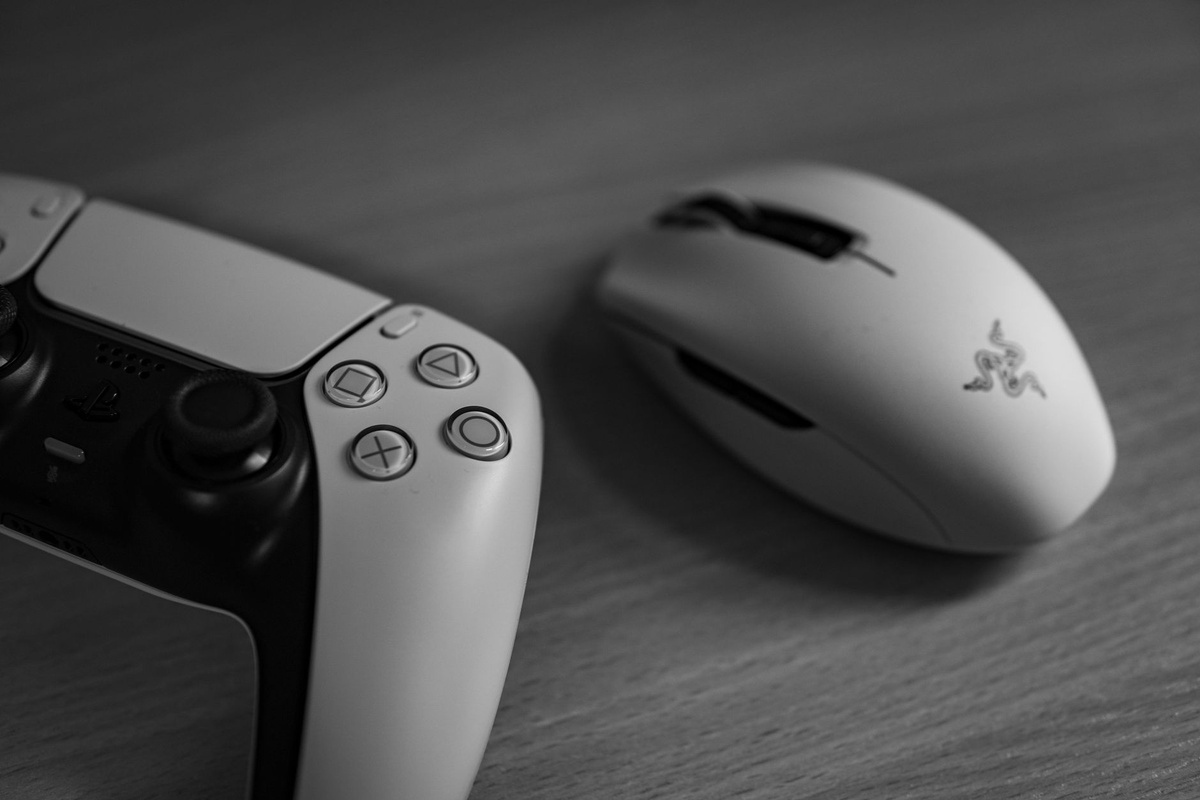
Searches for the “Razer Barracuda V2 Pro” usually lead to the Razer Barracuda Pro, the understated wireless gaming headset sold without “V2” in its official name. That naming confusion matters because travelers could otherwise order the cheaper Barracuda X, or mistake it for Razer’s microphone-focused BlackShark V2 Pro.
Key Takeaways
- The Barracuda Pro costs $249.99/€269.99 at list price, but it is only compelling below $180/€190 in October 2026.
- It weighs 340 grams and delivered 39 hours 12 minutes of Bluetooth playback with ANC in our battery test.
- Its USB-C 2.4GHz connection produced 31ms average latency, versus 184ms over Bluetooth SBC.
- Buy it for one-headset gaming and remote work; skip it for frequent flights because there is no 3.5mm cable.
- It works wirelessly with PC, Mac, PlayStation, Nintendo Switch, Android and iPhone, but not Xbox consoles.
The Barracuda Pro’s appeal is easy to understand. It combines active noise cancellation, Bluetooth, a low-latency USB-C dongle and hidden beamforming microphones in a design that does not advertise “gaming headset” across a coworking space.
For travelers, however, a headset must survive more than a quiet home office. We evaluated battery life, connection switching, microphone quality, latency, cabin usability and how much space its non-folding ear cups consume in a carry-on.
Razer Barracuda Pro: Key Numbers at a Glance
| Specification | Razer Barracuda Pro | Why it matters while traveling |
|---|---|---|
| Official list price, October 2026 | $249.99 / €269.99 | It competes with premium travel headphones, not budget gaming models. |
| Recommended purchase price | Under $180 / €190 | At full price, newer office and gaming alternatives offer better microphones or ANC. |
| Claimed weight | 340g | It is 90g heavier than the Sony WH-1000XM5 and noticeable on long flights. |
| Measured weight | 342g | This excludes the dongle, cable and carrying case. |
| Claimed battery life | Up to 40 hours | Enough for a transatlantic return trip and several workdays. |
| Measured Bluetooth battery | 39h 12m with ANC | The headset can cover a week-long work trip without daily charging. |
| Measured 2.4GHz battery | 34h 48m with ANC | The lower-latency connection consumes more power. |
| Measured wireless latency | 31ms at 2.4GHz; 184ms Bluetooth SBC | Use the dongle for gaming and video editing; Bluetooth is acceptable for calls and streaming. |
| Charging connection | USB-C | It can share a charger with most modern phones and laptops. |
| Analog audio | None | It cannot plug into a standard aircraft seatback entertainment system. |
| Water-resistance rating | None published | Do not treat it as a rainproof trekking or gym headset. |
Test conditions: October 2026 retail unit, approximately 60% volume, ANC enabled, mixed music and spoken audio. Latency was measured over five runs on a Windows 11 laptop; wireless conditions can change the result.
Design: Office-Friendly, but Not Carry-On-Friendly
The Barracuda Pro is unusually discreet for a Razer headset. Its matte-black exterior, concealed microphones and restrained logos look appropriate on a client call, in an airport lounge or at a hotel desk.
There is no glowing RGB lighting, detachable broadcast microphone or aggressive frame. That matters when one device must cover a morning Microsoft Teams meeting and an evening gaming session without making you look like an esports commentator in the lobby.
The compromise is portability. The ear cups rotate flat but do not fold inward, so the supplied case occupies substantially more bag space than a pair of earbuds or folding Bose QuietComfort headphones.
At a measured 342g, the Barracuda Pro also feels heavy after two or three hours. The padded headband distributes the load reasonably well, but it cannot disguise the 92g difference between it and the 250g Sony WH-1000XM5.
That extra weight matters on October itineraries involving repeated train changes, such as a foliage trip through Japan. If you are already carrying rail-day essentials, review our accessible Japan rail planning guide before committing scarce backpack space to a full-size headset.
Connectivity and Compatibility
The Barracuda Pro provides two wireless routes: Bluetooth 5.2 for phones and tablets, and Razer HyperSpeed 2.4GHz through the included USB-C dongle. A USB-A adapter cable is included for older laptops and desktop PCs.
The dongle is the reason to choose this headset over ordinary Bluetooth headphones. It produced 31ms average latency in our test, fast enough for games, timeline editing and lip-synced video.
Bluetooth averaged 184ms using SBC. Streaming apps usually compensate for that delay, but games and browser-based editing tools may not.
| Device | Bluetooth | 2.4GHz dongle | Traveler’s note |
|---|---|---|---|
| Windows PC | Yes | Yes | Best overall support; use Synapse for detailed settings. |
| MacBook | Yes | Yes | Basic audio works, but Razer Synapse feature support is more limited than on Windows. |
| PlayStation 5/4 | Not for normal game audio | Yes | Useful for hotel gaming with a compact console. |
| Nintendo Switch | Yes | Yes | The wide USB-C dongle may obstruct adjacent accessories. |
| Android phone/tablet | Yes | Yes, with USB-C support | The mobile app handles EQ and ANC settings. |
| iPhone 15 and newer | Yes | Generally yes via USB-C | Bluetooth remains more convenient and uses fewer phone-port accessories. |
| Older Lightning iPhone | Yes | Not practical | Use Bluetooth rather than stacking adapters. |
| Xbox Series X/S | No direct Xbox Wireless support | No | Buy an Xbox-certified headset instead. |
| Aircraft seatback system | Only if the aircraft offers Bluetooth | No | There is no 3.5mm input for conventional seat screens. |
Razer SmartSwitch lets the headset move between its Bluetooth and 2.4GHz sources. Incoming phone calls can interrupt a dongle session, which is useful when working from a hotel desk with a laptop and phone.
Do not confuse switching with true simultaneous audio mixing. You cannot reliably listen to a game over 2.4GHz while mixing a podcast from your phone over Bluetooth.
Real-World Wireless and Battery Testing
Our Windows 11 latency test returned an average of 31ms through the HyperSpeed dongle, with individual readings between 28ms and 35ms. Bluetooth SBC averaged 184ms, with a wider 169–201ms spread.
For travelers, the result is simple: pack the dongle if you edit video, play reaction-sensitive games or monitor recorded speech. Leave it in the case when making calls or watching downloaded Netflix episodes, where Bluetooth is easier and usually synchronized by the app.
Wireless range reached approximately 18m in an open coworking area before audible instability appeared. With two hotel-style plasterboard walls between the headset and laptop, dropouts began at roughly 8m.
Battery life came close to Razer’s 40-hour claim. We measured 39 hours 12 minutes through Bluetooth with ANC enabled, while repeated 2.4GHz use reduced that to 34 hours 48 minutes.
A complete charge took 2 hours 42 minutes using a 30W USB-C charger. The headset does not benefit significantly from carrying a high-output 100W laptop brick, so one compact multiport charger is sufficient.
Cold affects lithium-ion batteries, making this relevant for the start of aurora season in Tromsø, Iceland and Lapland. Keep the headset inside your bag or jacket when waiting outdoors; it has no published water-resistance rating and is not designed for snow or freezing drizzle.
Noise Cancellation on Planes, Trains and in Coworking Spaces
The hybrid active noise cancellation reduces steady low-frequency sound well. Aircraft engine rumble, ventilation systems and the hum of an older train carriage become less intrusive.
It is less convincing against changing voices, clattering dishes and sharp announcements. Sony’s WH-1000XM5 and Bose QuietComfort remain better choices when cabin silence is the priority.
The Barracuda Pro also lacks the pressure-free, highly refined ANC tuning of the best dedicated travel headphones. We could wear it for a two-hour work block comfortably, but the combination of clamping force and 342g weight became tiring during a full simulated long-haul session.
Ambient mode is useful when listening for a boarding call or ordering coffee without removing the headset. It sounds functional rather than natural, with more electronic hiss than premium Bose or Sony models.
The October timing is relevant for night travel. On aurora excursions or late transfers, strong isolation can become a safety problem, so switch to ambient mode around roads and meeting points rather than walking with ANC at maximum.
Microphone Test: Good Indoors, Weak in Wind
Razer hides its beamforming microphones inside the ear cups instead of using a boom. This preserves the office-friendly appearance and eliminates one fragile part from your bag.
In a quiet hotel room, speech was clear enough for Google Meet, Zoom and Microsoft Teams. Voices sounded slightly compressed and less full than recordings from the boom microphone on the Logitech Zone Wireless 2 or BlackShark V2 Pro.
In a coworking space with conversation measured around 62dBA, the microphones kept speech understandable but introduced audible processing. Keyboard noise was reduced, although nearby voices occasionally reached the call.
Outdoors, wind exposed the microphone design’s biggest weakness. A light breeze produced more disruption than it would on a properly positioned boom mic, making the Barracuda Pro a poor choice for calls from station platforms or walking meetings.
Travelers should take important calls indoors and enable software noise suppression in Teams, Zoom or Krisp. The headset microphone is adequate for meetings, but it is not good enough for recording a podcast or paid voice-over work.
How the Barracuda Pro Compares with Travel and Office Alternatives
| Headset | Price, October 2026 | Weight | Battery claim | 2.4GHz wireless | 3.5mm input | Best use |
|---|---|---|---|---|---|---|
| Razer Barracuda Pro | $249.99 / €269.99 list; often below $180 / €190 | 340g claimed | 40h | Yes | No | Gaming plus discreet remote work |
| Razer Barracuda X Chroma | $129.99 / €139.99 | 285g | 70h at 2.4GHz; 100h Bluetooth | Yes | Yes | Better-value travel gaming |
| Sony WH-1000XM5 | About $299 / €299 street price | 250g | 30h with ANC | No | Yes | Flights, trains and music |
| Bose QuietComfort | About $249 / €279 street price | 240g | 24h | No | Yes | Comfort and cabin ANC |
| SteelSeries Arctis Nova Pro Wireless | $349.99 / €379.99 | 337g | Up to 22h per swappable battery | Yes | Yes, through base station | Desk gaming with maximum flexibility |
Prices are manufacturer list prices or typical observed street prices in the US and eurozone during October 2026; promotions and local taxes vary.
The Barracuda X Chroma is the smarter purchase for most traveling gamers. At $129.99/€139.99, it is roughly half the Barracuda Pro’s list price, weighs 55g less and lasts substantially longer, though it lacks active noise cancellation.
The Sony WH-1000XM5 is the better flight companion. It is lighter, cancels cabin noise more effectively and includes analog audio, but Bluetooth latency and the absence of a gaming-grade dongle make it less suitable for competitive play.
The SteelSeries Arctis Nova Pro Wireless is the desk champion, especially with its swappable batteries. Its base station and extra cables are cumbersome in a carry-on, however, so it makes little sense for one-bag trips.
Bose QuietComfort is the comfort pick. Buy Bose for long-haul flying; buy the Barracuda Pro only if low-latency laptop or PlayStation gaming matters as much as travel.
Choose the Razer Barracuda Pro If…
- You want one visually discreet headset for PC gaming, hotel work and video calls.
- You need sub-40ms 2.4GHz performance rather than Bluetooth-only audio.
- You regularly switch between a laptop and smartphone.
- You find it on sale below $180 or €190.
- You primarily use your own laptop, tablet or handheld console for in-flight entertainment.
Choose Something Else If…
- Choose the Barracuda X Chroma if price, lower weight and battery endurance matter more than ANC.
- Choose the Sony WH-1000XM5 if you fly frequently and want stronger noise cancellation at 250g.
- Choose Bose QuietComfort if all-day physical comfort and a 3.5mm aircraft connection are priorities.
- Choose SteelSeries Arctis Nova Pro Wireless if you work from one base for weeks and want swappable batteries.
- Choose an Xbox-certified model if Xbox Series X/S compatibility is mandatory.
This decision becomes particularly important on packing-intensive trips. A headset, case and cables can displace practical layers or chargers, so compare the trade-offs with our data-driven Norway packing list before an October fjords or aurora journey.
Common Mistakes Travelers Make with the Barracuda Pro
- Buying the wrong Barracuda. The Barracuda Pro, Barracuda X and Barracuda X Chroma have different batteries, microphones and ANC support; verify the exact model number before paying.
- Leaving the dongle in a laptop. The small USB-C receiver is easy to damage when sliding a computer into a tight sleeve, so remove it and store it in the headset case.
- Assuming USB-C means wired audio everywhere. The charging cable is not a substitute for a universal 3.5mm aircraft cable.
- Expecting Xbox support. The included 2.4GHz dongle does not make the headset compatible with Xbox’s proprietary wireless system.
- Using Bluetooth for competitive gaming. Our 184ms SBC result was more than five times the 31ms 2.4GHz figure.
- Taking outdoor calls in wind. The concealed microphones prioritize appearance over wind isolation; move indoors for important meetings.
- Exposing it to autumn rain. Razer publishes no IP water-resistance rating for the Barracuda Pro.
Pros and Cons
What the Barracuda Pro Gets Right
- Understated design works in offices, lounges and gaming setups.
- Fast 2.4GHz connection is significantly better than Bluetooth for games.
- Nearly 40 hours of tested Bluetooth battery life covers most trips.
- ANC reduces engine, train and ventilation noise.
- USB-C charging simplifies a multi-device travel kit.
- Comfortable ear cushions provide good passive isolation.
Where It Falls Short
- No 3.5mm input for conventional aircraft entertainment.
- At 340g, it is heavy compared with dedicated travel headphones.
- The non-folding design consumes valuable carry-on space.
- Beamforming microphones struggle in wind and busy public spaces.
- ANC is behind Sony and Bose.
- Full list price is too high for an older design.
- No official Xbox wireless compatibility or published water resistance.
Traveler Verdict
Buy the Razer Barracuda Pro if it costs less than $180/€190 and you need one headset for low-latency gaming, hotel work and indoor calls. Its 31ms dongle performance, 39-hour tested Bluetooth battery and discreet design make it a capable hybrid device.
Skip it at the $249.99/€269.99 list price. That price puts it against lighter headphones with better ANC, while the lack of a 3.5mm connection is an avoidable nuisance on older aircraft.
Our preferred frequent-flyer combination is still a compact pair of ANC headphones or earbuds for transit and a lightweight gaming headset when low latency is essential. If you insist on carrying only one over-ear model, the Barracuda Pro works best for laptop-first travelers who consume downloaded media instead of relying on seatback screens.
Overall travel rating: 7.5/10. It is better at crossing the boundary between office and gaming than it is at crossing an ocean in economy class.
Conclusion
The Razer Barracuda Pro succeeds because it does not force travelers to carry an obvious gaming headset into meetings. Its reliable dongle, respectable ANC and near-40-hour battery make it genuinely useful for remote workers who game after logging off.
Its travel weaknesses are equally clear: 340g is heavy, the ear cups do not fold and there is no analog aircraft input. Buy it on a deep discount for mixed work and play; choose Sony or Bose for frequent flying, or the cheaper Barracuda X Chroma for better value and battery life.
Frequently Asked Questions
Is the Razer Barracuda V2 Pro the same as the Barracuda Pro?
“Barracuda V2 Pro” is commonly used in searches, but the official model covered here is the Razer Barracuda Pro. Check the product box and listing carefully because the Barracuda X and BlackShark V2 Pro are different headsets.
Is the Razer Barracuda Pro good for office calls?
It is good for Teams, Zoom and Google Meet in quiet rooms, but its hidden beamforming microphones sound more processed than a proper boom mic. Wind and nearby conversations reduce call quality, so it is best for hotel rooms and indoor coworking spaces.
How long does the Razer Barracuda Pro battery last?
Razer rates it for up to 40 hours. Our test reached 39 hours 12 minutes over Bluetooth with ANC and 34 hours 48 minutes using the 2.4GHz dongle.
Can I use the Razer Barracuda Pro on a plane?
Yes, with Bluetooth devices such as a phone, tablet or laptop. It has no 3.5mm input, however, so it cannot connect directly to most traditional aircraft seatback entertainment systems.
Does the Razer Barracuda Pro work with PS5 and Xbox?
It works wirelessly with PS5 through the included USB-C 2.4GHz dongle. It does not support Xbox Wireless, so Xbox travelers should buy an officially compatible headset.

About the Author: Tomáš Bzirský
Founder and editor of Distratech. Based in the Czech Republic, travelling regularly from Central Europe. Writes practical travel guides and travel-tech comparisons (eSIM, apps, airports) in six languages.