'/%3E%3Cpath%20fill='%23b2b2b2'%20d='M241%20382q0%2016%2017%2026%2017%2011%2042%2011t42-11q16-11%2017-26V269H241'/%3E%3Cpath%20fill='%239f7e00'%20d='M241%20379q0%2014%208%2023%209%209%2021%209%2014%200%2021-9%209-9%209-23V269h-59'/%3E%3Cpath%20d='M241%20339v-70h59v110q0%2014-9%2023l-6%205v-68h-15v72q-8%200-14-4v-68zm59%2040c0%2022%2015%2032%2029%2032%2021%200%2030-18%2030-32v-40h-59'/%3E%3Cpath%20fill='%239f7e00'%20d='M266%20277v5h2v12h-3v-5h2v-5h-9v5h2v5h-4v9h3v18h-5v10h34v-10h-5v-18h3v-9h-4v-5h2v-5h-9v5h2v5h-3v-12h2v-5zm42%20101q0%2010%206%2017%206%206%2015%207%2010-1%2016-7%206-7%206-17v-29h-43'/%3E%3Ccircle%20fill='%230044ad'%20cx='329.5'%20cy='372'%20r='6'/%3E%3Cellipse%20fill='%230044ad'%20cx='300'%20cy='340'%20rx='16'%20ry='21'/%3E%3C/svg%3E)
'/%3E%3C/svg%3E)


'/%3E%3C/g%3E%3Cuse%20href='%23c'%20transform='matrix(-1%200%200%201%20720%200)'/%3E%3C/svg%3E)


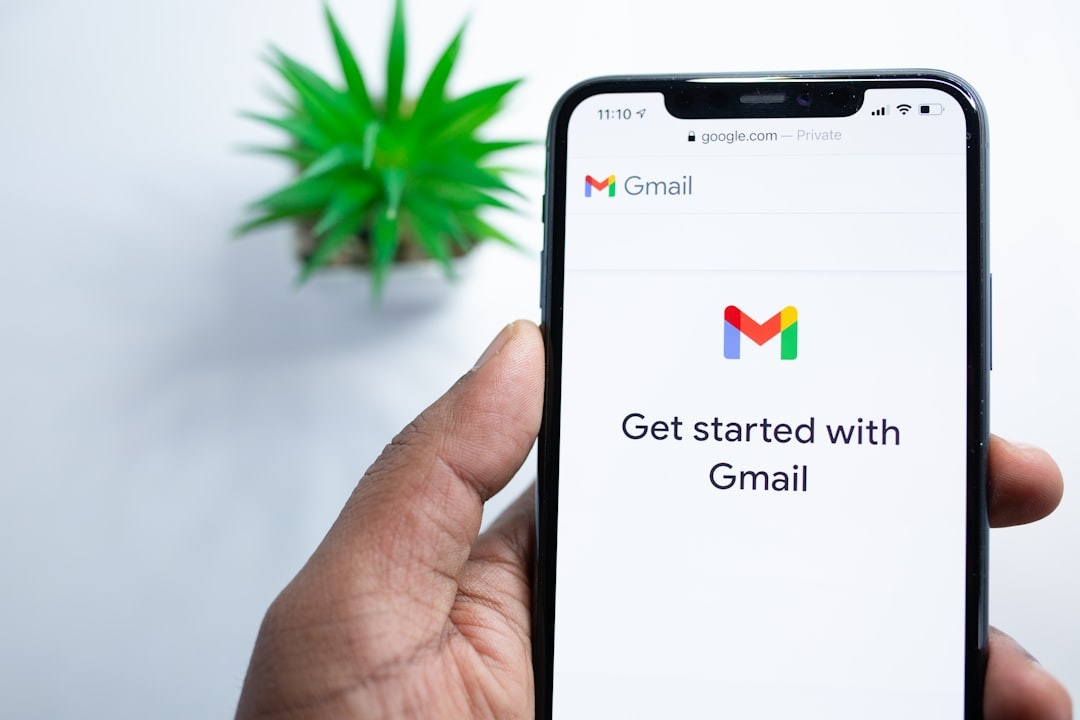
If you try to create a new Gmail account in 2026, Google may present an unexpected verification step: scan a QR code with a phone, open a pre-filled message, and send an SMS to a Google verification number. This is different from the familiar process of entering a number and receiving a one-time code.
That sounds minor. For travelers, digital nomads, and anyone juggling eSIMs and foreign SIM cards, it can be a serious obstacle.
Key Takeaways
- Google may require new users to scan a QR code and send a pre-filled SMS during account registration.
- The QR-and-SMS challenge is not shown to everyone; Google varies verification based on the device, network, location, and other risk signals.
- Your phone needs an active mobile line capable of sending an SMS to the verification number displayed by Google.
- Data-only travel eSIMs cannot complete this step, while VoIP and virtual numbers may be rejected or unsupported.
- Create essential accounts before traveling and add passkeys, backup codes, and a recovery email to existing accounts.
What Changed in Gmail Registration?
Previously, creating a Google account often meant entering a phone number and receiving a one-time verification code by SMS. Some users could also complete registration without providing a number.
Google now sometimes asks users to:
- Scan a QR code displayed on the signup screen.
- Open a pre-filled SMS message on the phone that scanned the code.
- Send that message to the verification number shown by Google.
- Wait for the signup page to confirm the verification automatically.
This reverses the usual process. Instead of proving that you can receive a message, you must prove that a real mobile device and active cellular line can send one.
As of September 2026, this should not be described as a universal requirement for every new Gmail account. Google uses multiple signup and verification flows, and the company does not publish the exact signals that trigger each one. One person may see the QR challenge while another is allowed to continue without it.
The likely purpose is to reduce automated registrations, spam, fraud, and large-scale account creation. However, the result for legitimate travelers is extra friction at the moment when mobile service may be limited or expensive.
Why This Matters for Travel in Late 2026
The issue is no longer limited to summer trips. Travelers planning autumn city breaks, winter holidays, study-abroad programs, and year-end remote-work stays may need a new email address for reservations, local services, ticketing apps, or temporary projects.
If you previously used the strategies in our guide on finding cheap flights for summer 2026, you may already have created a dedicated Gmail address for fare alerts and bookings. Keeping that account secured and recoverable is now more practical than assuming you can quickly replace it abroad.
Consider trying to create an account from:
- An airport lounge using public Wi-Fi
- A rural lodge with data coverage but limited voice service
- A hostel where your phone is connected through a data-only travel eSIM
- A laptop while your SMS-capable home SIM is turned off
If the selected mobile line cannot send the pre-filled message, registration may stop at the verification screen. Wi-Fi access by itself does not solve the problem.
The Real Problem: Travel eSIMs and Data-Only Plans
Many travel eSIM plans from providers such as Airalo, Holafly, Nomad, and Ubigi are designed primarily or exclusively for mobile data. Plan features vary by provider and destination, so travelers should check the specific package rather than assuming every eSIM includes the same services.
A data-only eSIM usually has no usable voice-and-SMS number. It can provide internet access for maps, messaging apps, email, and web browsing, but it cannot send a conventional carrier SMS. That makes it unsuitable for Google’s outgoing-message verification flow.
Even when an eSIM includes a mobile number, it may not support:
- Outgoing SMS while roaming
- Messages to international destinations or short codes
- Premium or verification-related messaging
- SMS outside the eSIM provider’s home country
VoIP numbers, app-based phone numbers, and some virtual-number services may also fail. Google can reject particular number types, limit how often one number is used for verification, or present a flow that requires the message to originate from a mobile carrier line.
Before buying an eSIM, look for explicit references to a phone number, voice service, and outgoing SMS. The word “eSIM” describes how the plan is installed; it does not guarantee that the plan can make calls or send texts.
Scenario: Creating Gmail While Traveling
Suppose you are in Kyoto on an autumn trip after using the seasonal advice in our Kyoto late spring guide to understand crowd patterns and trip timing.
You need a separate Gmail account for a booking service or temporary travel project.
You are using:
- A recent iPhone or Android phone with dual-SIM support
- A Japanese data-only eSIM as the active data line
- A home carrier SIM that is installed but disabled to avoid roaming charges
You can browse the web and scan the QR code, but the phone cannot send the required SMS through the data-only line. If the home line remains disabled, the message will fail or the phone may report that no SMS-capable line is available.
The first step is to check whether the home SIM can be enabled for SMS without turning on data roaming. On many phones, cellular data and the line used for calls or texts can be selected separately. Carrier policies and phone menus differ, so verify the setup before departure.
Why Google Uses This Verification Method
Automated account creation is valuable to spammers, scammers, credential thieves, and operators of fake engagement networks. Modern automation can complete web forms and solve many basic challenges at scale.
Requiring a message from a functioning mobile line can make bulk registration more difficult by:
- Adding a carrier-controlled step to the process
- Increasing the cost of creating large numbers of accounts
- Making data-only and some virtual-number setups ineffective
- Connecting the signup attempt to a physical phone and mobile service
Google does not disclose all of its anti-abuse logic, and users should not assume that completing one SMS challenge guarantees future signups from the same number. A number may eventually reach a verification limit, and repeated attempts can trigger additional restrictions.
From a security perspective, the approach is understandable. From a traveler’s perspective, it is inconvenient, particularly when the message incurs roaming charges or the local network does not support the required destination.
How to Prepare Before You Travel
The safest approach is to create essential accounts, verify recovery methods, and download backup codes while you still have reliable access to your normal phone service.
1. Keep an SMS-Capable Home Line Active
If possible, keep your regular SIM or eSIM installed as the secondary line while using a travel eSIM for data. You may be able to leave data roaming disabled on the home line while retaining calls and SMS.
Check your carrier’s roaming terms first. Receiving SMS is often free, but outgoing SMS can be chargeable, and prices vary by plan and destination.
2. Test Outgoing SMS Before Departure
Do not assume that a line will work merely because it remains visible on your phone. Confirm that your plan permits outgoing SMS while roaming and ask the carrier whether international or short-code restrictions apply.
Wi-Fi calling does not guarantee that SMS will work abroad. Support depends on the carrier, device, account, country, and network configuration.
3. Configure Dual-SIM Settings Carefully
On a dual-SIM phone, set the travel eSIM as the cellular-data line and retain the home SIM for calls and texts. Before sending Google’s pre-filled message, verify that the SMS-capable line is selected.
Do not edit the destination number or the generated message unless Google specifically instructs you to do so. The contents may be tied to the current signup session.
4. Avoid Relying Solely on VoIP Numbers
Google Voice and other internet-based numbers remain useful for everyday communication, but they should not be your only recovery or verification option. Acceptance varies, and a number that worked previously may not work for a new signup.
5. Create Needed Accounts at Home
If you expect to need separate accounts for any of the following, set them up before your trip:
- Ticket and reservation alerts
- Visa or residency applications
- Study-abroad or long-term accommodation
- Freelance and temporary work projects
- Travel documents and receipts
Avoid creating unnecessary accounts, however. Maintaining one properly secured address is usually safer than managing several accounts with weak or forgotten recovery details.
6. Secure Existing Accounts Beyond SMS
Add a recovery email, generate backup codes, and configure a passkey or authenticator app before leaving. Store backup codes somewhere secure and accessible without relying on the Google account itself.
A passkey can provide convenient phishing-resistant sign-in on supported devices, but it should not be the only recovery method. Phones can be lost, stolen, damaged, or reset during a trip.
What to Do If the QR-and-SMS Step Fails
If Google does not confirm the message, avoid repeatedly restarting the signup process. Multiple rapid attempts can look suspicious and may lead to temporary limits.
Instead, try these checks:
- Confirm that the message shows as sent in the phone’s default SMS app.
- Make sure the correct SIM was selected for the outgoing message.
- Check that the line has cellular service and sufficient prepaid credit.
- Disable airplane mode and reconnect to the local mobile network.
- Return to the original signup page rather than opening a second registration session.
- Use an alternative verification method only if Google displays one.
If the phone reports that the destination is unsupported, contact the mobile carrier. The carrier—not the travel eSIM’s data connection—controls whether the SMS can be sent.
A VPN is unlikely to fix an SMS capability problem. Frequently changing VPN locations, devices, browsers, or networks during signup may also create inconsistent security signals. Use a stable connection and accurate account information.
What About Privacy?
Sending a verification message reveals the originating mobile number to the messaging recipient and to the carriers processing the SMS. In countries where SIM registration requires government-issued identification, that number may already be linked to the subscriber’s identity.
That does not necessarily mean the number will be publicly visible or automatically used for every account feature. After registration, review the phone-number, recovery, security, and profile-visibility settings in your Google Account.
If privacy is a priority:
- Use a legitimate secondary mobile line that you control rather than a disposable public SMS service.
- Check whether the number has been added as a recovery or contact number.
- Limit profile visibility through your Google Account settings.
- Use a passkey or authenticator app for routine two-step verification where available.
- Keep offline backup codes in a secure password manager or encrypted document.
Public “receive SMS online” websites are a poor choice. Messages may be visible to other users, numbers are commonly blocked, and anyone with access to the inbox could see verification codes.
Does This Affect Existing Gmail Accounts?
The QR-and-SMS signup flow primarily affects new account creation. It does not mean that existing Gmail accounts must all be re-registered.
Existing users can still encounter additional verification when Google detects unusual activity, including:
- Signing in from a new country or unfamiliar device
- Changing recovery or security settings
- Using a network associated with suspicious activity
- Attempting account recovery after losing a password or passkey
Travel naturally produces changing IP addresses and locations, but location changes alone do not guarantee a security prompt. Keeping familiar devices signed in and ensuring that recovery information is current can reduce the risk of being locked out.
Before traveling, complete a Google Security Checkup, update the device operating system and browser, and confirm that your recovery email can be accessed independently.
Best Setup for Travelers in 2026
A practical setup for frequent travelers is:
- Primary line: A home carrier SIM or eSIM kept active for essential calls and SMS
- Travel line: A local or regional eSIM used for affordable mobile data
- Primary authentication: A passkey on at least two trusted devices where possible
- Secondary authentication: An authenticator app such as Google Authenticator, Authy, or 1Password
- Recovery: A verified recovery email and current recovery phone number
- Offline backup: One-time backup codes stored securely away from the phone
This configuration may cost slightly more than relying entirely on a data-only plan, but it protects access to booking confirmations, boarding passes, payment receipts, work files, and travel documents.
Also keep critical documents available offline. Email should not be the only place where you store a boarding pass, insurance policy, visa confirmation, or hotel address.
My Opinion: Annoying, but Manageable With Preparation
Google’s QR-and-SMS verification is not a universal rule, and the lack of consistency is part of what makes it frustrating. Travelers cannot know in advance whether a particular signup attempt will trigger the challenge.
The broader direction is predictable. Email accounts are gateways to banking, travel reservations, remote-work platforms, cloud storage, and identity recovery. Providers have strong incentives to make automated account creation more expensive.
The practical lesson is not that every traveler needs an expensive roaming plan. It is that a data connection alone may not be enough for account creation and recovery. Keep at least one reliable recovery route that does not depend on a newly purchased data-only eSIM.
Bottom Line for Travelers
If Google presents the QR-and-SMS challenge while you are abroad, you will generally need:
- A phone capable of scanning the QR code
- An active carrier line that can send conventional SMS
- Permission to message the destination displayed by Google
- Enough prepaid credit or roaming access to complete the message
A data-only eSIM cannot send the required SMS, even though it can load the signup page and scan the QR code. A VoIP or virtual number may not be accepted.
Set up important accounts before departure, retain access to an SMS-capable line, and add passkeys, backup codes, and a recovery email to accounts you already use. Your email is part of your travel infrastructure, so prepare it with the same care as your passport and insurance documents.
Frequently Asked Questions
Do you need a phone number to create a Gmail account in 2026?
Not in every case. Google varies its signup requirements, but some users must scan a QR code and send a pre-filled SMS from an active mobile line. Google does not publish the exact conditions that trigger this challenge.
Will a travel eSIM work for Gmail verification?
Only if the specific plan includes an active mobile number and supports outgoing SMS to the destination shown by Google. A data-only travel eSIM cannot complete an SMS verification step.
Can I use Google Voice or a VoIP number to verify Gmail?
It may work in some verification flows, but VoIP and virtual numbers are frequently unsupported or rejected. Do not rely on one as your only option when creating or recovering an account abroad.
Does this affect existing Gmail accounts?
Existing accounts do not need to be recreated. However, Google may request additional verification after unusual sign-in or recovery activity, particularly when you use unfamiliar devices or networks while traveling.
Can Wi-Fi or a data-only eSIM send the verification text?
No. The message must normally be sent through an SMS-capable carrier line. Some carriers support SMS over Wi-Fi calling, but availability varies and should be confirmed before travel.
Will sending the Gmail verification SMS cost money?
It can. The charge depends on your carrier, roaming plan, current country, and the destination number displayed by Google. Check your plan or prepaid balance before sending the message.

About the Author: Tomáš Bzirský
Founder and editor of Distratech. Based in the Czech Republic, travelling regularly from Central Europe. Writes practical travel guides and travel-tech comparisons (eSIM, apps, airports) in six languages.