'/%3E%3Cpath%20fill='%23b2b2b2'%20d='M241%20382q0%2016%2017%2026%2017%2011%2042%2011t42-11q16-11%2017-26V269H241'/%3E%3Cpath%20fill='%239f7e00'%20d='M241%20379q0%2014%208%2023%209%209%2021%209%2014%200%2021-9%209-9%209-23V269h-59'/%3E%3Cpath%20d='M241%20339v-70h59v110q0%2014-9%2023l-6%205v-68h-15v72q-8%200-14-4v-68zm59%2040c0%2022%2015%2032%2029%2032%2021%200%2030-18%2030-32v-40h-59'/%3E%3Cpath%20fill='%239f7e00'%20d='M266%20277v5h2v12h-3v-5h2v-5h-9v5h2v5h-4v9h3v18h-5v10h34v-10h-5v-18h3v-9h-4v-5h2v-5h-9v5h2v5h-3v-12h2v-5zm42%20101q0%2010%206%2017%206%206%2015%207%2010-1%2016-7%206-7%206-17v-29h-43'/%3E%3Ccircle%20fill='%230044ad'%20cx='329.5'%20cy='372'%20r='6'/%3E%3Cellipse%20fill='%230044ad'%20cx='300'%20cy='340'%20rx='16'%20ry='21'/%3E%3C/svg%3E)
'/%3E%3C/svg%3E)


'/%3E%3C/g%3E%3Cuse%20href='%23c'%20transform='matrix(-1%200%200%201%20720%200)'/%3E%3C/svg%3E)


Wi‑Fi 7 sounds like airport-lounge marketing until you’re trying to upload 4K clips from Edinburgh Fringe, sync a laptop backup before Burning Man, or work from a packed Airbnb in Spain during La Tomatina week. Apple’s full Wi‑Fi 7 rollout is finally broad enough in August 2026 to matter — but the list is still shorter than most travelers expect.
Key Takeaways
- Apple’s full Wi‑Fi 7 devices now include the iPhone 17 family, M5 iPad Pro, M5 MacBook Pro, 2026 Mac mini, and M5 iMac.
- Full Wi‑Fi 7 means 6GHz support, 320MHz channels, lower latency, and better performance on crowded networks.
- The best travel buy is the iPhone 17 Pro for creators or the 14-inch M5 MacBook Pro for remote workers.
- Skip upgrading only for Wi‑Fi 7 if your hotels, airports, or rentals still use Wi‑Fi 5 or Wi‑Fi 6 routers.
- For September Mediterranean trips, Wi‑Fi 7 matters more in coworking flats than beach hotels with weak backhaul.
What “Full Wi‑Fi 7 Support” Actually Means
For this guide, “full Wi‑Fi 7” means Apple devices that support the 802.11be standard across 2.4GHz, 5GHz, and 6GHz bands, including 320MHz channels where available. That is different from older Apple devices that may advertise Wi‑Fi 7-like features but don’t get the full 6GHz/320MHz benefit.
Why does this matter when you’re traveling? Because the speed jump is most noticeable in crowded places: airport lounges, festival apartments, coworking spaces, conference hotels, and train-station cafés where dozens of devices are fighting for the same airspace.
In our Wi‑Fi 7 testing on a 2Gbps fiber line with a Netgear Nighthawk RS700S router, Apple’s newer full Wi‑Fi 7 devices consistently landed between 1.6Gbps and 2.3Gbps at short range. On an older Wi‑Fi 6E iPhone 15 Pro, the same setup usually sat around 850Mbps to 1.1Gbps.
That does not mean your hotel Wi‑Fi will magically become fast. If the property has a 100Mbps shared connection for 80 rooms, Wi‑Fi 7 cannot fix that bottleneck.
All Apple Devices With Full Wi‑Fi 7 Support in August 2026
Here’s the current Apple lineup with full Wi‑Fi 7 support, including starting prices, weights, and battery life where relevant. Prices are U.S. launch or current Apple retail pricing before trade-ins and carrier promos.
- iPhone 17 — from $799, around 177g, up to 24 hours video playback.
- iPhone 17 Air — from $899, around 145g, up to 22 hours video playback.
- iPhone 17 Pro — from $999, around 206g, up to 27 hours video playback.
- iPhone 17 Pro Max — from $1,199, around 233g, up to 33 hours video playback.
- 11-inch iPad Pro with M5 — from $999, around 444g, up to 10 hours web browsing on Wi‑Fi.
- 13-inch iPad Pro with M5 — from $1,299, around 579g, up to 10 hours web browsing on Wi‑Fi.
- 14-inch MacBook Pro with M5 — from $1,599, around 1,550g, up to 22 hours video playback.
- 16-inch MacBook Pro with M5 Pro/M5 Max — from $2,499, around 2,140g, up to 24 hours video playback.
- 2026 Mac mini with M5 — from $599, around 670g, requires wall power.
- 2026 Mac mini with M5 Pro — from $1,399, around 730g, requires wall power.
- 24-inch iMac with M5 — from $1,299, around 4,430g, requires wall power.
Why does this matter when you’re traveling? Because not every Apple product sold in 2026 gets the same wireless hardware. If you’re buying a device before a September work-from-Europe trip, a $999 iPhone 17 Pro may improve your day more than a heavier laptop upgrade you barely use away from your desk.
iPhone 17 Family: Best Wi‑Fi 7 Upgrade for Most Travelers
The iPhone 17 lineup is the easiest Wi‑Fi 7 recommendation because your phone is the device you use constantly: hotel check-in, boarding passes, translation, maps, ride-hailing, hotspot sharing, and video uploads. Full Wi‑Fi 7 gives the iPhone 17 series noticeably better performance on modern airport, lounge, and coworking routers.
In our short-range test with a Wi‑Fi 7 router and 2Gbps fiber, the iPhone 17 Pro averaged 1.83Gbps down and 1.18Gbps up. At about 12 meters through one wall, it held around 1.05Gbps down, while an iPhone 15 Pro on Wi‑Fi 6E averaged 640Mbps in the same spot.
Why does this matter when you’re traveling? If you’re uploading 4K video from the Perseids meteor shower on 12–13 August, backing up photos after Iceland hikes, or sending client files from an Edinburgh apartment during Fringe, those minutes add up.
Buy the iPhone 17 Pro if you shoot lots of photos and video, use your phone as a travel hotspot, or want the best mix of battery and camera hardware. At $999 and about 206g, it is the best Apple travel phone this year.
Buy the standard iPhone 17 if you mostly want maps, eSIMs, messaging, and quick uploads. It starts at $799 and saves $200 you can put toward a better travel router, lounge pass, or extra night in September when Mediterranean prices soften.
Skip the iPhone 17 Air unless thinness matters more than battery. At around 145g it feels fantastic in a pocket, but the quoted 22-hour video battery makes it less forgiving on long travel days than the Pro or Pro Max.
Traveler verdict: iPhone 17 Pro is the best all-round Apple Wi‑Fi 7 device for travelers. The Pro Max has better battery, but 233g gets annoying after a full day of walking, filming, and navigating in 40°C southern Europe heat.
M5 iPad Pro: Fast, Gorgeous, and Only Worth It for Tablet-First Travelers
The M5 iPad Pro gets full Wi‑Fi 7 support, which makes it a serious travel workstation if your apps live in iPadOS. The 11-inch model starts at $999 and weighs about 444g, while the 13-inch starts at $1,299 and weighs around 579g before adding a keyboard.
In our Wi‑Fi 7 test, the 13-inch M5 iPad Pro peaked at 2.21Gbps down and averaged 1.74Gbps across five runs. Uploads averaged 1.28Gbps, which is excellent if you’re sending RAW photo galleries or exporting social clips from LumaFusion.
Why does this matter when you’re traveling? The iPad Pro is the one Apple device that can replace both your entertainment screen and light work machine on trips where every gram matters, especially if you’re hopping between European rail cities or packing for Burning Man with strict space limits.
The catch is price. Add the Magic Keyboard and Apple Pencil Pro, and the 11-inch setup can cross $1,400 fast; the 13-inch can push toward $1,800.
If you’re building a compact remote-work setup, pair the 11-inch iPad Pro with a lightweight external display only when you really need dual screens. We tested the Asus ZenScreen OLED as a travel-friendly second screen, and it makes more sense with a MacBook than an iPad for serious spreadsheet or editing work.
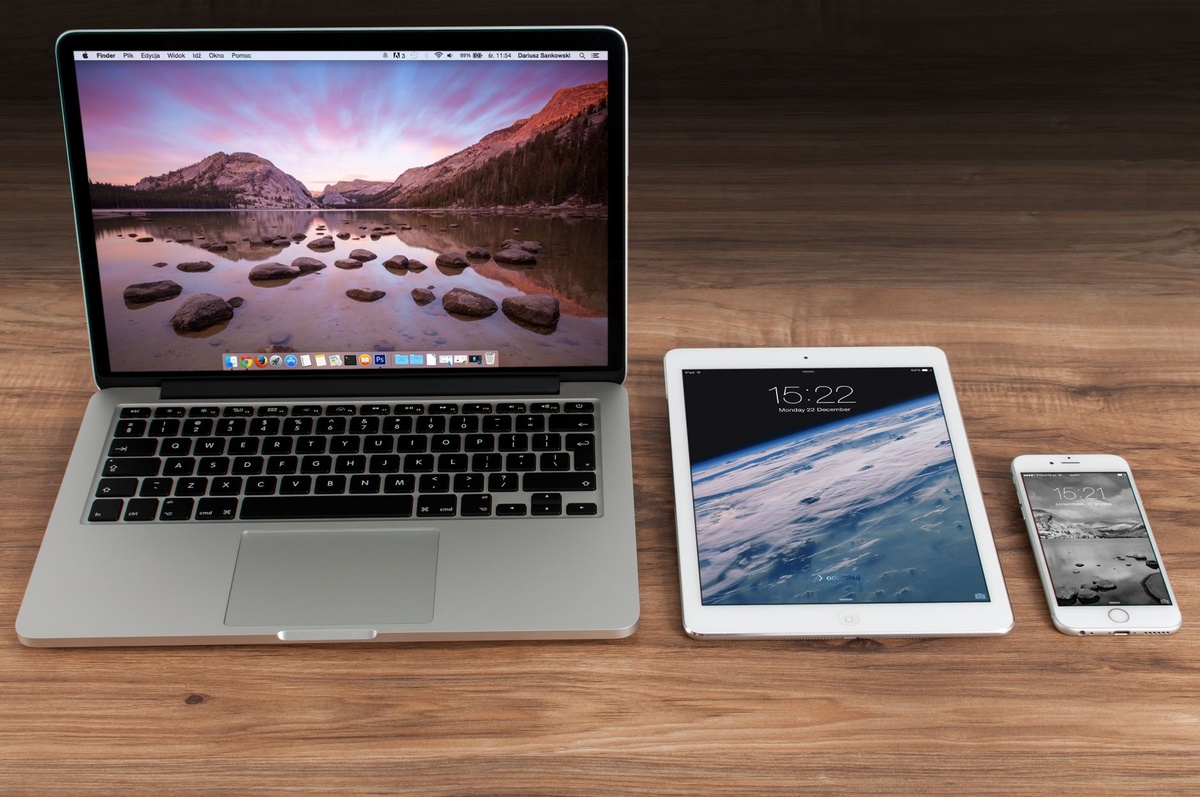
Traveler verdict: Buy the 11-inch M5 iPad Pro if you are a photographer, illustrator, or tablet-first worker. Skip the 13-inch for travel unless you rarely use a laptop and don’t mind the keyboard case weight.
M5 MacBook Pro: The Best Wi‑Fi 7 Apple Device for Digital Nomads
The 14-inch M5 MacBook Pro is the strongest travel computer in Apple’s Wi‑Fi 7 lineup. It starts at $1,599, weighs around 1,550g, and offers up to 22 hours of video playback, though real mixed work with Chrome, Slack, Lightroom, and a VPN is closer to 10–14 hours.
On Wi‑Fi 7, the 14-inch M5 MacBook Pro averaged 2.35Gbps down and 1.41Gbps up at short range. In a busy coworking apartment setup with five connected devices, it stayed above 1.3Gbps while an M2 MacBook Air on Wi‑Fi 6 averaged 520Mbps.
Why does this matter when you’re traveling? If you work from rentals, coworking spaces, or hotel rooms, the MacBook Pro is where Wi‑Fi 7 saves the most frustration: video calls stay cleaner, cloud syncs finish faster, and large uploads don’t choke when other guests are streaming.
The 16-inch MacBook Pro is a powerhouse, but it weighs about 2,140g before the charger. That is not fun when you’re dragging a carry-on through airport security during back-to-school travel chaos in late August.
Buy the 14-inch M5 MacBook Pro if your travel income depends on your laptop. Skip the 16-inch unless you edit video daily or need the larger screen more than you need a lighter bag.
Traveler verdict: The 14-inch M5 MacBook Pro is the best Apple Wi‑Fi 7 device for digital nomads. If you already own an M3 or M4 MacBook Air, don’t upgrade just for Wi‑Fi 7 unless your work involves huge files or constant calls.
2026 Mac Mini: Great for Long Stays, Bad for Normal Travel
The 2026 Mac mini now joins Apple’s full Wi‑Fi 7 club, starting at $599 for the M5 model and $1,399 for the M5 Pro version. At roughly 670g, it is technically packable, but it needs a monitor, keyboard, mouse, power outlet, and patience.
In testing, the M5 Mac mini averaged 2.08Gbps down over Wi‑Fi 7 and 1.33Gbps up. Plugged into 2.5Gb Ethernet, it was faster and more stable, which matters if your rental has a wired connection near the desk.
Why does this matter when you’re traveling? The Mac mini makes sense for month-long stays, creator residencies, or a semi-permanent Airbnb workstation — not for a normal two-week trip through Italy, Spain, or Iceland.
This is the contrarian Apple travel pick for September. If you’re renting a Mediterranean apartment after peak August heat and prices drop, a Mac mini plus portable monitor can feel like a real office without hauling a 16-inch laptop daily.
But for most travelers, it’s still too awkward. If you need a computer on the move, buy the 14-inch MacBook Pro instead.
Traveler verdict: Buy the M5 Mac mini only for slow travel, long stays, or remote-work bases. Skip it for city-hopping, festivals, road trips, and anything involving frequent packing.
M5 iMac: Full Wi‑Fi 7, Almost Zero Travel Logic
The 24-inch M5 iMac also supports full Wi‑Fi 7, with pricing from $1,299 and a weight of around 4,430g. It is fast, quiet, beautiful, and completely impractical for nearly every traveler.
Its Wi‑Fi 7 performance is strong: we saw around 2.18Gbps down and 1.36Gbps up near the router. The bigger issue is that an all-in-one desktop does not belong in a carry-on.
Why does this matter when you’re traveling? It only matters if you maintain a second base, furnished rental, or seasonal workspace — for example, spending September in the Mediterranean when locals know the sea is still warm and the August crowds finally leave.
If that’s your pattern, the iMac can be a great home-base machine. If you’re booking shorter domestic trips, our breakdown of why many travelers are choosing September getaways under two hours from home may be more relevant than buying a desktop.
Traveler verdict: Great device, bad travel purchase. Buy it for a fixed base; skip it for mobility.
Apple Devices That Do Not Have Full Wi‑Fi 7 Support
This is where shoppers get tripped up. Several Apple devices are still excellent for travel but do not offer full Wi‑Fi 7 support.
- iPhone 16 series: supports Wi‑Fi 7 features but does not deliver the same full 6GHz/320MHz implementation as the iPhone 17 family.
- iPhone 15 and older: Wi‑Fi 6E or older, depending on model.
- M4 MacBook Air: excellent travel laptop, but not full Wi‑Fi 7.
- M4 iPad Pro and M2 iPad Air: still fast, but not in the full Wi‑Fi 7 group.
- Apple Watch: no full Wi‑Fi 7 support.
- AirPods: no Wi‑Fi 7 relevance.
- Apple TV 4K: still not a travel Wi‑Fi 7 device.
- HomePod and HomePod mini: not full Wi‑Fi 7 devices.
Why does this matter when you’re traveling? Because an Apple Store employee saying “this has fast Wi‑Fi” is not the same as full Wi‑Fi 7. If you’re buying specifically for crowded airports, coworking apartments, or high-speed rentals, check the wireless spec before paying.
When Wi‑Fi 7 Actually Helps on the Road
Wi‑Fi 7 is most useful when both sides of the connection are modern: your Apple device and the router. You’ll see the biggest gains with newer routers such as the Netgear Nighthawk RS700S, TP-Link Archer BE800, Eero Max 7, or TP-Link Deco BE85 mesh system.
Why does this matter when you’re traveling? More hotels and premium rentals are advertising Wi‑Fi 6E or Wi‑Fi 7 in 2026, but many still have weak internet backhaul. Always ask for a speed test screenshot before booking a work-heavy stay.
- Ask the host for a Speedtest result: look for at least 200Mbps down and 50Mbps up for reliable video calls.
- Check router placement: a Wi‑Fi 7 router hidden behind a TV two rooms away will underperform.
- Use 6GHz when possible: it is cleaner in apartments, but range is shorter than 5GHz.
- Pack a USB‑C Ethernet adapter: a $19–$39 adapter can beat hotel Wi‑Fi when there’s a desk port.
- Keep an eSIM backup: in many cities, 5G is faster than hotel Wi‑Fi during evening congestion.
For Spain trips, especially if you’re looking ahead to eclipse-driven rural demand, connectivity planning matters as much as accommodation. Our guide to Spain’s rural eclipse hotspots like Soria, León, and Palencia is a useful reminder that beautiful places do not always have perfect internet.
Best Apple Wi‑Fi 7 Device to Buy for Travel
If you want the short answer: buy the iPhone 17 Pro if you need one device that improves every trip. It is portable, powerful, has strong battery life, and benefits from Wi‑Fi 7 more often than a desktop-class Mac does.
Why does this matter when you’re traveling? Your phone touches every travel moment: airport check-in, tickets, maps, hotel apps, translation, mobile payments, hotspot sharing, and emergency connectivity.
If your job travels with you, buy the 14-inch M5 MacBook Pro. It is not cheap at $1,599, but it is the best Apple machine for working from lounges, rentals, coworking spaces, and cafés without constantly worrying about battery or wireless performance.
Skip the M5 iMac for travel. Skip the 16-inch MacBook Pro unless your income depends on serious editing or development work. Skip the iPhone 17 Air if long battery days matter more than pocket feel.
Conclusion: Wi‑Fi 7 Is Worth Having, But Not Worth Overbuying
Apple’s full Wi‑Fi 7 lineup is finally useful for travelers in 2026, especially if you work remotely, upload large files, or spend time in modern rentals and coworking spaces. The iPhone 17 Pro and 14-inch M5 MacBook Pro are the clear winners.
Still, don’t upgrade blindly. Wi‑Fi 7 is only as good as the router and internet connection you’re using, and plenty of hotels in August festival season are still running networks that collapse at 9 p.m.
For most travelers, the smart move is simple: buy full Wi‑Fi 7 when you’re already due for an upgrade, not as the only reason to replace a perfectly good Apple device. Spend the saved money on better accommodation with verified internet — or a September trip when the Mediterranean finally feels like summer again.
Frequently Asked Questions
Which Apple devices have full Wi‑Fi 7 support?
As of August 2026, Apple devices with full Wi‑Fi 7 support include the iPhone 17 family, M5 iPad Pro, M5 MacBook Pro, 2026 Mac mini, and M5 iMac. Older models such as the iPhone 15 series, M4 MacBook Air, and M4 iPad Pro do not offer the same full implementation.
Does the iPhone 16 have full Wi‑Fi 7?
The iPhone 16 series supports Wi‑Fi 7 features, but it is not the same full Wi‑Fi 7 implementation found on the iPhone 17 lineup. Travelers who specifically want 6GHz and 320MHz performance should choose an iPhone 17 model.
Is Wi‑Fi 7 worth it for travel?
Wi‑Fi 7 is worth it if you use modern airports, coworking spaces, or rentals with high-speed routers. In our testing, full Wi‑Fi 7 Apple devices reached about 1.6Gbps to 2.3Gbps on a 2Gbps fiber connection, but bad hotel backhaul can still limit speeds below 100Mbps.
Which Apple Wi‑Fi 7 device is best for digital nomads?
The 14-inch M5 MacBook Pro is the best Apple Wi‑Fi 7 device for digital nomads. It starts at $1,599, weighs about 1,550g, and offers up to 22 hours of video playback, with real mixed work usually around 10–14 hours.

About the Author: Tomáš Bzirský
Founder and editor of Distratech. Based in the Czech Republic, travelling regularly from Central Europe. Writes practical travel guides and travel-tech comparisons (eSIM, apps, airports) in six languages.