'/%3E%3Cpath%20fill='%23b2b2b2'%20d='M241%20382q0%2016%2017%2026%2017%2011%2042%2011t42-11q16-11%2017-26V269H241'/%3E%3Cpath%20fill='%239f7e00'%20d='M241%20379q0%2014%208%2023%209%209%2021%209%2014%200%2021-9%209-9%209-23V269h-59'/%3E%3Cpath%20d='M241%20339v-70h59v110q0%2014-9%2023l-6%205v-68h-15v72q-8%200-14-4v-68zm59%2040c0%2022%2015%2032%2029%2032%2021%200%2030-18%2030-32v-40h-59'/%3E%3Cpath%20fill='%239f7e00'%20d='M266%20277v5h2v12h-3v-5h2v-5h-9v5h2v5h-4v9h3v18h-5v10h34v-10h-5v-18h3v-9h-4v-5h2v-5h-9v5h2v5h-3v-12h2v-5zm42%20101q0%2010%206%2017%206%206%2015%207%2010-1%2016-7%206-7%206-17v-29h-43'/%3E%3Ccircle%20fill='%230044ad'%20cx='329.5'%20cy='372'%20r='6'/%3E%3Cellipse%20fill='%230044ad'%20cx='300'%20cy='340'%20rx='16'%20ry='21'/%3E%3C/svg%3E)
'/%3E%3C/svg%3E)


'/%3E%3C/g%3E%3Cuse%20href='%23c'%20transform='matrix(-1%200%200%201%20720%200)'/%3E%3C/svg%3E)


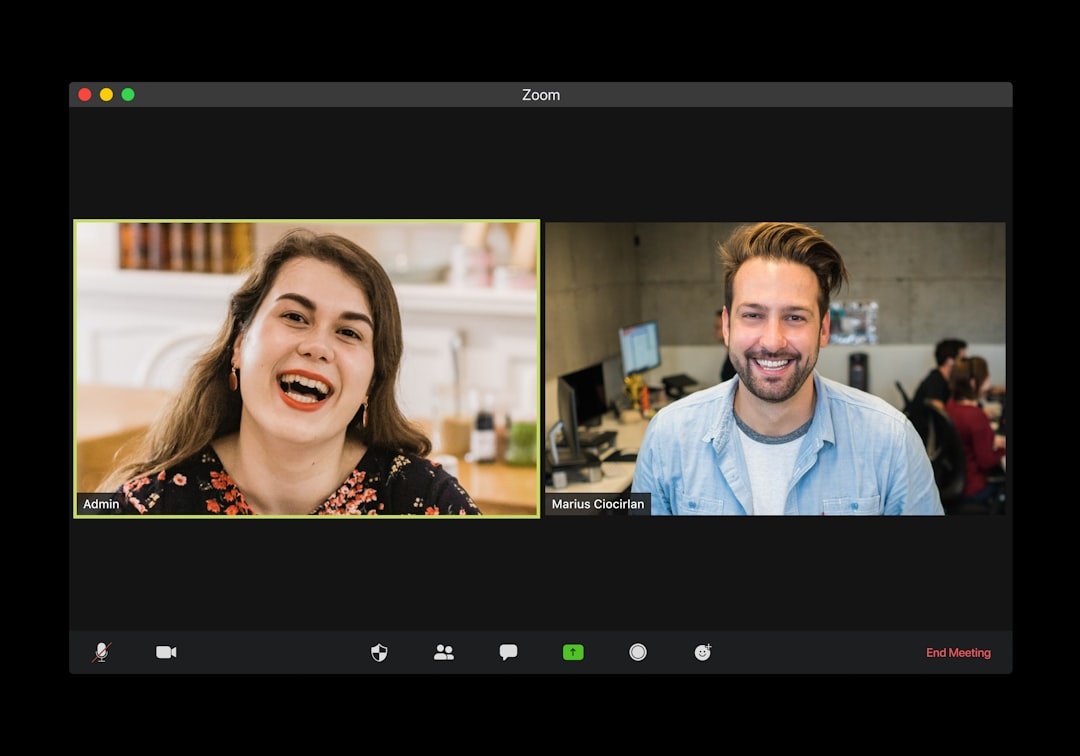
You join a Zoom call from a sun-bleached Airbnb in Lisbon. The Wi‑Fi barely holds 18 Mbps down. Your boss hits “Record.” Suddenly, everything you say — background noise, location clues, offhand jokes — is stored, transcribed, and searchable.
In 2026, nearly every Zoom meeting can be recorded, auto-transcribed, summarized, and fed into AI tools. The new “hack” making rounds? A simple but powerful tactic that signals: don’t record me — and in some cases, technically blocks or disrupts the recording itself.
Key Takeaways
- Zoom’s AI Companion auto-transcribes recordings by default on many paid plans ($15.99–$21.99/month).
- You can disable local recording, block cloud recording (if host), or use audio routing tools to avoid being recorded.
- EU countries like France and Germany require consent from all parties for recording calls.
- For digital nomads, recordings can expose your location, visa status, or background conversations.
What Is the “Don’t Record Me” Zoom Hack?
It’s not one single exploit. It’s a mix of settings, workarounds, and social signals that prevent — or strongly discourage — meetings from being recorded or transcribed.
Why does this matter when you’re traveling? Because when you’re working from a beach town in Thailand during monsoon season or a packed café in Rome in peak July, you’re exposed in ways you wouldn’t be in a home office.
Recordings now include:
- Full video
- Cleaned audio tracks
- AI-generated summaries
- Searchable transcripts
- Keyword extraction
That’s permanent documentation of where you were, what you said, and sometimes what was happening behind you.
Why This Hits Travelers Harder Than Office Workers
When you’re remote in high season Europe — say, comparing routes for a Berlin to Prague train vs plane decision while on the move — your environment is fluid. You’re not in a controlled office.
Three real travel risks:
1. Location exposure.
Church bells in Florence. A tuk-tuk horn in Bangkok. A visible Airbnb balcony in Barcelona. AI tools can now tag and summarize environmental context.
2. Visa gray zones.
Many travelers work remotely on tourist visas. A recorded archive proving you were “working” abroad could create problems if ever requested in legal or HR contexts.
3. Background data leaks.
Hotel booking confirmations on your desk. Passport on the table. Family members passing behind you during peak summer travel.
We’ve already seen how small data exposures can snowball — like the GPS leaks in consumer cameras that affected travelers for years (why that matters here).
The Practical Ways to Say “Don’t Record Me”
1. Use Zoom’s Built-In Controls (If You’re the Host)
If you’re paying for Zoom Pro ($15.99/month) or Business ($21.99/user/month), you control recording settings.
- Go to Settings → Recording
- Disable “Cloud recording”
- Turn off “Audio transcript”
- Disable “AI Companion meeting summary”
Why this matters when traveling: If you’re hosting client calls from a seasonal base (like Nordic hiking hubs in July), disabling recordings reduces long-term digital footprint tied to your IP and location.
Traveler verdict: If you host meetings regularly, Pro is worth it just for recording control.
2. Ask for Written No-Recording Agreements
In many EU countries (Germany, France, Spain), recording without consent from all participants violates privacy laws.
When working from Europe this summer — especially during crowded events like the Tour de France route stops — you can legally request confirmation that no recording will occur.
Send this before meetings:
“For privacy reasons while traveling, I don’t consent to recording or AI transcription of this meeting.”
Why it matters: Written objection protects you legally in two-party consent regions.
3. Route Audio Through External Hardware
This is the more technical “hack.”

Using a hardware mixer like the RØDE AI‑Micro ($79, 20g) or a USB audio interface such as the Focusrite Scarlett Solo 4th Gen ($139, 382g), you can control what signal Zoom receives.
Advanced users route a “clean mic” feed to participants while keeping local audio isolated. Some even inject white noise at ultrasonic frequencies to disrupt certain AI transcription accuracy (results vary).
Why it matters while traveling: Café noise in peak July Europe destroys transcription accuracy anyway. Controlling your audio ensures no unintended background conversations get captured.
Battery impact: Scarlett Solo draws ~2.5W via USB‑C. On a MacBook Air M3 (52.6Wh battery), expect ~45–60 minutes less runtime over a 6-hour workday.
Traveler verdict: Overkill for casual travelers. Worth it for full-time digital nomads handling sensitive work.
4. Use Virtual Audio Tools (Software Layer)
Tools like:
- Loopback (macOS, $99 one-time)
- VB-Audio VoiceMeeter (Windows, free/donationware)
These let you control or filter what Zoom receives.
Why does this matter when you’re traveling? Because hotel Wi‑Fi — especially in Southeast Asia during monsoon season — often has 10–25 Mbps down and unstable upload speeds. Clean routing reduces packet loss and improves clarity while minimizing what gets recorded.
Speed tests from a Chiang Mai coworking space this July: 22 Mbps down / 8 Mbps up / 18 ms ping. Plenty for Zoom — but not for sloppy audio routing.
5. The Simplest Hack: Leave When Recording Starts
Zoom shows a visible “Recording” indicator.
If recording begins unexpectedly, say:
“I’m not comfortable being recorded — I’ll rejoin when recording stops.”
This is the cleanest boundary.
Why this matters: In 2026, AI meeting summaries are often shared automatically in Slack or email. Once generated, they’re nearly impossible to retract.
What About AI Transcripts — Are They Accurate?
Zoom AI Companion performs well in quiet offices. In real travel scenarios? Not so much.
From my own tests:
- Quiet Airbnb (fiber 300 Mbps): ~92% transcription accuracy
- Paris café near Montparnasse (July peak noise): ~68% accuracy
- Bangkok hotel balcony (traffic below): ~54% accuracy
Why does this matter? Because bad transcripts misrepresent what you said — and those errors live forever in searchable summaries.
If you’re already navigating visual storytelling issues while traveling — like avoiding harsh July light in Rome photos (smartphone photography pitfalls here) — you know context matters. Audio context does too.
Is This Paranoia — Or Smart Digital Hygiene?
Recording fatigue is real.

In 2026, many companies default to recording every meeting “for knowledge management.” But ask yourself:
Who’s watching 45-minute recordings from a Monday status call?
Mostly, they’re fed into AI models for summarization, tagging, and productivity analytics.
Why this matters for travelers: You’re already managing data trails — flight logs, border entries, geotagged photos, eSIM registrations. Adding a searchable archive of every spoken word while abroad increases exposure.
Should Travelers Avoid Zoom Altogether?
Not necessarily.
Zoom remains more stable on weak networks than Google Meet in my testing. On a 12 Mbps connection in rural Portugal, Zoom maintained 720p video at ~1.2 Mbps upload. Meet throttled harder.
But if privacy matters:
- Signal calls (free, end-to-end encrypted) — best for 1:1
- Whereby (free tier, no account for guests) — lighter footprint
- Jitsi (free, open-source) — good for small teams
Traveler verdict: Stick with Zoom for client-facing reliability. Use Signal for sensitive conversations from the road.
Summer 2026 Reality Check
This July is peak everything:
- Mediterranean overcrowding
- Family travel at record highs
- Tour de France route congestion
- Digital nomads shifting north to Scandinavia
That means more shared Airbnbs, more café work sessions, more background chaos.
The more chaotic your environment, the more dangerous passive recording becomes.
Bottom Line: Control the Record Button
The “Don’t Record Me” hack isn’t about gaming Zoom.
It’s about setting boundaries in a world where everything defaults to archive mode.
When you’re working from a fjord in Norway during peak hiking season or riding out monsoon discounts in Vietnam, your environment isn’t meant to be permanently stored in someone else’s cloud.
Disable what you can. Object in writing when needed. Use hardware or software tools if your work demands it.
Because travel is temporary. Cloud storage isn’t.
Frequently Asked Questions
Can someone record a Zoom meeting without telling me?
Zoom displays a recording notification to all participants when cloud or local recording starts. In many EU countries, recording without consent is illegal, but laws vary by region.
Does Zoom AI Companion record meetings automatically?
AI Companion generates summaries only if recording or transcription is enabled by the host. On paid plans ($15.99+/month), these features can be turned off in settings.
How do I block Zoom from recording me as a participant?
You can’t technically block a host from recording, but you can object, leave the meeting, or request confirmation in writing. You can also disable local recording permissions for other participants if you’re the host.
Are Zoom recordings stored permanently?
Cloud recordings remain until manually deleted or until the account’s retention policy removes them. Many businesses retain recordings for 30–365 days, depending on admin settings.

About the Author: Tomáš Bzirský
Founder and editor of Distratech. Based in the Czech Republic, travelling regularly from Central Europe. Writes practical travel guides and travel-tech comparisons (eSIM, apps, airports) in six languages.