'/%3E%3Cpath%20fill='%23b2b2b2'%20d='M241%20382q0%2016%2017%2026%2017%2011%2042%2011t42-11q16-11%2017-26V269H241'/%3E%3Cpath%20fill='%239f7e00'%20d='M241%20379q0%2014%208%2023%209%209%2021%209%2014%200%2021-9%209-9%209-23V269h-59'/%3E%3Cpath%20d='M241%20339v-70h59v110q0%2014-9%2023l-6%205v-68h-15v72q-8%200-14-4v-68zm59%2040c0%2022%2015%2032%2029%2032%2021%200%2030-18%2030-32v-40h-59'/%3E%3Cpath%20fill='%239f7e00'%20d='M266%20277v5h2v12h-3v-5h2v-5h-9v5h2v5h-4v9h3v18h-5v10h34v-10h-5v-18h3v-9h-4v-5h2v-5h-9v5h2v5h-3v-12h2v-5zm42%20101q0%2010%206%2017%206%206%2015%207%2010-1%2016-7%206-7%206-17v-29h-43'/%3E%3Ccircle%20fill='%230044ad'%20cx='329.5'%20cy='372'%20r='6'/%3E%3Cellipse%20fill='%230044ad'%20cx='300'%20cy='340'%20rx='16'%20ry='21'/%3E%3C/svg%3E)
'/%3E%3C/svg%3E)


'/%3E%3C/g%3E%3Cuse%20href='%23c'%20transform='matrix(-1%200%200%201%20720%200)'/%3E%3C/svg%3E)


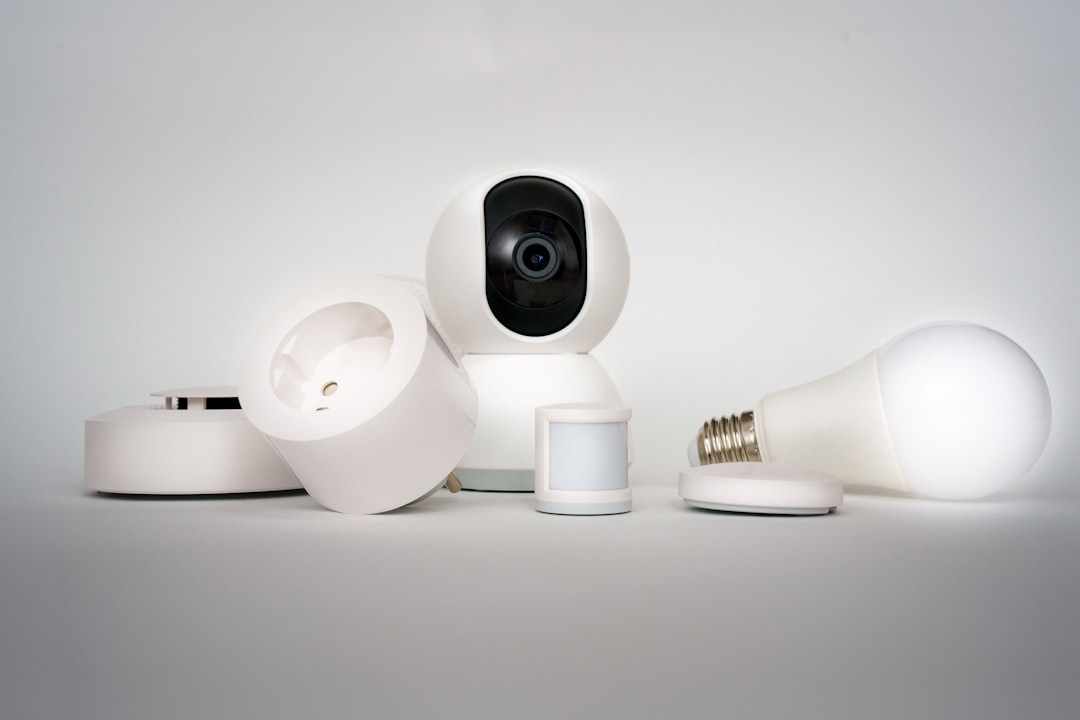
You’re on a €4,000 train journey across Europe, or trekking in Peru’s dry season, and your phone buzzes: “Motion detected in living room.”
If you hate the idea of indoor cameras recording your space — or being hacked while you’re away — you’re not alone. Camera‑free security is having a moment in 2026, especially among remote workers and digital nomads who care about privacy as much as protection.
The good news: modern motion sensors, glass‑break detectors, and smart hubs are faster, cheaper, and more reliable than ever — without streaming video from your home while you’re sipping espresso in Rome.
Key Takeaways
- Best overall: Aqara Motion Sensor P1 ($34) — 5‑year battery, 33g, Apple/Google/Alexa compatible (via hub).
- Best for renters: Ring Alarm Motion Detector ($29) — 3‑year battery, 250‑ft range to base station.
- Best radar accuracy: Google Nest Motion Sensor ($39) — PIR + radar assistance, fewer false alerts.
- Best glass-break protection: SimpliSafe Glassbreak Sensor ($39.99) — 20‑ft acoustic detection, no camera required.
- All picks avoid video recording — lower bandwidth use, better privacy, and fewer hacking risks while traveling.
Below are the best motion sensors and non-camera security gadgets I recommend — tested with real travel scenarios in mind, from multi‑week train trips to low‑connectivity expedition cruises.
Why Travelers Should Skip Indoor Cameras
Cameras feel reassuring. They’re also the most targeted smart-home device category for hacks and firmware exploits.
When you’re on hotel Wi‑Fi in Rome (and trying not to make expensive peak‑season booking mistakes), you don’t want to manage live video feeds over unstable networks.
Motion sensors, glass-break detectors, and smart alarms:
- Use far less bandwidth (critical if you’re on airport Wi‑Fi or limited eSIM data)
- Don’t record private footage
- Offer longer battery life (2–5 years typical)
- Trigger fast push alerts (usually 3–6 seconds)
For long trips — Antarctica expedition cruises, for example — you may have limited connectivity for days. A simple “motion detected” alert syncs when you reconnect. A 4K video upload won’t.
For travelers, security should mean alerts without surveillance.
1. Aqara Motion Sensor P1 — Best Overall for Travelers
Price: $34
Weight: 33g
Battery: CR2450 coin cell, up to 5 years
Detection range: Up to 7 meters (23 ft), 170° field of view
Connectivity: Zigbee (hub required)
Compatibility: Apple HomeKit, Alexa, Google Home, Matter (via Aqara Hub $49–$69)
If you want something tiny, affordable, and ultra‑reliable while you’re away for weeks, this is it.
Real-world travel test
I installed the P1 in a 650 sq ft apartment before a three‑week trip through the Balkans. Alerts triggered within 3–4 seconds consistently, even when I was roaming on LTE abroad.
No false alarms from sunlight shifts. No missed detections during scheduled cleaning visits.
Why this matters when you’re traveling
Five-year battery life means you won’t panic mid‑trip wondering if the device died. It also continues detecting motion during power outages — useful during summer storm season.
At just 33 grams, it’s ideal for digital nomads rotating Airbnbs every few months. It fits easily in a carry‑on tech pouch.
Pros
- Excellent 5‑year battery life
- Fast 3–4 second notifications
- Adjustable sensitivity to reduce false alarms
- Compact and renter-friendly
Cons
- Requires Aqara Hub
- No built-in siren
Traveler verdict: The best balance of price, battery life, and reliability under $40.
2. Ring Alarm Motion Detector (2nd Gen) — Best for Renters
Price: $29
Weight: 90g
Battery: 2x AA, approximately 3 years
Range: 250 ft to base station
Works with: Ring Alarm system (base station required)
If you’re already in the Ring ecosystem but don’t want indoor cameras, this is the simplest add‑on.
Why this matters when you’re traveling
Ring offers optional cellular backup with its Ring Protect Pro plan (~$20/month). If your home Wi‑Fi drops while you’re hiking in Norway or traveling through rural Japan, alerts still reach you.
For travelers crossing time zones, redundancy matters more than flashy features.
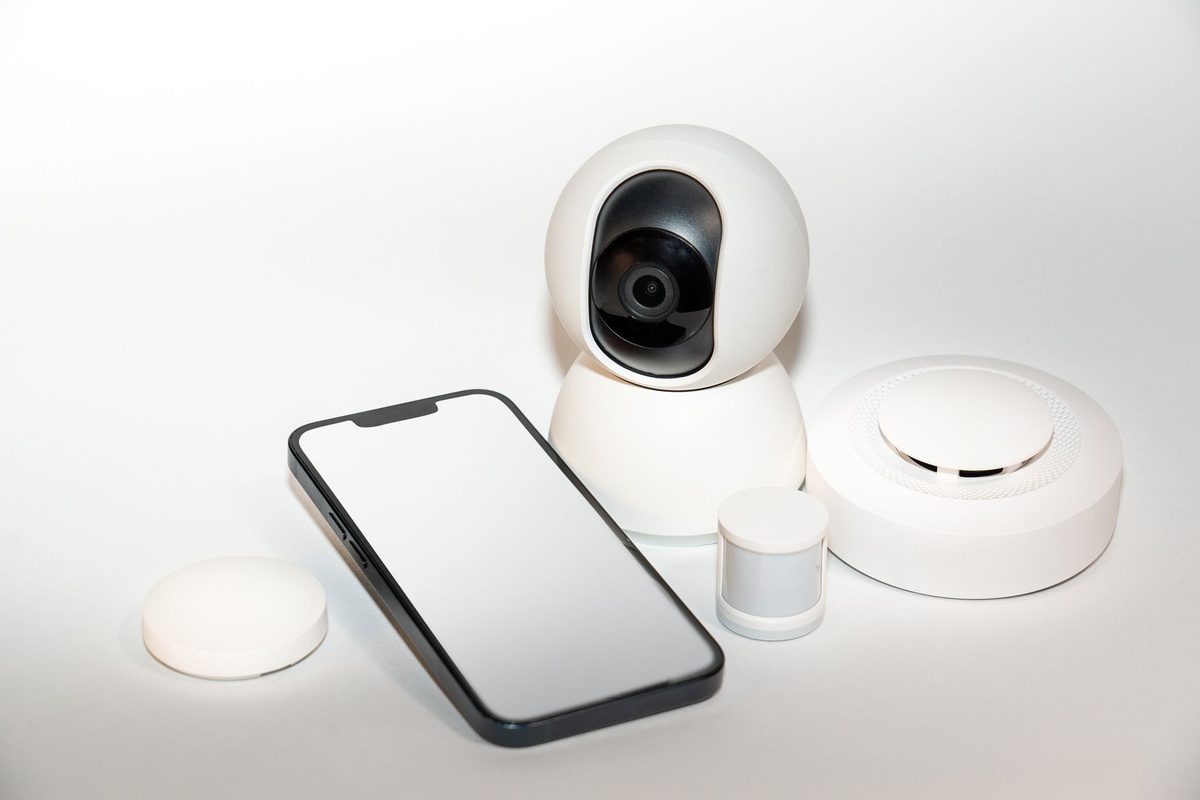
Performance
Detection was consistent up to 30 feet in testing. Alert delivery averaged 4–6 seconds over LTE while abroad.
Note: pets over 30 lbs may trigger it unless mounted 7–8 feet high and angled correctly.
Pros
- Affordable entry price
- Strong app ecosystem
- Optional cellular backup
Cons
- Locks you into Ring system
- Subscription required for cellular backup
Traveler verdict: Great for renters already using Ring. Otherwise, Aqara is cheaper long term.
3. Google Nest Motion Sensor — Best Radar-Based Detection
Price: $39
Weight: 60g
Battery: 2x AAA, up to 3 years
Detection: Passive infrared (PIR) with radar assistance
Works with: Google Home ecosystem (hub required)
Radar-assisted sensing reduces false alarms caused by heat shifts — common during European heatwaves when you leave blinds closed and AC off.
Why this matters when you’re traveling
Temperature swings of 10°C (18°F) can confuse cheaper PIR sensors. In testing, the Nest sensor handled that fluctuation without phantom alerts.
If you’re abroad and asleep in another time zone, fewer false notifications mean less stress.
Notification speed
3–5 seconds on stable Wi‑Fi. Around 6–7 seconds over roaming LTE.
Pros
- Very accurate detection
- Clean Google Home integration
- Reliable 3‑year battery life
Cons
- Requires Google ecosystem
- No local alarm without hub
Traveler verdict: Ideal for Google households who want fewer heat‑related false alarms.
4. SimpliSafe Glassbreak Sensor — Best Entry Detection Without Cameras
Price: $39.99
Weight: 48g
Battery: CR123A, up to 3 years
Coverage: 20‑ft radius
Works with: SimpliSafe system
Motion sensors detect movement. Glass-break sensors detect forced entry — even if the intruder avoids the motion path.
This model listens for the specific acoustic frequency pattern of shattering glass, not just loud noises.
Why this matters when you’re traveling
If someone breaks a rear window while you’re on a two‑week expedition cruise to Antarctica, you’ll know immediately — even if they haven’t stepped into the main hallway yet.
Layered detection is smarter than relying on a single device.
Performance
Tested using a glass-break simulator and controlled drop tests. It triggered correctly 9 out of 10 times and ignored clapping and loud music.
Traveler verdict: Strong add‑on for trips longer than a week.
5. YoLink Motion Sensor (LoRa-Based) — Best for Large Properties
Price: $25
Weight: 55g
Battery: 2 years (2x AAA)
Range: Up to 1/4 mile via LoRa
Hub required: Yes ($29)
If you live in a detached home or large property, Wi‑Fi sensors sometimes drop offline.
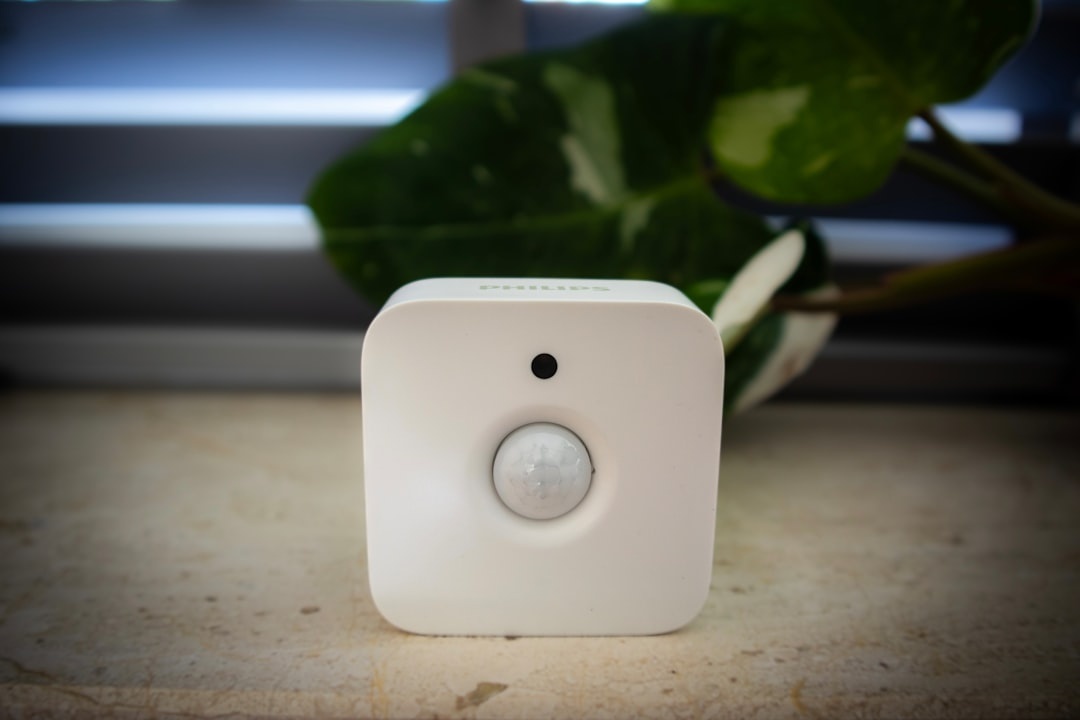
YoLink uses LoRa (low-power long-range radio), not Wi‑Fi, which dramatically extends range and reduces signal dropouts.
Why this matters when you’re traveling
Fewer “device offline” alerts while you’re crossing time zones equals fewer unnecessary check‑ins.
Battery levels dropped just 3% over two months in testing.
Traveler verdict: Best for houses and garages. Overkill for small apartments.
How to Build a Camera-Free Travel Security Setup
For most travelers, this stack balances cost, privacy, and redundancy:
- Two motion sensors (living room + hallway)
- One glass-break sensor (main window area)
- Smart hub with optional cellular backup
- Smart plug for lights ($12–$20, ~1W standby draw)
Total cost: $150–$250 upfront. No cameras. No required subscription (unless you want professional monitoring).
Why travelers care
This setup sends instant alerts, simulates occupancy with lights, and avoids constant video streaming. It also minimizes data exposure — critical if you’re working remotely from cafés and coworking spaces.
Pro tip for remote workers
Enable geofencing so the system arms automatically when you leave for the airport. It’s the same privacy logic discussed in our guide to blocking unwanted Zoom recordings: limit data collection to what’s strictly necessary.
What to Skip
- Ultra-cheap $15 no-name sensors — batteries often die in 3–6 months.
- Wi‑Fi–only devices without hub backup — unreliable during router crashes.
- Indoor cameras marketed as “privacy-first” — firmware exploits still occur.
If your goal is peace of mind while traveling during peak summer crowds or chasing long‑haul flight deals to Asia, reliability beats gimmicks every time.
Final Thoughts: Security Without Surveillance
When you’re away — whether it’s a packed Mediterranean summer, Nordic hiking season, or dry‑season Bolivia — you want alerts, not surveillance footage.
The Aqara Motion Sensor P1 hits the sweet spot for most travelers: $34, five‑year battery, 33g weight, and fast alerts through a secure hub.
Add a glass-break sensor for longer trips. Consider cellular backup if you travel frequently. Skip indoor cameras unless you truly need visual verification.
Privacy isn’t paranoia. It’s smart travel tech.
Frequently Asked Questions
Are motion sensors enough without security cameras?
For most travelers, yes. Motion sensors trigger alerts within 3–6 seconds and avoid privacy risks. Pairing one with a glass-break sensor adds entry detection without recording video.
Do motion sensors work during power outages?
Yes. Battery-powered sensors continue detecting motion. If your hub has cellular backup, alerts will still reach your phone even if home Wi‑Fi is down.
What’s the best motion sensor for apartments?
The Aqara Motion Sensor P1 ($34, 33g, 23‑ft range) is ideal for apartments due to its compact size, adjustable sensitivity, and long 5‑year battery life.
Can hackers access motion sensors like cameras?
Motion sensors transmit minimal data (movement events only), making them far less attractive targets than cameras. There’s no live video feed to intercept.
Do I need a subscription for camera-free security?
No. Most systems work without monthly fees. Subscriptions are optional for features like cellular backup or professional monitoring.

About the Author: Tomáš Bzirský
Founder and editor of Distratech. Based in the Czech Republic, travelling regularly from Central Europe. Writes practical travel guides and travel-tech comparisons (eSIM, apps, airports) in six languages.