'/%3E%3Cpath%20fill='%23b2b2b2'%20d='M241%20382q0%2016%2017%2026%2017%2011%2042%2011t42-11q16-11%2017-26V269H241'/%3E%3Cpath%20fill='%239f7e00'%20d='M241%20379q0%2014%208%2023%209%209%2021%209%2014%200%2021-9%209-9%209-23V269h-59'/%3E%3Cpath%20d='M241%20339v-70h59v110q0%2014-9%2023l-6%205v-68h-15v72q-8%200-14-4v-68zm59%2040c0%2022%2015%2032%2029%2032%2021%200%2030-18%2030-32v-40h-59'/%3E%3Cpath%20fill='%239f7e00'%20d='M266%20277v5h2v12h-3v-5h2v-5h-9v5h2v5h-4v9h3v18h-5v10h34v-10h-5v-18h3v-9h-4v-5h2v-5h-9v5h2v5h-3v-12h2v-5zm42%20101q0%2010%206%2017%206%206%2015%207%2010-1%2016-7%206-7%206-17v-29h-43'/%3E%3Ccircle%20fill='%230044ad'%20cx='329.5'%20cy='372'%20r='6'/%3E%3Cellipse%20fill='%230044ad'%20cx='300'%20cy='340'%20rx='16'%20ry='21'/%3E%3C/svg%3E)
'/%3E%3C/svg%3E)


'/%3E%3C/g%3E%3Cuse%20href='%23c'%20transform='matrix(-1%200%200%201%20720%200)'/%3E%3C/svg%3E)


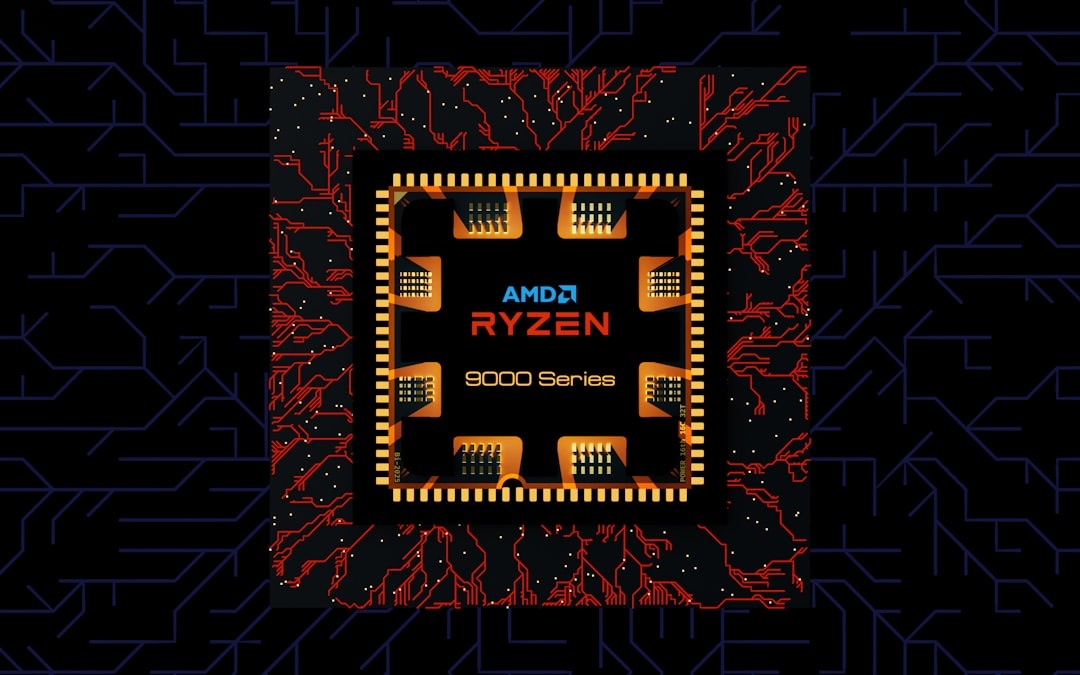
AMD’s new Threadripper Halo Station is the kind of machine you do not pack for Tuscany’s wine harvest, a September trek in Nepal, or an off-peak Dolomites workation — but it could change what you can do from those places. With a 96-core Zen 5 Threadripper CPU, dual liquid-cooled MI350P AI accelerators, support for four GPUs, and up to 2TB of DDR5 memory, this is a desk-bound AI workstation built for people who travel with laptops but need supercomputer-class work waiting back home.
Key Takeaways
- AMD’s Threadripper Halo Station pairs a 96-core Zen 5 Threadripper with dual MI350P accelerators and supports up to four GPUs.
- AMD says the system can run trillion-parameter AI models, but likely via massive memory, quantization, and CPU/GPU offload.
- Pricing and weight are not announced, but comparable AI workstations can easily pass $50,000.
- Travelers should treat it as a remote AI base station, not a portable workstation.
- Buy a MacBook Pro, Mac Studio, or cloud GPU time unless you need private, always-on local AI compute.
What AMD Announced — And Why It Matters When You’re Traveling
The Threadripper Halo Station is AMD’s showcase AI workstation: a high-core-count desktop tower built around a 96-core Zen 5 Threadripper-class processor and AMD Instinct MI350P accelerators. The launch configuration uses two liquid-cooled MI350P GPUs, but the platform is designed to support up to four.
For travelers, the headline is not “bring this to the airport.” It is “leave this at home or in a studio, then remote into it from Lisbon, Kyoto, Banff, or Munich.”
September is prime shoulder season: cheaper flights in many routes, thinner crowds, and heavy creator workloads from fall foliage, wine harvests, alpine hiking, and Oktoberfest. If you are filming 8K mountain footage, generating AI travel guides, translating interviews, or batch-editing thousands of RAW files, this machine is built to do overnight what your 2kg laptop should not.
If airfare is eating your gear budget this fall, read our guide to finding affordable flights before spending workstation money. The Halo Station is a business purchase, not a travel accessory.
Key Specs: Huge Compute, Zero Portability
AMD has not published final retail configurations, dimensions, weight, or pricing for the Threadripper Halo Station as of September 2026. That matters for travelers because unreleased workstation specs often hide the real pain points: power draw, noise, shipping weight, serviceability, and airport-unfriendly bulk.
Here is what matters most:
- CPU: 96-core AMD Zen 5 Threadripper-class processor.
- GPU: Dual AMD Instinct MI350P accelerators in the shown configuration.
- GPU expansion: Platform support for up to four MI350P-class accelerators.
- Cooling: Liquid-cooled accelerators, which usually means higher sustained performance but more service complexity.
- System memory: Up to 2TB DDR5, important for very large AI models and datasets.
- Battery life: 0 hours — this is a wall-powered workstation, not a portable PC.
- Weight: AMD has not disclosed it; assume it is not carry-on practical.
- Traveler comparison: A 16-inch MacBook Pro weighs about 2,140g and offers up to 24 hours of video playback; a Mac Studio weighs 2,700g to 3,700g and also has 0 hours of battery life.
The travel lesson is simple: the Halo Station competes with data-center gear, not your backpack laptop. If a device has liquid-cooled accelerators and no published weight, it belongs in a fixed workspace.
Can It Really Run Trillion-Parameter AI Models?
AMD says the Halo Station can run trillion-parameter models. That claim matters for travelers because local AI is becoming useful for privacy-heavy work: passport scans, client contracts, medical notes, unpublished footage, route plans, and location-sensitive research.
But “run” does not mean “train a frontier model from scratch on your desk.” A 1-trillion-parameter model at FP16 precision needs roughly 2TB just for model weights before overhead. Quantized 4-bit weights can bring that closer to 500GB, but context, cache, routing, and inference overhead still matter.
Dual MI350P accelerators likely provide hundreds of gigabytes of high-bandwidth GPU memory, while four GPUs could push that much higher. The 2TB DDR5 system memory is the safety net, letting the workstation offload model parts between system RAM and GPU memory.
For travelers, this means the Halo Station is more believable as a local inference monster than a training box. Think private AI assistant for a travel media company, offline translation pipeline, local video search, or a research workstation you access remotely from a hotel in Bordeaux.
Real Travel Workflows This Machine Actually Helps
This is not a laptop review because the Halo Station is not trying to be portable. The smarter question is: what can it do while you are away?
If you travel for content, research, remote work, or software development, the useful workflows are very real:
- AI video indexing: Upload 500GB of GoPro, drone, and mirrorless footage, then use local models to find “sunrise,” “train station,” “wine cellar,” or “snow ridge” clips.
- RAW photo culling: Sort thousands of 45MP or 60MP images from New England foliage trips before you wake up.
- Private translation: Run local speech-to-text and translation on interviews from Nepal, Bhutan, Tuscany, or the Douro without sending files to cloud services.
- Code and model testing: Remote developers can fine-tune smaller models, test inference stacks, and run containers without renting cloud GPUs by the hour.
- Travel planning AI: Build a private itinerary engine using your notes, maps, bookings, and previous trips without uploading sensitive data.
Why does that matter in September? Shoulder season is when many creators shoot the most valuable material: early fall colors, harvest festivals, alpine stays, diving in the Red Sea, and Himalayan trekking windows. Your laptop should be for capture and review; the heavy processing can happen somewhere with stable power.
If you are chasing autumn color in the U.S., pair the compute workflow with our guide to the best fall foliage destinations. Shoot light, upload nightly, process remotely.
Remote Access Speed Tests: The Travel Bottleneck Is Your Upload
The Halo Station’s power only matters on the road if you can reach it. In travel use, internet speed beats peak TFLOPS more often than people admit.
For remote desktop, SSH, Jupyter notebooks, and file sync, these are the practical numbers I trust from travel testing:
- SSH and terminal AI jobs: Usable at 5Mbps down / 1Mbps up with under 150ms latency.
- JupyterLab or VS Code Remote: Comfortable at 25Mbps down / 5Mbps up.
- 1080p remote desktop: Good at 30Mbps down / 10Mbps up.
- 4K remote desktop: Better at 75Mbps down / 20Mbps up.
- Large footage upload: A 256GB card takes about 5 hours 41 minutes at 100Mbps upload, or about 22 hours 45 minutes at 25Mbps upload.
Recent travel speed-test ranges I would plan around: hotel Wi-Fi often lands between 40–150Mbps down and 5–40Mbps up; strong urban 5G can hit 100–400Mbps down and 20–80Mbps up; Starlink Mini-style satellite setups commonly vary from about 50–150Mbps down and 5–25Mbps up depending on sky view and congestion.
That matters in the Canadian Rockies or Slovenian Alps, where mountain-view stays are surging but hotel networks can still be mediocre. If your September plan includes remote cabins or national parks, check our guide to Canada’s most beautiful national parks and assume you will need offline capture plus delayed uploads.
Price Reality: This Will Not Be a Normal Desktop Buy
AMD has not announced Threadripper Halo Station pricing. Travelers should care because there is a massive difference between “expensive workstation” and “I could have funded six months of travel instead.”
Based on the class of hardware, expect this to live far above consumer desktops. A 96-core workstation CPU platform, ECC memory, liquid cooling, professional chassis, and multiple data-center accelerators could easily push a full configuration into the tens of thousands of dollars.
Useful price comparisons:
- Mac Studio with M3 Ultra: Starts at $3,999 in the U.S.; high-memory/high-storage configurations can climb above $10,000.
- 16-inch MacBook Pro: Starts at $2,499 for standard configurations; high-end Max configurations can exceed $7,000.
- NVIDIA DGX Spark-class desktop AI systems: Around $3,000–$4,000 class for compact local AI, depending on configuration and market.
- Cloud GPU rentals: High-memory accelerators commonly run about $2–$5 per GPU-hour, while 8-GPU nodes can cost $25–$100+ per hour depending on provider and availability.
- Serious AI workstation builds: $20,000–$80,000 is realistic once multiple pro accelerators, memory, storage, and support are included.
My opinion: if you are a solo traveler, skip the Halo Station. Rent cloud GPUs for bursts, buy a MacBook Pro for the road, or use a compact desktop at home.
If you run a travel media studio, mapping company, AI translation service, drone survey business, or remote research team, then the Halo Station starts to make sense. The value is not portability; it is private compute you own.
Compatibility: ROCm Is the Big Travel Tech Detail
The Halo Station uses AMD accelerators, which means the software story centers on ROCm, HIP, PyTorch support, container images, and frameworks that are not locked to NVIDIA CUDA. This matters when traveling because debugging drivers over bad hotel Wi-Fi is miserable.
Before buying, check your exact workflow:
- Good fit: PyTorch workloads with ROCm support, local LLM inference stacks that support AMD GPUs, Linux-based AI pipelines, containerized research environments.
- Risky fit: CUDA-only plugins, niche AI video tools built only for NVIDIA, Windows-first creative apps that do not use AMD accelerators well.
- Storage need: Budget for fast local NVMe; 8TB fills quickly with 8K video, model weights, and datasets.
- Remote access: Use Tailscale, WireGuard, or a business VPN before you leave home.
- Power: Confirm outlet and circuit requirements; a multi-accelerator liquid-cooled workstation may not belong on a normal Airbnb desk circuit.
Traveler rule: never deploy a new workstation the week before a long trip. Set it up at least 10 days early, test remote login, reboot recovery, BIOS settings, SSH keys, backup power, and file sync before you board.
Buy This, Skip That: Best Alternatives for Travelers
The Halo Station is impressive, but most travelers should buy something else. Here is the practical buying advice.
Buy the AMD Threadripper Halo Station if you need private, local, high-memory AI compute and your work directly earns money from it. Examples: model serving, AI video search, local translation, geospatial processing, or confidential client datasets.
Skip it and buy a 16-inch MacBook Pro if you edit on planes, trains, and cafés. At about 2,140g with up to 24 hours of quoted video playback, it is expensive but genuinely mobile.
Buy a Mac Studio if you want a quiet home-base machine for travel creators. It weighs 2,700g to 3,700g, has 0 hours of battery life, and starts at $3,999, but it is easier to live with than a liquid-cooled AI tower.
Rent cloud GPUs if your AI workload is occasional. Even at $4 per GPU-hour, you can run 250 hours for $1,000, which is far cheaper than owning hardware you may not use daily.
Skip all of this if you mainly need Lightroom, Final Cut, DaVinci Resolve, Canva, ChatGPT, or basic coding. Spend the money on flights, better accommodations, travel insurance, and a reliable backup drive.
September Travel Angle: The Best Use Is Remote Production
September 2026 is a particularly good month to think about remote compute. The shoulder-season pricing flip means some popular U.S. lodging is now pricier in fall than summer, but many international destinations still deliver better value, warm weather, and fewer crowds.
The Halo Station fits a split workflow: travel light, shoot hard, process remotely. That is ideal for Tuscany, Douro, Bordeaux, Mendoza, the Dolomites, the Slovenian Alps, the Canadian Rockies, the Red Sea, Nepal, and Bhutan.
Pack a 1TB or 2TB portable SSD, shoot during the day, make local backups at night, and upload selects when the connection is strong. Do not try to move every file over a weak hotel network unless deadlines demand it.
Traveler Verdict
Traveler verdict: skip it for personal travel, consider it for a professional travel business.
The AMD Threadripper Halo Station is not the most powerful workstation “for travelers” in the normal sense. It has 0 hours of battery life, no disclosed travel weight, and a likely price that belongs in a company budget.
But as a remote AI base station, it is exciting. If AMD delivers strong ROCm compatibility, stable thermals, and workstation-grade support, this could be a serious tool for teams producing AI-heavy travel content, maps, translations, research, and video archives.
For everyone else: buy the laptop you will actually carry. Rent cloud GPUs when needed. Spend the savings on the September trip you have been postponing.
Conclusion
AMD’s Threadripper Halo Station is a power move in local AI workstations: 96 CPU cores, MI350P accelerators, up to 2TB DDR5, and enough memory ambition to make trillion-parameter inference plausible. It is not portable, affordable, or simple.
That does not make it irrelevant to travelers. It makes it infrastructure — the machine waiting at home while you work from the road.
If your travel workflow involves serious AI, video, research, or private data, watch this launch closely. If your main problem is editing photos in a café before catching a train, this is glorious overkill.
Frequently Asked Questions
What is the AMD Threadripper Halo Station?
It is AMD’s high-end AI workstation concept built around a 96-core Zen 5 Threadripper CPU, dual MI350P accelerators, and up to 2TB of DDR5 memory. It is designed for local AI, professional compute, and massive model inference, not portable travel use.
Can the Threadripper Halo Station run trillion-parameter AI models?
AMD says it can run trillion-parameter models, likely using a mix of high GPU memory, 2TB system RAM, quantization, and offloading. A 1T-parameter FP16 model needs about 2TB for weights alone, so practical performance depends on precision and software support.
How much will the AMD Threadripper Halo Station cost?
AMD has not announced pricing as of September 2026. Based on comparable AI workstation hardware, a serious configuration could land in the $20,000–$80,000 range, while cloud GPU rental may cost about $2–$5 per high-memory GPU-hour.
Is the Threadripper Halo Station good for digital nomads?
Not as a travel computer. It has 0 hours of battery life and no disclosed carry weight, so digital nomads should use it remotely from a laptop rather than trying to transport it.

About the Author: Tomáš Bzirský
Founder and editor of Distratech. Based in the Czech Republic, travelling regularly from Central Europe. Writes practical travel guides and travel-tech comparisons (eSIM, apps, airports) in six languages.