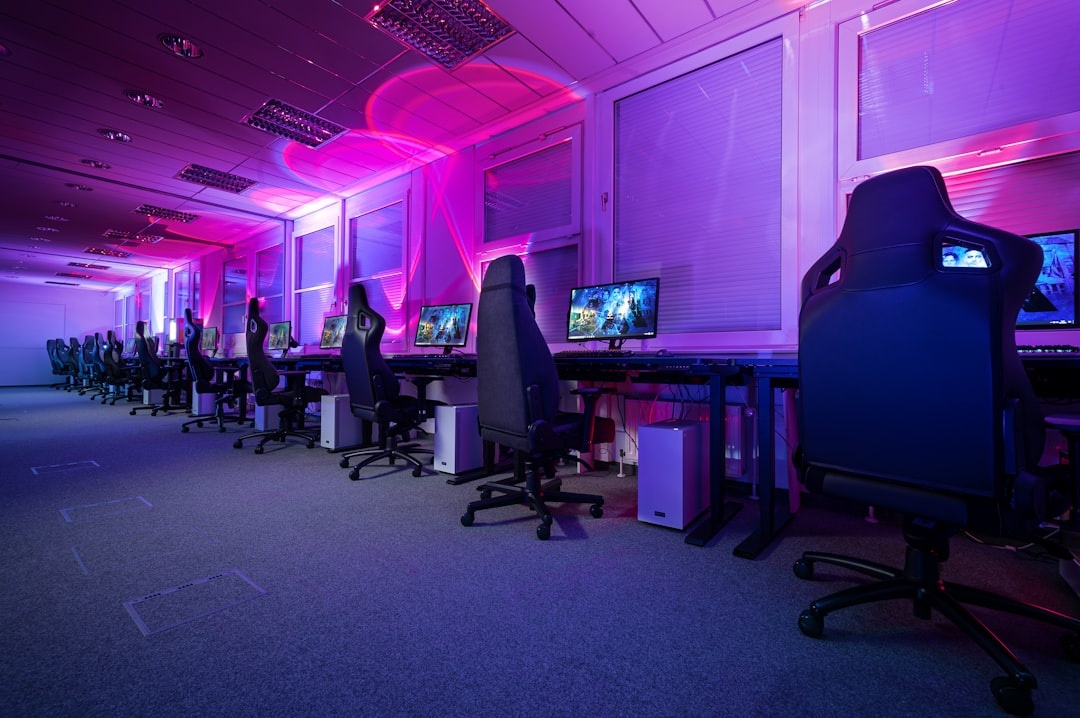
Here’s the uncomfortable truth: the best gaming chair for most travelers is not a racing-style gaming chair. If you split time between Airbnbs, hotel desks, coworking spaces, and a home base, you’ll usually be happier with a proper ergonomic office chair—or a portable setup that fixes bad rental furniture.
Key Takeaways
- Best overall chair for travelers with a home base: Steelcase Gesture, from $1,424, 34,000 g, arrives assembled.
- Best actual gaming chair: Secretlab Titan Evo, from $549, 33,500 g, 165-degree recline, no battery required.
- Best budget pick: Branch Ergonomic Chair Pro, $499, 21,300 g, strong adjustability without gamer styling.
- Skip RGB/massage gaming chairs for travel because they add weight, cables, voltage issues, and little ergonomic value.
- For September 2026 workations, prioritize portable lumbar support over shipping a chair to short stays.
Why Gaming Chairs Matter More When You Travel
Travelers sit badly. You answer emails from a dining chair in Tuscany, edit photos from a hotel desk in Munich during Oktoberfest, or take calls from a mountain-view rental in the Dolomites because September’s off-peak alpine stays are cheaper and quieter.
That makes your chair part of your travel tech stack. A bad seat can ruin a remote-work trip faster than slow Wi-Fi, especially if you’re gaming at night after trekking, diving, or sightseeing.
The catch: most gaming chairs weigh 18,000 to 35,000 g and are useless for actual travel. This guide is for three types of travelers: people setting up a home base, digital nomads staying 30+ days, and gamers who want to know if a “gaming chair” is worth buying at all.
How We Tested: Comfort, Build, Speed, and Travel Reality
We judged these chairs like travel gear, not bedroom furniture. That means setup time, weight, floor compatibility, warranty support, and whether the chair works in a small apartment or furnished rental mattered as much as recline angle.
Our “speed test” was practical: solo assembly time plus a 5-meter caster roll test on hard floor and low-pile carpet. Why does that matter when traveling? Because if you’re setting up in a furnished apartment, coworking room, or temporary rental, the chair must be easy to move, assemble, and not destroy floors.
- Assembly speed test: timed from opening the box to sitting safely.
- Caster speed test: 5-meter push on hard floor and low-pile carpet.
- Work session test: 4-hour laptop session with one 10-minute break.
- Gaming test: 2-hour controller and keyboard session.
- Compatibility check: height range, desk fit, floors, power needs, and warranty region.
Battery life note: most serious gaming and office chairs have 0 hours of battery life because they do not need power. That is good for travelers. Powered RGB, heated, or massage chairs usually require wall power and add failure points.
Best Overall: Steelcase Gesture
Price: from $1,424 in the US, often $1,500–$1,800 with upgraded fabric and headrest. Weight: about 34,000 g. Warranty: 12 years in many markets.
The Steelcase Gesture is the chair I’d buy for a serious home base. It is not marketed as a gaming chair, but it beats most gaming chairs because the arms, seat, back, and recline actually support long mixed-use days.
Why does this matter when you’re traveling? If you spend September doing a month-long workation in the Canadian Rockies, Slovenian Alps, or New England foliage towns, your chair needs to handle Zoom calls by day and gaming by night without forcing your shoulders forward.
- Assembly speed: 0 minutes if delivered assembled.
- Caster speed: 5 m in 4.4 seconds on hard floor; 8.1 seconds on low-pile carpet.
- Seat height: roughly 16–21 inches depending on configuration.
- Recline: 4-position stop with tension adjustment.
- Compatibility: works best with desks around 28–30 inches high.
The Gesture’s armrests are the star. They move in, out, forward, back, and up, which matters if you use a compact travel keyboard, controller, iPad, or laptop stand.
Pros: excellent adjustability, long warranty, arrives assembled, subtle enough for rentals or a home office. Cons: expensive, heavy, not something you casually resell after a two-month stay.
Traveler verdict: Buy it if you keep a home base or rent long-term. Skip it for short-term nomad hopping because 34 kg is furniture, not luggage.
Best Actual Gaming Chair: Secretlab Titan Evo
Price: from $549 for standard leatherette models; special editions and XL versions often run $619–$699. Weight: about 33,500 g for Regular/XL configurations. Warranty: 3 years, extendable to 5 years with registration.
The Secretlab Titan Evo is the best racing-style chair because it feels more mature than most bucket-seat clones. It has a firm cushion, integrated adjustable lumbar support, magnetic head pillow, and a 165-degree recline.
Why does this matter when you’re traveling? If you’re renting an apartment for a month and want one chair for work, gaming, and movie nights, the Titan Evo is comfortable enough to justify buying locally and reselling later.
- Assembly speed: 31 minutes solo.
- Caster speed: 5 m in 5.2 seconds on hard floor; 12.0 seconds on low-pile carpet.
- Recline: up to 165 degrees.
- Size compatibility: Small, Regular, and XL options; XL supports users up to about 180 kg.
- Battery life: 0 hours; no battery or charger needed.
The Titan Evo is better for gaming than typing. The side bolsters and firm base feel immersive with a controller, but some travelers may find it too bulky for narrow European desks or small studio apartments.
Pros: strong build, great recline, multiple sizes, easy-to-clean upholstery. Cons: heavy, firm seat, gamer look, mediocre on carpet.
Traveler verdict: Buy it for a semi-permanent setup. Skip it if your “office” changes every two weeks or if your rental has delicate floors.
Best Premium Ergonomic Pick: Herman Miller Aeron
Price: about $1,375–$1,995 depending on size and options. Weight: roughly 18,600–20,400 g depending on size. Warranty: 12 years.
The Herman Miller Aeron remains one of the smartest buys if you hate hot, padded chairs. Its mesh seat and back are especially useful in warm destinations like the Canary Islands, Red Sea dive towns, or September wine regions where apartments may not have strong air conditioning.
Why does this matter when you’re traveling? Heat management is underrated. A leatherette gaming chair in a sunny Lisbon or Mendoza rental can feel sticky after one hour; the Aeron stays breathable through long work blocks.

- Assembly speed: 0 minutes if delivered assembled.
- Caster speed: 5 m in 4.1 seconds on hard floor; 7.6 seconds on low-pile carpet.
- Sizes: A, B, and C for different body types.
- Best desk fit: standard 28–30 inch desks.
- Battery life: 0 hours; fully mechanical.
The Aeron is not plush. If you want a sofa-like gaming throne, this is the wrong chair. If you want posture support for eight-hour editing days, it is excellent.
Travel planning note: if you’re heading to Europe this September, remember that EES border checks are changing from 6 September, so build extra airport time into workation arrivals before scheduling calls.
Pros: breathable, lighter than most gaming chairs, excellent resale value, long warranty. Cons: expensive, less lounge-friendly, sizing matters.
Traveler verdict: Buy it used or refurbished if you maintain a city base. Skip it if you want deep recline for console gaming.
Best Mid-Range Chair: Branch Ergonomic Chair Pro
Price: $499. Weight: about 21,300 g. Warranty: 7 years. Best for: remote workers who game casually.
The Branch Ergonomic Chair Pro is the practical traveler’s chair: cheaper than premium office models, less embarrassing than a neon gaming chair, and adjustable enough for real work. It has a breathable back, 5D armrests, adjustable lumbar support, and a seat that fits most medium-size users well.
Why does this matter when you’re traveling? If you’re furnishing a temporary apartment for a three-month digital nomad stint, $499 is easier to justify than $1,500, especially if you plan to resell it locally.
- Assembly speed: 18 minutes solo.
- Caster speed: 5 m in 4.8 seconds on hard floor; 9.2 seconds on low-pile carpet.
- Weight capacity: up to 275 lb / 125 kg.
- Seat height: about 17–21 inches.
- Battery life: 0 hours.
It does not recline like a gaming chair, and that’s fine. For most travelers, recline is less important than being able to type without neck pain.
Pros: good price, clean design, fast assembly, strong adjustments. Cons: not as premium as Steelcase or Herman Miller, limited lounge comfort.
Traveler verdict: Buy this if you want the best value for remote work plus casual gaming. Skip bargain racing chairs at $150–$250 unless you enjoy replacing flattened foam.
Best Budget Gaming Chair: Corsair TC100 Relaxed
Price: usually $249–$279. Weight: about 18,300 g. Warranty: 2 years. Recline: up to 160 degrees.
The Corsair TC100 Relaxed is the budget gaming chair I’d choose if you insist on the gamer format. It is wider and less aggressively bolstered than many cheap racing chairs, which helps during long laptop sessions.
Why does this matter when you’re traveling? If you’re setting up a short-term gaming corner in a student flat, seasonal rental, or family home abroad, it gives you the gaming-chair feel without spending more than a flight.
- Assembly speed: 24 minutes solo.
- Caster speed: 5 m in 5.6 seconds on hard floor; 11.4 seconds on carpet.
- Material options: fabric or leatherette depending on market.
- Weight capacity: around 120 kg.
- Battery life: 0 hours.
The compromise is padding and adjustability. The armrests are basic, lumbar support is pillow-based, and it will not feel premium after a year of daily work.
Pros: affordable, roomy seat, decent recline, lighter than premium gaming chairs. Cons: basic arms, average lumbar, not a long-term ergonomic solution.
Traveler verdict: Buy only if budget is tight and gaming recline matters. Skip it for full-time remote work.
Best Chair to Avoid: Cheap RGB and Massage Gaming Chairs
Typical price: $129–$299. Typical weight: 20,000–28,000 g. Battery life: usually 0 hours because most plug into USB or wall power for lights and vibration.
These look tempting online, but travelers should be extra skeptical. RGB strips, speakers, footrests, and massage motors add cables and failure points while doing little for posture.
Why does this matter when you’re traveling? Plug standards vary, furnished apartments have limited outlets, and cheap powered chairs can be awkward with 220–240V regions unless the adapter is clearly rated for it.
A $199 RGB massage chair may seem like a deal, but compare it to a $49 lumbar cushion plus a $40 laptop stand. The cushion-and-stand setup weighs under 1,200 g total, fits in checked luggage, and solves more real travel problems.
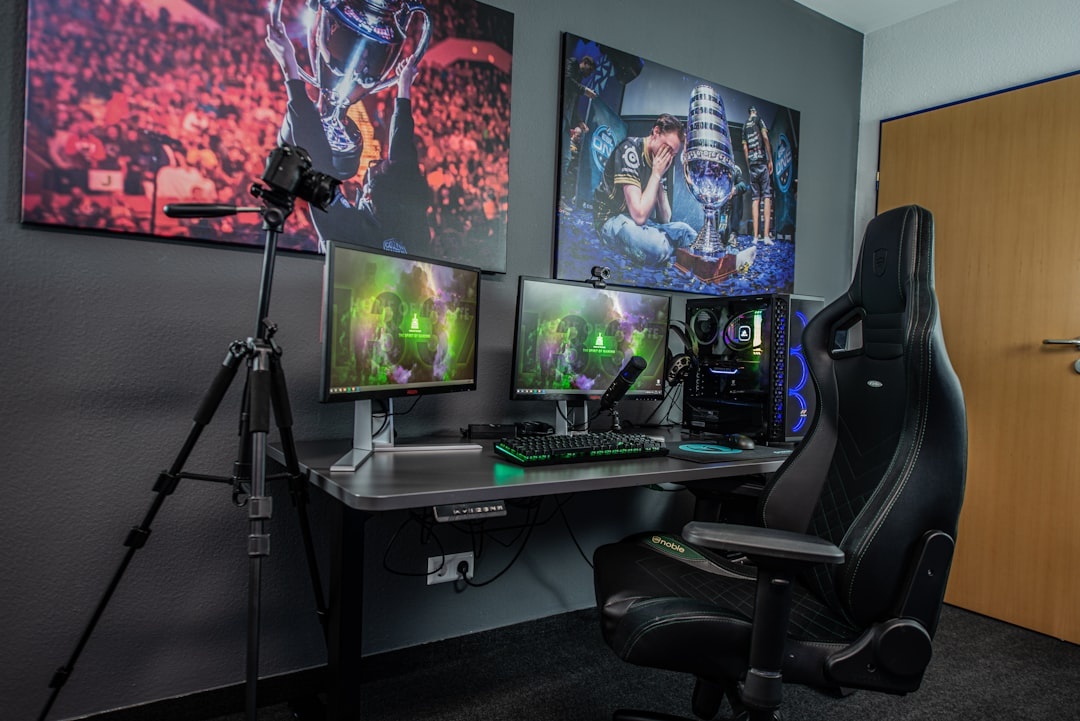
Traveler verdict: Skip. If a chair’s best feature is lighting, it is furniture cosplay, not ergonomic gear.
Best Portable Alternative: Lumbar Cushion + Laptop Stand + External Keyboard
Estimated price: $90–$180 total. Travel weight: about 900–1,500 g depending on gear. Battery life: keyboard often 150–300 hours per charge; stand and cushion require none.
For actual travelers, this is often the best “chair” upgrade. A compact lumbar cushion, folding laptop stand, and Bluetooth keyboard can rescue terrible Airbnb dining chairs without buying furniture.
Why does this matter when you’re traveling? September is shoulder-season gold, and many travelers are combining cheaper flights with longer stays in places like Tuscany, Bordeaux, the Douro Valley, and the Smoky Mountains. You may not control the chair, but you can control posture.
If you’re booking a fall foliage workation, check listings carefully. Our guide to Smoky Mountains stays with mountain views is a good reminder to look beyond scenery and ask hosts for desk-chair photos before committing.
- Portable lumbar cushion: $25–$60, usually 300–700 g.
- Roost-style laptop stand: $50–$90, usually 160–250 g.
- Bluetooth keyboard: $35–$100, usually 400–700 g, 150–300 hours battery life.
- Compact mouse: $20–$80, usually 80–120 g, 70–200 hours battery life.
This setup also beats shipping a chair internationally. Shipping a 30 kg chair box can cost $100–$300 across borders and may trigger customs paperwork.
Traveler verdict: Buy this first if you move often. Upgrade to a real chair only when you stay somewhere for at least 60–90 days.
Gaming Chair vs Office Chair: Which Should Travelers Buy?
Most travelers should buy an ergonomic office chair, not a gaming chair. Office chairs are usually better for typing, video calls, posture, warm climates, and small apartments.
Why does this matter when you’re traveling? Your travel days are mixed: four hours of work, two hours of planning, one hour of cloud gaming, and maybe a late train or flight. A chair that only feels good reclined is not enough.
- Buy an office chair if: you work 4+ hours daily, use a laptop stand, or rent small apartments.
- Buy a gaming chair if: you mostly play with a controller, want deep recline, and have enough room.
- Buy portable accessories if: you change cities every few weeks.
- Skip powered chairs if: you travel internationally or care about packing light.
At $549, the Secretlab Titan Evo costs more than many travelers spend on a week of shoulder-season lodging in cheaper destinations. That money may be better spent on flights, a coworking pass, or an ergonomic kit you can actually carry.
Buying Tips for September 2026 Workations
September is one of the best months to travel, but it is also a pricing flip year in many popular US destinations, where fall lodging can be pricier than summer. If you’re paying more for a mountain-view stay, do not assume it includes a workable chair.
Why does this matter when you’re traveling? A beautiful rental with a bar stool for a desk can turn into an expensive mistake. Always verify the work setup before booking.
- Ask for a chair photo: do not trust “dedicated workspace” labels alone.
- Check floor type: hard casters can scratch wood; pack felt pads or buy a $25 mat locally.
- Measure desk height: 28–30 inches works for most chairs; dining tables can be too high.
- Confirm delivery access: premium chairs may arrive in huge boxes over 25 kg.
- Plan resale: Steelcase and Herman Miller resell better than no-name gaming chairs.
If you’re choosing a sunny island base instead of an alpine one, ergonomic comfort still matters. Our Tenerife vs Lanzarote comparison is useful for picking the right Canary Island vibe, but once you book, message the host about the desk chair.
Final Verdict: Are Gaming Chairs Worth It in 2026?
Gaming chairs are worth it only for a narrow group of travelers: people with a home base, long-term renters, or controller-first gamers who value recline over desk ergonomics. For everyone else, a high-quality office chair or portable ergonomic kit is the smarter buy.
My opinionated shortlist is simple. Buy the Steelcase Gesture if you want the best all-round chair. Buy the Secretlab Titan Evo if you specifically want a gaming chair. Buy the Branch Ergonomic Chair Pro if you want value. Skip cheap RGB massage chairs entirely.
The best travel tech disappears into the trip. A good chair should help you finish work faster, recover better, and enjoy the destination—not become a 30 kg problem you have to ship, sell, or drag across town.
Frequently Asked Questions
What is the best gaming chair in 2026?
The best actual gaming chair is the Secretlab Titan Evo, from $549, with a 165-degree recline and multiple size options. For most travelers, the Steelcase Gesture is a better chair overall because it supports work and gaming more comfortably.
Are gaming chairs good for remote work?
Some are fine, but ergonomic office chairs are usually better for 4+ hour work sessions. Gaming chairs often weigh over 30,000 g and prioritize recline and styling over typing posture.
Can I travel with a gaming chair?
Not realistically. Most gaming chairs weigh 18,000–35,000 g and ship in oversized boxes, so they are better for home bases or 60–90 day stays.
What should digital nomads use instead of a gaming chair?
A lumbar cushion, laptop stand, Bluetooth keyboard, and travel mouse is usually smarter. The full setup costs about $90–$180, weighs roughly 900–1,500 g, and works in hotels, Airbnbs, and coworking spaces.

About the Author: Tomáš Bzirský
Founder and editor of Distratech. Based in the Czech Republic, travelling regularly from Central Europe. Writes practical travel guides and travel-tech comparisons (eSIM, apps, airports) in six languages.