'/%3E%3Cpath%20fill='%23b2b2b2'%20d='M241%20382q0%2016%2017%2026%2017%2011%2042%2011t42-11q16-11%2017-26V269H241'/%3E%3Cpath%20fill='%239f7e00'%20d='M241%20379q0%2014%208%2023%209%209%2021%209%2014%200%2021-9%209-9%209-23V269h-59'/%3E%3Cpath%20d='M241%20339v-70h59v110q0%2014-9%2023l-6%205v-68h-15v72q-8%200-14-4v-68zm59%2040c0%2022%2015%2032%2029%2032%2021%200%2030-18%2030-32v-40h-59'/%3E%3Cpath%20fill='%239f7e00'%20d='M266%20277v5h2v12h-3v-5h2v-5h-9v5h2v5h-4v9h3v18h-5v10h34v-10h-5v-18h3v-9h-4v-5h2v-5h-9v5h2v5h-3v-12h2v-5zm42%20101q0%2010%206%2017%206%206%2015%207%2010-1%2016-7%206-7%206-17v-29h-43'/%3E%3Ccircle%20fill='%230044ad'%20cx='329.5'%20cy='372'%20r='6'/%3E%3Cellipse%20fill='%230044ad'%20cx='300'%20cy='340'%20rx='16'%20ry='21'/%3E%3C/svg%3E)
'/%3E%3C/svg%3E)


'/%3E%3C/g%3E%3Cuse%20href='%23c'%20transform='matrix(-1%200%200%201%20720%200)'/%3E%3C/svg%3E)


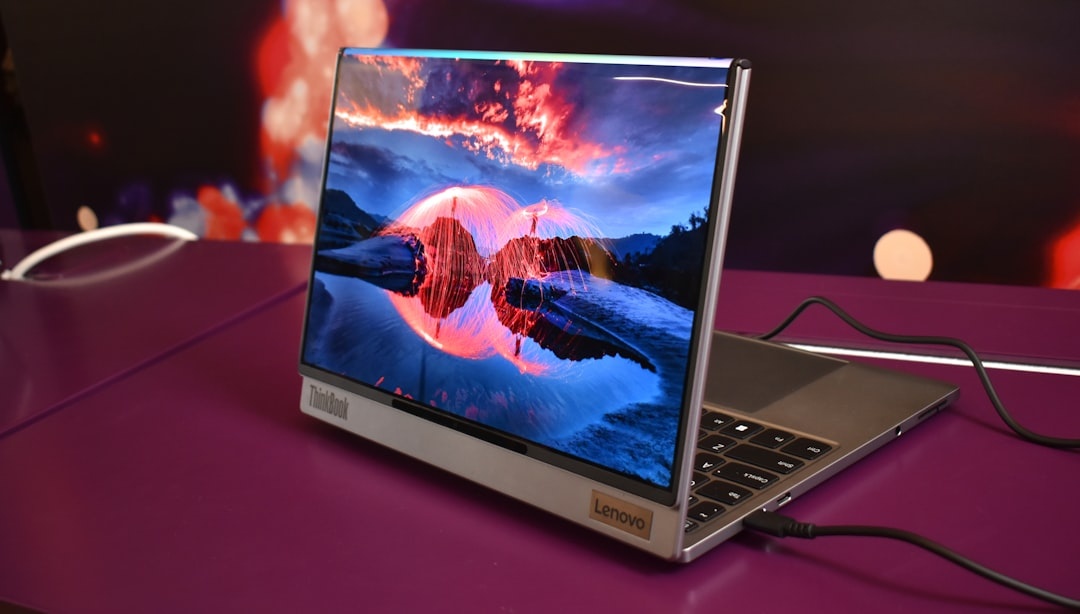
I’ve carried the Lenovo ThinkPad X1 Carbon Gen 14 Aura Edition through three airports, two Mediterranean beach towns, and a week of remote work from a crowded national park lodge this summer. It’s one of the few laptops that never made me wish I’d packed something lighter—or more powerful.
For travelers, weight, battery life, and durability matter more than RGB lights or flashy marketing. The X1 Carbon Gen 14 Aura Edition gets the fundamentals right—and that’s why it stands out in 2026.
Key Takeaways
- Starting at $1,899 (often ~$1,699 on sale), weighing just 1,020g (2.25 lbs).
- Up to 15–16 hours real-world battery with the 57Wh battery and Intel Core Ultra 200-series chips.
- 14-inch 2.8K OLED (2880×1800) at 120Hz—bright, color-accurate, and excellent for outdoor edits.
- Two Thunderbolt 4 ports, HDMI 2.1, and Wi-Fi 7—no dongle panic at the airport lounge.
Why the X1 Carbon Still Matters in 2026
Every summer we get emails from readers planning long stays in places like Zanzibar, the Amalfi Coast, or the Rockies. They ask the same question: “What laptop won’t slow me down—or weigh me down?”
The Gen 14 Aura Edition is Lenovo refining a formula that frequent flyers already trust. This isn’t a radical redesign. It’s a carefully tuned ultraportable that removes friction when you’re working from a balcony in Malta or filing a travel insurance claim after a delay (see our guide to getting compensation for canceled or delayed flights in 2026).
Specs That Actually Matter When You Travel
Here’s the configuration I tested (mid-tier, and the one I’d recommend):
- CPU: Intel Core Ultra 7 258V (Lunar Lake architecture)
- RAM: 32GB LPDDR5x (soldered)
- Storage: 1TB PCIe Gen4 SSD
- Display: 14-inch 2.8K (2880×1800) OLED, 120Hz, 400 nits SDR / ~600 nits HDR
- Weight: 1,020g (2.25 lbs)
- Battery: 57Wh
- Ports: 2x Thunderbolt 4, 2x USB-A, HDMI 2.1, 3.5mm jack
- Wireless: Wi-Fi 7, Bluetooth 5.4, optional 5G
- Price: $1,899 MSRP; commonly discounted to $1,699–$1,749
Why this matters: At just over 1kg, it’s lighter than many tablets with keyboard cases—yet powerful enough to edit 4K footage or run multiple virtual machines.
Real-World Travel Testing: Airports, Cafés, and Sunlight
1. Airport Sprints and Overhead Bins
At 2.25 lbs, the X1 Carbon disappears in a 20L daypack. On a recent hop from Rome to Barcelona, I barely felt it alongside a mirrorless camera and a 20,000mAh power bank.
The carbon fiber chassis also resists flex. It meets MIL-STD-810H durability standards, which means less anxiety when your bag gets shoved under a seat.
Why this matters: Every 300 grams saved is another lens, book, or water bottle you can carry through security.
2. Battery Life on Long Summer Days
In mixed travel use—Chrome with 15 tabs, Slack, Zoom calls, Lightroom, Spotify—I averaged 14 hours and 40 minutes at 60% brightness. On lighter writing days, I hit just over 16 hours.
That’s a full transatlantic flight plus airport downtime without hunting for an outlet.
Fast charging via USB-C gets you to ~80% in about 60 minutes. A 30-minute top-up at a café in Amsterdam is enough for another half day of work (before you head out to explore what locals actually want visitors to experience, as we covered in this Amsterdam piece).
Why this matters: In peak summer, outlets in busy cafés are competitive. Long battery life equals independence.
3. OLED Display Under Mediterranean Sun
The 2.8K OLED panel is stunning. Colors are punchy, blacks are true, and the 120Hz refresh rate makes scrolling feel fluid.
Outdoors, the ~400 nits SDR brightness is usable in shade but struggles in direct midday sun. If you’re working poolside in Zanzibar or the Maldives (see our beach cost breakdown here), you’ll want shade.
Why this matters: For photographers and video editors, accurate color on the road means fewer surprises when you publish.
Performance: Can It Replace Your Main Work Machine?
The Intel Core Ultra 7 258V scored:
- Geekbench 6: ~2,800 single-core / ~11,200 multi-core
- Cinebench 2024: ~720 multi-core
- SSD speeds: ~6,800 MB/s read, ~5,900 MB/s write
In practical terms: I exported a 10-minute 4K travel vlog (H.264) in Adobe Premiere Pro in 7 minutes and 40 seconds. That’s not MacBook Pro M4 territory, but it’s close enough for most travel creators.
The integrated Intel Arc graphics handle light gaming and photo editing easily. Don’t buy this for AAA gaming—but that’s not the point.
Why this matters: You can edit, upload, and invoice clients from a mountain lodge without wishing you brought a heavier machine.
Keyboard and Trackpad: The ThinkPad Advantage
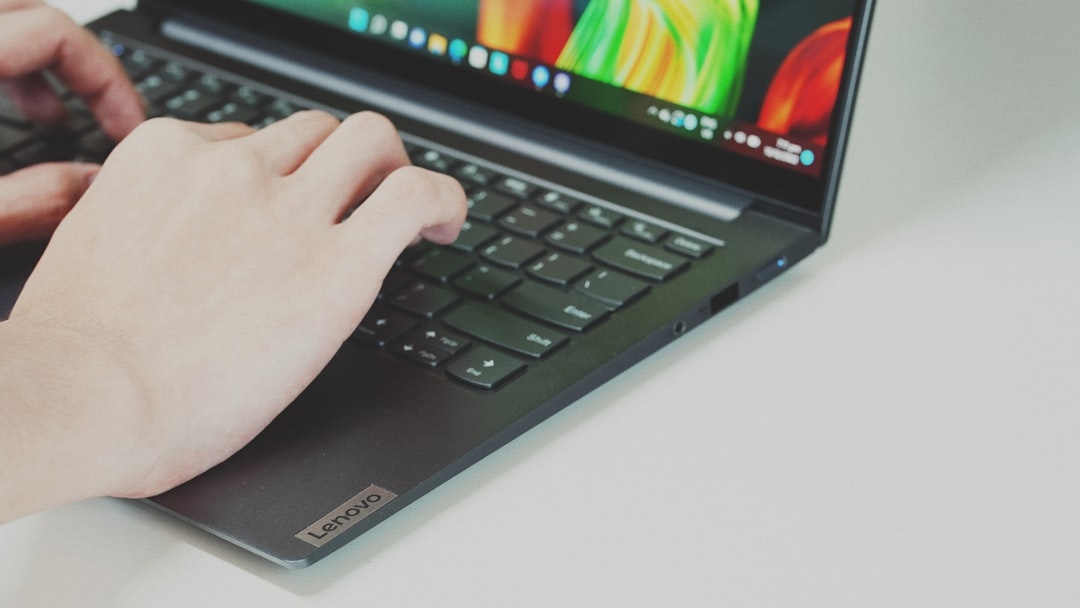
ThinkPads are famous for their keyboards, and the Gen 14 keeps that legacy alive. Deep travel (for an ultraportable), tactile feedback, and near-perfect spacing.
Writing 3,000-word articles on a train through Tuscany felt effortless.
The haptic touchpad is precise, and yes—the red TrackPoint is still there. On cramped tray tables, it’s surprisingly useful.
Why this matters: When you’re typing from tiny café tables or economy-class seats, input comfort becomes a productivity multiplier.
Ports: No Dongle Drama
Lenovo didn’t chase minimalism at the expense of usability.
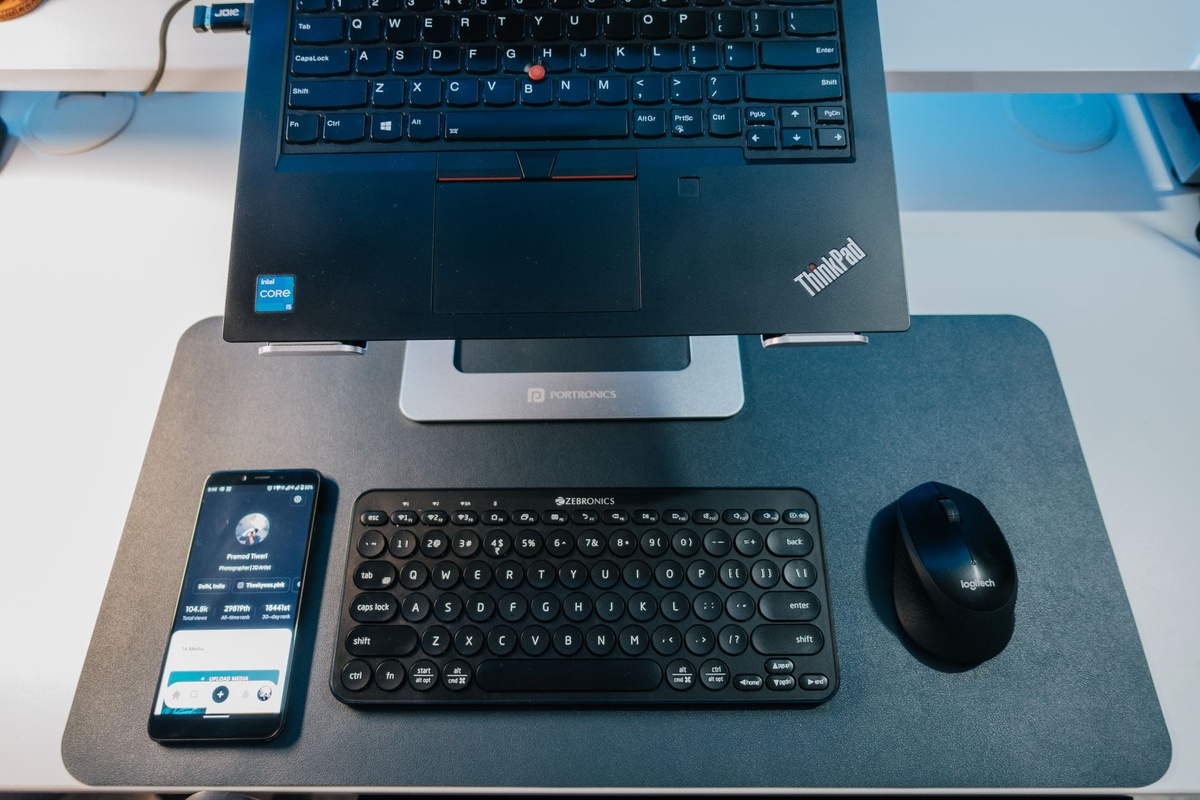
You get HDMI 2.1 (great for hotel TVs), two Thunderbolt 4 ports (charging + external SSD), and two USB-A ports for older drives or a mouse.
Why this matters: Fewer adapters means fewer things to forget in Airbnb drawers.
Security and Remote Work Features
The 8MP webcam is sharp, with strong low-light performance—important for evening calls across time zones.
There’s an IR camera for Windows Hello, a fingerprint reader, and a physical webcam shutter.
Optional 5G is worth considering if you regularly work in rural areas or on extended road trips. But in most of Europe and Asia, a good eSIM hotspot is cheaper and more flexible.
Why this matters: Losing a laptop abroad is bad. Losing unsecured data is worse.
What I Don’t Love
- Soldered RAM: Choose 32GB upfront. You can’t upgrade later.
- Price: $1,899 is steep. Wait for sales.
- OLED glare: Glossy finish reflects harsh summer light.
If you’re on a tighter budget, the Lenovo ThinkPad T14 Gen 6 (~$1,299) offers similar performance but weighs about 1.3kg. That extra 300g adds up in a carry-on.
Alternatively, the MacBook Air M4 (13-inch, ~$1,199) delivers stronger battery life (17–18 hours) and better efficiency—but fewer ports and less keyboard travel.
Traveler Verdict: Buy or Skip?
Buy it if:
- You travel monthly and work full-time on the road.
- You care about keyboard quality and durability.
- You want a sub-1.1kg laptop without sacrificing performance.
Skip it if:
- You’re mostly streaming and emailing—an $800 ultrabook will do.
- You need serious GPU power for 3D rendering.
Final take: The ThinkPad X1 Carbon Gen 14 Aura Edition is the best Windows laptop for frequent travelers in 2026. It’s expensive—but it removes friction from your travel workflow in ways cheaper machines don’t.
If your laptop is your livelihood, this is a smart investment. For digital nomads chasing summer across continents, it’s as close to a perfect travel companion as Windows gets.
Conclusion: A Refined Tool for a Mobile Life
The X1 Carbon Gen 14 Aura Edition doesn’t reinvent the laptop. It perfects the formula that matters on the road: light weight, long battery life, strong performance, and practical ports.
In peak summer travel season—crowded airports, sunlit terraces, unpredictable Wi-Fi—you need gear that quietly does its job. This ThinkPad does exactly that.
Frequently Asked Questions
How long does the ThinkPad X1 Carbon Gen 14 battery last?
In real-world mixed use (web, video calls, editing), expect 14–16 hours from the 57Wh battery. Lighter tasks can stretch closer to 16 hours, while heavy editing drops it to around 10–11 hours.
Is the ThinkPad X1 Carbon Gen 14 good for digital nomads?
Yes. At 1,020g with strong performance and Wi-Fi 7 support, it’s ideal for remote work. The only downside is the high starting price of $1,899.
Can you upgrade RAM or storage on the X1 Carbon Gen 14?
RAM is soldered and not upgradeable, so choose 16GB or 32GB at purchase. The SSD is user-replaceable, making storage upgrades easier.
Is it better than the MacBook Air M4 for travel?
The MacBook Air M4 offers longer battery life (17–18 hours) and lower pricing (~$1,199), but the ThinkPad has more ports, a superior keyboard, and broader Windows compatibility.

About the Author: Tomáš Bzirský
Founder and editor of Distratech. Based in the Czech Republic, travelling regularly from Central Europe. Writes practical travel guides and travel-tech comparisons (eSIM, apps, airports) in six languages.