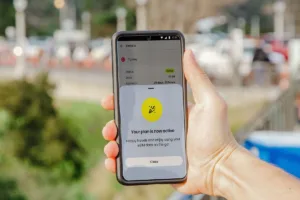
Switch from an iPhone to a Pixel or Galaxy and you lose one thing nobody warns you about: Apple Weather. Not the app, the data. The minute-by-minute rain timing that used to tell you “light rain starting in 11 minutes” while you queued for Glühwein in Vienna now lives behind an Apple-only wall. Until now, Android users had workarounds. Hello Weather is the first app that makes Apple’s forecast feel native on Android, and after three weeks of using it across a Christmas-market run through Nuremberg and Prague and a damp week in Lisbon, I’m convinced it’s the one to install before your next trip.
Key Takeaways
- Hello Weather on Android now pulls Apple Weather (WeatherKit, the old Dark Sky engine) as a selectable data source, giving you minute-by-minute precipitation for the next hour in most of Europe, North America and large parts of Asia.
- The app is free to install; Hello Weather Premium runs roughly $2.99/month or $14.99/year (November 2026 Play Store pricing, varies by country) and unlocks extra sources, widgets and the extended hourly view.
- Carrot Weather also offers Apple data on Android but costs $19.99/year minimum, and Pixel Weather doesn’t let you pick a source at all.
- Each forecast refresh pulls under 60 KB of data in my tests, so it’s effectively free on a travel eSIM — perfect for checking cloud cover before an aurora chase or rain timing before a market crawl.
- Buy Premium if you travel more than four weeks a year; stick with the free tier if you just want Apple’s forecast without the subscription.
Key Numbers at a Glance
| Spec | Hello Weather (Android) |
|---|---|
| Price (Nov 2026) | Free; Premium ~$2.99/month or ~$14.99/year (approx. €2.79 / €13.99) |
| Data sources | Apple Weather, Foreca, Pirate Weather, Tomorrow.io, OpenWeather (availability varies by tier) |
| Minute-by-minute precipitation | Yes, next 60 minutes via Apple Weather in supported regions |
| Forecast horizon | Hourly for 48 hours, daily for 10 days |
| Install size | Around 30 MB |
| Data per refresh (my test) | 45–60 KB |
| Battery drain (24h, 3 saved cities, background refresh on) | Under 1% on a Pixel 9 |
| Ads | None on free or paid tier |
| Minimum Android version | Android 8.0 |
| Widgets | Yes (Premium for most layouts) |
What Hello Weather Actually Is (And Why the Apple Source Is the Headline)
Hello Weather is a small, independent weather app built by two developers who have been shipping it since the Dark Sky era. It has always let you pick the forecast engine behind the pretty interface rather than locking you into one provider. That design choice is why the Android version can now show Apple Weather: Apple sells WeatherKit access to third-party developers, and Hello Weather plugs it straight into the source picker.
Apple Weather is, for practical purposes, the modern descendant of Dark Sky. Apple bought Dark Sky in 2020, shut down the standalone app in early 2023, and folded its hyperlocal precipitation modelling into WeatherKit. That’s the engine iPhone users have been quietly relying on for “rain stopping in 20 minutes” alerts ever since.
Why it matters when you’re traveling: most Android weather apps default to one source that may be excellent at home and mediocre abroad. Google’s own data is strong in the US and patchy for minute-level rain in, say, Strasbourg. Apple’s model is consistently good across Western and Central Europe, which is exactly where most of you are heading this Christmas market season.
Real-World Testing: Three Weeks, Four Countries, One Umbrella
I ran Hello Weather with Apple Weather as the primary source alongside Pixel Weather and Carrot Weather on a Pixel 9, plus Apple Weather on an iPhone 16 for a control. Here’s what I logged.
Nuremberg Christkindlesmarkt, late November
The first weekend of market season brought classic Franconian drizzle. Hello Weather’s Apple source called a 25-minute dry window at 17:40; the iPhone showed the same window to the minute, which confirms you’re getting identical data. Pixel Weather just said “70% chance of rain this evening,” which is true and useless.
Why it matters: a 25-minute dry window is the difference between queuing for Drei im Weggla under a dry sky and eating it soggy under an awning.
Prague Old Town, light snow
Apple’s model handled the rain-to-snow transition well, flipping the precipitation type about 40 minutes before the first flakes. Foreca (also available inside Hello Weather) caught it too, roughly 20 minutes later. Pixel Weather showed snow icons for the whole afternoon, which meant I’d have cancelled a walk I didn’t need to cancel.
Lisbon, Atlantic squalls
This is where Apple Weather’s weakness showed. Coastal squalls are hard for every model, and twice the minute forecast promised dry when I got soaked. Pirate Weather, the open-source Dark Sky clone also built into Hello Weather, did marginally better here. Being able to swap sources in two taps is the whole point.
Battery and data
Over 24 hours with three saved cities and background refresh on, Hello Weather used under 1% of a Pixel 9’s battery. Each manual refresh pulled 45–60 KB, measured through Android’s data usage screen. A full month of obsessive checking lands well under 20 MB, which is noise on a 1 GB Airalo Europe eSIM (around $5 in November 2026).
Hello Weather vs Carrot Weather vs Pixel Weather vs Windy: The Travel Comparison
| App (Android) | Price (Nov 2026) | Apple Weather source? | Minute-by-minute rain | Multi-source switching | Ads | Best for travelers who… |
|---|---|---|---|---|---|---|
| Hello Weather | Free / ~$14.99 yr | Yes | Yes (Apple, Pirate) | Yes, 2 taps | No | Want Apple’s forecast cheaply with a clean UI |
| Carrot Weather | $19.99 yr Premium / $39.99 yr Ultra | Yes (paid) | Yes | Yes, more sources | No | Want maximum customization and don’t mind paying |
| Pixel Weather | Free (Pixel only) | No | Limited | No | No | Own a Pixel and never leave the US |
| Windy | Free / ~€19.99 yr Premium | No | No (radar-based) | Model layers (ECMWF, GFS, ICON) | No | Chase aurora, sail, hike above the treeline |
| Yr (Norwegian Met) | Free | No | Nowcast in Nordics only | No | No | Travel in Scandinavia |
My take: Carrot is the more powerful app, but you pay 33% more for the entry tier and most of its extras (snarky personality, 20+ data sources, elaborate layouts) are things you fiddle with at home, not at a tram stop in Vienna. Hello Weather gets you the data that matters for roughly the price of two airport coffees per year.
Pixel Weather is genuinely good in North America and improving in Europe, but you can’t change its source, and in my testing its minute-level precipitation outside the US was either absent or vague. Keep it for the lock-screen widget; use Hello Weather when you actually need to decide whether to go out.
Which Data Source Inside Hello Weather Should Travelers Pick?
The app’s superpower is switching engines, so it helps to know where each one shines. These are my observations from this trip and previous ones, not laboratory science.
| Source | Tier in Hello Weather | Minute precipitation | Strongest regions | Weakest regions | Pick it when… |
|---|---|---|---|---|---|
| Apple Weather | Free | Yes (60 min) | Western/Central Europe, North America, Japan, Australia | Coastal squalls, parts of Africa | Default for city breaks and Christmas markets |
| Foreca | Premium | No | Nordics, Baltics, Alps | Tropics | Aurora trips to Tromsø or Rovaniemi; ski weeks |
| Pirate Weather | Free | Yes (US/Europe) | US, UK, Ireland, Iberian coast | Southeast Asia detail | Second opinion on rain timing |
| Tomorrow.io | Premium | Partial | Global coverage, decent in Asia | Minute-level detail in Europe | Sri Lanka, Oman, Cape Verde winter sun |
| OpenWeather | Free | No | Everywhere, roughly | Everywhere, precisely | Fallback only |
Why it matters: a single app with four credible models lets you cross-check before committing to a day out. If Apple and Foreca both say the sky clears over Abisko at 22:00, that’s a night you drive out. If they disagree, you wait an hour and check again.
Seasonal Use Cases Where Apple Weather on Android Earns Its Keep
Christmas markets (Vienna, Prague, Strasbourg, Nuremberg)
Markets are outdoor, evening, and cold. The minute-by-minute precipitation graph is the feature you’ll actually open. Set a 15-minute rain alert in Premium and you’ll get a nudge to finish your mulled wine and move under the cathedral arches before the drizzle starts.
Noctourism and aurora season
November is peak dark-sky season from Iceland to Finnish Lapland. Hourly cloud cover is the number that decides your night, and Apple Weather exposes it cleanly in Hello Weather’s hourly view. Pair it with Windy’s ECMWF cloud layer for a second opinion; the two together cost less than one guided aurora tour (typically €120–€180 per person in Tromsø this month).
Ski trips
Mountain weather punishes single-source apps. Foreca inside Hello Weather handled Alpine valleys better than Apple in my previous winter testing, and the ability to flip between them is the reason I’d pick Hello Weather over Pixel Weather for a week in Switzerland. If you’re pricing a trip to the Valais for the 2027 Worlds, our guide on skiing Crans-Montana without paying race-week prices covers the timing; Hello Weather covers whether the piste will be powder or slush.
Winter sun escapes
For the Canaries, Cape Verde, Oman and Sri Lanka, Apple Weather is fine for daily highs but minute precipitation often isn’t available. Switch to Tomorrow.io (Premium) for Sri Lanka’s late-northeast-monsoon showers, which are the thing that actually changes your afternoon on a November beach in Trincomalee. Families planning a longer Asian winter should also read our maths on wintering in Thailand with a dog under the 30-day visa-free rule, because the weather is the easy part of that trip.
Setup for Travel: Five Minutes Before You Fly
- Install Hello Weather from the Play Store (about 30 MB; do it on hotel Wi-Fi if you’re on a small eSIM, though it’s hardly an issue).
- Open Settings → Data Source and choose Apple Weather. Confirm it by checking the attribution line at the bottom of the forecast; it should read “Weather data from Apple Weather.”
- Add your destination cities now, not at the airport. Saved locations cache the last forecast so you’ll see something even in airplane mode.
- Switch units once (Celsius, km/h, mm) and leave them. Europe runs on these; your brain will thank you at the tram stop.
- If you buy Premium, turn on precipitation notifications and set them to “next hour only.” Daily summaries are noise when your plans change by the hour.
- Pin a second source (Foreca for mountains and the Nordics, Pirate Weather for coasts) so switching is one tap from the main screen.
- Turn off background refresh for cities you’ve already left. It’s a trivial battery cost, but tidy is tidy.
Pros and Cons
Pros
- Apple Weather data on Android at zero cost for the core forecast, identical to what iPhone users see.
- Source switching in two taps, which no other app in this price bracket does as cleanly.
- No ads, no location-data brokering, no bloated “news” tab.
- Tiny data footprint (under 60 KB per refresh) and negligible battery drain.
- Readable design: the hourly bar chart is the fastest “do I need a jacket?” answer I’ve found on Android.
Cons
- Radar is basic compared with Windy or Weather & Radar; serious storm watchers will want a second app.
- Most widgets sit behind Premium, and the free widget is plain.
- Apple’s minute precipitation isn’t available everywhere; outside Europe, North America, Japan and Australia you’ll often get hourly only.
- No wear OS complication yet, which stings on a hike.
- Pricing varies by Play Store region; some readers in Turkey and India report cheaper tiers, others in Switzerland pay more.
Choose Hello Weather If… / Choose Something Else If…
- Choose Hello Weather if you moved from iPhone to Android and miss the minute-by-minute rain line, you do more than two European city breaks a year, or you want to cross-check sources without paying Carrot’s premium.
- Choose Carrot Weather if you want 20+ sources, extreme widget customization, and you’re already in the $40/year mindset for a weather app. It’s the power tool; Hello Weather is the pocket knife.
- Choose Windy if you’re chasing aurora, sailing, or hiking above 2,000 m and need model layers rather than a friendly summary. Use it alongside Hello Weather, not instead of it.
- Stick with Pixel Weather if you own a Pixel, rarely leave North America, and never need to switch sources. It’s free and the lock-screen integration is excellent.
- Choose Yr if your winter is Norway, Sweden or Finland. Nothing beats the national met service on its home turf, and it’s free.
Common Mistakes Travelers Make With Weather Apps Abroad
- Trusting a single source in a new climate. Every model has regional blind spots. Hello Weather makes a second opinion trivial, so use it.
- Reading daily percentages as hourly truth. “70% chance of rain” over 24 hours can mean a dry day with a 20-minute shower at 06:00. Open the hourly view.
- Leaving home-city units on. Fahrenheit and mph in Prague cause genuinely bad clothing decisions at -2°C.
- Ignoring the attribution line. If the footer says OpenWeather, you didn’t actually switch to Apple. Check it once.
- Checking weather on airport Wi-Fi at the gate. Save locations before you leave; cached forecasts are enough to pick a jacket on landing.
- Buying the annual plan on day one. Run the free tier for a trip first. If you find yourself wanting rain alerts, upgrade; if not, you saved $14.99.
Is Hello Weather Premium Worth It? The Honest Maths
At roughly $14.99 a year (November 2026), Premium costs about $1.25 a month. For that you get Foreca and Tomorrow.io as sources, the full widget set, rain notifications and the extended hourly chart. One cancelled Christmas-market evening because you misjudged a shower costs more than that in abandoned Glühwein deposits.
If you travel fewer than four weeks a year and mostly in one country, the free tier with Apple Weather does everything you need. If you’re a digital nomad bouncing between climates, Premium pays for itself the first time Tomorrow.io correctly calls a Sri Lankan afternoon downpour that Apple missed.
Black Friday note: Hello Weather doesn’t historically run deep discounts, and I wouldn’t wait for one. The subscription is already cheaper than most of the “weather deals” being pushed this week, and a free install costs you nothing to try today.
Traveler Verdict
Hello Weather is the best way to get Apple Weather on Android, full stop. It’s cheaper than Carrot, smarter than Pixel Weather, and lighter on data and battery than either. The free tier alone gives you the minute-by-minute forecast that iPhone users take for granted, and Premium is priced like a developer who wants you to keep using the app rather than squeeze you.
Buy it (or rather, install it free and consider Premium) if you travel in Europe or North America and make hour-by-hour decisions about being outside. Skip Premium if you’re a once-a-year holidaymaker; the free Apple source is already better than what you had.
Rating for travelers: 4.5/5. The missing half point is the thin radar and the lack of a Wear OS complication. Fix those and it’s the only weather app I’d carry.
Frequently Asked Questions
Can you get Apple Weather on Android?
Not as an official Apple app, but third-party apps can license Apple’s WeatherKit data. Hello Weather offers Apple Weather as a selectable source on its free tier, and Carrot Weather offers it with a paid subscription from $19.99 a year (November 2026).
Is Hello Weather free on Android?
Yes. The free version includes the Apple Weather source, hourly and 10-day forecasts and a basic widget. Premium, at about $2.99 a month or $14.99 a year, adds Foreca and Tomorrow.io sources, more widgets and precipitation notifications.
Is Apple Weather the same as Dark Sky?
Apple bought Dark Sky in 2020 and built its hyperlocal precipitation model into WeatherKit, which powers Apple Weather. The Dark Sky app closed in early 2023, so Apple Weather is the closest living descendant, and it’s what Hello Weather shows on Android.
How much mobile data does a weather app use abroad?
Very little. Hello Weather pulled 45–60 KB per forecast refresh in my November 2026 tests, so even 20 checks a day totals about 1 MB. A 1 GB travel eSIM (around $5 for Europe) will never notice it.
Which weather app is best for aurora hunting?
Use two: Hello Weather with the Apple or Foreca source for hourly cloud cover, plus Windy’s ECMWF cloud layer for a second model. Cloud cover under 30% with a KP index of 3 or higher is the combination worth driving out for during November’s peak dark-sky season.
Conclusion
Losing Apple Weather was the one real regret of my own iPhone-to-Pixel switch, and Hello Weather closes that gap for free. With Christmas markets opening across Vienna, Prague, Strasbourg and Nuremberg this month and aurora season at its peak, the timing couldn’t be better. Install it before your next flight, pick Apple as your source, and let the minute-by-minute rain line make your evening decisions for you.

About the Author: Tomáš Bzirský
Founder and editor of Distratech. Based in the Czech Republic, travelling regularly from Central Europe. Writes practical travel guides and travel-tech comparisons (eSIM, apps, airports) in six languages.