


Apple eGPU Support Is (Still) Dead ⚡, AI Labs Are Burning Cash 💰, and Claude Code Changes Remote Work — What Travelers Need to Know
If you travel with a laptop, build things with AI, or rely on creative software on the road, three big tech stories matter right now: Apple’s quiet burial of eGPU support, the staggering costs inside AI labs, and the rapid rise of Claude Code as a serious tool for developers.
These aren’t abstract Silicon Valley headlines. They directly affect what laptop you should buy, which AI tools are sustainable, and how you can work efficiently from a hotel, coworking space, or airport lounge.
Key Takeaways
- Apple Silicon Macs (M1–M3) do not support eGPUs, and Apple shows no sign of bringing it back.
- Top AI labs reportedly burn millions per day on compute, raising real questions about pricing and long-term access.
- Claude Code is emerging as a powerful AI coding assistant with strong large-repo understanding.
- For travelers, lightweight laptops with efficient chips beat bulky eGPU setups every time.
Apple eGPU Support: Officially Gone — and It Matters
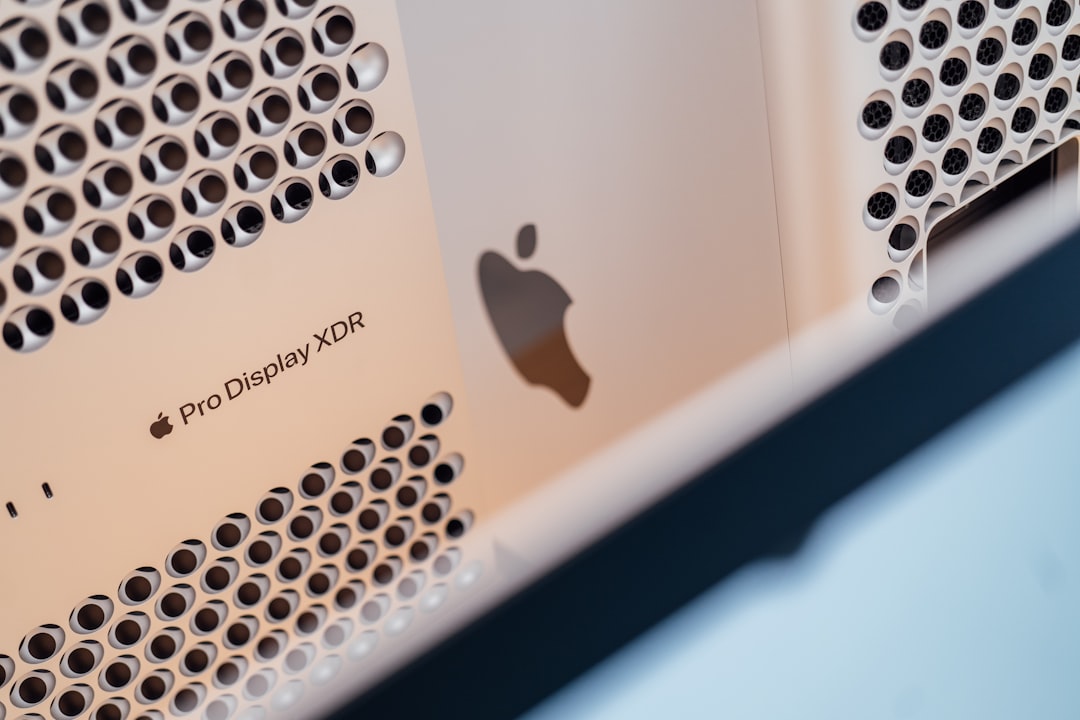
Apple supported external GPUs (eGPUs) on Intel Macs via Thunderbolt 3. You could plug in a Radeon RX 580 or even a Vega 64 inside a Razer Core enclosure and get serious graphical power.
Then Apple Silicon happened.
M1, M2, and M3 Macs do not support eGPUs. Not officially. Not unofficially. And after multiple macOS updates with zero hints of change, it’s safe to say: this isn’t coming back.
Why Apple Killed eGPUs
Apple Silicon integrates CPU, GPU, and memory into a unified architecture. The GPU cores are built directly into the chip, sharing unified memory with extremely high bandwidth.
External GPUs break that model. They add latency and complexity Apple doesn’t want.
From Apple’s perspective, it makes sense. From a traveling creator’s perspective? It’s complicated.
What This Means for Travelers and Digital Nomads
If you’re a video editor, 3D designer, or AI tinkerer who travels, you used to have flexibility:
- Carry a light MacBook for travel
- Dock into an eGPU at your Airbnb or coworking space
- Get desktop-class graphics when stationary
That hybrid model is gone on modern Macs.
Now, your performance ceiling is locked to whatever chip you buy. A MacBook Air M2 will never “scale up” later. A MacBook Pro with M3 Max is powerful — but you’re paying upfront, and carrying that cost everywhere.
My Practical Take
For most travelers, this is fine.
M2 and M3 chips are ridiculously efficient. You can edit 4K video on a 13-inch MacBook Air without a fan. Battery life is 15–18 hours in real-world use.
But if you’re doing heavy Blender renders, Unreal Engine work, or AI model training on the road, you now have two options:
- Buy a high-end MacBook Pro (expensive).
- Use cloud compute (recurring cost, internet dependent).
Personally? For travel-heavy creators, I’d skip the maxed-out $4,000 MacBook and invest in solid cloud GPU credits instead. It’s more flexible and lighter in your backpack.
Inside AI Lab Finances 💰: Why This Should Worry Frequent Travelers
Here’s something most users don’t think about: AI labs are burning cash at historic levels.
Training and running frontier models costs an enormous amount. Between GPUs, data centers, and energy, leading AI companies reportedly spend millions per day on compute.
Why does this matter to you — the traveler?
Because AI Tools You Rely On Might Get More Expensive
We’ve already seen:
- Tiered subscriptions ($20–$30/month becoming standard)
- API pricing fluctuations
- Usage caps during peak demand
If you’re a remote worker depending on AI for coding, translation, planning, or content creation, rising compute costs will affect your workflow.
This is especially important if you travel in regions with unstable internet. Cloud-only AI becomes fragile in those environments.
That’s why I’ve been recommending tools with offline capability when possible — like Google’s new AI dictation app with offline mode, which we covered in our article about Google’s AI dictation app that works without internet.
Offline-first AI is going to matter more as cloud costs rise.
Claude Code: A Serious Tool for Traveling Developers
Claude Code is gaining attention as a powerful coding-focused AI assistant built on Anthropic’s Claude models.
What makes it interesting isn’t hype — it’s context handling.
Claude models are known for large context windows (handling very long documents or codebases). For developers working remotely, this is huge.
Why It’s Useful on the Road
When you’re coding from a café in Lisbon or a hotel in Bangkok, you don’t want to manually feed tiny code snippets into an AI tool.
You want:
- Large repo understanding
- Clear refactoring suggestions
- Readable explanations
- Minimal hallucination
Claude Code performs especially well with structured reasoning and longer technical prompts.
Is it perfect? No. No AI coder is.
But if you’re building SaaS tools while traveling — or maintaining client projects from a coworking space — it’s absolutely competitive.
Cloud Dependency Caveat
Here’s the catch again: it’s cloud-based.
If you’re in a place with unstable Wi-Fi (small islands, rural areas, developing regions), performance can drop fast.
For truly mobile setups, I recommend combining:
- Local dev environment
- Offline documentation backups
- Cloud AI only when needed
Never build a workflow that collapses when airport Wi-Fi does.
The Bigger Picture: Hardware vs Cloud for Travelers
Apple killing eGPU support pushes travelers toward two camps:

1. Buy Powerful Hardware
MacBook Pro M3 Pro or M3 Max. Expensive, but self-contained.
2. Go Lightweight + Cloud
MacBook Air + external monitor at destination + cloud GPU or AI services.
I lean toward option 2 for frequent movers.
The same philosophy applies to AI tools like Claude Code. Use the cloud — but don’t depend on it blindly.
My Recommended Travel Setup (2026)
If you’re a tech-heavy traveler right now, here’s what I’d realistically suggest:
- Laptop: MacBook Air M2/M3 (16GB RAM minimum)
- Cloud: Budget monthly AI/API usage as a fixed expense
- Backup: Offline note-taking + documentation storage
- Security: Physical tracker like the Pebblebee Halo travel tracker for your gear
Losing a laptop abroad is worse than losing access to an eGPU.
Portability and redundancy beat raw power for most nomads.
What to Expect Next
Don’t expect Apple to reverse course on eGPUs. Their roadmap is clearly focused on more powerful integrated chips.
Expect AI subscriptions to stabilize — but not get dramatically cheaper. Compute isn’t getting free anytime soon.
And expect AI coding tools like Claude Code to become more embedded in IDEs, with smarter local caching to reduce constant cloud calls.
Final Thoughts: Choose Flexibility Over Hype
It’s easy to chase maximum specs. It’s harder — and smarter — to build a flexible setup.
Apple’s eGPU era is over. AI labs are spending like there’s no tomorrow. Claude Code is powerful but cloud-dependent.
For travelers, the winning strategy is simple: light hardware, smart cloud usage, offline backups, and tools that don’t crumble when the Wi-Fi does.
That’s how you stay productive — whether you’re in a Berlin coworking loft or waiting out a flight delay in Dubai.
Frequently Asked Questions
Do Apple Silicon Macs support eGPUs?
No. M1, M2, and M3 Macs do not support external GPUs, and Apple has shown no indication that support will return.
Is it worth buying an older Intel Mac for eGPU support?
In 2026, no. Intel Macs are less efficient, have worse battery life, and lack Apple Silicon optimizations. You’re better off using cloud GPU services.
What is Claude Code best used for?
Claude Code excels at analyzing large codebases, refactoring structured projects, and explaining complex logic thanks to its large context window.
Are AI tools getting more expensive?
Most leading AI tools now cost $20–$30 per month for premium tiers, and high API usage can add significant costs due to rising compute expenses.