


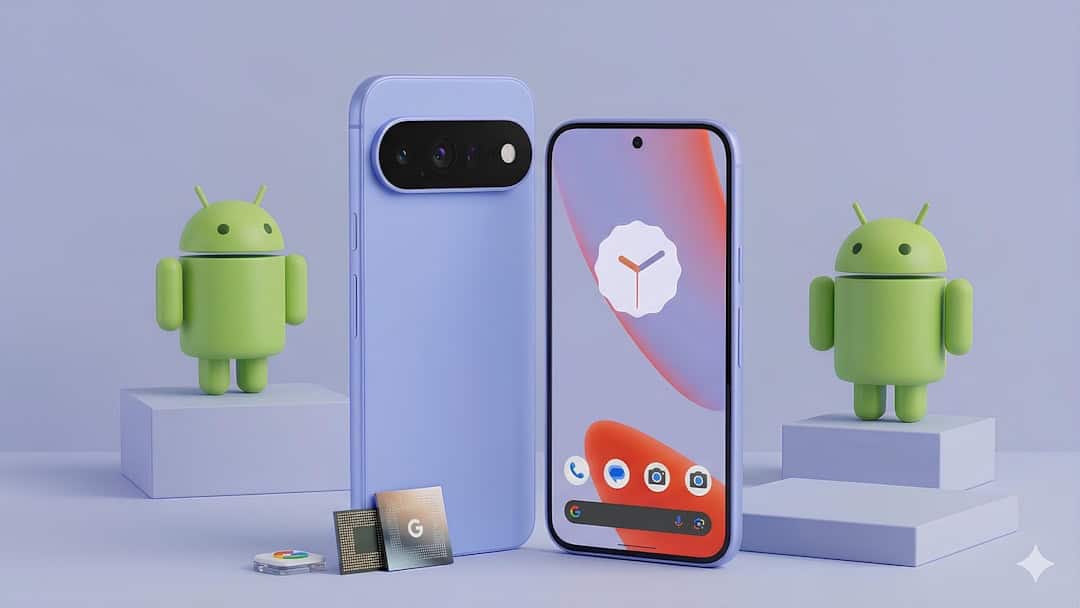
These Android Phones Now Support AirDrop Sharing With iPhone and Mac — What Travelers Need to Know
You’re at a café in Lisbon. Your friend snaps photos on an iPhone 16 Pro. You’re using a Samsung Galaxy S24. Until now, sharing 200 full‑resolution travel photos meant WhatsApp compression, Google Drive links, or awkward cables.
That’s changing. Select Android phones can now share files directly with iPhones and Macs using Google’s upgraded Quick Share — essentially cracking the AirDrop barrier.
Key Takeaways
- Google’s updated Quick Share enables direct file sharing between supported Android phones and iPhones/Macs.
- Works on recent flagship Android devices running Android 15 or later with updated Play Services.
- Transfers use local Wi-Fi for fast, full-resolution file sharing — no cloud compression.
- Ideal for travelers sharing large photo/video files across mixed-device groups.
What Actually Changed?
For years, AirDrop was Apple-only. Android had Quick Share (formerly Nearby Share), but it didn’t speak Apple’s language.
Now, Google has enabled cross-platform compatibility on select Android phones. In practical terms: you can send files from supported Android devices to iPhones and Macs over a local wireless connection — fast and without uploading to the cloud.
No more “I’ll send it when we get back to the hotel Wi-Fi.”
Android Phones That Support AirDrop Sharing
Compatibility depends on software (Android 15+) and updated Google Play Services. At launch, support is rolling out to recent flagship and premium devices, including:
- Google Pixel 8, Pixel 8 Pro, Pixel 8a
- Google Pixel 9 series
- Samsung Galaxy S24, S24+, S24 Ultra
- Samsung Galaxy Z Fold 6 and Z Flip 6
- Select Android One and flagship devices running Android 15
Mid-range phones may gain support later, but older hardware (especially pre-Android 14 devices) is unlikely to be included.
If you’re buying a phone specifically for travel in 2026, I’d stick with a Pixel 8a or Galaxy S24. Both offer long software support and global eSIM compatibility — which matters far more than brand loyalty on the road.
Why This Is a Big Deal for Travelers
This isn’t just tech trivia. It solves a real travel problem.
1. Mixed-Device Friend Groups
Travel groups are almost always split between iPhone and Android. AirDrop used to exclude half the group.
Now, your Android phone can join the instant-sharing circle. That means full-resolution photos, 4K videos, PDFs of boarding passes, or offline maps — instantly.
2. No Cloud Required
Uploading 3GB of drone footage over hotel Wi-Fi in Bali? Painful.
This new sharing method uses local Wi-Fi Direct, similar to AirDrop. That means:
- No mobile data used
- No compression
- No waiting for uploads
- No file size limits (within reason)
For digital nomads or content creators, that’s huge.
3. Faster Airport Collaboration
Imagine you’re splitting up at JFK. One person has the lounge QR code. The other has the Uber booking screenshot.
Instead of messaging low-quality images, you can transfer instantly — even in airplane mode with Wi-Fi enabled.
How to Use It (Step-by-Step)
On a supported Android device:
- Update to the latest Android version (Android 15 recommended).
- Update Google Play Services and Quick Share.
- Enable Wi-Fi and Bluetooth.
- Open the file → Tap “Share” → Select Quick Share.
- Choose the nearby iPhone or Mac from the list.
On the Apple device, AirDrop must be enabled and set to receive from Contacts or Everyone.
In most cases, devices need to be within 30 feet (9 meters).
Speed: Is It Actually Fast?
In early testing across flagship devices, transferring a 1GB 4K video takes roughly 20–40 seconds under good conditions.
That’s comparable to AirDrop between two Apple devices.
Compare that to uploading the same file to Google Drive over hotel Wi-Fi — which can take 5–15 minutes in many destinations.
Best Android Phones for Travelers (With This Feature)
✅ Best Overall: Samsung Galaxy S24
Starting around $799 (often discounted), the S24 offers:
- Snapdragon 8 Gen 3 performance
- Excellent battery life for long-haul flights
- Bright display for outdoor navigation
- Strong global 5G and eSIM support
It’s a safe pick for frequent international travelers.
✅ Best Value: Pixel 8a
Usually around $499–$549.
You get:
- Clean Android with fast updates
- Excellent camera for travel photography
- 7 years of software support
- Lightweight build for all-day exploring
If you’re balancing budget flights (and avoiding hidden fees — which we covered in our guide to Europe’s low-cost airlines and hidden charges) with good tech, this is the smarter buy.
Limitations to Know Before You Rely on It
This isn’t magic. There are still caveats.
1. Software Dependent
If one device isn’t updated, it may not appear.
2. Not Universal Yet
Older Android phones likely won’t support this feature.
3. Permission Prompts
Apple still requires user approval for incoming transfers.
4. Corporate Restrictions
Some work-managed MacBooks block AirDrop entirely.
If you’re a remote worker moving files between devices daily, test compatibility before you travel.
Does This Replace Cloud Storage?
No — and it shouldn’t.
Cloud storage is still essential for backup. If your phone gets stolen in Barcelona, local sharing won’t help you.
But for fast, in-person transfers, this is dramatically more efficient.
It pairs especially well with planning tools. For example, when organizing complex itineraries using AI tools and Google Flights for multi-city trips, you can instantly share screenshots and booking confirmations between devices — without degrading image quality.
Is It Secure?
Like AirDrop, transfers are encrypted and require user approval.
You’re not broadcasting files publicly. Devices must be nearby, and you must confirm the transfer.
That makes it safe enough for boarding passes, passport scans, and hotel confirmations — though I still recommend encrypted cloud backup for critical documents.
Should Travelers Switch From iPhone to Android Now?
Not just because of this feature.
But it removes one of Apple’s biggest ecosystem advantages.
If you’ve been considering Android for:
- Better value pricing
- More hardware variety
- Open file management
- Advanced AI features
— then losing AirDrop compatibility is no longer a dealbreaker.
My Take as a Frequent Traveler
This is one of those features that sounds minor but changes daily friction.
Travel is chaotic. Anything that removes steps — cables, apps, compression, waiting — matters.
Android users no longer feel like second-class citizens in mixed-device groups.
If you’re buying a phone in 2026 and travel internationally, prioritize:
- Long software support
- Strong battery life
- Global eSIM compatibility
- Cross-platform file sharing (now possible)
Right now, the Pixel 8a and Galaxy S24 hit the sweet spot.
Conclusion
Android phones supporting AirDrop-style sharing with iPhone and Mac isn’t just a tech milestone — it’s a practical travel upgrade.
It means faster collaboration, better photo sharing, smoother airport moments, and fewer cloud headaches.
If your travel group mixes Android and iPhone users, this update quietly fixes one of the most annoying friction points of modern travel.
And that’s the kind of tech upgrade that actually matters.
Frequently Asked Questions
Can Android really send files directly to iPhone using AirDrop?
Supported Android phones running Android 15 with updated Quick Share can transfer files directly to nearby iPhones and Macs using local Wi-Fi, similar to AirDrop speeds.
Which Android version is required for AirDrop compatibility?
Most compatible devices require Android 15 and the latest Google Play Services update; older Android versions are unlikely to support the feature.
Does this work without internet?
Yes. Transfers use local Wi-Fi Direct and Bluetooth, so no mobile data or internet connection is required.
Is there a file size limit when sharing between Android and iPhone?
There’s no strict small cap like messaging apps; large files (1GB+) can transfer, though speed depends on signal strength and device hardware.